<?xml version="1.0" encoding="utf-8"?><?xml-stylesheet type="text/xsl" href="atom.xsl"?>
<feed xmlns="http://www.w3.org/2005/Atom">
    <id>https://notes.rewheel.dev/en/blog</id>
    <title>Reinvent Notes Blog</title>
    <updated>2026-06-14T00:00:00.000Z</updated>
    <generator>https://github.com/jpmonette/feed</generator>
    <link rel="alternate" href="https://notes.rewheel.dev/en/blog"/>
    <subtitle>個人的な技術発信ブログのフィード</subtitle>
    <icon>https://notes.rewheel.dev/en/img/favicon.svg</icon>
    <rights>© 2026 rasshii</rights>
    <entry>
        <title type="html"><![CDATA[Japanese Web Fonts and Core Web Vitals — Fixing LCP and CLS by Measurement]]></title>
        <id>https://notes.rewheel.dev/en/blog/core-web-vitals-japanese-fonts</id>
        <link href="https://notes.rewheel.dev/en/blog/core-web-vitals-japanese-fonts"/>
        <updated>2026-06-14T00:00:00.000Z</updated>
        <summary type="html"><![CDATA[Technical SEO is a perfect score, yet only Lighthouse Performance won't budge. Tracing the cause with chrome-devtools measurements, the LCP culprit was the render-blocking of a Japanese Web font, and the CLS culprit was a navbar logo with no dimensions. A record of rejecting the font-swap-as-culprit theory by measurement and driving CLS to 0 without adding size-adjust.]]></summary>
        <content type="html"><![CDATA[<p>When I audited this site's (notes.rewheel.dev) SEO, the technical items were almost a perfect score. The sitemap, robots.txt, canonical, OGP, and JSON-LD were all in place, and the Lighthouse SEO score was 100 on every page. Yet only Performance was stuck at 58-63.</p>
<p>As I dug in, what was dragging it down were two of the Core Web Vitals — LCP (loading speed) and CLS (layout shift). And the culprits were in different places than I first suspected. LCP was how the Japanese Web font was loaded; CLS was not the body images but the header logo. This article is a record of pinpointing those culprits by measurement and fixing them without adding measures that do not work.</p>
<div class="theme-admonition theme-admonition-note admonition_xJq3 alert alert--secondary"><div class="admonitionHeading_Gvgb"><span class="admonitionIcon_Rf37"><svg viewBox="0 0 14 16"><path fill-rule="evenodd" d="M6.3 5.69a.942.942 0 0 1-.28-.7c0-.28.09-.52.28-.7.19-.18.42-.28.7-.28.28 0 .52.09.7.28.18.19.28.42.28.7 0 .28-.09.52-.28.7a1 1 0 0 1-.7.3c-.28 0-.52-.11-.7-.3zM8 7.99c-.02-.25-.11-.48-.31-.69-.2-.19-.42-.3-.69-.31H6c-.27.02-.48.13-.69.31-.2.2-.3.44-.31.69h1v3c.02.27.11.5.31.69.2.2.42.31.69.31h1c.27 0 .48-.11.69-.31.2-.19.3-.42.31-.69H8V7.98v.01zM7 2.3c-3.14 0-5.7 2.54-5.7 5.68 0 3.14 2.56 5.7 5.7 5.7s5.7-2.55 5.7-5.7c0-3.15-2.56-5.69-5.7-5.69v.01zM7 .98c3.86 0 7 3.14 7 7s-3.14 7-7 7-7-3.12-7-7 3.14-7 7-7z"></path></svg></span>Intended audience</div><div class="admonitionContent_BuS1"><p>This assumes you understand the basics of Web frontend (HTML/CSS, browser loading). Docusaurus-specific topics come up too, but the ideas of render-blocking and CLS apply to static sites in general.</p></div></div>
<h2 class="anchor anchorTargetStickyNavbar_Vzrq" id="why-fix-core-web-vitals">Why fix Core Web Vitals<a href="https://notes.rewheel.dev/en/blog/core-web-vitals-japanese-fonts#why-fix-core-web-vitals" class="hash-link" aria-label="Direct link to Why fix Core Web Vitals" title="Direct link to Why fix Core Web Vitals" translate="no">​</a></h2>
<p>Core Web Vitals are metrics of user experience defined by Google, and they are also a search-ranking signal. There are three metrics, and the "good" thresholds as of 2026 are as follows (from <a href="https://web.dev/articles/vitals" target="_blank" rel="noopener noreferrer" class="">web.dev</a>).</p>
<table><thead><tr><th>Metric</th><th>What it measures</th><th>good</th><th>poor</th></tr></thead><tbody><tr><td>LCP (Largest Contentful Paint)</td><td>Time until the main content is painted</td><td>≤ 2.5s</td><td>&gt; 4.0s</td></tr><tr><td>CLS (Cumulative Layout Shift)</td><td>Cumulative layout shift during loading</td><td>&lt; 0.1</td><td>&gt; 0.25</td></tr><tr><td>INP (Interaction to Next Paint)</td><td>Responsiveness to interaction</td><td>&lt; 200ms</td><td>&gt; 500ms</td></tr></tbody></table>
<p>You might think "if technical SEO is a perfect score, isn't that enough?", but the SEO score is only an audit of <em>machine readability</em>. Even if the title and structured data are correct, if the page is slow or lurches during loading, users bounce and rankings do not rise. CWV quantify the <em>felt</em> side of that.</p>
<div class="theme-admonition theme-admonition-info admonition_xJq3 alert alert--info"><div class="admonitionHeading_Gvgb"><span class="admonitionIcon_Rf37"><svg viewBox="0 0 14 16"><path fill-rule="evenodd" d="M7 2.3c3.14 0 5.7 2.56 5.7 5.7s-2.56 5.7-5.7 5.7A5.71 5.71 0 0 1 1.3 8c0-3.14 2.56-5.7 5.7-5.7zM7 1C3.14 1 0 4.14 0 8s3.14 7 7 7 7-3.14 7-7-3.14-7-7-7zm1 3H6v5h2V4zm0 6H6v2h2v-2z"></path></svg></span>This site's premise</div><div class="admonitionContent_BuS1"><p>It is a static site built with <a href="https://docusaurus.io/" target="_blank" rel="noopener noreferrer" class="">Docusaurus</a> v3.10, using the Japanese font Klee One for the body text. Japanese Web fonts have many glyphs and large files, so CWV exhibit different quirks than English sites. That was the crux this time.</p></div></div>
<h2 class="anchor anchorTargetStickyNavbar_Vzrq" id="baseline--what-was-failing">Baseline<span class="heading-subtitle">what was "failing"</span><a href="https://notes.rewheel.dev/en/blog/core-web-vitals-japanese-fonts#baseline--what-was-failing" class="hash-link" aria-label="Direct link to baseline--what-was-failing" title="Direct link to baseline--what-was-failing" translate="no">​</a></h2>
<p>First I measured production (notes.rewheel.dev) with Lighthouse's mobile setting (4x CPU throttling).</p>
<table><thead><tr><th>Page</th><th>Performance</th><th>LCP</th><th>CLS</th><th>SEO</th></tr></thead><tbody><tr><td>Top (/)</td><td>58</td><td><strong>9.3s</strong></td><td>0</td><td>100</td></tr><tr><td>Blog post</td><td>62</td><td><strong>4.4s</strong></td><td><strong>0.287</strong></td><td>100</td></tr><tr><td>Docs</td><td>63</td><td><strong>4.1s</strong></td><td><strong>0.305</strong></td><td>100</td></tr></tbody></table>
<p>LCP was poor (over 4 seconds) on every page, and CLS was poor (over 0.25) on the blog and docs. SEO was a perfect score. The location of the problem became clear. <strong>Performance — specifically LCP and CLS.</strong></p>
<p>From here I chased the two culprits separately.</p>
<h2 class="anchor anchorTargetStickyNavbar_Vzrq" id="culprit-1--the-render-blocking-font-that-was-slowing-lcp">Culprit 1<span class="heading-subtitle">the render-blocking font that was slowing LCP</span><a href="https://notes.rewheel.dev/en/blog/core-web-vitals-japanese-fonts#culprit-1--the-render-blocking-font-that-was-slowing-lcp" class="hash-link" aria-label="Direct link to culprit-1--the-render-blocking-font-that-was-slowing-lcp" title="Direct link to culprit-1--the-render-blocking-font-that-was-slowing-lcp" translate="no">​</a></h2>
<p>What Lighthouse's <code>render-blocking-insight</code> pointed to was the CSS loaded synchronously in <code>&lt;head&gt;</code>. The heaviest among them was the Google Fonts CSS.</p>
<p>The specification at the time loaded these four families together in a single URL.</p>
<div class="language-text codeBlockContainer_Ckt0 theme-code-block" style="--prism-color:#393A34;--prism-background-color:#f6f8fa"><div class="codeBlockContent_QJqH"><pre tabindex="0" class="prism-code language-text codeBlock_bY9V thin-scrollbar" style="color:#393A34;background-color:#f6f8fa"><code class="codeBlockLines_e6Vv"><div class="token-line" style="color:#393A34"><span class="token plain">https://fonts.googleapis.com/css2?family=Klee+One&amp;family=Noto+Sans+JP&amp;family=Inter&amp;family=JetBrains+Mono</span><br></div></code></pre></div></div>
<p>The problem is the Japanese fonts (Klee One / Noto Sans JP). Japanese exceeds 2,000 characters in common-use kanji alone, and the font is split into hundreds of subset files for delivery. The CSS body alone is about 150KB, and moreover it is <strong>render-blocking</strong> — meaning the browser cannot paint the body until it finishes fetching this CSS. On mobile, where CPU and network are throttled, several seconds melted away here.</p>
<p>The browser's loading drawn as a diagram looks like this. With synchronous loading, the font CSS cuts in front of First Paint.</p>
<!-- -->
<p>There were two more wastes.</p>
<ul>
<li class=""><strong>Inter was loaded but not used.</strong> Inter appears nowhere in <code>font-family</code>; it was a family that purely increased transfer size.</li>
<li class=""><strong>The KaTeX CSS was also loaded synchronously on every page.</strong> Math appears in only some posts, yet it was render-blocking even on the top page.</li>
</ul>
<h2 class="anchor anchorTargetStickyNavbar_Vzrq" id="culprit-2--what-caused-cls-was-not-the-images-but-the-logo">Culprit 2<span class="heading-subtitle">what caused CLS was not the images but the logo</span><a href="https://notes.rewheel.dev/en/blog/core-web-vitals-japanese-fonts#culprit-2--what-caused-cls-was-not-the-images-but-the-logo" class="hash-link" aria-label="Direct link to culprit-2--what-caused-cls-was-not-the-images-but-the-logo" title="Direct link to culprit-2--what-caused-cls-was-not-the-images-but-the-logo" translate="no">​</a></h2>
<p>For CLS, I first suspected the font. A Web font switches from the fallback when loading completes (swap), so the character width changes, lines reflow, and the layout shifts — that is a typical CLS factor.</p>
<p>But the numbers did not add up. CLS was high on the blog (0.287) and docs (0.305), nearly the same value. If font swap were the main culprit, a difference should appear in proportion to the body text amount, but it did not. And the decisive thing was that <strong>even the docs page, which has no hero image, had CLS 0.305.</strong> If body images were the culprit, pages without images should drop. They did not.</p>
<p>So the culprit is <strong>an element common to every page.</strong> That was the navbar coming right after <code>&lt;head&gt;</code>, and the logo inside it.</p>
<!-- -->
<p>When the navbar's logo <code>&lt;img&gt;</code> has no <code>width</code>/<code>height</code>, the browser cannot reserve the area the logo occupies before loading. It paints the body crammed up at height 0, and the instant the logo image arrives, it reserves the area and pushes the body down. This accumulated into CLS.</p>
<div class="theme-admonition theme-admonition-tip admonition_xJq3 alert alert--success"><div class="admonitionHeading_Gvgb"><span class="admonitionIcon_Rf37"><svg viewBox="0 0 12 16"><path fill-rule="evenodd" d="M6.5 0C3.48 0 1 2.19 1 5c0 .92.55 2.25 1 3 1.34 2.25 1.78 2.78 2 4v1h5v-1c.22-1.22.66-1.75 2-4 .45-.75 1-2.08 1-3 0-2.81-2.48-5-5.5-5zm3.64 7.48c-.25.44-.47.8-.67 1.11-.86 1.41-1.25 2.06-1.45 3.23-.02.05-.02.11-.02.17H5c0-.06 0-.13-.02-.17-.2-1.17-.59-1.83-1.45-3.23-.2-.31-.42-.67-.67-1.11C2.44 6.78 2 5.65 2 5c0-2.2 2.02-4 4.5-4 1.22 0 2.36.42 3.22 1.19C10.55 2.94 11 3.94 11 5c0 .66-.44 1.78-.86 2.48zM4 14h5c-.23 1.14-1.3 2-2.5 2s-2.27-.86-2.5-2z"></path></svg></span>Lesson</div><div class="admonitionContent_BuS1"><p>CLS investigation tends to suspect "flashy body elements" first, but it is often faster to first check <strong>whether the header/footer common to every page has an image with no dimensions specified.</strong> Common elements raise the CLS floor across all pages.</p></div></div>
<p>As for font swap, at this point I put it on hold as "maybe contributing secondarily." I settle it later by measurement (foreshadowing).</p>
<h2 class="anchor anchorTargetStickyNavbar_Vzrq" id="implementing-the-fixes">Implementing the fixes<a href="https://notes.rewheel.dev/en/blog/core-web-vitals-japanese-fonts#implementing-the-fixes" class="hash-link" aria-label="Direct link to Implementing the fixes" title="Direct link to Implementing the fixes" translate="no">​</a></h2>
<p>For the identified causes, I made five changes. The first three are the main event, directly affecting CWV.</p>
<h3 class="anchor anchorTargetStickyNavbar_Vzrq" id="1-remove-the-unused-inter">1. Remove the unused Inter<a href="https://notes.rewheel.dev/en/blog/core-web-vitals-japanese-fonts#1-remove-the-unused-inter" class="hash-link" aria-label="Direct link to 1. Remove the unused Inter" title="Direct link to 1. Remove the unused Inter" translate="no">​</a></h3>
<p>I removed Inter, which does not exist in <code>font-family</code>, from the Google Fonts URL. The appearance does not change at all; only the transfer size drops. A zero-risk net gain.</p>
<h3 class="anchor anchorTargetStickyNavbar_Vzrq" id="2-add-widthheight-to-the-navbar-logo">2. Add width/height to the navbar logo<a href="https://notes.rewheel.dev/en/blog/core-web-vitals-japanese-fonts#2-add-widthheight-to-the-navbar-logo" class="hash-link" aria-label="Direct link to 2. Add width/height to the navbar logo" title="Direct link to 2. Add width/height to the navbar logo" translate="no">​</a></h3>
<p>The direct fix for the CLS main culprit. Docusaurus's <code>navbar.logo</code> accepts <code>width</code>/<code>height</code>.</p>
<div class="language-ts codeBlockContainer_Ckt0 theme-code-block" style="--prism-color:#393A34;--prism-background-color:#f6f8fa"><div class="codeBlockTitle_OeMC">docusaurus.config.ts</div><div class="codeBlockContent_QJqH"><pre tabindex="0" class="prism-code language-ts codeBlock_bY9V thin-scrollbar" style="color:#393A34;background-color:#f6f8fa"><code class="codeBlockLines_e6Vv"><div class="token-line" style="color:#393A34"><span class="token plain">navbar</span><span class="token operator" style="color:#393A34">:</span><span class="token plain"> </span><span class="token punctuation" style="color:#393A34">{</span><span class="token plain"></span><br></div><div class="token-line" style="color:#393A34"><span class="token plain">  logo</span><span class="token operator" style="color:#393A34">:</span><span class="token plain"> </span><span class="token punctuation" style="color:#393A34">{</span><span class="token plain"></span><br></div><div class="token-line" style="color:#393A34"><span class="token plain">    alt</span><span class="token operator" style="color:#393A34">:</span><span class="token plain"> </span><span class="token string" style="color:#e3116c">'Reinvent Notes Logo'</span><span class="token punctuation" style="color:#393A34">,</span><span class="token plain"></span><br></div><div class="token-line" style="color:#393A34"><span class="token plain">    src</span><span class="token operator" style="color:#393A34">:</span><span class="token plain"> </span><span class="token string" style="color:#e3116c">'img/logo.svg'</span><span class="token punctuation" style="color:#393A34">,</span><span class="token plain"></span><br></div><div class="token-line" style="color:#393A34"><span class="token plain">    </span><span class="token comment" style="color:#999988;font-style:italic">// CLS fix: reserve the area before loading (the measured main cause of CLS)</span><span class="token plain"></span><br></div><div class="token-line" style="color:#393A34"><span class="token plain">    width</span><span class="token operator" style="color:#393A34">:</span><span class="token plain"> </span><span class="token number" style="color:#36acaa">32</span><span class="token punctuation" style="color:#393A34">,</span><span class="token plain"></span><br></div><div class="token-line" style="color:#393A34"><span class="token plain">    height</span><span class="token operator" style="color:#393A34">:</span><span class="token plain"> </span><span class="token number" style="color:#36acaa">32</span><span class="token punctuation" style="color:#393A34">,</span><span class="token plain"></span><br></div><div class="token-line" style="color:#393A34"><span class="token plain">  </span><span class="token punctuation" style="color:#393A34">}</span><span class="token punctuation" style="color:#393A34">,</span><span class="token plain"></span><br></div><div class="token-line" style="color:#393A34"><span class="token plain">  </span><span class="token comment" style="color:#999988;font-style:italic">// ...</span><span class="token plain"></span><br></div><div class="token-line" style="color:#393A34"><span class="token plain"></span><span class="token punctuation" style="color:#393A34">}</span><br></div></code></pre></div></div>
<p>Now the browser can reserve the logo area before loading, and the push-down on image arrival no longer happens.</p>
<h3 class="anchor anchorTargetStickyNavbar_Vzrq" id="3-make-the-font-and-katex-css-asynchronous">3. Make the font and KaTeX CSS asynchronous<a href="https://notes.rewheel.dev/en/blog/core-web-vitals-japanese-fonts#3-make-the-font-and-katex-css-asynchronous" class="hash-link" aria-label="Direct link to 3. Make the font and KaTeX CSS asynchronous" title="Direct link to 3. Make the font and KaTeX CSS asynchronous" translate="no">​</a></h3>
<p>The fix for the LCP main culprit. To resolve render-blocking, I moved to the standard pattern of fetching with <code>preload</code> and swapping to <code>rel="stylesheet"</code> when loading completes. In Docusaurus, you can inject tags into <code>&lt;head&gt;</code> with <code>headTags</code>.</p>
<div class="language-ts codeBlockContainer_Ckt0 theme-code-block" style="--prism-color:#393A34;--prism-background-color:#f6f8fa"><div class="codeBlockTitle_OeMC">docusaurus.config.ts</div><div class="codeBlockContent_QJqH"><pre tabindex="0" class="prism-code language-ts codeBlock_bY9V thin-scrollbar" style="color:#393A34;background-color:#f6f8fa"><code class="codeBlockLines_e6Vv"><div class="token-line" style="color:#393A34"><span class="token plain">headTags</span><span class="token operator" style="color:#393A34">:</span><span class="token plain"> </span><span class="token punctuation" style="color:#393A34">[</span><span class="token plain"></span><br></div><div class="token-line" style="color:#393A34"><span class="token plain">  </span><span class="token punctuation" style="color:#393A34">{</span><span class="token plain"></span><br></div><div class="token-line" style="color:#393A34"><span class="token plain">    tagName</span><span class="token operator" style="color:#393A34">:</span><span class="token plain"> </span><span class="token string" style="color:#e3116c">'link'</span><span class="token punctuation" style="color:#393A34">,</span><span class="token plain"></span><br></div><div class="token-line" style="color:#393A34"><span class="token plain">    attributes</span><span class="token operator" style="color:#393A34">:</span><span class="token plain"> </span><span class="token punctuation" style="color:#393A34">{</span><span class="token plain"></span><br></div><div class="token-line" style="color:#393A34"><span class="token plain">      rel</span><span class="token operator" style="color:#393A34">:</span><span class="token plain"> </span><span class="token string" style="color:#e3116c">'preload'</span><span class="token punctuation" style="color:#393A34">,</span><span class="token plain"></span><br></div><div class="token-line" style="color:#393A34"><span class="token plain">      </span><span class="token keyword" style="color:#00009f">as</span><span class="token operator" style="color:#393A34">:</span><span class="token plain"> </span><span class="token string" style="color:#e3116c">'style'</span><span class="token punctuation" style="color:#393A34">,</span><span class="token plain"></span><br></div><div class="token-line" style="color:#393A34"><span class="token plain">      href</span><span class="token operator" style="color:#393A34">:</span><span class="token plain"> </span><span class="token string" style="color:#e3116c">'https://fonts.googleapis.com/css2?family=Klee+One:wght@400;600&amp;family=Noto+Sans+JP:wght@400;500;700&amp;family=JetBrains+Mono:wght@400;500&amp;display=swap'</span><span class="token punctuation" style="color:#393A34">,</span><span class="token plain"></span><br></div><div class="token-line" style="color:#393A34"><span class="token plain">      </span><span class="token comment" style="color:#999988;font-style:italic">// promote to a stylesheet when loading completes, avoiding render-blocking</span><span class="token plain"></span><br></div><div class="token-line" style="color:#393A34"><span class="token plain">      onload</span><span class="token operator" style="color:#393A34">:</span><span class="token plain"> </span><span class="token string" style="color:#e3116c">"this.onload=null;this.rel='stylesheet'"</span><span class="token punctuation" style="color:#393A34">,</span><span class="token plain"></span><br></div><div class="token-line" style="color:#393A34"><span class="token plain">    </span><span class="token punctuation" style="color:#393A34">}</span><span class="token punctuation" style="color:#393A34">,</span><span class="token plain"></span><br></div><div class="token-line" style="color:#393A34"><span class="token plain">  </span><span class="token punctuation" style="color:#393A34">}</span><span class="token punctuation" style="color:#393A34">,</span><span class="token plain"></span><br></div><div class="token-line" style="color:#393A34"><span class="token plain">  </span><span class="token comment" style="color:#999988;font-style:italic">// Make the KaTeX CSS asynchronous the same way (resolving render-blocking on pages without math)</span><span class="token plain"></span><br></div><div class="token-line" style="color:#393A34"><span class="token plain">  </span><span class="token comment" style="color:#999988;font-style:italic">// Also write a synchronous fallback in &lt;noscript&gt; for JS-disabled environments</span><span class="token plain"></span><br></div><div class="token-line" style="color:#393A34"><span class="token plain"></span><span class="token punctuation" style="color:#393A34">]</span><span class="token punctuation" style="color:#393A34">,</span><br></div></code></pre></div></div>
<p>The loading timeline changes from synchronous to asynchronous like this.</p>
<!-- -->
<p>After the fix, it first paints with the fallback <code>system-ui</code> and swaps once the font arrives. Because I add <code>display=swap</code>, the text stays visible even while the font is being fetched (avoiding FOIT; for details see <a href="https://developer.mozilla.org/en-US/docs/Web/CSS/@font-face/font-display" target="_blank" rel="noopener noreferrer" class="">MDN: font-display</a>).</p>
<p>Along with this, I also moved the font that I had been loading via <code>@import</code> in <code>custom.css</code> over to the <code>headTags</code> side, resolving the serial loading caused by <code>@import</code> inside CSS.</p>
<h3 class="anchor anchorTargetStickyNavbar_Vzrq" id="4-convert-images-to-webp">4. Convert images to WebP<a href="https://notes.rewheel.dev/en/blog/core-web-vitals-japanese-fonts#4-convert-images-to-webp" class="hash-link" aria-label="Direct link to 4. Convert images to WebP" title="Direct link to 4. Convert images to WebP" translate="no">​</a></h3>
<p>I replaced the top hero image and the OGP social-card from PNG to WebP and removed the old PNGs. The hero is about 90% lighter. This lowers the transfer size of large images that could be LCP candidates.</p>
<h3 class="anchor anchorTargetStickyNavbar_Vzrq" id="5-generate-llmstxt-a-bonus">5. Generate llms.txt (a bonus)<a href="https://notes.rewheel.dev/en/blog/core-web-vitals-japanese-fonts#5-generate-llmstxt-a-bonus" class="hash-link" aria-label="Direct link to 5. Generate llms.txt (a bonus)" title="Direct link to 5. Generate llms.txt (a bonus)" translate="no">​</a></h3>
<p>On a different axis from CWV, I also added a plugin that generates <code>/llms.txt</code> at build time for AI crawlers. It is a measure conscious of inflow via generative AI (GEO/AEO).</p>
<h2 class="anchor anchorTargetStickyNavbar_Vzrq" id="verification--you-cant-measure-cls-without-throttling">Verification<span class="heading-subtitle">you can't measure CLS without throttling</span><a href="https://notes.rewheel.dev/en/blog/core-web-vitals-japanese-fonts#verification--you-cant-measure-cls-without-throttling" class="hash-link" aria-label="Direct link to verification--you-cant-measure-cls-without-throttling" title="Direct link to verification--you-cant-measure-cls-without-throttling" translate="no">​</a></h2>
<p>The effect of the fixes is invisible if you measure it the wrong way. At first I measured a local build with no limits, and CLS was 0.01. That tells me nothing about where the original 0.3 went.</p>
<p>The reveal is that <strong>CLS depends strongly on network/CPU slowness.</strong> When the connection is fast, both the font and the logo arrive instantly, and painting settles before any shift occurs. Unless you reproduce production-equivalent mobile slowness, the problem does not reproduce in the first place.</p>
<p>So I measured with a production-equivalent throttle using the performance trace of <a href="https://developer.chrome.com/docs/devtools" target="_blank" rel="noopener noreferrer" class="">Chrome DevTools (via MCP)</a>.</p>
<div class="language-text codeBlockContainer_Ckt0 theme-code-block" style="--prism-color:#393A34;--prism-background-color:#f6f8fa"><div class="codeBlockContent_QJqH"><pre tabindex="0" class="prism-code language-text codeBlock_bY9V thin-scrollbar" style="color:#393A34;background-color:#f6f8fa"><code class="codeBlockLines_e6Vv"><div class="token-line" style="color:#393A34"><span class="token plain">CPU:      4x throttling</span><br></div><div class="token-line" style="color:#393A34"><span class="token plain">Network:  Slow 4G</span><br></div><div class="token-line" style="color:#393A34"><span class="token plain">Viewport: 360 x 640 @2x (mobile, touch)</span><br></div></code></pre></div></div>
<p>Under this condition, here is the result of re-measuring the docs page after adding dimensions to the logo.</p>
<table><thead><tr><th>Page</th><th>CLS before</th><th>CLS after</th></tr></thead><tbody><tr><td>Docs (category)</td><td>0.305</td><td><strong>0.00</strong></td></tr><tr><td>Docs (body 250KB)</td><td>—</td><td><strong>0.00</strong></td></tr></tbody></table>
<p>Even pages with a lot of body text were 0.00. DevTools' CLSCulprits insight also reported "no relevant layout shift," and the shift itself disappeared.</p>
<div class="theme-admonition theme-admonition-note admonition_xJq3 alert alert--secondary"><div class="admonitionHeading_Gvgb"><span class="admonitionIcon_Rf37"><svg viewBox="0 0 14 16"><path fill-rule="evenodd" d="M6.3 5.69a.942.942 0 0 1-.28-.7c0-.28.09-.52.28-.7.19-.18.42-.28.7-.28.28 0 .52.09.7.28.18.19.28.42.28.7 0 .28-.09.52-.28.7a1 1 0 0 1-.7.3c-.28 0-.52-.11-.7-.3zM8 7.99c-.02-.25-.11-.48-.31-.69-.2-.19-.42-.3-.69-.31H6c-.27.02-.48.13-.69.31-.2.2-.3.44-.31.69h1v3c.02.27.11.5.31.69.2.2.42.31.69.31h1c.27 0 .48-.11.69-.31.2-.19.3-.42.31-.69H8V7.98v.01zM7 2.3c-3.14 0-5.7 2.54-5.7 5.68 0 3.14 2.56 5.7 5.7 5.7s5.7-2.55 5.7-5.7c0-3.15-2.56-5.69-5.7-5.69v.01zM7 .98c3.86 0 7 3.14 7 7s-3.14 7-7 7-7-3.12-7-7 3.14-7 7-7z"></path></svg></span>About the production LCP value</div><div class="admonitionContent_BuS1"><p>LCP also improved greatly locally, but because localhost has no round-trip latency to a CDN, I cannot compare this number directly with production LCP. The production after-fix LCP needs to be measured separately (I do not assert it in this article). What I can say for sure is only the structural change of "removing the render-blocking font/KaTeX CSS from the critical path."</p></div></div>
<h2 class="anchor anchorTargetStickyNavbar_Vzrq" id="why-i-did-not-add-size-adjust">Why I did not add size-adjust<a href="https://notes.rewheel.dev/en/blog/core-web-vitals-japanese-fonts#why-i-did-not-add-size-adjust" class="hash-link" aria-label="Direct link to Why I did not add size-adjust" title="Direct link to Why I did not add size-adjust" translate="no">​</a></h2>
<p>Here I return to the font-swap topic I had put on hold.</p>
<p>A frequently cited CLS measure for Japanese fonts is making the fallback font's metrics match the Web font with <code>size-adjust</code>. It prevents the reflow shift by keeping character width and line height from changing at the moment of swap. When you hear "Japanese font + CLS," adding this even looks like the standard move.</p>
<p>But this time I <strong>did not add it.</strong> The reason is that measurement showed font swap contributes almost nothing to CLS. Just by adding dimensions to the logo, CLS was 0.00 even on pages with a lot of body text. If swap were causing reflow, a value should remain here, but it does not.</p>
<p>It also makes structural sense. The body's line height is decided in <code>custom.css</code> like this.</p>
<div class="language-css codeBlockContainer_Ckt0 theme-code-block" style="--prism-color:#393A34;--prism-background-color:#f6f8fa"><div class="codeBlockContent_QJqH"><pre tabindex="0" class="prism-code language-css codeBlock_bY9V thin-scrollbar" style="color:#393A34;background-color:#f6f8fa"><code class="codeBlockLines_e6Vv"><div class="token-line" style="color:#393A34"><span class="token selector pseudo-class" style="color:#00009f">:root</span><span class="token plain"> </span><span class="token punctuation" style="color:#393A34">{</span><span class="token plain"></span><br></div><div class="token-line" style="color:#393A34"><span class="token plain">  </span><span class="token variable" style="color:#36acaa">--ifm-font-size-base</span><span class="token punctuation" style="color:#393A34">:</span><span class="token plain"> </span><span class="token number" style="color:#36acaa">16</span><span class="token unit">px</span><span class="token punctuation" style="color:#393A34">;</span><span class="token plain"></span><br></div><div class="token-line" style="color:#393A34"><span class="token plain">  </span><span class="token variable" style="color:#36acaa">--ifm-line-height-base</span><span class="token punctuation" style="color:#393A34">:</span><span class="token plain"> </span><span class="token number" style="color:#36acaa">1.8</span><span class="token punctuation" style="color:#393A34">;</span><span class="token plain"> </span><span class="token comment" style="color:#999988;font-style:italic">/* unitless */</span><span class="token plain"></span><br></div><div class="token-line" style="color:#393A34"><span class="token plain"></span><span class="token punctuation" style="color:#393A34">}</span><br></div></code></pre></div></div>
<p><code>line-height</code> is <strong>unitless (1.8)</strong> and <code>font-size</code> is fixed (16px). Then one line's height is always <code>16px x 1.8 = 28.8px</code>, so the line-box height does not change no matter which font you swap to. It was a structure where vertical reflow is unlikely to occur.</p>
<div class="theme-admonition theme-admonition-tip admonition_xJq3 alert alert--success"><div class="admonitionHeading_Gvgb"><span class="admonitionIcon_Rf37"><svg viewBox="0 0 12 16"><path fill-rule="evenodd" d="M6.5 0C3.48 0 1 2.19 1 5c0 .92.55 2.25 1 3 1.34 2.25 1.78 2.78 2 4v1h5v-1c.22-1.22.66-1.75 2-4 .45-.75 1-2.08 1-3 0-2.81-2.48-5-5.5-5zm3.64 7.48c-.25.44-.47.8-.67 1.11-.86 1.41-1.25 2.06-1.45 3.23-.02.05-.02.11-.02.17H5c0-.06 0-.13-.02-.17-.2-1.17-.59-1.83-1.45-3.23-.2-.31-.42-.67-.67-1.11C2.44 6.78 2 5.65 2 5c0-2.2 2.02-4 4.5-4 1.22 0 2.36.42 3.22 1.19C10.55 2.94 11 3.94 11 5c0 .66-.44 1.78-.86 2.48zM4 14h5c-.23 1.14-1.3 2-2.5 2s-2.27-.86-2.5-2z"></path></svg></span>Measure, then decide</div><div class="admonitionContent_BuS1"><p><code>size-adjust</code> is a correct technique, but it only takes effect when "font swap is actually causing CLS." This time that premise did not hold. <strong>Adding a measure that might not work "just in case" leaves unverified code behind, which becomes a maintenance liability.</strong> I measure the target metric (CLS), and if it is already met, I do not add extra defense — that is what I decided.</p></div></div>
<p>To be honest about one caveat, this time's after-fix measurement observes a swap with the font already cached (warm cache). On a completely first visit (cold), there remains theoretical room for a tiny CLS as lines re-wrap due to the character-width difference. But when I previously measured under fast conditions close to cold, CLS was 0.01 — 1/10 of the good threshold 0.1. I judge it is not at a level that causes real harm. If you are concerned, you can dig further with a measurement that isolates the cold cache.</p>
<h2 class="anchor anchorTargetStickyNavbar_Vzrq" id="wrap-up">Wrap-up<a href="https://notes.rewheel.dev/en/blog/core-web-vitals-japanese-fonts#wrap-up" class="hash-link" aria-label="Direct link to Wrap-up" title="Direct link to Wrap-up" translate="no">​</a></h2>
<p>What I learned from fixing this site's Core Web Vitals comes down to three points.</p>
<ul>
<li class=""><strong>The LCP main culprit was the render-blocking of the Japanese Web font.</strong> I made the 150KB synchronous CSS asynchronous with <code>preload -&gt; swap</code> and removed the unused Inter, clearing the critical path.</li>
<li class=""><strong>The CLS main culprit was not the font but the navbar logo with no dimensions.</strong> The clincher was that CLS was high even on pages without images, and just adding <code>width</code>/<code>height</code> made the shift disappear.</li>
<li class=""><strong>I did not add size-adjust, as a result of measurement.</strong> Thanks to the unitless <code>line-height</code>, reflow from swap is small and CLS is already 0. Not adding a measure that does not work is also part of optimization.</li>
</ul>
<p>Rather than short-circuiting to "Japanese fonts are heavy -&gt; just do font measures," what worked was measuring LCP and CLS separately and pinpointing different culprits for each. If I do more next time, it will be re-measuring the production after-fix LCP and digging into CLS with an isolated cold cache.</p>
<div class="theme-admonition theme-admonition-info admonition_xJq3 alert alert--info"><div class="admonitionHeading_Gvgb"><span class="admonitionIcon_Rf37"><svg viewBox="0 0 14 16"><path fill-rule="evenodd" d="M7 2.3c3.14 0 5.7 2.56 5.7 5.7s-2.56 5.7-5.7 5.7A5.71 5.71 0 0 1 1.3 8c0-3.14 2.56-5.7 5.7-5.7zM7 1C3.14 1 0 4.14 0 8s3.14 7 7 7 7-3.14 7-7-3.14-7-7-7zm1 3H6v5h2V4zm0 6H6v2h2v-2z"></path></svg></span>Related resources</div><div class="admonitionContent_BuS1"><ul>
<li class=""><a href="https://web.dev/articles/vitals" target="_blank" rel="noopener noreferrer" class="">Web Vitals (web.dev)</a>：definitions and thresholds of each metric</li>
<li class=""><a href="https://web.dev/articles/lcp" target="_blank" rel="noopener noreferrer" class="">Largest Contentful Paint (web.dev)</a>：the breakdown and improvement of LCP</li>
<li class=""><a href="https://developer.mozilla.org/en-US/docs/Web/CSS/@font-face/font-display" target="_blank" rel="noopener noreferrer" class="">font-display (MDN)</a>：swap and FOIT/FOUT</li>
<li class=""><a href="https://docusaurus.io/docs/seo" target="_blank" rel="noopener noreferrer" class="">Docusaurus: head metadata</a>：injecting into <code>&lt;head&gt;</code> with <code>headTags</code></li>
</ul></div></div>]]></content>
        <author>
            <name>rasshii</name>
            <uri>https://github.com/rasshii</uri>
        </author>
        <category label="performance" term="performance"/>
        <category label="core-web-vitals" term="core-web-vitals"/>
        <category label="docusaurus" term="docusaurus"/>
        <category label="web-font" term="web-font"/>
        <category label="seo" term="seo"/>
    </entry>
    <entry>
        <title type="html"><![CDATA[I built a running-car animation in the hero]]></title>
        <id>https://notes.rewheel.dev/en/blog/hero-car-animation</id>
        <link href="https://notes.rewheel.dev/en/blog/hero-car-animation"/>
        <updated>2026-06-02T00:00:00.000Z</updated>
        <summary type="html"><![CDATA[A record of building a running-car animation from scratch for the Docusaurus top hero. I componentize the SVG line art with svgr and drive the tire rotation and background parallax with pure CSS. From drawing backgrounds with CSS mask, a seamless infinite loop, theme-color following, all the way to prefers-reduced-motion support, explained for beginners.]]></summary>
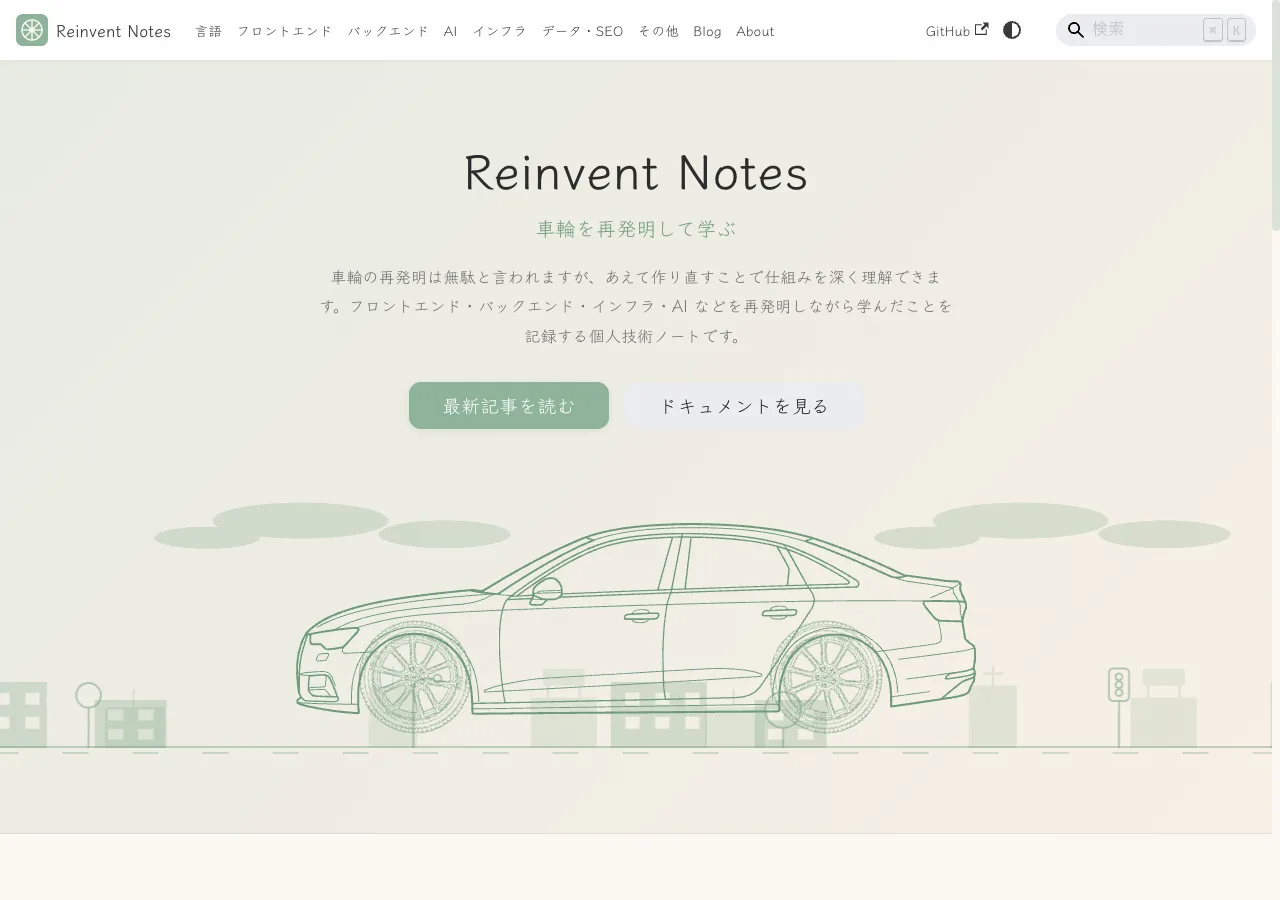
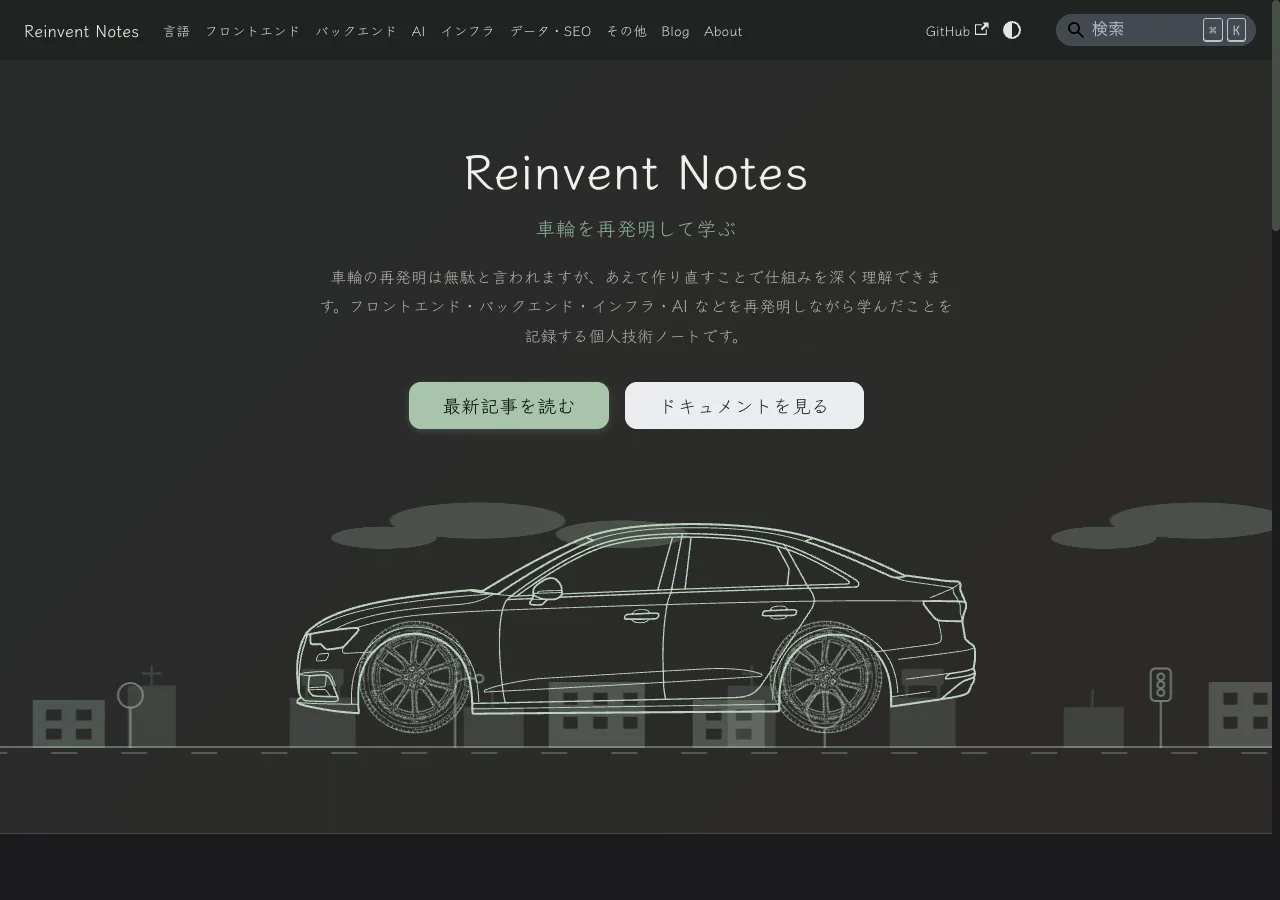
        <content type="html"><![CDATA[<p>When you open the top page of this site, "Reinvent Notes," a car running across the screen catches your eye. It is a key visual I built from scratch for the Docusaurus hero: I componentized SVG line art with React and drive the tire rotation and the background parallax entirely with CSS.</p>
<p>I used no flashy animation library — just svgr (bundled with Docusaurus) and pure CSS. It also follows the theme's light / dark switch, and for people who have <code>prefers-reduced-motion</code> enabled, it shows a still image.</p>
<p>I wrote this article with the goal that <strong>even someone who just started Web development can follow it to the end.</strong> So I explain <strong>from the basics, in order</strong> — "what is an SVG," "what is <code>viewBox</code>," "what is CSS <code>mask</code>" — and read the implementation on top of that foundation. It gets long, but I broke down each mechanism so it makes sense, so feel free to skip to whichever chapter interests you.</p>
<div class="theme-admonition theme-admonition-info admonition_xJq3 alert alert--info"><div class="admonitionHeading_Gvgb"><span class="admonitionIcon_Rf37"><svg viewBox="0 0 14 16"><path fill-rule="evenodd" d="M7 2.3c3.14 0 5.7 2.56 5.7 5.7s-2.56 5.7-5.7 5.7A5.71 5.71 0 0 1 1.3 8c0-3.14 2.56-5.7 5.7-5.7zM7 1C3.14 1 0 4.14 0 8s3.14 7 7 7 7-3.14 7-7-3.14-7-7-7zm1 3H6v5h2V4zm0 6H6v2h2v-2z"></path></svg></span>Revised 2026-06-13</div><div class="admonitionContent_BuS1"><p>I adjusted the design after publishing, so I updated the text to match the current implementation. There are three main changes: I split the buildings into two layers and punched out the windows; I drew the street's signs, streetlights, and so on as line art like the car; and I fixed a problem where the background jumped at the loop seam. The third one in particular is a complete rewrite of the "infinite loop" chapter.</p></div></div>
<h2 class="anchor anchorTargetStickyNavbar_Vzrq" id="why-a-car--reinvent-notes-and-the-inevitability-of-the-logo">Why a car<span class="heading-subtitle">Reinvent Notes and the inevitability of the logo</span><a href="https://notes.rewheel.dev/en/blog/hero-car-animation#why-a-car--reinvent-notes-and-the-inevitability-of-the-logo" class="hash-link" aria-label="Direct link to why-a-car--reinvent-notes-and-the-inevitability-of-the-logo" title="Direct link to why-a-car--reinvent-notes-and-the-inevitability-of-the-logo" translate="no">​</a></h2>
<p>This blog's theme is, just as the site name says, <strong>"reinventing the wheel."</strong> The tagline is also "Learn by reinventing the wheel." Deepening your understanding of how things work by deliberately rebuilding existing tools and concepts yourself — I run this as a place to record that kind of learning (I wrote about how I arrived at this name in <a class="" href="https://notes.rewheel.dev/en/blog/rewheel-naming">I changed the blog domain to notes.rewheel.dev</a>).</p>
<p>This site's logo is, literally, a <strong>wheel</strong>. It is a simple shape of just an outer rim, a central hub, and four spokes, and I use the same one for the favicon.</p>
<p>One day I suddenly thought, "It's a waste that the logo's wheel stays still." At least on the top page, I wanted to actually spin this wheel. And if the wheel is going to spin, I might as well put it on a body and make it run — which is how I decided to place a "running-car animation" in the hero. It is a decoration that conveys the site's world at a glance, and at the same time a small attempt to express the concept of "reinventing the wheel" through motion.</p>
<h2 class="anchor anchorTargetStickyNavbar_Vzrq" id="the-finished-form--what-is-moving">The finished form<span class="heading-subtitle">what is moving</span><a href="https://notes.rewheel.dev/en/blog/hero-car-animation#the-finished-form--what-is-moving" class="hash-link" aria-label="Direct link to the-finished-form--what-is-moving" title="Direct link to the-finished-form--what-is-moving" translate="no">​</a></h2>
<p>First, let's get a rough grasp of what is happening on screen. I cover the fine numbers in later chapters, so here I only pin down <strong>"what parts overlap, and how they move."</strong></p>
<p>In the center there is a line-art car, with its front and rear wheels rotating. The body faces left, and the background clouds, buildings, street signs and streetlights, and the road's dashed lines flow to the right. When the background flows right, the car relatively looks like it is moving left — that is the trick.</p>
<p>The colors follow the theme. In light mode it is a calm sage green; in dark mode a brighter green. The background buildings, street, and clouds are all the same color, so switching the theme changes the whole palette at once.</p>
<p><img decoding="async" loading="lazy" alt="The top-page hero in the light theme. The car and background are unified in sage green" src="https://notes.rewheel.dev/en/assets/images/hero-car-animation-light-0cdcff4075ffb50b801eba804987668a.webp" width="1280" height="900" class="img_ev3q"></p>
<p><img decoding="async" loading="lazy" alt="The same hero opened in the dark theme. currentColor switches to a brighter green" src="https://notes.rewheel.dev/en/assets/images/hero-car-animation-dark-9b44f7d76a24c7d3473b8c8f12e2650a.webp" width="1280" height="900" class="img_ev3q"></p>
<p>On screen, the following parts overlap from back to front. Furthest back are the clouds, then the far buildings in front of them, the mid buildings (with windows), the street (signs, streetlights, roadside trees, traffic lights), the road surface, and frontmost the car. Drawn as a diagram, it looks like this.</p>
<!-- -->
<p>There is one important point here. This stacking order is decided not by <code>z-index</code> (which specifies stacking in CSS) but by <strong>the order written in the HTML</strong>. I am simply using the browser's basic rule that elements written later stack in front. That is why I write the clouds first and the car last.</p>
<p>"Why does the HTML order determine stacking" and "why do the parts overlap in the same place instead of stacking vertically" are explained in the next chapter on CSS basics.</p>
<h2 class="anchor anchorTargetStickyNavbar_Vzrq" id="css-layout-basics">CSS layout basics<a href="https://notes.rewheel.dev/en/blog/hero-car-animation#css-layout-basics" class="hash-link" aria-label="Direct link to CSS layout basics" title="Direct link to CSS layout basics" translate="no">​</a></h2>
<p>In this chapter I cover three CSS tools used to "overlap and place the background and the car in the same spot." It is background knowledge that comes up over and over in the implementation, so let's lock it in first.</p>
<h3 class="anchor anchorTargetStickyNavbar_Vzrq" id="position-and-element-stacking">position and element stacking<a href="https://notes.rewheel.dev/en/blog/hero-car-animation#position-and-element-stacking" class="hash-link" aria-label="Direct link to position and element stacking" title="Direct link to position and element stacking" translate="no">​</a></h3>
<p>Normally, HTML elements are "stacked" in order from top to bottom. If you write two paragraphs, they line up in two tiers, right?</p>
<p>But in this hero, I want the clouds, buildings, and car all <strong>overlapped in the same place</strong>. What makes that possible is <code>position: absolute</code>.</p>
<ul>
<li class="">An element with <code>position: relative</code> becomes a "reference point." In this hero, the parent element <code>.scene</code> is that.</li>
<li class="">A child element with <code>position: absolute</code> is <strong>removed from the usual "stacking" flow</strong> and floats at a free position, using the reference point (<code>.scene</code>) as its origin.</li>
</ul>
<p>The clouds, buildings, street, road surface, and car inside <code>.scene</code> all float with <code>position: absolute</code>. That is why they are not stacked vertically but placed overlapping on the same <code>.scene</code>. And the front-to-back relationship when overlapped is decided by "the order written in the HTML," which I mentioned in the previous chapter.</p>
<div class="language-css codeBlockContainer_Ckt0 theme-code-block" style="--prism-color:#393A34;--prism-background-color:#f6f8fa"><div class="codeBlockContent_QJqH"><pre tabindex="0" class="prism-code language-css codeBlock_bY9V thin-scrollbar" style="color:#393A34;background-color:#f6f8fa"><code class="codeBlockLines_e6Vv"><div class="token-line" style="color:#393A34"><span class="token selector class" style="color:#00009f">.scene</span><span class="token plain"> </span><span class="token punctuation" style="color:#393A34">{</span><span class="token plain"></span><br></div><div class="token-line" style="color:#393A34"><span class="token plain">  </span><span class="token property" style="color:#36acaa">position</span><span class="token punctuation" style="color:#393A34">:</span><span class="token plain"> relative</span><span class="token punctuation" style="color:#393A34">;</span><span class="token plain">   </span><span class="token comment" style="color:#999988;font-style:italic">/* becomes the reference point for child placement */</span><span class="token plain"></span><br></div><div class="token-line" style="color:#393A34"><span class="token plain">  </span><span class="token property" style="color:#36acaa">overflow</span><span class="token punctuation" style="color:#393A34">:</span><span class="token plain"> hidden</span><span class="token punctuation" style="color:#393A34">;</span><span class="token plain">     </span><span class="token comment" style="color:#999988;font-style:italic">/* hide the overflowing background outside the frame */</span><span class="token plain"></span><br></div><div class="token-line" style="color:#393A34"><span class="token plain"></span><span class="token punctuation" style="color:#393A34">}</span><span class="token plain"></span><br></div><div class="token-line" style="color:#393A34"><span class="token plain"></span><span class="token selector class" style="color:#00009f">.clouds</span><span class="token plain"> </span><span class="token punctuation" style="color:#393A34">{</span><span class="token plain"></span><br></div><div class="token-line" style="color:#393A34"><span class="token plain">  </span><span class="token property" style="color:#36acaa">position</span><span class="token punctuation" style="color:#393A34">:</span><span class="token plain"> absolute</span><span class="token punctuation" style="color:#393A34">;</span><span class="token plain">   </span><span class="token comment" style="color:#999988;font-style:italic">/* floats relative to .scene */</span><span class="token plain"></span><br></div><div class="token-line" style="color:#393A34"><span class="token plain"></span><span class="token punctuation" style="color:#393A34">}</span><br></div></code></pre></div></div>
<p><code>overflow: hidden</code> is a setting that clips and hides the part overflowing the frame (<code>.scene</code>). The background is made wider than the frame so it can flow, so without this it would spill out sideways.</p>
<h3 class="anchor anchorTargetStickyNavbar_Vzrq" id="-is-a-ratio-of-what">% is a ratio of what<a href="https://notes.rewheel.dev/en/blog/hero-car-animation#-is-a-ratio-of-what" class="hash-link" aria-label="Direct link to % is a ratio of what" title="Direct link to % is a ratio of what" translate="no">​</a></h3>
<p>In this implementation, I specify many positions and sizes in <strong>% (percent)</strong>: things like <code>left: 78%</code>, <code>top: 80%</code>, <code>height: 38%</code>.</p>
<p>In CSS, % is, in principle, <strong>a ratio relative to the parent element's size</strong>. The cloud layer's <code>height: 38%</code> means "38% of the height of the parent <code>.scene</code>," and a tire's <code>left: 78%</code> means "the position at 78% of the width of the parent <code>.car</code>."</p>
<p>The benefit of using % is that <strong>the ratio is preserved even when the screen width changes</strong>. On both phone and PC, the tires stick to the same position on the body. Fixed pixels require adjustment per screen size, but with % a single value follows along.</p>
<p>There is an exception, though. In this implementation, only the heights of the building and street layers are <strong>deliberately fixed in pixels</strong>. I explain why they are not % in the infinite-loop chapter.</p>
<h3 class="anchor anchorTargetStickyNavbar_Vzrq" id="the-after-pseudo-element-and-background">the ::after pseudo-element and background<a href="https://notes.rewheel.dev/en/blog/hero-car-animation#the-after-pseudo-element-and-background" class="hash-link" aria-label="Direct link to the ::after pseudo-element and background" title="Direct link to the ::after pseudo-element and background" translate="no">​</a></h3>
<p>Finally, let me introduce three tools commonly used for drawing backgrounds.</p>
<p><strong>The <code>::after</code> pseudo-element</strong> is a CSS feature that "grows one more virtual child element behind the element" without adding HTML. In this hero, I grow <code>.road::after</code> on the road surface <code>.road</code> to create the "flowing dashed line." Writing <code>content: ''</code> makes an element with empty content appear, to which you can give any appearance.</p>
<p><strong>The <code>background</code> family of properties</strong> decides how the background is painted. The four commonly used ones are:</p>
<ul>
<li class=""><code>background-color</code>: paints the background a single color.</li>
<li class=""><code>background-image</code>: lays an image or gradient on the background.</li>
<li class=""><code>background-size</code>: the size of one tile of the laid background.</li>
<li class=""><code>background-repeat</code>: whether to repeat the background (<code>repeat-x</code> repeats horizontally).</li>
</ul>
<p>And <strong><code>opacity</code></strong> is the <strong>transparency</strong> of the whole element. <code>1</code> is opaque, <code>0</code> is fully transparent. Lowering it to something like <code>0.2</code> makes that element faintly see-through. In this hero, I use it to make the deeper layers thinner to strengthen the sense of depth.</p>
<p>Combining these, you can draw clouds and dashed lines with CSS alone, without preparing an image file. I cover the details in the background chapter.</p>
<h2 class="anchor anchorTargetStickyNavbar_Vzrq" id="first-the-basics--what-is-an-svg">First, the basics<span class="heading-subtitle">what is an SVG</span><a href="https://notes.rewheel.dev/en/blog/hero-car-animation#first-the-basics--what-is-an-svg" class="hash-link" aria-label="Direct link to first-the-basics--what-is-an-svg" title="Direct link to first-the-basics--what-is-an-svg" translate="no">​</a></h2>
<p>The material for the body and tires is an image in the SVG format. Since it is the star of the animation, let's first understand what an SVG is.</p>
<h3 class="anchor anchorTargetStickyNavbar_Vzrq" id="vector-images-and-raster-images">Vector images and raster images<a href="https://notes.rewheel.dev/en/blog/hero-car-animation#vector-images-and-raster-images" class="hash-link" aria-label="Direct link to Vector images and raster images" title="Direct link to Vector images and raster images" translate="no">​</a></h3>
<p>There are roughly two kinds of images.</p>
<ul>
<li class=""><strong>Raster images</strong> (JPEG / PNG, etc.): Like photos, they represent a picture with <strong>a collection of tiny dots (pixels)</strong>. Enlarging makes the dots bigger, so it gets blurry or jagged.</li>
<li class=""><strong>Vector images</strong> (SVG): They represent a picture with <strong>drawing instructions (coordinates and formulas)</strong> like "draw a line from here to here" and "draw a circle of radius N." Enlarging only recomputes and redraws the instructions, so <strong>no matter how large you make it, there is no degradation</strong>.</li>
</ul>
<p>SVG stands for Scalable Vector Graphics — exactly "a scalable vector image." Line art like a car logo or an icon is a perfect subject for SVG.</p>
<p>The inside of an SVG is text (XML), and you build a picture by combining shape elements like these.</p>
<ul>
<li class=""><code>&lt;rect&gt;</code>: rectangle</li>
<li class=""><code>&lt;circle&gt;</code>: circle</li>
<li class=""><code>&lt;polygon&gt;</code>: polygon</li>
<li class=""><code>&lt;path&gt;</code>: free curves and outlines (the most expressive)</li>
</ul>
<h3 class="anchor anchorTargetStickyNavbar_Vzrq" id="viewbox-is-a-window-that-crops-the-coordinates">viewBox is "a window that crops the coordinates"<a href="https://notes.rewheel.dev/en/blog/hero-car-animation#viewbox-is-a-window-that-crops-the-coordinates" class="hash-link" aria-label="Direct link to viewBox is &quot;a window that crops the coordinates&quot;" title="Direct link to viewBox is &quot;a window that crops the coordinates&quot;" translate="no">​</a></h3>
<p>The most important thing in understanding SVG is <code>viewBox</code>. SVG draws shapes with coordinates, and <code>viewBox</code> is the <strong>window that decides "which coordinate range to project onto the display frame."</strong></p>
<p><code>viewBox</code> is specified with four numbers.</p>
<div class="language-text codeBlockContainer_Ckt0 theme-code-block" style="--prism-color:#393A34;--prism-background-color:#f6f8fa"><div class="codeBlockContent_QJqH"><pre tabindex="0" class="prism-code language-text codeBlock_bY9V thin-scrollbar" style="color:#393A34;background-color:#f6f8fa"><code class="codeBlockLines_e6Vv"><div class="token-line" style="color:#393A34"><span class="token plain">viewBox="min-x min-y width height"</span><br></div></code></pre></div></div>
<ul>
<li class=""><strong>min-x / min-y</strong>: the top-left coordinate where projection begins.</li>
<li class=""><strong>width / height</strong>: how much range to project from there toward the right and down.</li>
</ul>
<p>In other words, it is an instruction to "crop a rectangle of width <code>width</code> and height <code>height</code> with the coordinate (min-x, min-y) at the top-left, and stretch it to fill the display frame." Check it in the diagram below.</p>
<div class="theme-admonition theme-admonition-note admonition_xJq3 alert alert--secondary"><div class="admonitionHeading_Gvgb"><span class="admonitionIcon_Rf37"><svg viewBox="0 0 14 16"><path fill-rule="evenodd" d="M6.3 5.69a.942.942 0 0 1-.28-.7c0-.28.09-.52.28-.7.19-.18.42-.28.7-.28.28 0 .52.09.7.28.18.19.28.42.28.7 0 .28-.09.52-.28.7a1 1 0 0 1-.7.3c-.28 0-.52-.11-.7-.3zM8 7.99c-.02-.25-.11-.48-.31-.69-.2-.19-.42-.3-.69-.31H6c-.27.02-.48.13-.69.31-.2.2-.3.44-.31.69h1v3c.02.27.11.5.31.69.2.2.42.31.69.31h1c.27 0 .48-.11.69-.31.2-.19.3-.42.31-.69H8V7.98v.01zM7 2.3c-3.14 0-5.7 2.54-5.7 5.68 0 3.14 2.56 5.7 5.7 5.7s5.7-2.55 5.7-5.7c0-3.15-2.56-5.69-5.7-5.69v.01zM7 .98c3.86 0 7 3.14 7 7s-3.14 7-7 7-7-3.12-7-7 3.14-7 7-7z"></path></svg></span>An illustrative diagram (not the actual car.svg)</div><div class="admonitionContent_BuS1"><svg viewBox="0 0 460 240" role="img" aria-label="the range the four viewBox numbers point to" style="max-width:460px;width:100%;height:auto"><circle cx="70" cy="60" r="4" fill="currentColor"></circle><text x="82" y="56" font-size="13" fill="var(--ifm-font-color-base)">(min-x, min-y)</text><text x="82" y="72" font-size="11" fill="var(--ifm-color-emphasis-600)">top-left coordinate where projection begins</text><rect x="70" y="60" width="300" height="130" fill="none" stroke="currentColor" stroke-width="2"></rect><line x1="70" y1="205" x2="370" y2="205" stroke="var(--ifm-color-emphasis-500)" stroke-width="1"></line><line x1="70" y1="200" x2="70" y2="210" stroke="var(--ifm-color-emphasis-500)" stroke-width="1"></line><line x1="370" y1="200" x2="370" y2="210" stroke="var(--ifm-color-emphasis-500)" stroke-width="1"></line><text x="200" y="223" font-size="13" text-anchor="middle" fill="var(--ifm-color-emphasis-700)">width (projected width)</text><line x1="395" y1="60" x2="395" y2="190" stroke="var(--ifm-color-emphasis-500)" stroke-width="1"></line><line x1="390" y1="60" x2="400" y2="60" stroke="var(--ifm-color-emphasis-500)" stroke-width="1"></line><line x1="390" y1="190" x2="400" y2="190" stroke="var(--ifm-color-emphasis-500)" stroke-width="1"></line><text x="408" y="130" font-size="13" fill="var(--ifm-color-emphasis-700)">height</text></svg></div></div>
<p>The actual body <code>car.svg</code> is <code>viewBox="83 349 2650 747"</code>. It crops a wide range of width 2650 and height 747 with the coordinate (83, 349) at the top-left. It is wide because that is needed to fit the silhouette of a sideways-facing car without excess or shortfall.</p>
<h3 class="anchor anchorTargetStickyNavbar_Vzrq" id="the-g-group-and-path--fill--stroke">the <code>&lt;g&gt;</code> group and path / fill / stroke<a href="https://notes.rewheel.dev/en/blog/hero-car-animation#the-g-group-and-path--fill--stroke" class="hash-link" aria-label="Direct link to the-g-group-and-path--fill--stroke" title="Direct link to the-g-group-and-path--fill--stroke" translate="no">​</a></h3>
<p>Let's learn a bit more about SVG parts. We will need them to make sense of the "incident where the color did not change" in a later chapter.</p>
<ul>
<li class=""><strong><code>&lt;g&gt;</code></strong>: a tag that <strong>groups</strong> multiple shapes into one (the g of group). You can move or scale them together, or specify a color for them together.</li>
<li class=""><strong><code>&lt;path&gt;</code></strong>: the element that draws the aforementioned "free outline." The car's line art is made of several <code>&lt;path&gt;</code>s.</li>
<li class=""><strong><code>fill</code></strong>: the <strong>interior paint color</strong> of a shape.</li>
<li class=""><strong><code>stroke</code></strong>: the <strong>outline color</strong> of a shape.</li>
</ul>
<p>There is one property I want you to remember here. <strong>A shape with no <code>fill</code> attribute specified is painted black by default.</strong> Conversely, the absence of a <code>fill</code> attribute means there is room to override the color later with CSS. This foreshadowing pays off in the final "pitfalls" chapter.</p>
<h2 class="anchor anchorTargetStickyNavbar_Vzrq" id="currentcolor-and-borrowing-colors-in-css">currentColor and borrowing colors in CSS<a href="https://notes.rewheel.dev/en/blog/hero-car-animation#currentcolor-and-borrowing-colors-in-css" class="hash-link" aria-label="Direct link to currentColor and borrowing colors in CSS" title="Direct link to currentColor and borrowing colors in CSS" translate="no">​</a></h2>
<p>The <strong>heart of the color handling</strong> in this implementation is <code>currentColor</code>. Once you understand it, the theme-following mechanism clicks into place all at once.</p>
<p><code>currentColor</code> is a CSS keyword meaning <strong>"borrow the value of the <code>color</code> property currently in effect."</strong> <code>color</code> is originally a property that decides "text color," but writing <code>currentColor</code> lets you reuse the same color even in non-text properties (<code>fill</code>, <code>background-color</code>, gradients).</p>
<p>For example, written like this:</p>
<div class="language-css codeBlockContainer_Ckt0 theme-code-block" style="--prism-color:#393A34;--prism-background-color:#f6f8fa"><div class="codeBlockContent_QJqH"><pre tabindex="0" class="prism-code language-css codeBlock_bY9V thin-scrollbar" style="color:#393A34;background-color:#f6f8fa"><code class="codeBlockLines_e6Vv"><div class="token-line" style="color:#393A34"><span class="token selector class" style="color:#00009f">.box</span><span class="token plain"> </span><span class="token punctuation" style="color:#393A34">{</span><span class="token plain"></span><br></div><div class="token-line" style="color:#393A34"><span class="token plain">  </span><span class="token property" style="color:#36acaa">color</span><span class="token punctuation" style="color:#393A34">:</span><span class="token plain"> </span><span class="token color">green</span><span class="token punctuation" style="color:#393A34">;</span><span class="token plain">              </span><span class="token comment" style="color:#999988;font-style:italic">/* this element's "current color" is green */</span><span class="token plain"></span><br></div><div class="token-line" style="color:#393A34"><span class="token plain">  </span><span class="token property" style="color:#36acaa">border</span><span class="token punctuation" style="color:#393A34">:</span><span class="token plain"> </span><span class="token number" style="color:#36acaa">2</span><span class="token unit">px</span><span class="token plain"> solid currentColor</span><span class="token punctuation" style="color:#393A34">;</span><span class="token plain">  </span><span class="token comment" style="color:#999988;font-style:italic">/* the border is also green (borrows color) */</span><span class="token plain"></span><br></div><div class="token-line" style="color:#393A34"><span class="token plain">  </span><span class="token property" style="color:#36acaa">fill</span><span class="token punctuation" style="color:#393A34">:</span><span class="token plain"> currentColor</span><span class="token punctuation" style="color:#393A34">;</span><span class="token plain">        </span><span class="token comment" style="color:#999988;font-style:italic">/* the SVG fill is also green */</span><span class="token plain"></span><br></div><div class="token-line" style="color:#393A34"><span class="token plain"></span><span class="token punctuation" style="color:#393A34">}</span><br></div></code></pre></div></div>
<p>Changing <code>color</code> in one place changes the color of every place using <code>currentColor</code>, all at once.</p>
<p>In this hero, I put one <code>color</code> on <code>.scene</code> (the parent of the whole animation) and reference the fill of the car, tires, clouds, buildings, signs, and road surface all with <code>currentColor</code>. So <strong>when you switch the theme and <code>.scene</code>'s <code>color</code> changes, the whole screen's colors follow in unison.</strong> The design is "the color instruction is in one place; everyone else borrows it."</p>
<h2 class="anchor anchorTargetStickyNavbar_Vzrq" id="css-animation-basics">CSS animation basics<a href="https://notes.rewheel.dev/en/blog/hero-car-animation#css-animation-basics" class="hash-link" aria-label="Direct link to CSS animation basics" title="Direct link to CSS animation basics" translate="no">​</a></h2>
<p>Before getting into the motion, let's cover four tools for moving things in CSS.</p>
<h3 class="anchor anchorTargetStickyNavbar_Vzrq" id="keyframes-and-animation">@keyframes and animation<a href="https://notes.rewheel.dev/en/blog/hero-car-animation#keyframes-and-animation" class="hash-link" aria-label="Direct link to @keyframes and animation" title="Direct link to @keyframes and animation" translate="no">​</a></h3>
<p>A CSS animation is made of two parts.</p>
<ul>
<li class=""><strong><code>@keyframes</code></strong>: the <strong>choreography</strong> of the animation. You write "the start (<code>from</code>) is this state, the end (<code>to</code>) is this state."</li>
<li class=""><strong><code>animation</code></strong>: <strong>how to play back</strong> that choreography. You specify the duration, the number of repetitions, and how the speed changes.</li>
</ul>
<p>The minimal example is this.</p>
<div class="language-css codeBlockContainer_Ckt0 theme-code-block" style="--prism-color:#393A34;--prism-background-color:#f6f8fa"><div class="codeBlockContent_QJqH"><pre tabindex="0" class="prism-code language-css codeBlock_bY9V thin-scrollbar" style="color:#393A34;background-color:#f6f8fa"><code class="codeBlockLines_e6Vv"><div class="token-line" style="color:#393A34"><span class="token comment" style="color:#999988;font-style:italic">/* choreography: move from left to right */</span><span class="token plain"></span><br></div><div class="token-line" style="color:#393A34"><span class="token plain"></span><span class="token atrule rule" style="color:#00a4db">@keyframes</span><span class="token atrule" style="color:#00a4db"> slide</span><span class="token plain"> </span><span class="token punctuation" style="color:#393A34">{</span><span class="token plain"></span><br></div><div class="token-line" style="color:#393A34"><span class="token plain">  </span><span class="token selector" style="color:#00009f">from</span><span class="token plain"> </span><span class="token punctuation" style="color:#393A34">{</span><span class="token plain"> </span><span class="token property" style="color:#36acaa">transform</span><span class="token punctuation" style="color:#393A34">:</span><span class="token plain"> </span><span class="token function" style="color:#d73a49">translateX</span><span class="token punctuation" style="color:#393A34">(</span><span class="token number" style="color:#36acaa">0</span><span class="token punctuation" style="color:#393A34">)</span><span class="token punctuation" style="color:#393A34">;</span><span class="token plain"> </span><span class="token punctuation" style="color:#393A34">}</span><span class="token plain"></span><br></div><div class="token-line" style="color:#393A34"><span class="token plain">  </span><span class="token selector" style="color:#00009f">to</span><span class="token plain">   </span><span class="token punctuation" style="color:#393A34">{</span><span class="token plain"> </span><span class="token property" style="color:#36acaa">transform</span><span class="token punctuation" style="color:#393A34">:</span><span class="token plain"> </span><span class="token function" style="color:#d73a49">translateX</span><span class="token punctuation" style="color:#393A34">(</span><span class="token number" style="color:#36acaa">100</span><span class="token unit">px</span><span class="token punctuation" style="color:#393A34">)</span><span class="token punctuation" style="color:#393A34">;</span><span class="token plain"> </span><span class="token punctuation" style="color:#393A34">}</span><span class="token plain"></span><br></div><div class="token-line" style="color:#393A34"><span class="token plain"></span><span class="token punctuation" style="color:#393A34">}</span><span class="token plain"></span><br></div><div class="token-line" style="color:#393A34"><span class="token plain" style="display:inline-block"></span><br></div><div class="token-line" style="color:#393A34"><span class="token plain"></span><span class="token comment" style="color:#999988;font-style:italic">/* playback: play slide over 2 seconds, infinitely, at a constant speed */</span><span class="token plain"></span><br></div><div class="token-line" style="color:#393A34"><span class="token plain"></span><span class="token selector class" style="color:#00009f">.box</span><span class="token plain"> </span><span class="token punctuation" style="color:#393A34">{</span><span class="token plain"></span><br></div><div class="token-line" style="color:#393A34"><span class="token plain">  </span><span class="token property" style="color:#36acaa">animation</span><span class="token punctuation" style="color:#393A34">:</span><span class="token plain"> slide </span><span class="token number" style="color:#36acaa">2</span><span class="token unit">s</span><span class="token plain"> linear infinite</span><span class="token punctuation" style="color:#393A34">;</span><span class="token plain"></span><br></div><div class="token-line" style="color:#393A34"><span class="token plain"></span><span class="token punctuation" style="color:#393A34">}</span><br></div></code></pre></div></div>
<ul>
<li class=""><code>2s</code> is the duration of one playback. The shorter, the faster the motion.</li>
<li class=""><code>linear</code> is how the speed changes. <code>linear</code> means "a constant speed from start to finish," suited to things that flow steadily like the car and the background.</li>
<li class=""><code>infinite</code> means "repeat forever."</li>
</ul>
<h3 class="anchor anchorTargetStickyNavbar_Vzrq" id="transform--movement-and-rotation">transform<span class="heading-subtitle">movement and rotation</span><a href="https://notes.rewheel.dev/en/blog/hero-car-animation#transform--movement-and-rotation" class="hash-link" aria-label="Direct link to transform--movement-and-rotation" title="Direct link to transform--movement-and-rotation" translate="no">​</a></h3>
<p><code>transform</code> is a property that <strong>transforms</strong> an element. In this hero I mainly use two.</p>
<ul>
<li class=""><code>translate(x, y)</code>: translation (shifting). <code>translateX</code> is horizontal only; <code>translate3d(x, y, z)</code> is the 3D version (below).</li>
<li class=""><code>rotate(angle)</code>: rotation. <code>rotate(360deg)</code> is one full turn; adding a minus reverses the direction.</li>
</ul>
<p>Rotation has a reference point for <strong>which point to rotate around</strong>, and that is <code>transform-origin</code>. With <code>transform-origin: center</code>, it rotates around the element's center. To spin the tires cleanly, this axis matters (next chapter).</p>
<p>And there is one more pitfall you must remember. <strong><code>transform</code> is last-wins and is overwritten wholesale.</strong> If you want both <code>translate</code> and <code>rotate</code> to take effect, you need to <strong>write them together in a single <code>transform</code></strong>, like <code>transform: translate(...) rotate(...)</code>. Writing only one erases the other. This is the point where you stumble in the tire implementation.</p>
<h3 class="anchor anchorTargetStickyNavbar_Vzrq" id="translate3d-and-gpu-compositing">translate3d and GPU compositing<a href="https://notes.rewheel.dev/en/blog/hero-car-animation#translate3d-and-gpu-compositing" class="hash-link" aria-label="Direct link to translate3d and GPU compositing" title="Direct link to translate3d and GPU compositing" translate="no">​</a></h3>
<p><code>translate3d(x, y, 0)</code> is the 3D version of <code>translate</code>, but the visible motion is the same as <code>translate(x, y)</code>. So why use 3d?</p>
<p>The browser can <strong>hand off a transform like <code>translate3d</code> to the GPU (the device dedicated to image processing)</strong>. Handing it to the GPU lets you move just the element smoothly without triggering a page recompute (the heavy process of re-laying-out what goes where). As a result, <strong>the motion becomes smoother and less prone to jank.</strong></p>
<p>Adding <code>will-change: transform</code> further lets you give the browser advance notice — "this element is about to move via <code>transform</code>" — encouraging optimization. In this hero, I use <code>translate3d</code> + <code>will-change</code> on all the flowing backgrounds and the spinning tires.</p>
<h3 class="anchor anchorTargetStickyNavbar_Vzrq" id="prefers-reduced-motion--consideration-for-reducing-motion">prefers-reduced-motion<span class="heading-subtitle">consideration for reducing motion</span><a href="https://notes.rewheel.dev/en/blog/hero-car-animation#prefers-reduced-motion--consideration-for-reducing-motion" class="hash-link" aria-label="Direct link to prefers-reduced-motion--consideration-for-reducing-motion" title="Direct link to prefers-reduced-motion--consideration-for-reducing-motion" translate="no">​</a></h3>
<p>Finally, an easy-to-overlook but important consideration. The OS has settings to <strong>"reduce parallax effects" and "reduce motion"</strong> (a feature for people prone to dizziness, among others).</p>
<p>CSS can read this setting via the media query <code>@media (prefers-reduced-motion: reduce)</code>. For people who have this setting ON, you can stop the animation and show a still image — that kind of conditional output. I use this at the end of the implementation.</p>
<h2 class="anchor anchorTargetStickyNavbar_Vzrq" id="how-parallax-works">How parallax works<a href="https://notes.rewheel.dev/en/blog/hero-car-animation#how-parallax-works" class="hash-link" aria-label="Direct link to How parallax works" title="Direct link to How parallax works" translate="no">​</a></h2>
<p>What gives the background depth is <strong>parallax</strong>. When you look outside from a train window, nearby utility poles zip by fast while distant mountains move slowly, right? That effect of <strong>"the nearer something is, the faster it moves; the farther, the slower"</strong> is parallax.</p>
<p>In this hero too, I flow the far buildings slowly and the front road's dashed line fast, so a flat plane feels like it has depth. The speed of each layer is decided by "<strong>the distance moved per cycle / the time per cycle</strong>" (the concrete distances and times are in the implementation chapter).</p>
<div class="language-text codeBlockContainer_Ckt0 theme-code-block" style="--prism-color:#393A34;--prism-background-color:#f6f8fa"><div class="codeBlockContent_QJqH"><pre tabindex="0" class="prism-code language-text codeBlock_bY9V thin-scrollbar" style="color:#393A34;background-color:#f6f8fa"><code class="codeBlockLines_e6Vv"><div class="token-line" style="color:#393A34"><span class="token plain">                flow speed         image</span><br></div><div class="token-line" style="color:#393A34"><span class="token plain"> back  far bld.    ~24px / sec      ──&gt;             (the slowest)</span><br></div><div class="token-line" style="color:#393A34"><span class="token plain">       mid bld.    ~40px / sec      ────&gt;</span><br></div><div class="token-line" style="color:#393A34"><span class="token plain">       clouds      ~60px / sec      ──────&gt;</span><br></div><div class="token-line" style="color:#393A34"><span class="token plain">       street      ~93px / sec      ──────────&gt;</span><br></div><div class="token-line" style="color:#393A34"><span class="token plain"> front road dash   ~233px / sec     ──────────────&gt; (the fastest)</span><br></div><div class="token-line" style="color:#393A34"><span class="token plain">       tires       1 turn / 1.1s    O spinning round</span><br></div></code></pre></div></div>
<p>(This is a static diagram. Check the actual motion on the top page.)</p>
<p>The deeper, the slower; the nearer, the faster. This alone creates depth. Note that there is no theoretical "correct answer" for these speeds; they are values I adjusted to "look right" while watching the actual screen.</p>
<h3 class="anchor anchorTargetStickyNavbar_Vzrq" id="the-trick-for-a-seamless-infinite-loop">The trick for a seamless infinite loop<a href="https://notes.rewheel.dev/en/blog/hero-car-animation#the-trick-for-a-seamless-infinite-loop" class="hash-link" aria-label="Direct link to The trick for a seamless infinite loop" title="Direct link to The trick for a seamless infinite loop" translate="no">​</a></h3>
<p>Another bit of craft is the loop that <strong>flows on and on without breaking</strong>.</p>
<p>Each background layer is the same picture (a tile) repeated and laid out horizontally. Moving it a fixed distance horizontally, and snapping it back to the start position when it finishes — repeating this makes an infinite loop. The problem is <strong>whether the picture looks shifted at the moment it returns to the start position.</strong></p>
<p>There is a clear condition here. <strong>If the distance moved is exactly an integer multiple of "the width of one tile,"</strong> the appearance after returning matches the appearance before returning perfectly. Because the same picture repeats every tile width, you cannot tell it apart no matter how many tiles it has shifted. Conversely, if you snap back at a distance off from an integer multiple, the background jumps at that instant.</p>
<div class="language-text codeBlockContainer_Ckt0 theme-code-block" style="--prism-color:#393A34;--prism-background-color:#f6f8fa"><div class="codeBlockContent_QJqH"><pre tabindex="0" class="prism-code language-text codeBlock_bY9V thin-scrollbar" style="color:#393A34;background-color:#f6f8fa"><code class="codeBlockLines_e6Vv"><div class="token-line" style="color:#393A34"><span class="token plain">Lay out a picture with a tile width of 600px, move exactly 2 tiles (1200px), and snap back.</span><br></div><div class="token-line" style="color:#393A34"><span class="token plain" style="display:inline-block"></span><br></div><div class="token-line" style="color:#393A34"><span class="token plain">  start       │[tile][tile][tile][tile]…</span><br></div><div class="token-line" style="color:#393A34"><span class="token plain">              └── viewport ──┘</span><br></div><div class="token-line" style="color:#393A34"><span class="token plain" style="display:inline-block"></span><br></div><div class="token-line" style="color:#393A34"><span class="token plain">  move 1200px │        [tile][tile][tile]…</span><br></div><div class="token-line" style="color:#393A34"><span class="token plain">              └── viewport ──┘</span><br></div><div class="token-line" style="color:#393A34"><span class="token plain">                 ↑ Every tile is the same picture, so even shifted by 2 tiles the look is identical.</span><br></div><div class="token-line" style="color:#393A34"><span class="token plain">                   Snapping instantly back to the start here is indistinguishable.</span><br></div></code></pre></div></div>
<p>In fact, the first implementation of this hero used the "move and snap back by 100% of the screen width" method. It seems fine at a glance, but <strong>the screen width is not necessarily an integer multiple of the tile width.</strong> For example, with a screen width of 1440px and a tile width of 600px, that is 1440 / 600 = 2.4 tiles. Every loop, the picture jumped by 0.4 tiles, which was the bug of "the background jerks at a regular interval."</p>
<p>So in the current implementation, I fix the distance moved to <strong>a px value of exactly twice the tile width.</strong> To fix the distance in px, the tile width also needs to be fixed in px. The building and street tiles (the <code>mask</code> described later) are "scaled to fit the layer's height," so I fixed the tile width by <strong>fixing the layer's height in px.</strong> This is the exception I foreshadowed in the % chapter. The concrete code is in the implementation chapter.</p>
<h2 class="anchor anchorTargetStickyNavbar_Vzrq" id="implementation--componentizing-the-svg">Implementation<span class="heading-subtitle">componentizing the SVG</span><a href="https://notes.rewheel.dev/en/blog/hero-car-animation#implementation--componentizing-the-svg" class="hash-link" aria-label="Direct link to implementation--componentizing-the-svg" title="Direct link to implementation--componentizing-the-svg" translate="no">​</a></h2>
<p>From here is the actual code. First, let's make the SVG materials usable in React.</p>
<p>The materials are two: the body <code>car.svg</code> and the tire <code>tire.svg</code>. Docusaurus's classic preset bundles a mechanism called <a href="https://react-svgr.com/" target="_blank" rel="noopener noreferrer" class="">svgr</a>, which lets you treat an SVG as a React component just by <strong><code>import</code>ing it.</strong></p>
<div class="language-tsx codeBlockContainer_Ckt0 theme-code-block" style="--prism-color:#393A34;--prism-background-color:#f6f8fa"><div class="codeBlockContent_QJqH"><pre tabindex="0" class="prism-code language-tsx codeBlock_bY9V thin-scrollbar" style="color:#393A34;background-color:#f6f8fa"><code class="codeBlockLines_e6Vv"><div class="token-line" style="color:#393A34"><span class="token keyword" style="color:#00009f">import</span><span class="token plain"> </span><span class="token imports maybe-class-name">React</span><span class="token plain"> </span><span class="token keyword" style="color:#00009f">from</span><span class="token plain"> </span><span class="token string" style="color:#e3116c">'react'</span><span class="token punctuation" style="color:#393A34">;</span><span class="token plain"></span><br></div><div class="token-line" style="color:#393A34"><span class="token plain"></span><span class="token keyword" style="color:#00009f">import</span><span class="token plain"> </span><span class="token imports">clsx</span><span class="token plain"> </span><span class="token keyword" style="color:#00009f">from</span><span class="token plain"> </span><span class="token string" style="color:#e3116c">'clsx'</span><span class="token punctuation" style="color:#393A34">;</span><span class="token plain"></span><br></div><div class="token-line" style="color:#393A34"><span class="token plain"></span><span class="token keyword" style="color:#00009f">import</span><span class="token plain"> </span><span class="token imports maybe-class-name">Car</span><span class="token plain"> </span><span class="token keyword" style="color:#00009f">from</span><span class="token plain"> </span><span class="token string" style="color:#e3116c">'@site/static/img/car.svg'</span><span class="token punctuation" style="color:#393A34">;</span><span class="token plain"></span><br></div><div class="token-line" style="color:#393A34"><span class="token plain"></span><span class="token keyword" style="color:#00009f">import</span><span class="token plain"> </span><span class="token imports maybe-class-name">Tire</span><span class="token plain"> </span><span class="token keyword" style="color:#00009f">from</span><span class="token plain"> </span><span class="token string" style="color:#e3116c">'@site/static/img/tire.svg'</span><span class="token punctuation" style="color:#393A34">;</span><span class="token plain"></span><br></div><div class="token-line" style="color:#393A34"><span class="token plain"></span><span class="token keyword" style="color:#00009f">import</span><span class="token plain"> </span><span class="token imports">styles</span><span class="token plain"> </span><span class="token keyword" style="color:#00009f">from</span><span class="token plain"> </span><span class="token string" style="color:#e3116c">'./HeroCarAnimation.module.css'</span><span class="token punctuation" style="color:#393A34">;</span><br></div></code></pre></div></div>
<p>After that, you just place them as ordinary components. <code>car.svg</code> is a complete car drawn down to the wheels, so I overlaid two <code>tire.svg</code>s at the positions of its front and rear wheels and made only the tires rotate. The whole component looks like this (<code>clsx</code> is a utility that combines multiple class names into one; here I compose the shared <code>tire</code> with the individual <code>tireRear</code> / <code>tireFront</code>).</p>
<div class="language-tsx codeBlockContainer_Ckt0 theme-code-block" style="--prism-color:#393A34;--prism-background-color:#f6f8fa"><div class="codeBlockContent_QJqH"><pre tabindex="0" class="prism-code language-tsx codeBlock_bY9V thin-scrollbar" style="color:#393A34;background-color:#f6f8fa"><code class="codeBlockLines_e6Vv"><div class="token-line" style="color:#393A34"><span class="token keyword" style="color:#00009f">export</span><span class="token plain"> </span><span class="token keyword" style="color:#00009f">default</span><span class="token plain"> </span><span class="token keyword" style="color:#00009f">function</span><span class="token plain"> </span><span class="token function" style="color:#d73a49">HeroCarAnimation</span><span class="token punctuation" style="color:#393A34">(</span><span class="token punctuation" style="color:#393A34">)</span><span class="token operator" style="color:#393A34">:</span><span class="token plain"> </span><span class="token maybe-class-name">React</span><span class="token punctuation" style="color:#393A34">.</span><span class="token property-access maybe-class-name">ReactElement</span><span class="token plain"> </span><span class="token punctuation" style="color:#393A34">{</span><span class="token plain"></span><br></div><div class="token-line" style="color:#393A34"><span class="token plain">  </span><span class="token keyword" style="color:#00009f">return</span><span class="token plain"> </span><span class="token punctuation" style="color:#393A34">(</span><span class="token plain"></span><br></div><div class="token-line" style="color:#393A34"><span class="token plain">    </span><span class="token tag punctuation" style="color:#393A34">&lt;</span><span class="token tag" style="color:#00009f">div</span><span class="token tag" style="color:#00009f"> </span><span class="token tag attr-name" style="color:#00a4db">className</span><span class="token tag script language-javascript script-punctuation punctuation" style="color:#393A34">=</span><span class="token tag script language-javascript punctuation" style="color:#393A34">{</span><span class="token tag script language-javascript" style="color:#00009f">styles</span><span class="token tag script language-javascript punctuation" style="color:#393A34">.</span><span class="token tag script language-javascript property-access" style="color:#00009f">scene</span><span class="token tag script language-javascript punctuation" style="color:#393A34">}</span><span class="token tag" style="color:#00009f"> </span><span class="token tag attr-name" style="color:#00a4db">aria-hidden</span><span class="token tag attr-value punctuation attr-equals" style="color:#393A34">=</span><span class="token tag attr-value punctuation" style="color:#393A34">"</span><span class="token tag attr-value" style="color:#e3116c">true</span><span class="token tag attr-value punctuation" style="color:#393A34">"</span><span class="token tag punctuation" style="color:#393A34">&gt;</span><span class="token plain-text"></span><br></div><div class="token-line" style="color:#393A34"><span class="token plain-text">      </span><span class="token tag punctuation" style="color:#393A34">&lt;</span><span class="token tag" style="color:#00009f">div</span><span class="token tag" style="color:#00009f"> </span><span class="token tag attr-name" style="color:#00a4db">className</span><span class="token tag script language-javascript script-punctuation punctuation" style="color:#393A34">=</span><span class="token tag script language-javascript punctuation" style="color:#393A34">{</span><span class="token tag script language-javascript" style="color:#00009f">styles</span><span class="token tag script language-javascript punctuation" style="color:#393A34">.</span><span class="token tag script language-javascript property-access" style="color:#00009f">clouds</span><span class="token tag script language-javascript punctuation" style="color:#393A34">}</span><span class="token tag" style="color:#00009f"> </span><span class="token tag punctuation" style="color:#393A34">/&gt;</span><span class="token plain-text"></span><br></div><div class="token-line" style="color:#393A34"><span class="token plain-text">      </span><span class="token tag punctuation" style="color:#393A34">&lt;</span><span class="token tag" style="color:#00009f">div</span><span class="token tag" style="color:#00009f"> </span><span class="token tag attr-name" style="color:#00a4db">className</span><span class="token tag script language-javascript script-punctuation punctuation" style="color:#393A34">=</span><span class="token tag script language-javascript punctuation" style="color:#393A34">{</span><span class="token tag script language-javascript" style="color:#00009f">styles</span><span class="token tag script language-javascript punctuation" style="color:#393A34">.</span><span class="token tag script language-javascript property-access" style="color:#00009f">buildingsFar</span><span class="token tag script language-javascript punctuation" style="color:#393A34">}</span><span class="token tag" style="color:#00009f"> </span><span class="token tag punctuation" style="color:#393A34">/&gt;</span><span class="token plain-text"></span><br></div><div class="token-line" style="color:#393A34"><span class="token plain-text">      </span><span class="token tag punctuation" style="color:#393A34">&lt;</span><span class="token tag" style="color:#00009f">div</span><span class="token tag" style="color:#00009f"> </span><span class="token tag attr-name" style="color:#00a4db">className</span><span class="token tag script language-javascript script-punctuation punctuation" style="color:#393A34">=</span><span class="token tag script language-javascript punctuation" style="color:#393A34">{</span><span class="token tag script language-javascript" style="color:#00009f">styles</span><span class="token tag script language-javascript punctuation" style="color:#393A34">.</span><span class="token tag script language-javascript property-access" style="color:#00009f">buildingsMid</span><span class="token tag script language-javascript punctuation" style="color:#393A34">}</span><span class="token tag" style="color:#00009f"> </span><span class="token tag punctuation" style="color:#393A34">/&gt;</span><span class="token plain-text"></span><br></div><div class="token-line" style="color:#393A34"><span class="token plain-text">      </span><span class="token tag punctuation" style="color:#393A34">&lt;</span><span class="token tag" style="color:#00009f">div</span><span class="token tag" style="color:#00009f"> </span><span class="token tag attr-name" style="color:#00a4db">className</span><span class="token tag script language-javascript script-punctuation punctuation" style="color:#393A34">=</span><span class="token tag script language-javascript punctuation" style="color:#393A34">{</span><span class="token tag script language-javascript" style="color:#00009f">styles</span><span class="token tag script language-javascript punctuation" style="color:#393A34">.</span><span class="token tag script language-javascript property-access" style="color:#00009f">street</span><span class="token tag script language-javascript punctuation" style="color:#393A34">}</span><span class="token tag" style="color:#00009f"> </span><span class="token tag punctuation" style="color:#393A34">/&gt;</span><span class="token plain-text"></span><br></div><div class="token-line" style="color:#393A34"><span class="token plain-text">      </span><span class="token tag punctuation" style="color:#393A34">&lt;</span><span class="token tag" style="color:#00009f">div</span><span class="token tag" style="color:#00009f"> </span><span class="token tag attr-name" style="color:#00a4db">className</span><span class="token tag script language-javascript script-punctuation punctuation" style="color:#393A34">=</span><span class="token tag script language-javascript punctuation" style="color:#393A34">{</span><span class="token tag script language-javascript" style="color:#00009f">styles</span><span class="token tag script language-javascript punctuation" style="color:#393A34">.</span><span class="token tag script language-javascript property-access" style="color:#00009f">road</span><span class="token tag script language-javascript punctuation" style="color:#393A34">}</span><span class="token tag" style="color:#00009f"> </span><span class="token tag punctuation" style="color:#393A34">/&gt;</span><span class="token plain-text"></span><br></div><div class="token-line" style="color:#393A34"><span class="token plain-text">      </span><span class="token tag punctuation" style="color:#393A34">&lt;</span><span class="token tag" style="color:#00009f">div</span><span class="token tag" style="color:#00009f"> </span><span class="token tag attr-name" style="color:#00a4db">className</span><span class="token tag script language-javascript script-punctuation punctuation" style="color:#393A34">=</span><span class="token tag script language-javascript punctuation" style="color:#393A34">{</span><span class="token tag script language-javascript" style="color:#00009f">styles</span><span class="token tag script language-javascript punctuation" style="color:#393A34">.</span><span class="token tag script language-javascript property-access" style="color:#00009f">car</span><span class="token tag script language-javascript punctuation" style="color:#393A34">}</span><span class="token tag punctuation" style="color:#393A34">&gt;</span><span class="token plain-text"></span><br></div><div class="token-line" style="color:#393A34"><span class="token plain-text">        </span><span class="token tag punctuation" style="color:#393A34">&lt;</span><span class="token tag class-name" style="color:#00009f">Car</span><span class="token tag" style="color:#00009f"> </span><span class="token tag attr-name" style="color:#00a4db">className</span><span class="token tag script language-javascript script-punctuation punctuation" style="color:#393A34">=</span><span class="token tag script language-javascript punctuation" style="color:#393A34">{</span><span class="token tag script language-javascript" style="color:#00009f">styles</span><span class="token tag script language-javascript punctuation" style="color:#393A34">.</span><span class="token tag script language-javascript property-access" style="color:#00009f">carBody</span><span class="token tag script language-javascript punctuation" style="color:#393A34">}</span><span class="token tag" style="color:#00009f"> </span><span class="token tag punctuation" style="color:#393A34">/&gt;</span><span class="token plain-text"></span><br></div><div class="token-line" style="color:#393A34"><span class="token plain-text">        </span><span class="token tag punctuation" style="color:#393A34">&lt;</span><span class="token tag class-name" style="color:#00009f">Tire</span><span class="token tag" style="color:#00009f"> </span><span class="token tag attr-name" style="color:#00a4db">className</span><span class="token tag script language-javascript script-punctuation punctuation" style="color:#393A34">=</span><span class="token tag script language-javascript punctuation" style="color:#393A34">{</span><span class="token tag script language-javascript function" style="color:#d73a49">clsx</span><span class="token tag script language-javascript punctuation" style="color:#393A34">(</span><span class="token tag script language-javascript" style="color:#00009f">styles</span><span class="token tag script language-javascript punctuation" style="color:#393A34">.</span><span class="token tag script language-javascript property-access" style="color:#00009f">tire</span><span class="token tag script language-javascript punctuation" style="color:#393A34">,</span><span class="token tag script language-javascript" style="color:#00009f"> styles</span><span class="token tag script language-javascript punctuation" style="color:#393A34">.</span><span class="token tag script language-javascript property-access" style="color:#00009f">tireRear</span><span class="token tag script language-javascript punctuation" style="color:#393A34">)</span><span class="token tag script language-javascript punctuation" style="color:#393A34">}</span><span class="token tag" style="color:#00009f"> </span><span class="token tag punctuation" style="color:#393A34">/&gt;</span><span class="token plain-text"></span><br></div><div class="token-line" style="color:#393A34"><span class="token plain-text">        </span><span class="token tag punctuation" style="color:#393A34">&lt;</span><span class="token tag class-name" style="color:#00009f">Tire</span><span class="token tag" style="color:#00009f"> </span><span class="token tag attr-name" style="color:#00a4db">className</span><span class="token tag script language-javascript script-punctuation punctuation" style="color:#393A34">=</span><span class="token tag script language-javascript punctuation" style="color:#393A34">{</span><span class="token tag script language-javascript function" style="color:#d73a49">clsx</span><span class="token tag script language-javascript punctuation" style="color:#393A34">(</span><span class="token tag script language-javascript" style="color:#00009f">styles</span><span class="token tag script language-javascript punctuation" style="color:#393A34">.</span><span class="token tag script language-javascript property-access" style="color:#00009f">tire</span><span class="token tag script language-javascript punctuation" style="color:#393A34">,</span><span class="token tag script language-javascript" style="color:#00009f"> styles</span><span class="token tag script language-javascript punctuation" style="color:#393A34">.</span><span class="token tag script language-javascript property-access" style="color:#00009f">tireFront</span><span class="token tag script language-javascript punctuation" style="color:#393A34">)</span><span class="token tag script language-javascript punctuation" style="color:#393A34">}</span><span class="token tag" style="color:#00009f"> </span><span class="token tag punctuation" style="color:#393A34">/&gt;</span><span class="token plain-text"></span><br></div><div class="token-line" style="color:#393A34"><span class="token plain-text">      </span><span class="token tag punctuation" style="color:#393A34">&lt;/</span><span class="token tag" style="color:#00009f">div</span><span class="token tag punctuation" style="color:#393A34">&gt;</span><span class="token plain-text"></span><br></div><div class="token-line" style="color:#393A34"><span class="token plain-text">    </span><span class="token tag punctuation" style="color:#393A34">&lt;/</span><span class="token tag" style="color:#00009f">div</span><span class="token tag punctuation" style="color:#393A34">&gt;</span><span class="token plain"></span><br></div><div class="token-line" style="color:#393A34"><span class="token plain">  </span><span class="token punctuation" style="color:#393A34">)</span><span class="token punctuation" style="color:#393A34">;</span><span class="token plain"></span><br></div><div class="token-line" style="color:#393A34"><span class="token plain"></span><span class="token punctuation" style="color:#393A34">}</span><br></div></code></pre></div></div>
<p>It is a simple component that makes the return type <code>React.ReactElement</code> explicit and, with a single <code>&lt;div&gt;</code> at the top, lines up the child elements in order of background layers -&gt; car.</p>
<p>You can see that the "back to front" stacking order from the finished-form chapter is exactly the order written in the HTML (clouds -&gt; buildingsFar -&gt; buildingsMid -&gt; street -&gt; road -&gt; car). The buildings are split into two layers, <code>buildingsFar</code> (far) and <code>buildingsMid</code> (mid), to strengthen depth by varying the flow speed and density.</p>
<p>I did not need to write a type-definition file for <code>*.svg</code> (<code>svg.d.ts</code>) myself. Because Docusaurus's type config includes the component declaration, <code>yarn typecheck</code> passes as-is.</p>
<h2 class="anchor anchorTargetStickyNavbar_Vzrq" id="implementation--following-the-theme-color">Implementation<span class="heading-subtitle">following the theme color</span><a href="https://notes.rewheel.dev/en/blog/hero-car-animation#implementation--following-the-theme-color" class="hash-link" aria-label="Direct link to implementation--following-the-theme-color" title="Direct link to implementation--following-the-theme-color" translate="no">​</a></h2>
<p>Here I actually use the mechanism learned in the <code>currentColor</code> chapter. Color control can be consolidated into one CSS <code>color</code>, so just giving <code>color</code> to <code>.scene</code> (the parent of the whole animation) propagates to the car, tires, and background underneath.</p>
<div class="language-css codeBlockContainer_Ckt0 theme-code-block" style="--prism-color:#393A34;--prism-background-color:#f6f8fa"><div class="codeBlockContent_QJqH"><pre tabindex="0" class="prism-code language-css codeBlock_bY9V thin-scrollbar" style="color:#393A34;background-color:#f6f8fa"><code class="codeBlockLines_e6Vv"><div class="token-line" style="color:#393A34"><span class="token selector class" style="color:#00009f">.scene</span><span class="token plain"> </span><span class="token punctuation" style="color:#393A34">{</span><span class="token plain"></span><br></div><div class="token-line" style="color:#393A34"><span class="token plain">  </span><span class="token property" style="color:#36acaa">position</span><span class="token punctuation" style="color:#393A34">:</span><span class="token plain"> relative</span><span class="token punctuation" style="color:#393A34">;</span><span class="token plain">                      </span><span class="token comment" style="color:#999988;font-style:italic">/* becomes the placement reference for the background and car (child elements) */</span><span class="token plain"></span><br></div><div class="token-line" style="color:#393A34"><span class="token plain">  </span><span class="token property" style="color:#36acaa">width</span><span class="token punctuation" style="color:#393A34">:</span><span class="token plain"> </span><span class="token number" style="color:#36acaa">100</span><span class="token unit">%</span><span class="token punctuation" style="color:#393A34">;</span><span class="token plain"></span><br></div><div class="token-line" style="color:#393A34"><span class="token plain">  </span><span class="token property" style="color:#36acaa">margin</span><span class="token punctuation" style="color:#393A34">:</span><span class="token plain"> </span><span class="token number" style="color:#36acaa">2.5</span><span class="token unit">rem</span><span class="token plain"> auto </span><span class="token number" style="color:#36acaa">0</span><span class="token punctuation" style="color:#393A34">;</span><span class="token plain"></span><br></div><div class="token-line" style="color:#393A34"><span class="token plain">  </span><span class="token property" style="color:#36acaa">height</span><span class="token punctuation" style="color:#393A34">:</span><span class="token plain"> </span><span class="token function" style="color:#d73a49">clamp</span><span class="token punctuation" style="color:#393A34">(</span><span class="token number" style="color:#36acaa">220</span><span class="token unit">px</span><span class="token punctuation" style="color:#393A34">,</span><span class="token plain"> </span><span class="token number" style="color:#36acaa">30</span><span class="token unit">vw</span><span class="token punctuation" style="color:#393A34">,</span><span class="token plain"> </span><span class="token number" style="color:#36acaa">300</span><span class="token unit">px</span><span class="token punctuation" style="color:#393A34">)</span><span class="token punctuation" style="color:#393A34">;</span><span class="token plain">       </span><span class="token comment" style="color:#999988;font-style:italic">/* reserve the height first to prevent layout shift */</span><span class="token plain"></span><br></div><div class="token-line" style="color:#393A34"><span class="token plain">  </span><span class="token property" style="color:#36acaa">color</span><span class="token punctuation" style="color:#393A34">:</span><span class="token plain"> </span><span class="token function" style="color:#d73a49">var</span><span class="token punctuation" style="color:#393A34">(</span><span class="token variable" style="color:#36acaa">--ifm-color-primary-darker</span><span class="token punctuation" style="color:#393A34">)</span><span class="token punctuation" style="color:#393A34">;</span><span class="token plain">  </span><span class="token comment" style="color:#999988;font-style:italic">/* the currentColor underneath borrows this color */</span><span class="token plain"></span><br></div><div class="token-line" style="color:#393A34"><span class="token plain">  </span><span class="token property" style="color:#36acaa">overflow</span><span class="token punctuation" style="color:#393A34">:</span><span class="token plain"> hidden</span><span class="token punctuation" style="color:#393A34">;</span><span class="token plain">                        </span><span class="token comment" style="color:#999988;font-style:italic">/* hide the background that overflows the frame */</span><span class="token plain"></span><br></div><div class="token-line" style="color:#393A34"><span class="token plain"></span><span class="token punctuation" style="color:#393A34">}</span><span class="token plain"></span><br></div><div class="token-line" style="color:#393A34"><span class="token plain" style="display:inline-block"></span><br></div><div class="token-line" style="color:#393A34"><span class="token plain"></span><span class="token selector attribute punctuation" style="color:#393A34">[</span><span class="token selector attribute attr-name" style="color:#00a4db">data-theme</span><span class="token selector attribute operator" style="color:#393A34">=</span><span class="token selector attribute attr-value" style="color:#e3116c">'dark'</span><span class="token selector attribute punctuation" style="color:#393A34">]</span><span class="token selector" style="color:#00009f"> </span><span class="token selector class" style="color:#00009f">.scene</span><span class="token plain"> </span><span class="token punctuation" style="color:#393A34">{</span><span class="token plain"></span><br></div><div class="token-line" style="color:#393A34"><span class="token plain">  </span><span class="token property" style="color:#36acaa">color</span><span class="token punctuation" style="color:#393A34">:</span><span class="token plain"> </span><span class="token function" style="color:#d73a49">var</span><span class="token punctuation" style="color:#393A34">(</span><span class="token variable" style="color:#36acaa">--ifm-color-primary-light</span><span class="token punctuation" style="color:#393A34">)</span><span class="token punctuation" style="color:#393A34">;</span><span class="token plain"></span><br></div><div class="token-line" style="color:#393A34"><span class="token plain"></span><span class="token punctuation" style="color:#393A34">}</span><br></div></code></pre></div></div>
<p><code>.scene</code> is the foundation of this animation, handling not only color but also the child placement reference (<code>position: relative</code>), the height reservation (<code>height: clamp(...)</code>：preventing shift on load), and <code>overflow: hidden</code> to hide the overflowing background. As for color, it uses a slightly deep sage green in light (<code>--ifm-color-primary-darker</code>) and a brighter green in dark (<code>--ifm-color-primary-light</code>). <code>[data-theme='dark']</code> is Docusaurus's selector for "when in dark mode," and switching the theme swaps the <code>color</code>. Both simply reference theme variables Docusaurus provides, and <strong>I did not define a new color for this feature.</strong></p>
<p>And the line art of the body and tires is painted in CSS like this.</p>
<div class="language-css codeBlockContainer_Ckt0 theme-code-block" style="--prism-color:#393A34;--prism-background-color:#f6f8fa"><div class="codeBlockContent_QJqH"><pre tabindex="0" class="prism-code language-css codeBlock_bY9V thin-scrollbar" style="color:#393A34;background-color:#f6f8fa"><code class="codeBlockLines_e6Vv"><div class="token-line" style="color:#393A34"><span class="token selector class" style="color:#00009f">.carBody</span><span class="token selector" style="color:#00009f"> path</span><span class="token selector punctuation" style="color:#393A34">,</span><span class="token selector" style="color:#00009f"></span><br></div><div class="token-line" style="color:#393A34"><span class="token selector" style="color:#00009f"></span><span class="token selector class" style="color:#00009f">.tire</span><span class="token selector" style="color:#00009f"> path</span><span class="token plain"> </span><span class="token punctuation" style="color:#393A34">{</span><span class="token plain"></span><br></div><div class="token-line" style="color:#393A34"><span class="token plain">  </span><span class="token property" style="color:#36acaa">fill</span><span class="token punctuation" style="color:#393A34">:</span><span class="token plain"> currentColor</span><span class="token punctuation" style="color:#393A34">;</span><span class="token plain"></span><br></div><div class="token-line" style="color:#393A34"><span class="token plain"></span><span class="token punctuation" style="color:#393A34">}</span><br></div></code></pre></div></div>
<p>Because I set the fill (<code>fill</code>) of the SVG's <code>path</code> to <code>currentColor</code>, <code>.scene</code>'s <code>color</code> becomes the line art's color directly.</p>
<div class="theme-admonition theme-admonition-note admonition_xJq3 alert alert--secondary"><div class="admonitionHeading_Gvgb"><span class="admonitionIcon_Rf37"><svg viewBox="0 0 14 16"><path fill-rule="evenodd" d="M6.3 5.69a.942.942 0 0 1-.28-.7c0-.28.09-.52.28-.7.19-.18.42-.28.7-.28.28 0 .52.09.7.28.18.19.28.42.28.7 0 .28-.09.52-.28.7a1 1 0 0 1-.7.3c-.28 0-.52-.11-.7-.3zM8 7.99c-.02-.25-.11-.48-.31-.69-.2-.19-.42-.3-.69-.31H6c-.27.02-.48.13-.69.31-.2.2-.3.44-.31.69h1v3c.02.27.11.5.31.69.2.2.42.31.69.31h1c.27 0 .48-.11.69-.31.2-.19.3-.42.31-.69H8V7.98v.01zM7 2.3c-3.14 0-5.7 2.54-5.7 5.68 0 3.14 2.56 5.7 5.7 5.7s5.7-2.55 5.7-5.7c0-3.15-2.56-5.69-5.7-5.69v.01zM7 .98c3.86 0 7 3.14 7 7s-3.14 7-7 7-7-3.12-7-7 3.14-7 7-7z"></path></svg></span>Why do we need to paint in CSS</div><div class="admonitionContent_BuS1"><p>Some of you may have thought, "Isn't the SVG's color decided on the SVG file's side?" In fact, the point I struggled with most in this implementation is hidden here. The reveal of <strong>why I deliberately write <code>fill: currentColor</code> in CSS</strong> is told in detail in the final "pitfalls" chapter. For now, just remember that "the color is decided by the single <code>color</code> of <code>.scene</code>."</p></div></div>
<h2 class="anchor anchorTargetStickyNavbar_Vzrq" id="implementation--spinning-the-tire-without-axis-wobble">Implementation<span class="heading-subtitle">spinning the tire without axis wobble</span><a href="https://notes.rewheel.dev/en/blog/hero-car-animation#implementation--spinning-the-tire-without-axis-wobble" class="hash-link" aria-label="Direct link to implementation--spinning-the-tire-without-axis-wobble" title="Direct link to implementation--spinning-the-tire-without-axis-wobble" translate="no">​</a></h2>
<p>What I was careful about when spinning the tire was that <strong>the rotation axis does not wobble.</strong> If the rotation axis (center) is off from the wheel's center, it looks shaky when it spins.</p>
<p>The <code>viewBox</code> learned in the SVG-basics chapter takes effect here. The <code>viewBox</code> of <code>tire.svg</code> is cropped to a <strong>square</strong>.</p>
<div class="language-svg codeBlockContainer_Ckt0 theme-code-block" style="--prism-color:#393A34;--prism-background-color:#f6f8fa"><div class="codeBlockTitle_OeMC">static/img/tire.svg</div><div class="codeBlockContent_QJqH"><pre tabindex="0" class="prism-code language-svg codeBlock_bY9V thin-scrollbar" style="color:#393A34;background-color:#f6f8fa"><code class="codeBlockLines_e6Vv"><div class="token-line" style="color:#393A34"><span class="token tag punctuation" style="color:#393A34">&lt;</span><span class="token tag" style="color:#00009f">svg</span><span class="token tag" style="color:#00009f"> </span><span class="token tag attr-name" style="color:#00a4db">viewBox</span><span class="token tag attr-value punctuation attr-equals" style="color:#393A34">=</span><span class="token tag attr-value punctuation" style="color:#393A34">"</span><span class="token tag attr-value" style="color:#e3116c">682 41 1450 1450</span><span class="token tag attr-value punctuation" style="color:#393A34">"</span><span class="token tag" style="color:#00009f"> </span><span class="token tag attr-name" style="color:#00a4db">fill-rule</span><span class="token tag attr-value punctuation attr-equals" style="color:#393A34">=</span><span class="token tag attr-value punctuation" style="color:#393A34">"</span><span class="token tag attr-value" style="color:#e3116c">evenodd</span><span class="token tag attr-value punctuation" style="color:#393A34">"</span><span class="token tag punctuation" style="color:#393A34">&gt;</span><br></div></code></pre></div></div>
<p>Both width and height are 1450 — a square. <strong>If the <code>viewBox</code> is a square, the center of that frame is exactly the wheel's center.</strong> After that, just "rotate around the element's center" in CSS, and it rotates without axis wobble. With a wide frame the center would shift, so being square is important here.</p>
<div class="theme-admonition theme-admonition-note admonition_xJq3 alert alert--secondary"><div class="admonitionHeading_Gvgb"><span class="admonitionIcon_Rf37"><svg viewBox="0 0 14 16"><path fill-rule="evenodd" d="M6.3 5.69a.942.942 0 0 1-.28-.7c0-.28.09-.52.28-.7.19-.18.42-.28.7-.28.28 0 .52.09.7.28.18.19.28.42.28.7 0 .28-.09.52-.28.7a1 1 0 0 1-.7.3c-.28 0-.52-.11-.7-.3zM8 7.99c-.02-.25-.11-.48-.31-.69-.2-.19-.42-.3-.69-.31H6c-.27.02-.48.13-.69.31-.2.2-.3.44-.31.69h1v3c.02.27.11.5.31.69.2.2.42.31.69.31h1c.27 0 .48-.11.69-.31.2-.19.3-.42.31-.69H8V7.98v.01zM7 2.3c-3.14 0-5.7 2.54-5.7 5.68 0 3.14 2.56 5.7 5.7 5.7s5.7-2.55 5.7-5.7c0-3.15-2.56-5.69-5.7-5.69v.01zM7 .98c3.86 0 7 3.14 7 7s-3.14 7-7 7-7-3.12-7-7 3.14-7 7-7z"></path></svg></span>An illustrative diagram</div><div class="admonitionContent_BuS1"><svg viewBox="0 0 300 300" role="img" aria-label="with a square viewBox, the center of the frame coincides with the center of rotation" style="max-width:300px;width:100%;height:auto"><rect x="40" y="40" width="220" height="220" fill="none" stroke="var(--ifm-color-emphasis-500)" stroke-width="2" stroke-dasharray="6 4"></rect><text x="150" y="30" font-size="12" text-anchor="middle" fill="var(--ifm-color-emphasis-700)">a square viewBox (width = height)</text><circle cx="150" cy="150" r="92" fill="none" stroke="currentColor" stroke-width="3"></circle><circle cx="150" cy="150" r="14" fill="none" stroke="currentColor" stroke-width="3"></circle><line x1="150" y1="58" x2="150" y2="242" stroke="currentColor" stroke-width="2"></line><line x1="58" y1="150" x2="242" y2="150" stroke="currentColor" stroke-width="2"></line><circle cx="150" cy="150" r="4" fill="currentColor"></circle><text x="150" y="285" font-size="12" text-anchor="middle" fill="var(--ifm-color-emphasis-700)">center of frame = center of wheel = rotation axis</text></svg></div></div>
<p>The CSS side is like this.</p>
<div class="language-css codeBlockContainer_Ckt0 theme-code-block" style="--prism-color:#393A34;--prism-background-color:#f6f8fa"><div class="codeBlockContent_QJqH"><pre tabindex="0" class="prism-code language-css codeBlock_bY9V thin-scrollbar" style="color:#393A34;background-color:#f6f8fa"><code class="codeBlockLines_e6Vv"><div class="token-line" style="color:#393A34"><span class="token selector class" style="color:#00009f">.tire</span><span class="token plain"> </span><span class="token punctuation" style="color:#393A34">{</span><span class="token plain"></span><br></div><div class="token-line" style="color:#393A34"><span class="token plain">  </span><span class="token property" style="color:#36acaa">position</span><span class="token punctuation" style="color:#393A34">:</span><span class="token plain"> absolute</span><span class="token punctuation" style="color:#393A34">;</span><span class="token plain"></span><br></div><div class="token-line" style="color:#393A34"><span class="token plain">  </span><span class="token property" style="color:#36acaa">width</span><span class="token punctuation" style="color:#393A34">:</span><span class="token plain"> </span><span class="token number" style="color:#36acaa">17</span><span class="token unit">%</span><span class="token punctuation" style="color:#393A34">;</span><span class="token plain"></span><br></div><div class="token-line" style="color:#393A34"><span class="token plain">  </span><span class="token property" style="color:#36acaa">aspect-ratio</span><span class="token punctuation" style="color:#393A34">:</span><span class="token plain"> </span><span class="token number" style="color:#36acaa">1</span><span class="token plain"> </span><span class="token operator" style="color:#393A34">/</span><span class="token plain"> </span><span class="token number" style="color:#36acaa">1</span><span class="token punctuation" style="color:#393A34">;</span><span class="token plain">               </span><span class="token comment" style="color:#999988;font-style:italic">/* keep the aspect ratio at 1:1 (square) */</span><span class="token plain"></span><br></div><div class="token-line" style="color:#393A34"><span class="token plain">  </span><span class="token property" style="color:#36acaa">top</span><span class="token punctuation" style="color:#393A34">:</span><span class="token plain"> </span><span class="token number" style="color:#36acaa">80</span><span class="token unit">%</span><span class="token punctuation" style="color:#393A34">;</span><span class="token plain"></span><br></div><div class="token-line" style="color:#393A34"><span class="token plain">  </span><span class="token property" style="color:#36acaa">transform</span><span class="token punctuation" style="color:#393A34">:</span><span class="token plain"> </span><span class="token function" style="color:#d73a49">translate</span><span class="token punctuation" style="color:#393A34">(</span><span class="token number" style="color:#36acaa">-50</span><span class="token unit">%</span><span class="token punctuation" style="color:#393A34">,</span><span class="token plain"> </span><span class="token number" style="color:#36acaa">-50</span><span class="token unit">%</span><span class="token punctuation" style="color:#393A34">)</span><span class="token punctuation" style="color:#393A34">;</span><span class="token plain">  </span><span class="token comment" style="color:#999988;font-style:italic">/* align its own center to the placement reference */</span><span class="token plain"></span><br></div><div class="token-line" style="color:#393A34"><span class="token plain">  </span><span class="token property" style="color:#36acaa">transform-origin</span><span class="token punctuation" style="color:#393A34">:</span><span class="token plain"> center</span><span class="token punctuation" style="color:#393A34">;</span><span class="token plain">          </span><span class="token comment" style="color:#999988;font-style:italic">/* rotation axis = the element's center */</span><span class="token plain"></span><br></div><div class="token-line" style="color:#393A34"><span class="token plain">  </span><span class="token property" style="color:#36acaa">animation</span><span class="token punctuation" style="color:#393A34">:</span><span class="token plain"> hero-tire-spin </span><span class="token number" style="color:#36acaa">1.1</span><span class="token unit">s</span><span class="token plain"> linear infinite</span><span class="token punctuation" style="color:#393A34">;</span><span class="token plain"></span><br></div><div class="token-line" style="color:#393A34"><span class="token plain"></span><span class="token punctuation" style="color:#393A34">}</span><span class="token plain"></span><br></div><div class="token-line" style="color:#393A34"><span class="token plain" style="display:inline-block"></span><br></div><div class="token-line" style="color:#393A34"><span class="token plain"></span><span class="token atrule rule" style="color:#00a4db">@keyframes</span><span class="token atrule" style="color:#00a4db"> hero-tire-spin</span><span class="token plain"> </span><span class="token punctuation" style="color:#393A34">{</span><span class="token plain"></span><br></div><div class="token-line" style="color:#393A34"><span class="token plain">  </span><span class="token selector" style="color:#00009f">from</span><span class="token plain"> </span><span class="token punctuation" style="color:#393A34">{</span><span class="token plain"> </span><span class="token property" style="color:#36acaa">transform</span><span class="token punctuation" style="color:#393A34">:</span><span class="token plain"> </span><span class="token function" style="color:#d73a49">translate</span><span class="token punctuation" style="color:#393A34">(</span><span class="token number" style="color:#36acaa">-50</span><span class="token unit">%</span><span class="token punctuation" style="color:#393A34">,</span><span class="token plain"> </span><span class="token number" style="color:#36acaa">-50</span><span class="token unit">%</span><span class="token punctuation" style="color:#393A34">)</span><span class="token plain"> </span><span class="token function" style="color:#d73a49">rotate</span><span class="token punctuation" style="color:#393A34">(</span><span class="token number" style="color:#36acaa">0</span><span class="token unit">deg</span><span class="token punctuation" style="color:#393A34">)</span><span class="token punctuation" style="color:#393A34">;</span><span class="token plain"> </span><span class="token punctuation" style="color:#393A34">}</span><span class="token plain"></span><br></div><div class="token-line" style="color:#393A34"><span class="token plain">  </span><span class="token selector" style="color:#00009f">to</span><span class="token plain">   </span><span class="token punctuation" style="color:#393A34">{</span><span class="token plain"> </span><span class="token property" style="color:#36acaa">transform</span><span class="token punctuation" style="color:#393A34">:</span><span class="token plain"> </span><span class="token function" style="color:#d73a49">translate</span><span class="token punctuation" style="color:#393A34">(</span><span class="token number" style="color:#36acaa">-50</span><span class="token unit">%</span><span class="token punctuation" style="color:#393A34">,</span><span class="token plain"> </span><span class="token number" style="color:#36acaa">-50</span><span class="token unit">%</span><span class="token punctuation" style="color:#393A34">)</span><span class="token plain"> </span><span class="token function" style="color:#d73a49">rotate</span><span class="token punctuation" style="color:#393A34">(</span><span class="token number" style="color:#36acaa">-360</span><span class="token unit">deg</span><span class="token punctuation" style="color:#393A34">)</span><span class="token punctuation" style="color:#393A34">;</span><span class="token plain"> </span><span class="token punctuation" style="color:#393A34">}</span><span class="token plain"></span><br></div><div class="token-line" style="color:#393A34"><span class="token plain"></span><span class="token punctuation" style="color:#393A34">}</span><br></div></code></pre></div></div>
<p><code>aspect-ratio: 1 / 1</code> is the setting "keep the height-to-width ratio at 1:1," keeping the element itself square too. <code>transform: translate(-50%, -50%)</code> is the standard technique for aligning the element's <strong>center</strong>, not its top-left, to the placement reference point.</p>
<p>And here, watch out for the <strong>"<code>transform</code> is last-wins"</strong> pitfall foreshadowed in the CSS-animation-basics chapter. If you write only <code>rotate()</code> inside <code>@keyframes</code>, the centering <code>translate(-50%, -50%)</code> gets overwritten and erased, and the tire flies off screen. So I <strong>also write <code>translate</code> in the rotation keyframes.</strong></p>
<p>The rotation amount is <code>-360deg</code> (a minus full turn), in the direction matching the car's travel direction (flipping the sign reverses the spin).</p>
<p>The front and rear wheel positions are specified in % via <code>left</code>.</p>
<div class="language-css codeBlockContainer_Ckt0 theme-code-block" style="--prism-color:#393A34;--prism-background-color:#f6f8fa"><div class="codeBlockContent_QJqH"><pre tabindex="0" class="prism-code language-css codeBlock_bY9V thin-scrollbar" style="color:#393A34;background-color:#f6f8fa"><code class="codeBlockLines_e6Vv"><div class="token-line" style="color:#393A34"><span class="token selector class" style="color:#00009f">.tireFront</span><span class="token plain"> </span><span class="token punctuation" style="color:#393A34">{</span><span class="token plain"> </span><span class="token property" style="color:#36acaa">left</span><span class="token punctuation" style="color:#393A34">:</span><span class="token plain"> </span><span class="token number" style="color:#36acaa">78</span><span class="token unit">%</span><span class="token punctuation" style="color:#393A34">;</span><span class="token plain"> </span><span class="token punctuation" style="color:#393A34">}</span><span class="token plain"></span><br></div><div class="token-line" style="color:#393A34"><span class="token plain"></span><span class="token selector class" style="color:#00009f">.tireRear</span><span class="token plain">  </span><span class="token punctuation" style="color:#393A34">{</span><span class="token plain"> </span><span class="token property" style="color:#36acaa">left</span><span class="token punctuation" style="color:#393A34">:</span><span class="token plain"> </span><span class="token number" style="color:#36acaa">17.5</span><span class="token unit">%</span><span class="token punctuation" style="color:#393A34">;</span><span class="token plain"> </span><span class="token punctuation" style="color:#393A34">}</span><br></div></code></pre></div></div>
<p>Because the body side is made variable with <code>width: min(88%, 680px)</code> (<code>min()</code> is a function that "takes the smaller of the two," capping at 680px when the screen is wide and shrinking to 88% when narrow), keeping the tires placed in % too lets them follow the wheel positions even when the screen width changes.</p>
<h2 class="anchor anchorTargetStickyNavbar_Vzrq" id="implementation--the-background-parallax">Implementation<span class="heading-subtitle">the background parallax</span><a href="https://notes.rewheel.dev/en/blog/hero-car-animation#implementation--the-background-parallax" class="hash-link" aria-label="Direct link to implementation--the-background-parallax" title="Direct link to implementation--the-background-parallax" translate="no">​</a></h2>
<p>The mechanism of parallax is as seen in the basics chapter. Here I put it into actual code.</p>
<p>First, the choreography of the loop that "moves by an integer multiple of the tile width and snaps back."</p>
<div class="language-css codeBlockContainer_Ckt0 theme-code-block" style="--prism-color:#393A34;--prism-background-color:#f6f8fa"><div class="codeBlockContent_QJqH"><pre tabindex="0" class="prism-code language-css codeBlock_bY9V thin-scrollbar" style="color:#393A34;background-color:#f6f8fa"><code class="codeBlockLines_e6Vv"><div class="token-line" style="color:#393A34"><span class="token atrule rule" style="color:#00a4db">@keyframes</span><span class="token atrule" style="color:#00a4db"> hero-scroll</span><span class="token plain"> </span><span class="token punctuation" style="color:#393A34">{</span><span class="token plain"></span><br></div><div class="token-line" style="color:#393A34"><span class="token plain">  </span><span class="token selector" style="color:#00009f">from</span><span class="token plain"> </span><span class="token punctuation" style="color:#393A34">{</span><span class="token plain"> </span><span class="token property" style="color:#36acaa">transform</span><span class="token punctuation" style="color:#393A34">:</span><span class="token plain"> </span><span class="token function" style="color:#d73a49">translate3d</span><span class="token punctuation" style="color:#393A34">(</span><span class="token function" style="color:#d73a49">calc</span><span class="token punctuation" style="color:#393A34">(</span><span class="token number" style="color:#36acaa">-1</span><span class="token plain"> </span><span class="token operator" style="color:#393A34">*</span><span class="token plain"> </span><span class="token function" style="color:#d73a49">var</span><span class="token punctuation" style="color:#393A34">(</span><span class="token variable" style="color:#36acaa">--loop</span><span class="token punctuation" style="color:#393A34">)</span><span class="token punctuation" style="color:#393A34">)</span><span class="token punctuation" style="color:#393A34">,</span><span class="token plain"> </span><span class="token number" style="color:#36acaa">0</span><span class="token punctuation" style="color:#393A34">,</span><span class="token plain"> </span><span class="token number" style="color:#36acaa">0</span><span class="token punctuation" style="color:#393A34">)</span><span class="token punctuation" style="color:#393A34">;</span><span class="token plain"> </span><span class="token punctuation" style="color:#393A34">}</span><span class="token plain"></span><br></div><div class="token-line" style="color:#393A34"><span class="token plain">  </span><span class="token selector" style="color:#00009f">to</span><span class="token plain">   </span><span class="token punctuation" style="color:#393A34">{</span><span class="token plain"> </span><span class="token property" style="color:#36acaa">transform</span><span class="token punctuation" style="color:#393A34">:</span><span class="token plain"> </span><span class="token function" style="color:#d73a49">translate3d</span><span class="token punctuation" style="color:#393A34">(</span><span class="token number" style="color:#36acaa">0</span><span class="token punctuation" style="color:#393A34">,</span><span class="token plain"> </span><span class="token number" style="color:#36acaa">0</span><span class="token punctuation" style="color:#393A34">,</span><span class="token plain"> </span><span class="token number" style="color:#36acaa">0</span><span class="token punctuation" style="color:#393A34">)</span><span class="token punctuation" style="color:#393A34">;</span><span class="token plain"> </span><span class="token punctuation" style="color:#393A34">}</span><span class="token plain"></span><br></div><div class="token-line" style="color:#393A34"><span class="token plain"></span><span class="token punctuation" style="color:#393A34">}</span><br></div></code></pre></div></div>
<p>Here the notation <code>var(--loop)</code> appears. <code>--loop</code> is a <strong>CSS custom property (CSS variable)</strong>. You declare a name for any value in the form <code>--name: value;</code> and reference that value with <code>var(--name)</code>. The point is that <strong>you can reuse the same <code>@keyframes</code> while changing only the value of <code>--loop</code> per layer.</strong> The choreography is one; the distance moved is per layer — that is the structure.</p>
<p>Each layer sets "its own tile width x 2" into <code>--loop</code> and moves from a state shifted left by that distance back to the original position. As seen in the loop chapter, because the distance moved is an integer multiple of the tile width, the picture does not jump at the instant it returns to the head. I use <code>translate3d</code> to ride on GPU compositing for smooth motion, as explained in the basics chapter (I also add <code>will-change: transform</code> to each layer).</p>
<p>After that, you just play this <code>hero-scroll</code> at <strong>a different distance and a different number of seconds per layer.</strong></p>
<table><thead><tr><th>Layer</th><th>Distance per cycle (<code>--loop</code>)</th><th>Period</th><th>Speed</th></tr></thead><tbody><tr><td>Far buildings (<code>.buildingsFar</code>)</td><td>1200px (tile 600px x 2)</td><td>50s</td><td>24px/s</td></tr><tr><td>Mid buildings (<code>.buildingsMid</code>)</td><td>1320px (tile 660px x 2)</td><td>33s</td><td>40px/s</td></tr><tr><td>Clouds (<code>.clouds</code>)</td><td>1440px (tile 720px x 2)</td><td>24s</td><td>60px/s</td></tr><tr><td>Street (<code>.street</code>)</td><td>2688px (tile 1344px x 2)</td><td>29s</td><td>~93px/s</td></tr><tr><td>Road dashes (<code>.road::after</code>)</td><td>1400px (dash 70px x 20)</td><td>6s</td><td>~233px/s</td></tr><tr><td>Tires (<code>.tire</code>)</td><td>—</td><td>1.1s</td><td>spinning in the foreground</td></tr></tbody></table>
<p>Note here that "a shorter period = faster" is not the case. Speed is distance / time. For example, the street (29s) has a longer period than the clouds (24s), but because the distance per cycle is about twice as much, it flows faster.</p>
<p>For example, the cloud layer is written like this.</p>
<div class="language-css codeBlockContainer_Ckt0 theme-code-block" style="--prism-color:#393A34;--prism-background-color:#f6f8fa"><div class="codeBlockContent_QJqH"><pre tabindex="0" class="prism-code language-css codeBlock_bY9V thin-scrollbar" style="color:#393A34;background-color:#f6f8fa"><code class="codeBlockLines_e6Vv"><div class="token-line" style="color:#393A34"><span class="token selector class" style="color:#00009f">.clouds</span><span class="token plain"> </span><span class="token punctuation" style="color:#393A34">{</span><span class="token plain"></span><br></div><div class="token-line" style="color:#393A34"><span class="token plain">  </span><span class="token variable" style="color:#36acaa">--loop</span><span class="token punctuation" style="color:#393A34">:</span><span class="token plain"> </span><span class="token number" style="color:#36acaa">1440</span><span class="token unit">px</span><span class="token punctuation" style="color:#393A34">;</span><span class="token plain">                   </span><span class="token comment" style="color:#999988;font-style:italic">/* distance per cycle = tile width 720px x 2 */</span><span class="token plain"></span><br></div><div class="token-line" style="color:#393A34"><span class="token plain">  </span><span class="token property" style="color:#36acaa">position</span><span class="token punctuation" style="color:#393A34">:</span><span class="token plain"> absolute</span><span class="token punctuation" style="color:#393A34">;</span><span class="token plain"></span><br></div><div class="token-line" style="color:#393A34"><span class="token plain">  </span><span class="token property" style="color:#36acaa">left</span><span class="token punctuation" style="color:#393A34">:</span><span class="token plain"> </span><span class="token number" style="color:#36acaa">0</span><span class="token punctuation" style="color:#393A34">;</span><span class="token plain"></span><br></div><div class="token-line" style="color:#393A34"><span class="token plain">  </span><span class="token property" style="color:#36acaa">top</span><span class="token punctuation" style="color:#393A34">:</span><span class="token plain"> </span><span class="token number" style="color:#36acaa">2</span><span class="token unit">%</span><span class="token punctuation" style="color:#393A34">;</span><span class="token plain"></span><br></div><div class="token-line" style="color:#393A34"><span class="token plain">  </span><span class="token property" style="color:#36acaa">width</span><span class="token punctuation" style="color:#393A34">:</span><span class="token plain"> </span><span class="token function" style="color:#d73a49">calc</span><span class="token punctuation" style="color:#393A34">(</span><span class="token number" style="color:#36acaa">100</span><span class="token unit">%</span><span class="token plain"> </span><span class="token operator" style="color:#393A34">+</span><span class="token plain"> </span><span class="token function" style="color:#d73a49">var</span><span class="token punctuation" style="color:#393A34">(</span><span class="token variable" style="color:#36acaa">--loop</span><span class="token punctuation" style="color:#393A34">)</span><span class="token punctuation" style="color:#393A34">)</span><span class="token punctuation" style="color:#393A34">;</span><span class="token plain">  </span><span class="token comment" style="color:#999988;font-style:italic">/* a width that keeps covering the screen while it moves */</span><span class="token plain"></span><br></div><div class="token-line" style="color:#393A34"><span class="token plain">  </span><span class="token property" style="color:#36acaa">height</span><span class="token punctuation" style="color:#393A34">:</span><span class="token plain"> </span><span class="token number" style="color:#36acaa">38</span><span class="token unit">%</span><span class="token punctuation" style="color:#393A34">;</span><span class="token plain"></span><br></div><div class="token-line" style="color:#393A34"><span class="token plain">  </span><span class="token property" style="color:#36acaa">opacity</span><span class="token punctuation" style="color:#393A34">:</span><span class="token plain"> </span><span class="token number" style="color:#36acaa">0.22</span><span class="token punctuation" style="color:#393A34">;</span><span class="token plain"></span><br></div><div class="token-line" style="color:#393A34"><span class="token plain">  </span><span class="token property" style="color:#36acaa">background-size</span><span class="token punctuation" style="color:#393A34">:</span><span class="token plain"> </span><span class="token number" style="color:#36acaa">720</span><span class="token unit">px</span><span class="token plain"> </span><span class="token number" style="color:#36acaa">100</span><span class="token unit">%</span><span class="token punctuation" style="color:#393A34">;</span><span class="token plain">      </span><span class="token comment" style="color:#999988;font-style:italic">/* fix the width of one tile to 720px */</span><span class="token plain"></span><br></div><div class="token-line" style="color:#393A34"><span class="token plain">  </span><span class="token comment" style="color:#999988;font-style:italic">/* how to draw the cloud shape (radial-gradient) is in the next chapter */</span><span class="token plain"></span><br></div><div class="token-line" style="color:#393A34"><span class="token plain">  </span><span class="token property" style="color:#36acaa">animation</span><span class="token punctuation" style="color:#393A34">:</span><span class="token plain"> hero-scroll </span><span class="token number" style="color:#36acaa">24</span><span class="token unit">s</span><span class="token plain"> linear infinite</span><span class="token punctuation" style="color:#393A34">;</span><span class="token plain"></span><br></div><div class="token-line" style="color:#393A34"><span class="token plain">  </span><span class="token property" style="color:#36acaa">will-change</span><span class="token punctuation" style="color:#393A34">:</span><span class="token plain"> transform</span><span class="token punctuation" style="color:#393A34">;</span><span class="token plain"></span><br></div><div class="token-line" style="color:#393A34"><span class="token plain"></span><span class="token punctuation" style="color:#393A34">}</span><br></div></code></pre></div></div>
<p>The width <code>calc(100% + var(--loop))</code> is "screen width + distance moved." So that the background does not break even when shifted left by up to <code>--loop</code>, I widen the layer in advance by the distance moved.</p>
<p>The buildings, street, and road have the same skeleton; what differs is only the <code>--loop</code> distance, the <code>animation</code> seconds, and how the background is drawn. Note that for the clouds I can specify the tile width directly in px with <code>background-size</code>, so the height stays %, but the buildings and street are drawn with the next chapter's <code>mask</code>, so "the tile is scaled to fit the layer's height." Only these two kinds of layers have their height fixed in px (far buildings 120px, mid buildings 102px, street 84px) to fix the tile width.</p>
<p>There is one fine note. <strong>Only the road's "dashes" flow; the horizon line itself is fixed.</strong> I draw the horizon with the <code>.road</code> body (a fixed element of <code>width: 100%</code>), and draw the dashes flowing over it with <code>.road::after</code> (which flows via <code>hero-scroll</code>). It would look unnatural if the ground line flowed together, so I stop the line and flow only the dashes. The dashes' <code>--loop</code> is 1400px, which is exactly 20 of one dash period (fill + gap = 70px). Here too I follow the "integer multiple of the pattern" rule.</p>
<h2 class="anchor anchorTargetStickyNavbar_Vzrq" id="implementation--drawing-the-backgrounds-differently-mask--gradient">Implementation<span class="heading-subtitle">drawing the backgrounds differently (mask / gradient)</span><a href="https://notes.rewheel.dev/en/blog/hero-car-animation#implementation--drawing-the-backgrounds-differently-mask--gradient" class="hash-link" aria-label="Direct link to implementation--drawing-the-backgrounds-differently-mask--gradient" title="Direct link to implementation--drawing-the-backgrounds-differently-mask--gradient" translate="no">​</a></h2>
<p>The background clouds, buildings, street, and dashes are all drawn with CSS alone, <strong>without using a single image file.</strong> I used three methods (mask / radial-gradient / repeating-linear-gradient) matched to the nature of each shape. In all of them the fill is <code>currentColor</code>, so they follow the theme color together.</p>
<p>In addition, I give each layer an <code>opacity</code> (transparency). The farthest building is the thinnest (<code>0.15</code>), the mid buildings a bit denser (<code>0.25</code>), the clouds in the sky faint (<code>0.22</code>), the thin-lined street solid (<code>0.5</code>), and the front road crisp (<code>0.4</code> to <code>0.7</code>). Making the deeper layers thinner and the nearer ones denser, combined with the parallax speed difference, strengthens the depth.</p>
<p>The diagram below is an image of the three methods.</p>
<div class="theme-admonition theme-admonition-note admonition_xJq3 alert alert--secondary"><div class="admonitionHeading_Gvgb"><span class="admonitionIcon_Rf37"><svg viewBox="0 0 14 16"><path fill-rule="evenodd" d="M6.3 5.69a.942.942 0 0 1-.28-.7c0-.28.09-.52.28-.7.19-.18.42-.28.7-.28.28 0 .52.09.7.28.18.19.28.42.28.7 0 .28-.09.52-.28.7a1 1 0 0 1-.7.3c-.28 0-.52-.11-.7-.3zM8 7.99c-.02-.25-.11-.48-.31-.69-.2-.19-.42-.3-.69-.31H6c-.27.02-.48.13-.69.31-.2.2-.3.44-.31.69h1v3c.02.27.11.5.31.69.2.2.42.31.69.31h1c.27 0 .48-.11.69-.31.2-.19.3-.42.31-.69H8V7.98v.01zM7 2.3c-3.14 0-5.7 2.54-5.7 5.68 0 3.14 2.56 5.7 5.7 5.7s5.7-2.55 5.7-5.7c0-3.15-2.56-5.69-5.7-5.69v.01zM7 .98c3.86 0 7 3.14 7 7s-3.14 7-7 7-7-3.12-7-7 3.14-7 7-7z"></path></svg></span>An illustrative diagram</div><div class="admonitionContent_BuS1"><svg viewBox="0 0 460 360" role="img" aria-label="drawing images of mask, radial-gradient, and repeating-linear-gradient" style="max-width:460px;width:100%;height:auto"><text x="0" y="18" font-size="13" fill="var(--ifm-font-color-base)">(1) mask: leave the base only in the shape of the black silhouette</text><rect x="10" y="30" width="90" height="60" fill="currentColor" opacity="0.5"></rect><text x="55" y="105" font-size="10" text-anchor="middle" fill="var(--ifm-color-emphasis-600)">base (currentColor)</text><text x="120" y="65" font-size="20" fill="var(--ifm-color-emphasis-600)">+</text><rect x="150" y="60" width="14" height="30" fill="currentColor"></rect><rect x="170" y="45" width="12" height="45" fill="currentColor"></rect><rect x="188" y="68" width="16" height="22" fill="currentColor"></rect><text x="177" y="105" font-size="10" text-anchor="middle" fill="var(--ifm-color-emphasis-600)">silhouette (mask)</text><text x="220" y="65" font-size="20" fill="var(--ifm-color-emphasis-600)">=</text><rect x="250" y="60" width="14" height="30" fill="currentColor"></rect><rect x="270" y="45" width="12" height="45" fill="currentColor"></rect><rect x="288" y="68" width="16" height="22" fill="currentColor"></rect><text x="280" y="105" font-size="10" text-anchor="middle" fill="var(--ifm-color-emphasis-600)">only the building shape remains</text><text x="0" y="160" font-size="13" fill="var(--ifm-font-color-base)">(2) radial-gradient: overlap ellipses to make clouds</text><ellipse cx="60" cy="210" rx="40" ry="22" fill="currentColor" opacity="0.4"></ellipse><ellipse cx="100" cy="218" rx="30" ry="18" fill="currentColor" opacity="0.4"></ellipse><ellipse cx="135" cy="212" rx="24" ry="15" fill="currentColor" opacity="0.4"></ellipse><text x="100" y="250" font-size="10" text-anchor="middle" fill="var(--ifm-color-emphasis-600)">overlap 3 elliptical gradients</text><text x="0" y="300" font-size="13" fill="var(--ifm-font-color-base)">(3) repeating-linear-gradient: evenly spaced dashes</text><rect x="10" y="315" width="26" height="6" fill="currentColor"></rect><rect x="54" y="315" width="26" height="6" fill="currentColor"></rect><rect x="98" y="315" width="26" height="6" fill="currentColor"></rect><rect x="142" y="315" width="26" height="6" fill="currentColor"></rect><rect x="186" y="315" width="26" height="6" fill="currentColor"></rect><text x="120" y="340" font-size="10" text-anchor="middle" fill="var(--ifm-color-emphasis-600)">repeat fill 26px, transparent 44px</text></svg></div></div>
<h3 class="anchor anchorTargetStickyNavbar_Vzrq" id="buildings--css-mask">Buildings<span class="heading-subtitle">CSS mask</span><a href="https://notes.rewheel.dev/en/blog/hero-car-animation#buildings--css-mask" class="hash-link" aria-label="Direct link to buildings--css-mask" title="Direct link to buildings--css-mask" translate="no">​</a></h3>
<p><strong><code>mask</code></strong> is a CSS feature that <strong>"uses a silhouette (a cutout shape) to crop out the visible part of a base."</strong> Only the part drawn opaque keeps the base; the rest becomes transparent. Picture cutting cookie dough with a cookie cutter.</p>
<p>For the buildings, I made the silhouette a <strong>data-URI SVG</strong>, passed it to <code>mask</code>, and painted the base with <code>currentColor</code>.</p>
<p>The far-building silhouette is a combination of rectangles. In addition to the building bodies, I add rooftop details like antennas and water tanks as thin rectangles, so it does not become a monotonous row of boxes.</p>
<div class="language-svg codeBlockContainer_Ckt0 theme-code-block" style="--prism-color:#393A34;--prism-background-color:#f6f8fa"><div class="codeBlockTitle_OeMC">Far-building silhouette (SVG for mask, excerpt)</div><div class="codeBlockContent_QJqH"><pre tabindex="0" class="prism-code language-svg codeBlock_bY9V thin-scrollbar" style="color:#393A34;background-color:#f6f8fa"><code class="codeBlockLines_e6Vv"><div class="token-line" style="color:#393A34"><span class="token tag punctuation" style="color:#393A34">&lt;</span><span class="token tag" style="color:#00009f">svg</span><span class="token tag" style="color:#00009f"> </span><span class="token tag attr-name" style="color:#00a4db">viewBox</span><span class="token tag attr-value punctuation attr-equals" style="color:#393A34">=</span><span class="token tag attr-value punctuation" style="color:#393A34">"</span><span class="token tag attr-value" style="color:#e3116c">0 0 1000 200</span><span class="token tag attr-value punctuation" style="color:#393A34">"</span><span class="token tag punctuation" style="color:#393A34">&gt;</span><span class="token plain"></span><br></div><div class="token-line" style="color:#393A34"><span class="token plain">  </span><span class="token tag punctuation" style="color:#393A34">&lt;</span><span class="token tag" style="color:#00009f">rect</span><span class="token tag" style="color:#00009f"> </span><span class="token tag attr-name" style="color:#00a4db">x</span><span class="token tag attr-value punctuation attr-equals" style="color:#393A34">=</span><span class="token tag attr-value punctuation" style="color:#393A34">"</span><span class="token tag attr-value" style="color:#e3116c">40</span><span class="token tag attr-value punctuation" style="color:#393A34">"</span><span class="token tag" style="color:#00009f">  </span><span class="token tag attr-name" style="color:#00a4db">y</span><span class="token tag attr-value punctuation attr-equals" style="color:#393A34">=</span><span class="token tag attr-value punctuation" style="color:#393A34">"</span><span class="token tag attr-value" style="color:#e3116c">96</span><span class="token tag attr-value punctuation" style="color:#393A34">"</span><span class="token tag" style="color:#00009f">  </span><span class="token tag attr-name" style="color:#00a4db">width</span><span class="token tag attr-value punctuation attr-equals" style="color:#393A34">=</span><span class="token tag attr-value punctuation" style="color:#393A34">"</span><span class="token tag attr-value" style="color:#e3116c">80</span><span class="token tag attr-value punctuation" style="color:#393A34">"</span><span class="token tag" style="color:#00009f">  </span><span class="token tag attr-name" style="color:#00a4db">height</span><span class="token tag attr-value punctuation attr-equals" style="color:#393A34">=</span><span class="token tag attr-value punctuation" style="color:#393A34">"</span><span class="token tag attr-value" style="color:#e3116c">104</span><span class="token tag attr-value punctuation" style="color:#393A34">"</span><span class="token tag" style="color:#00009f"> </span><span class="token tag attr-name" style="color:#00a4db">fill</span><span class="token tag attr-value punctuation attr-equals" style="color:#393A34">=</span><span class="token tag attr-value punctuation" style="color:#393A34">"</span><span class="token tag attr-value" style="color:#e3116c">#000</span><span class="token tag attr-value punctuation" style="color:#393A34">"</span><span class="token tag punctuation" style="color:#393A34">/&gt;</span><span class="token plain">       </span><span class="token comment" style="color:#999988;font-style:italic">&lt;!-- building body --&gt;</span><span class="token plain"></span><br></div><div class="token-line" style="color:#393A34"><span class="token plain">  </span><span class="token tag punctuation" style="color:#393A34">&lt;</span><span class="token tag" style="color:#00009f">rect</span><span class="token tag" style="color:#00009f"> </span><span class="token tag attr-name" style="color:#00a4db">x</span><span class="token tag attr-value punctuation attr-equals" style="color:#393A34">=</span><span class="token tag attr-value punctuation" style="color:#393A34">"</span><span class="token tag attr-value" style="color:#e3116c">78</span><span class="token tag attr-value punctuation" style="color:#393A34">"</span><span class="token tag" style="color:#00009f">  </span><span class="token tag attr-name" style="color:#00a4db">y</span><span class="token tag attr-value punctuation attr-equals" style="color:#393A34">=</span><span class="token tag attr-value punctuation" style="color:#393A34">"</span><span class="token tag attr-value" style="color:#e3116c">62</span><span class="token tag attr-value punctuation" style="color:#393A34">"</span><span class="token tag" style="color:#00009f">  </span><span class="token tag attr-name" style="color:#00a4db">width</span><span class="token tag attr-value punctuation attr-equals" style="color:#393A34">=</span><span class="token tag attr-value punctuation" style="color:#393A34">"</span><span class="token tag attr-value" style="color:#e3116c">4</span><span class="token tag attr-value punctuation" style="color:#393A34">"</span><span class="token tag" style="color:#00009f">   </span><span class="token tag attr-name" style="color:#00a4db">height</span><span class="token tag attr-value punctuation attr-equals" style="color:#393A34">=</span><span class="token tag attr-value punctuation" style="color:#393A34">"</span><span class="token tag attr-value" style="color:#e3116c">34</span><span class="token tag attr-value punctuation" style="color:#393A34">"</span><span class="token tag" style="color:#00009f">  </span><span class="token tag attr-name" style="color:#00a4db">fill</span><span class="token tag attr-value punctuation attr-equals" style="color:#393A34">=</span><span class="token tag attr-value punctuation" style="color:#393A34">"</span><span class="token tag attr-value" style="color:#e3116c">#000</span><span class="token tag attr-value punctuation" style="color:#393A34">"</span><span class="token tag punctuation" style="color:#393A34">/&gt;</span><span class="token plain">       </span><span class="token comment" style="color:#999988;font-style:italic">&lt;!-- antenna --&gt;</span><span class="token plain"></span><br></div><div class="token-line" style="color:#393A34"><span class="token plain">  </span><span class="token tag punctuation" style="color:#393A34">&lt;</span><span class="token tag" style="color:#00009f">rect</span><span class="token tag" style="color:#00009f"> </span><span class="token tag attr-name" style="color:#00a4db">x</span><span class="token tag attr-value punctuation attr-equals" style="color:#393A34">=</span><span class="token tag attr-value punctuation" style="color:#393A34">"</span><span class="token tag attr-value" style="color:#e3116c">64</span><span class="token tag attr-value punctuation" style="color:#393A34">"</span><span class="token tag" style="color:#00009f">  </span><span class="token tag attr-name" style="color:#00a4db">y</span><span class="token tag attr-value punctuation attr-equals" style="color:#393A34">=</span><span class="token tag attr-value punctuation" style="color:#393A34">"</span><span class="token tag attr-value" style="color:#e3116c">74</span><span class="token tag attr-value punctuation" style="color:#393A34">"</span><span class="token tag" style="color:#00009f">  </span><span class="token tag attr-name" style="color:#00a4db">width</span><span class="token tag attr-value punctuation attr-equals" style="color:#393A34">=</span><span class="token tag attr-value punctuation" style="color:#393A34">"</span><span class="token tag attr-value" style="color:#e3116c">32</span><span class="token tag attr-value punctuation" style="color:#393A34">"</span><span class="token tag" style="color:#00009f">  </span><span class="token tag attr-name" style="color:#00a4db">height</span><span class="token tag attr-value punctuation attr-equals" style="color:#393A34">=</span><span class="token tag attr-value punctuation" style="color:#393A34">"</span><span class="token tag attr-value" style="color:#e3116c">4</span><span class="token tag attr-value punctuation" style="color:#393A34">"</span><span class="token tag" style="color:#00009f">   </span><span class="token tag attr-name" style="color:#00a4db">fill</span><span class="token tag attr-value punctuation attr-equals" style="color:#393A34">=</span><span class="token tag attr-value punctuation" style="color:#393A34">"</span><span class="token tag attr-value" style="color:#e3116c">#000</span><span class="token tag attr-value punctuation" style="color:#393A34">"</span><span class="token tag punctuation" style="color:#393A34">/&gt;</span><span class="token plain">       </span><span class="token comment" style="color:#999988;font-style:italic">&lt;!-- antenna crossbar --&gt;</span><span class="token plain"></span><br></div><div class="token-line" style="color:#393A34"><span class="token plain">  </span><span class="token tag punctuation" style="color:#393A34">&lt;</span><span class="token tag" style="color:#00009f">rect</span><span class="token tag" style="color:#00009f"> </span><span class="token tag attr-name" style="color:#00a4db">x</span><span class="token tag attr-value punctuation attr-equals" style="color:#393A34">=</span><span class="token tag attr-value punctuation" style="color:#393A34">"</span><span class="token tag attr-value" style="color:#e3116c">310</span><span class="token tag attr-value punctuation" style="color:#393A34">"</span><span class="token tag" style="color:#00009f"> </span><span class="token tag attr-name" style="color:#00a4db">y</span><span class="token tag attr-value punctuation attr-equals" style="color:#393A34">=</span><span class="token tag attr-value punctuation" style="color:#393A34">"</span><span class="token tag attr-value" style="color:#e3116c">116</span><span class="token tag attr-value punctuation" style="color:#393A34">"</span><span class="token tag" style="color:#00009f"> </span><span class="token tag attr-name" style="color:#00a4db">width</span><span class="token tag attr-value punctuation attr-equals" style="color:#393A34">=</span><span class="token tag attr-value punctuation" style="color:#393A34">"</span><span class="token tag attr-value" style="color:#e3116c">110</span><span class="token tag attr-value punctuation" style="color:#393A34">"</span><span class="token tag" style="color:#00009f"> </span><span class="token tag attr-name" style="color:#00a4db">height</span><span class="token tag attr-value punctuation attr-equals" style="color:#393A34">=</span><span class="token tag attr-value punctuation" style="color:#393A34">"</span><span class="token tag attr-value" style="color:#e3116c">84</span><span class="token tag attr-value punctuation" style="color:#393A34">"</span><span class="token tag" style="color:#00009f">  </span><span class="token tag attr-name" style="color:#00a4db">fill</span><span class="token tag attr-value punctuation attr-equals" style="color:#393A34">=</span><span class="token tag attr-value punctuation" style="color:#393A34">"</span><span class="token tag attr-value" style="color:#e3116c">#000</span><span class="token tag attr-value punctuation" style="color:#393A34">"</span><span class="token tag punctuation" style="color:#393A34">/&gt;</span><span class="token plain">       </span><span class="token comment" style="color:#999988;font-style:italic">&lt;!-- building body --&gt;</span><span class="token plain"></span><br></div><div class="token-line" style="color:#393A34"><span class="token plain">  </span><span class="token tag punctuation" style="color:#393A34">&lt;</span><span class="token tag" style="color:#00009f">rect</span><span class="token tag" style="color:#00009f"> </span><span class="token tag attr-name" style="color:#00a4db">x</span><span class="token tag attr-value punctuation attr-equals" style="color:#393A34">=</span><span class="token tag attr-value punctuation" style="color:#393A34">"</span><span class="token tag attr-value" style="color:#e3116c">330</span><span class="token tag attr-value punctuation" style="color:#393A34">"</span><span class="token tag" style="color:#00009f"> </span><span class="token tag attr-name" style="color:#00a4db">y</span><span class="token tag attr-value punctuation attr-equals" style="color:#393A34">=</span><span class="token tag attr-value punctuation" style="color:#393A34">"</span><span class="token tag attr-value" style="color:#e3116c">68</span><span class="token tag attr-value punctuation" style="color:#393A34">"</span><span class="token tag" style="color:#00009f">  </span><span class="token tag attr-name" style="color:#00a4db">width</span><span class="token tag attr-value punctuation attr-equals" style="color:#393A34">=</span><span class="token tag attr-value punctuation" style="color:#393A34">"</span><span class="token tag attr-value" style="color:#e3116c">70</span><span class="token tag attr-value punctuation" style="color:#393A34">"</span><span class="token tag" style="color:#00009f">  </span><span class="token tag attr-name" style="color:#00a4db">height</span><span class="token tag attr-value punctuation attr-equals" style="color:#393A34">=</span><span class="token tag attr-value punctuation" style="color:#393A34">"</span><span class="token tag attr-value" style="color:#e3116c">28</span><span class="token tag attr-value punctuation" style="color:#393A34">"</span><span class="token tag" style="color:#00009f"> </span><span class="token tag attr-name" style="color:#00a4db">rx</span><span class="token tag attr-value punctuation attr-equals" style="color:#393A34">=</span><span class="token tag attr-value punctuation" style="color:#393A34">"</span><span class="token tag attr-value" style="color:#e3116c">4</span><span class="token tag attr-value punctuation" style="color:#393A34">"</span><span class="token tag" style="color:#00009f"> </span><span class="token tag attr-name" style="color:#00a4db">fill</span><span class="token tag attr-value punctuation attr-equals" style="color:#393A34">=</span><span class="token tag attr-value punctuation" style="color:#393A34">"</span><span class="token tag attr-value" style="color:#e3116c">#000</span><span class="token tag attr-value punctuation" style="color:#393A34">"</span><span class="token tag punctuation" style="color:#393A34">/&gt;</span><span class="token plain"> </span><span class="token comment" style="color:#999988;font-style:italic">&lt;!-- water tank --&gt;</span><span class="token plain"></span><br></div><div class="token-line" style="color:#393A34"><span class="token plain">  </span><span class="token comment" style="color:#999988;font-style:italic">&lt;!-- continues for 3 buildings in total --&gt;</span><span class="token plain"></span><br></div><div class="token-line" style="color:#393A34"><span class="token plain"></span><span class="token tag punctuation" style="color:#393A34">&lt;/</span><span class="token tag" style="color:#00009f">svg</span><span class="token tag punctuation" style="color:#393A34">&gt;</span><br></div></code></pre></div></div>
<p>I encode this SVG into a data-URI string and pass it to CSS <code>mask</code>.</p>
<div class="language-css codeBlockContainer_Ckt0 theme-code-block" style="--prism-color:#393A34;--prism-background-color:#f6f8fa"><div class="codeBlockContent_QJqH"><pre tabindex="0" class="prism-code language-css codeBlock_bY9V thin-scrollbar" style="color:#393A34;background-color:#f6f8fa"><code class="codeBlockLines_e6Vv"><div class="token-line" style="color:#393A34"><span class="token selector class" style="color:#00009f">.buildingsFar</span><span class="token plain"> </span><span class="token punctuation" style="color:#393A34">{</span><span class="token plain"></span><br></div><div class="token-line" style="color:#393A34"><span class="token plain">  </span><span class="token property" style="color:#36acaa">height</span><span class="token punctuation" style="color:#393A34">:</span><span class="token plain"> </span><span class="token number" style="color:#36acaa">120</span><span class="token unit">px</span><span class="token punctuation" style="color:#393A34">;</span><span class="token plain">                   </span><span class="token comment" style="color:#999988;font-style:italic">/* px-fixed -&gt; the tile width settles at 600px */</span><span class="token plain"></span><br></div><div class="token-line" style="color:#393A34"><span class="token plain">  </span><span class="token property" style="color:#36acaa">background-color</span><span class="token punctuation" style="color:#393A34">:</span><span class="token plain"> currentColor</span><span class="token punctuation" style="color:#393A34">;</span><span class="token plain">  </span><span class="token comment" style="color:#999988;font-style:italic">/* paint the base with the theme color */</span><span class="token plain"></span><br></div><div class="token-line" style="color:#393A34"><span class="token plain">  </span><span class="token comment" style="color:#999988;font-style:italic">/* ↑ the building SVG above encoded into the form data:image/svg+xml,... */</span><span class="token plain"></span><br></div><div class="token-line" style="color:#393A34"><span class="token plain">  </span><span class="token variable" style="color:#36acaa">--bg-mask</span><span class="token punctuation" style="color:#393A34">:</span><span class="token plain"> </span><span class="token url function" style="color:#d73a49">url</span><span class="token url punctuation" style="color:#393A34">(</span><span class="token url string url" style="color:#36acaa">"data:image/svg+xml,%3Csvg ... %3C/svg%3E"</span><span class="token url punctuation" style="color:#393A34">)</span><span class="token punctuation" style="color:#393A34">;</span><span class="token plain"></span><br></div><div class="token-line" style="color:#393A34"><span class="token plain">  </span><span class="token property" style="color:#36acaa">-webkit-mask</span><span class="token punctuation" style="color:#393A34">:</span><span class="token plain"> </span><span class="token function" style="color:#d73a49">var</span><span class="token punctuation" style="color:#393A34">(</span><span class="token variable" style="color:#36acaa">--bg-mask</span><span class="token punctuation" style="color:#393A34">)</span><span class="token plain"> repeat-x left bottom </span><span class="token operator" style="color:#393A34">/</span><span class="token plain"> auto </span><span class="token number" style="color:#36acaa">100</span><span class="token unit">%</span><span class="token punctuation" style="color:#393A34">;</span><span class="token plain"></span><br></div><div class="token-line" style="color:#393A34"><span class="token plain">  </span><span class="token property" style="color:#36acaa">mask</span><span class="token punctuation" style="color:#393A34">:</span><span class="token plain"> </span><span class="token function" style="color:#d73a49">var</span><span class="token punctuation" style="color:#393A34">(</span><span class="token variable" style="color:#36acaa">--bg-mask</span><span class="token punctuation" style="color:#393A34">)</span><span class="token plain"> repeat-x left bottom </span><span class="token operator" style="color:#393A34">/</span><span class="token plain"> auto </span><span class="token number" style="color:#36acaa">100</span><span class="token unit">%</span><span class="token punctuation" style="color:#393A34">;</span><span class="token plain"></span><br></div><div class="token-line" style="color:#393A34"><span class="token plain"></span><span class="token punctuation" style="color:#393A34">}</span><br></div></code></pre></div></div>
<p>Here the term <strong>data URI</strong> appears. Think of it as a way to "embed the image content directly as a URL string, instead of placing the image file externally" (the <code>data:image/svg+xml,...</code> part is that). Thanks to this, you can write the silhouette inside CSS without preparing a separate <code>.svg</code> file.</p>
<p><code>repeat-x</code> is the setting to lay the silhouette out repeatedly horizontally. The trailing <code>auto 100%</code> is the tile size specification, meaning "fit the height to the layer, and let the width follow its original aspect ratio." Fitting a tile with a viewBox of 1000x200 to a height of 120px makes the width 1000 x (120 / 200) = 600px. It is precisely because the layer's height is fixed in px that the "tile width 600px" used in the loop chapter settles. I also write <code>-webkit-mask</code> for Safari support (Safari may require the <code>-webkit-</code>-prefixed form).</p>
<h3 class="anchor anchorTargetStickyNavbar_Vzrq" id="mid-building-windows--punching-holes-with-fill-rule-evenodd">Mid-building windows<span class="heading-subtitle">punching holes with fill-rule: evenodd</span><a href="https://notes.rewheel.dev/en/blog/hero-car-animation#mid-building-windows--punching-holes-with-fill-rule-evenodd" class="hash-link" aria-label="Direct link to mid-building-windows--punching-holes-with-fill-rule-evenodd" title="Direct link to mid-building-windows--punching-holes-with-fill-rule-evenodd" translate="no">​</a></h3>
<p>The mid buildings have windows. But rather than drawing the windows in, I <strong>punch window-shaped holes in the silhouette.</strong> Because mask is a mechanism where "only the opaque part keeps the base," the base disappears at the hole part, and the background behind shows through. That becomes a window.</p>
<p>What I use to punch holes is SVG's <strong><code>fill-rule="evenodd"</code></strong>. When you overlap the "outer shape" and the "window" inside a single <code>&lt;path&gt;</code>, the evenodd rule <strong>stops painting the part enclosed an even number of times</strong>, so only the window rectangle overlaid inside the outer shape becomes a hole.</p>
<div class="language-svg codeBlockContainer_Ckt0 theme-code-block" style="--prism-color:#393A34;--prism-background-color:#f6f8fa"><div class="codeBlockTitle_OeMC">Mid-building silhouette (window cutout, excerpt)</div><div class="codeBlockContent_QJqH"><pre tabindex="0" class="prism-code language-svg codeBlock_bY9V thin-scrollbar" style="color:#393A34;background-color:#f6f8fa"><code class="codeBlockLines_e6Vv"><div class="token-line" style="color:#393A34"><span class="token tag punctuation" style="color:#393A34">&lt;</span><span class="token tag" style="color:#00009f">path</span><span class="token tag" style="color:#00009f"> </span><span class="token tag attr-name" style="color:#00a4db">fill-rule</span><span class="token tag attr-value punctuation attr-equals" style="color:#393A34">=</span><span class="token tag attr-value punctuation" style="color:#393A34">"</span><span class="token tag attr-value" style="color:#e3116c">evenodd</span><span class="token tag attr-value punctuation" style="color:#393A34">"</span><span class="token tag" style="color:#00009f"> </span><span class="token tag attr-name" style="color:#00a4db">d</span><span class="token tag attr-value punctuation attr-equals" style="color:#393A34">=</span><span class="token tag attr-value punctuation" style="color:#393A34">"</span><span class="token tag attr-value" style="color:#e3116c"></span><br></div><div class="token-line" style="color:#393A34"><span class="token tag attr-value" style="color:#e3116c">  M60 60H220V170H60Z    ← building outline (large rectangle)</span><br></div><div class="token-line" style="color:#393A34"><span class="token tag attr-value" style="color:#e3116c">  M84 78h24v20H84Z      ← window (a small rectangle inside the outline -&gt; becomes a hole)</span><br></div><div class="token-line" style="color:#393A34"><span class="token tag attr-value" style="color:#e3116c">  M134 78h24v20H134Z    ← window</span><br></div><div class="token-line" style="color:#393A34"><span class="token tag attr-value" style="color:#e3116c">  ...</span><br></div><div class="token-line" style="color:#393A34"><span class="token tag attr-value" style="color:#e3116c"></span><span class="token tag attr-value punctuation" style="color:#393A34">"</span><span class="token tag punctuation" style="color:#393A34">/&gt;</span><br></div></code></pre></div></div>
<h3 class="anchor anchorTargetStickyNavbar_Vzrq" id="street-line-art--stroke-also-becomes-a-mask">Street line art<span class="heading-subtitle">stroke also becomes a mask</span><a href="https://notes.rewheel.dev/en/blog/hero-car-animation#street-line-art--stroke-also-becomes-a-mask" class="hash-link" aria-label="Direct link to street-line-art--stroke-also-becomes-a-mask" title="Direct link to street-line-art--stroke-also-becomes-a-mask" translate="no">​</a></h3>
<p>The street's signs, streetlights, roadside trees, and traffic lights are drawn as <strong>line art</strong>, unlike the buildings. Because the body (<code>car.svg</code>) is line art, I wanted to match the taste of objects lined up near the car.</p>
<p>Because mask is a mechanism that "keeps the opaque part," it works not only with the fill (<code>fill</code>) but also with the <strong>outline (<code>stroke</code>).</strong> The line itself becomes the opaque part, and the line art serves directly as the mold.</p>
<div class="language-svg codeBlockContainer_Ckt0 theme-code-block" style="--prism-color:#393A34;--prism-background-color:#f6f8fa"><div class="codeBlockTitle_OeMC">Street line art (SVG for mask, excerpt)</div><div class="codeBlockContent_QJqH"><pre tabindex="0" class="prism-code language-svg codeBlock_bY9V thin-scrollbar" style="color:#393A34;background-color:#f6f8fa"><code class="codeBlockLines_e6Vv"><div class="token-line" style="color:#393A34"><span class="token tag punctuation" style="color:#393A34">&lt;</span><span class="token tag" style="color:#00009f">svg</span><span class="token tag" style="color:#00009f"> </span><span class="token tag attr-name" style="color:#00a4db">viewBox</span><span class="token tag attr-value punctuation attr-equals" style="color:#393A34">=</span><span class="token tag attr-value punctuation" style="color:#393A34">"</span><span class="token tag attr-value" style="color:#e3116c">0 0 2400 150</span><span class="token tag attr-value punctuation" style="color:#393A34">"</span><span class="token tag punctuation" style="color:#393A34">&gt;</span><span class="token plain"></span><br></div><div class="token-line" style="color:#393A34"><span class="token plain">  </span><span class="token tag punctuation" style="color:#393A34">&lt;</span><span class="token tag" style="color:#00009f">g</span><span class="token tag" style="color:#00009f"> </span><span class="token tag attr-name" style="color:#00a4db">fill</span><span class="token tag attr-value punctuation attr-equals" style="color:#393A34">=</span><span class="token tag attr-value punctuation" style="color:#393A34">"</span><span class="token tag attr-value" style="color:#e3116c">none</span><span class="token tag attr-value punctuation" style="color:#393A34">"</span><span class="token tag" style="color:#00009f"> </span><span class="token tag attr-name" style="color:#00a4db">stroke</span><span class="token tag attr-value punctuation attr-equals" style="color:#393A34">=</span><span class="token tag attr-value punctuation" style="color:#393A34">"</span><span class="token tag attr-value" style="color:#e3116c">#000</span><span class="token tag attr-value punctuation" style="color:#393A34">"</span><span class="token tag" style="color:#00009f"> </span><span class="token tag attr-name" style="color:#00a4db">stroke-width</span><span class="token tag attr-value punctuation attr-equals" style="color:#393A34">=</span><span class="token tag attr-value punctuation" style="color:#393A34">"</span><span class="token tag attr-value" style="color:#e3116c">3.5</span><span class="token tag attr-value punctuation" style="color:#393A34">"</span><span class="token tag" style="color:#00009f"></span><br></div><div class="token-line" style="color:#393A34"><span class="token tag" style="color:#00009f">     </span><span class="token tag attr-name" style="color:#00a4db">stroke-linecap</span><span class="token tag attr-value punctuation attr-equals" style="color:#393A34">=</span><span class="token tag attr-value punctuation" style="color:#393A34">"</span><span class="token tag attr-value" style="color:#e3116c">round</span><span class="token tag attr-value punctuation" style="color:#393A34">"</span><span class="token tag" style="color:#00009f"> </span><span class="token tag attr-name" style="color:#00a4db">stroke-linejoin</span><span class="token tag attr-value punctuation attr-equals" style="color:#393A34">=</span><span class="token tag attr-value punctuation" style="color:#393A34">"</span><span class="token tag attr-value" style="color:#e3116c">round</span><span class="token tag attr-value punctuation" style="color:#393A34">"</span><span class="token tag punctuation" style="color:#393A34">&gt;</span><span class="token plain"></span><br></div><div class="token-line" style="color:#393A34"><span class="token plain">    </span><span class="token tag punctuation" style="color:#393A34">&lt;</span><span class="token tag" style="color:#00009f">path</span><span class="token tag" style="color:#00009f"> </span><span class="token tag attr-name" style="color:#00a4db">d</span><span class="token tag attr-value punctuation attr-equals" style="color:#393A34">=</span><span class="token tag attr-value punctuation" style="color:#393A34">"</span><span class="token tag attr-value" style="color:#e3116c">M180 150V78</span><span class="token tag attr-value punctuation" style="color:#393A34">"</span><span class="token tag punctuation" style="color:#393A34">/&gt;</span><span class="token plain">                    </span><span class="token comment" style="color:#999988;font-style:italic">&lt;!-- sign pole --&gt;</span><span class="token plain"></span><br></div><div class="token-line" style="color:#393A34"><span class="token plain">    </span><span class="token tag punctuation" style="color:#393A34">&lt;</span><span class="token tag" style="color:#00009f">circle</span><span class="token tag" style="color:#00009f"> </span><span class="token tag attr-name" style="color:#00a4db">cx</span><span class="token tag attr-value punctuation attr-equals" style="color:#393A34">=</span><span class="token tag attr-value punctuation" style="color:#393A34">"</span><span class="token tag attr-value" style="color:#e3116c">180</span><span class="token tag attr-value punctuation" style="color:#393A34">"</span><span class="token tag" style="color:#00009f"> </span><span class="token tag attr-name" style="color:#00a4db">cy</span><span class="token tag attr-value punctuation attr-equals" style="color:#393A34">=</span><span class="token tag attr-value punctuation" style="color:#393A34">"</span><span class="token tag attr-value" style="color:#e3116c">56</span><span class="token tag attr-value punctuation" style="color:#393A34">"</span><span class="token tag" style="color:#00009f"> </span><span class="token tag attr-name" style="color:#00a4db">r</span><span class="token tag attr-value punctuation attr-equals" style="color:#393A34">=</span><span class="token tag attr-value punctuation" style="color:#393A34">"</span><span class="token tag attr-value" style="color:#e3116c">22</span><span class="token tag attr-value punctuation" style="color:#393A34">"</span><span class="token tag punctuation" style="color:#393A34">/&gt;</span><span class="token plain">          </span><span class="token comment" style="color:#999988;font-style:italic">&lt;!-- round sign --&gt;</span><span class="token plain"></span><br></div><div class="token-line" style="color:#393A34"><span class="token plain">    </span><span class="token tag punctuation" style="color:#393A34">&lt;</span><span class="token tag" style="color:#00009f">path</span><span class="token tag" style="color:#00009f"> </span><span class="token tag attr-name" style="color:#00a4db">d</span><span class="token tag attr-value punctuation attr-equals" style="color:#393A34">=</span><span class="token tag attr-value punctuation" style="color:#393A34">"</span><span class="token tag attr-value" style="color:#e3116c">M760 150V44Q760 26 782 26H796</span><span class="token tag attr-value punctuation" style="color:#393A34">"</span><span class="token tag punctuation" style="color:#393A34">/&gt;</span><span class="token plain">  </span><span class="token comment" style="color:#999988;font-style:italic">&lt;!-- streetlight pole and arm --&gt;</span><span class="token plain"></span><br></div><div class="token-line" style="color:#393A34"><span class="token plain">    </span><span class="token tag punctuation" style="color:#393A34">&lt;</span><span class="token tag" style="color:#00009f">circle</span><span class="token tag" style="color:#00009f"> </span><span class="token tag attr-name" style="color:#00a4db">cx</span><span class="token tag attr-value punctuation attr-equals" style="color:#393A34">=</span><span class="token tag attr-value punctuation" style="color:#393A34">"</span><span class="token tag attr-value" style="color:#e3116c">803</span><span class="token tag attr-value punctuation" style="color:#393A34">"</span><span class="token tag" style="color:#00009f"> </span><span class="token tag attr-name" style="color:#00a4db">cy</span><span class="token tag attr-value punctuation attr-equals" style="color:#393A34">=</span><span class="token tag attr-value punctuation" style="color:#393A34">"</span><span class="token tag attr-value" style="color:#e3116c">26</span><span class="token tag attr-value punctuation" style="color:#393A34">"</span><span class="token tag" style="color:#00009f"> </span><span class="token tag attr-name" style="color:#00a4db">r</span><span class="token tag attr-value punctuation attr-equals" style="color:#393A34">=</span><span class="token tag attr-value punctuation" style="color:#393A34">"</span><span class="token tag attr-value" style="color:#e3116c">7</span><span class="token tag attr-value punctuation" style="color:#393A34">"</span><span class="token tag punctuation" style="color:#393A34">/&gt;</span><span class="token plain">           </span><span class="token comment" style="color:#999988;font-style:italic">&lt;!-- streetlight lamp --&gt;</span><span class="token plain"></span><br></div><div class="token-line" style="color:#393A34"><span class="token plain">    </span><span class="token comment" style="color:#999988;font-style:italic">&lt;!-- followed by roadside trees and traffic lights --&gt;</span><span class="token plain"></span><br></div><div class="token-line" style="color:#393A34"><span class="token plain">  </span><span class="token tag punctuation" style="color:#393A34">&lt;/</span><span class="token tag" style="color:#00009f">g</span><span class="token tag punctuation" style="color:#393A34">&gt;</span><span class="token plain"></span><br></div><div class="token-line" style="color:#393A34"><span class="token plain"></span><span class="token tag punctuation" style="color:#393A34">&lt;/</span><span class="token tag" style="color:#00009f">svg</span><span class="token tag punctuation" style="color:#393A34">&gt;</span><br></div></code></pre></div></div>
<p><code>fill="none"</code> removes the fill, and <code>stroke</code> draws only the lines. <code>stroke-linecap="round"</code> and <code>stroke-linejoin="round"</code> are settings to round the line ends and corners, to lean toward the soft texture of the car's line art. I keep the spacing between objects wide. At first I lined them up much more densely, but the star：the car — got buried in the background, so I reduced the count and spaced them out.</p>
<h3 class="anchor anchorTargetStickyNavbar_Vzrq" id="clouds--radial-gradient">Clouds<span class="heading-subtitle">radial-gradient</span><a href="https://notes.rewheel.dev/en/blog/hero-car-animation#clouds--radial-gradient" class="hash-link" aria-label="Direct link to clouds--radial-gradient" title="Direct link to clouds--radial-gradient" translate="no">​</a></h3>
<p><strong><code>radial-gradient</code></strong> is a circular or elliptical gradient where the color changes from the center outward. For the clouds, I express them by overlapping several of these elliptical gradients in <code>currentColor</code>.</p>
<div class="language-css codeBlockContainer_Ckt0 theme-code-block" style="--prism-color:#393A34;--prism-background-color:#f6f8fa"><div class="codeBlockContent_QJqH"><pre tabindex="0" class="prism-code language-css codeBlock_bY9V thin-scrollbar" style="color:#393A34;background-color:#f6f8fa"><code class="codeBlockLines_e6Vv"><div class="token-line" style="color:#393A34"><span class="token selector class" style="color:#00009f">.clouds</span><span class="token plain"> </span><span class="token punctuation" style="color:#393A34">{</span><span class="token plain"></span><br></div><div class="token-line" style="color:#393A34"><span class="token plain">  </span><span class="token property" style="color:#36acaa">background-image</span><span class="token punctuation" style="color:#393A34">:</span><span class="token plain"></span><br></div><div class="token-line" style="color:#393A34"><span class="token plain">    </span><span class="token function" style="color:#d73a49">radial-gradient</span><span class="token punctuation" style="color:#393A34">(</span><span class="token plain">ellipse </span><span class="token number" style="color:#36acaa">20</span><span class="token unit">%</span><span class="token plain"> </span><span class="token number" style="color:#36acaa">26</span><span class="token unit">%</span><span class="token plain"> at </span><span class="token number" style="color:#36acaa">22</span><span class="token unit">%</span><span class="token plain"> </span><span class="token number" style="color:#36acaa">40</span><span class="token unit">%</span><span class="token punctuation" style="color:#393A34">,</span><span class="token plain"> currentColor </span><span class="token number" style="color:#36acaa">0</span><span class="token plain"> </span><span class="token number" style="color:#36acaa">60</span><span class="token unit">%</span><span class="token punctuation" style="color:#393A34">,</span><span class="token plain"> </span><span class="token color">transparent</span><span class="token plain"> </span><span class="token number" style="color:#36acaa">62</span><span class="token unit">%</span><span class="token punctuation" style="color:#393A34">)</span><span class="token punctuation" style="color:#393A34">,</span><span class="token plain"></span><br></div><div class="token-line" style="color:#393A34"><span class="token plain">    </span><span class="token function" style="color:#d73a49">radial-gradient</span><span class="token punctuation" style="color:#393A34">(</span><span class="token plain">ellipse </span><span class="token number" style="color:#36acaa">15</span><span class="token unit">%</span><span class="token plain"> </span><span class="token number" style="color:#36acaa">20</span><span class="token unit">%</span><span class="token plain"> at </span><span class="token number" style="color:#36acaa">42</span><span class="token unit">%</span><span class="token plain"> </span><span class="token number" style="color:#36acaa">52</span><span class="token unit">%</span><span class="token punctuation" style="color:#393A34">,</span><span class="token plain"> currentColor </span><span class="token number" style="color:#36acaa">0</span><span class="token plain"> </span><span class="token number" style="color:#36acaa">60</span><span class="token unit">%</span><span class="token punctuation" style="color:#393A34">,</span><span class="token plain"> </span><span class="token color">transparent</span><span class="token plain"> </span><span class="token number" style="color:#36acaa">62</span><span class="token unit">%</span><span class="token punctuation" style="color:#393A34">)</span><span class="token punctuation" style="color:#393A34">,</span><span class="token plain"></span><br></div><div class="token-line" style="color:#393A34"><span class="token plain">    </span><span class="token function" style="color:#d73a49">radial-gradient</span><span class="token punctuation" style="color:#393A34">(</span><span class="token plain">ellipse </span><span class="token number" style="color:#36acaa">12</span><span class="token unit">%</span><span class="token plain"> </span><span class="token number" style="color:#36acaa">16</span><span class="token unit">%</span><span class="token plain"> at </span><span class="token number" style="color:#36acaa">9</span><span class="token unit">%</span><span class="token plain"> </span><span class="token number" style="color:#36acaa">55</span><span class="token unit">%</span><span class="token punctuation" style="color:#393A34">,</span><span class="token plain"> currentColor </span><span class="token number" style="color:#36acaa">0</span><span class="token plain"> </span><span class="token number" style="color:#36acaa">60</span><span class="token unit">%</span><span class="token punctuation" style="color:#393A34">,</span><span class="token plain"> </span><span class="token color">transparent</span><span class="token plain"> </span><span class="token number" style="color:#36acaa">62</span><span class="token unit">%</span><span class="token punctuation" style="color:#393A34">)</span><span class="token punctuation" style="color:#393A34">;</span><span class="token plain"></span><br></div><div class="token-line" style="color:#393A34"><span class="token plain"></span><span class="token punctuation" style="color:#393A34">}</span><br></div></code></pre></div></div>
<p><code>ellipse 20% 26% at 22% 40%</code> means "place an ellipse of width 20% and height 26% at the position (22%, 40%)." <code>currentColor 0 60%, transparent 62%</code> is the setting "paint the color from the center up to 60%, and make it transparent at 62%," and this boundary becomes the soft cloud outline. I make these into a 720px-wide tile with <code>background-size: 720px 100%</code> and repeat them horizontally with <code>background-repeat: repeat-x</code> (the reason for fixing the tile width in px is as explained in the loop chapter).</p>
<h3 class="anchor anchorTargetStickyNavbar_Vzrq" id="road-dashes--repeating-linear-gradient">Road dashes<span class="heading-subtitle">repeating-linear-gradient</span><a href="https://notes.rewheel.dev/en/blog/hero-car-animation#road-dashes--repeating-linear-gradient" class="hash-link" aria-label="Direct link to road-dashes--repeating-linear-gradient" title="Direct link to road-dashes--repeating-linear-gradient" translate="no">​</a></h3>
<p><strong><code>repeating-linear-gradient</code></strong> is a linear gradient that repeats a fixed pattern. I make the road dashes with just this one.</p>
<div class="language-css codeBlockContainer_Ckt0 theme-code-block" style="--prism-color:#393A34;--prism-background-color:#f6f8fa"><div class="codeBlockContent_QJqH"><pre tabindex="0" class="prism-code language-css codeBlock_bY9V thin-scrollbar" style="color:#393A34;background-color:#f6f8fa"><code class="codeBlockLines_e6Vv"><div class="token-line" style="color:#393A34"><span class="token selector class" style="color:#00009f">.road</span><span class="token selector pseudo-element" style="color:#00009f">::after</span><span class="token plain"> </span><span class="token punctuation" style="color:#393A34">{</span><span class="token plain"></span><br></div><div class="token-line" style="color:#393A34"><span class="token plain">  </span><span class="token property" style="color:#36acaa">background</span><span class="token punctuation" style="color:#393A34">:</span><span class="token plain"> </span><span class="token function" style="color:#d73a49">repeating-linear-gradient</span><span class="token punctuation" style="color:#393A34">(</span><span class="token plain">to right</span><span class="token punctuation" style="color:#393A34">,</span><span class="token plain"> currentColor </span><span class="token number" style="color:#36acaa">0</span><span class="token plain"> </span><span class="token number" style="color:#36acaa">26</span><span class="token unit">px</span><span class="token punctuation" style="color:#393A34">,</span><span class="token plain"> </span><span class="token color">transparent</span><span class="token plain"> </span><span class="token number" style="color:#36acaa">26</span><span class="token unit">px</span><span class="token plain"> </span><span class="token number" style="color:#36acaa">70</span><span class="token unit">px</span><span class="token punctuation" style="color:#393A34">)</span><span class="token punctuation" style="color:#393A34">;</span><span class="token plain"></span><br></div><div class="token-line" style="color:#393A34"><span class="token plain"></span><span class="token punctuation" style="color:#393A34">}</span><br></div></code></pre></div></div>
<p><code>to right</code> is the direction from left to right. <code>currentColor 0 26px</code> is "color from 0 to 26px," and <code>transparent 26px 70px</code> is "transparent from 26px to 70px (= 44px worth)." This repeats on and on, becoming dashes of fill 26px and gap 44px.</p>
<p>For silhouettes and line art use <code>mask</code> (solid fill is <code>fill</code>, window cutouts are <code>fill-rule: evenodd</code>, line art is <code>stroke</code>); for soft blobs and regular lines use <code>gradient</code> — using them apart this way lets you build the background without adding a single image file.</p>
<h2 class="anchor anchorTargetStickyNavbar_Vzrq" id="implementation--accessibility-and-responsiveness">Implementation<span class="heading-subtitle">accessibility and responsiveness</span><a href="https://notes.rewheel.dev/en/blog/hero-car-animation#implementation--accessibility-and-responsiveness" class="hash-link" aria-label="Direct link to implementation--accessibility-and-responsiveness" title="Direct link to implementation--accessibility-and-responsiveness" translate="no">​</a></h2>
<p>Finally, considerations so it looks good for various people on various screens.</p>
<p>This animation is purely decorative, so I hide it from screen readers (assistive technology that reads the screen content aloud).</p>
<div class="language-tsx codeBlockContainer_Ckt0 theme-code-block" style="--prism-color:#393A34;--prism-background-color:#f6f8fa"><div class="codeBlockContent_QJqH"><pre tabindex="0" class="prism-code language-tsx codeBlock_bY9V thin-scrollbar" style="color:#393A34;background-color:#f6f8fa"><code class="codeBlockLines_e6Vv"><div class="token-line" style="color:#393A34"><span class="token tag punctuation" style="color:#393A34">&lt;</span><span class="token tag" style="color:#00009f">div</span><span class="token tag" style="color:#00009f"> </span><span class="token tag attr-name" style="color:#00a4db">className</span><span class="token tag script language-javascript script-punctuation punctuation" style="color:#393A34">=</span><span class="token tag script language-javascript punctuation" style="color:#393A34">{</span><span class="token tag script language-javascript" style="color:#00009f">styles</span><span class="token tag script language-javascript punctuation" style="color:#393A34">.</span><span class="token tag script language-javascript property-access" style="color:#00009f">scene</span><span class="token tag script language-javascript punctuation" style="color:#393A34">}</span><span class="token tag" style="color:#00009f"> </span><span class="token tag attr-name" style="color:#00a4db">aria-hidden</span><span class="token tag attr-value punctuation attr-equals" style="color:#393A34">=</span><span class="token tag attr-value punctuation" style="color:#393A34">"</span><span class="token tag attr-value" style="color:#e3116c">true</span><span class="token tag attr-value punctuation" style="color:#393A34">"</span><span class="token tag punctuation" style="color:#393A34">&gt;</span><br></div></code></pre></div></div>
<p><code>aria-hidden="true"</code> is the mark for "this element need not be conveyed to assistive technology." The hero heading (the site name's <code>&lt;h1&gt;</code>) guarantees the content, so there is no need to read the decorative car aloud.</p>
<p>And here I use the <strong><code>prefers-reduced-motion</code></strong> mentioned in the CSS-animation-basics chapter. For people who have the reduce-motion setting, I stop all animation.</p>
<div class="language-css codeBlockContainer_Ckt0 theme-code-block" style="--prism-color:#393A34;--prism-background-color:#f6f8fa"><div class="codeBlockContent_QJqH"><pre tabindex="0" class="prism-code language-css codeBlock_bY9V thin-scrollbar" style="color:#393A34;background-color:#f6f8fa"><code class="codeBlockLines_e6Vv"><div class="token-line" style="color:#393A34"><span class="token atrule rule" style="color:#00a4db">@media</span><span class="token atrule" style="color:#00a4db"> </span><span class="token atrule punctuation" style="color:#393A34">(</span><span class="token atrule property" style="color:#36acaa">prefers-reduced-motion</span><span class="token atrule punctuation" style="color:#393A34">:</span><span class="token atrule" style="color:#00a4db"> reduce</span><span class="token atrule punctuation" style="color:#393A34">)</span><span class="token plain"> </span><span class="token punctuation" style="color:#393A34">{</span><span class="token plain"></span><br></div><div class="token-line" style="color:#393A34"><span class="token plain">  </span><span class="token selector class" style="color:#00009f">.clouds</span><span class="token selector punctuation" style="color:#393A34">,</span><span class="token selector" style="color:#00009f"></span><br></div><div class="token-line" style="color:#393A34"><span class="token selector" style="color:#00009f">  </span><span class="token selector class" style="color:#00009f">.buildingsFar</span><span class="token selector punctuation" style="color:#393A34">,</span><span class="token selector" style="color:#00009f"></span><br></div><div class="token-line" style="color:#393A34"><span class="token selector" style="color:#00009f">  </span><span class="token selector class" style="color:#00009f">.buildingsMid</span><span class="token selector punctuation" style="color:#393A34">,</span><span class="token selector" style="color:#00009f"></span><br></div><div class="token-line" style="color:#393A34"><span class="token selector" style="color:#00009f">  </span><span class="token selector class" style="color:#00009f">.street</span><span class="token selector punctuation" style="color:#393A34">,</span><span class="token selector" style="color:#00009f"></span><br></div><div class="token-line" style="color:#393A34"><span class="token selector" style="color:#00009f">  </span><span class="token selector class" style="color:#00009f">.road</span><span class="token selector pseudo-element" style="color:#00009f">::after</span><span class="token selector punctuation" style="color:#393A34">,</span><span class="token selector" style="color:#00009f"></span><br></div><div class="token-line" style="color:#393A34"><span class="token selector" style="color:#00009f">  </span><span class="token selector class" style="color:#00009f">.tire</span><span class="token plain"> </span><span class="token punctuation" style="color:#393A34">{</span><span class="token plain"></span><br></div><div class="token-line" style="color:#393A34"><span class="token plain">    </span><span class="token property" style="color:#36acaa">animation</span><span class="token punctuation" style="color:#393A34">:</span><span class="token plain"> none</span><span class="token punctuation" style="color:#393A34">;</span><span class="token plain"></span><br></div><div class="token-line" style="color:#393A34"><span class="token plain">  </span><span class="token punctuation" style="color:#393A34">}</span><span class="token plain"></span><br></div><div class="token-line" style="color:#393A34"><span class="token plain"></span><span class="token punctuation" style="color:#393A34">}</span><br></div></code></pre></div></div>
<p>What pays off here is the design of <strong>"laying out so it holds up as a single picture even when stopped."</strong> I made this animation by first creating the still state (a picture of the car resting on the road) and adding motion on top. So even when motion stops, it is a properly composed still image.</p>
<p>Responsiveness (handling screen width) follows the same idea. The background spreads to fill the screen width, and the car is given a size cap at the center.</p>
<div class="language-css codeBlockContainer_Ckt0 theme-code-block" style="--prism-color:#393A34;--prism-background-color:#f6f8fa"><div class="codeBlockContent_QJqH"><pre tabindex="0" class="prism-code language-css codeBlock_bY9V thin-scrollbar" style="color:#393A34;background-color:#f6f8fa"><code class="codeBlockLines_e6Vv"><div class="token-line" style="color:#393A34"><span class="token selector class" style="color:#00009f">.car</span><span class="token plain"> </span><span class="token punctuation" style="color:#393A34">{</span><span class="token plain"></span><br></div><div class="token-line" style="color:#393A34"><span class="token plain">  </span><span class="token property" style="color:#36acaa">position</span><span class="token punctuation" style="color:#393A34">:</span><span class="token plain"> absolute</span><span class="token punctuation" style="color:#393A34">;</span><span class="token plain"></span><br></div><div class="token-line" style="color:#393A34"><span class="token plain">  </span><span class="token property" style="color:#36acaa">left</span><span class="token punctuation" style="color:#393A34">:</span><span class="token plain"> </span><span class="token number" style="color:#36acaa">50</span><span class="token unit">%</span><span class="token punctuation" style="color:#393A34">;</span><span class="token plain"></span><br></div><div class="token-line" style="color:#393A34"><span class="token plain">  </span><span class="token property" style="color:#36acaa">bottom</span><span class="token punctuation" style="color:#393A34">:</span><span class="token plain"> </span><span class="token number" style="color:#36acaa">18</span><span class="token unit">%</span><span class="token punctuation" style="color:#393A34">;</span><span class="token plain"></span><br></div><div class="token-line" style="color:#393A34"><span class="token plain">  </span><span class="token property" style="color:#36acaa">width</span><span class="token punctuation" style="color:#393A34">:</span><span class="token plain"> </span><span class="token function" style="color:#d73a49">min</span><span class="token punctuation" style="color:#393A34">(</span><span class="token number" style="color:#36acaa">88</span><span class="token unit">%</span><span class="token punctuation" style="color:#393A34">,</span><span class="token plain"> </span><span class="token number" style="color:#36acaa">680</span><span class="token unit">px</span><span class="token punctuation" style="color:#393A34">)</span><span class="token punctuation" style="color:#393A34">;</span><span class="token plain">      </span><span class="token comment" style="color:#999988;font-style:italic">/* caps at 680px when the screen is wide, 88% when narrow */</span><span class="token plain"></span><br></div><div class="token-line" style="color:#393A34"><span class="token plain">  </span><span class="token property" style="color:#36acaa">transform</span><span class="token punctuation" style="color:#393A34">:</span><span class="token plain"> </span><span class="token function" style="color:#d73a49">translateX</span><span class="token punctuation" style="color:#393A34">(</span><span class="token number" style="color:#36acaa">-50</span><span class="token unit">%</span><span class="token punctuation" style="color:#393A34">)</span><span class="token punctuation" style="color:#393A34">;</span><span class="token plain"> </span><span class="token comment" style="color:#999988;font-style:italic">/* center it */</span><span class="token plain"></span><br></div><div class="token-line" style="color:#393A34"><span class="token plain"></span><span class="token punctuation" style="color:#393A34">}</span><span class="token plain"></span><br></div><div class="token-line" style="color:#393A34"><span class="token plain" style="display:inline-block"></span><br></div><div class="token-line" style="color:#393A34"><span class="token plain"></span><span class="token selector class" style="color:#00009f">.carBody</span><span class="token plain"> </span><span class="token punctuation" style="color:#393A34">{</span><span class="token plain"></span><br></div><div class="token-line" style="color:#393A34"><span class="token plain">  </span><span class="token property" style="color:#36acaa">display</span><span class="token punctuation" style="color:#393A34">:</span><span class="token plain"> block</span><span class="token punctuation" style="color:#393A34">;</span><span class="token plain"></span><br></div><div class="token-line" style="color:#393A34"><span class="token plain">  </span><span class="token property" style="color:#36acaa">width</span><span class="token punctuation" style="color:#393A34">:</span><span class="token plain"> </span><span class="token number" style="color:#36acaa">100</span><span class="token unit">%</span><span class="token punctuation" style="color:#393A34">;</span><span class="token plain">                 </span><span class="token comment" style="color:#999988;font-style:italic">/* spread the body SVG to the full width of .car */</span><span class="token plain"></span><br></div><div class="token-line" style="color:#393A34"><span class="token plain">  </span><span class="token property" style="color:#36acaa">height</span><span class="token punctuation" style="color:#393A34">:</span><span class="token plain"> auto</span><span class="token punctuation" style="color:#393A34">;</span><span class="token plain"></span><br></div><div class="token-line" style="color:#393A34"><span class="token plain"></span><span class="token punctuation" style="color:#393A34">}</span><br></div></code></pre></div></div>
<p>The tire positions are specified in %, so they follow the car's size changes. On mobile, I just tighten the top margin a bit and display it as-is.</p>
<div class="language-css codeBlockContainer_Ckt0 theme-code-block" style="--prism-color:#393A34;--prism-background-color:#f6f8fa"><div class="codeBlockContent_QJqH"><pre tabindex="0" class="prism-code language-css codeBlock_bY9V thin-scrollbar" style="color:#393A34;background-color:#f6f8fa"><code class="codeBlockLines_e6Vv"><div class="token-line" style="color:#393A34"><span class="token atrule rule" style="color:#00a4db">@media</span><span class="token atrule" style="color:#00a4db"> </span><span class="token atrule punctuation" style="color:#393A34">(</span><span class="token atrule property" style="color:#36acaa">max-width</span><span class="token atrule punctuation" style="color:#393A34">:</span><span class="token atrule" style="color:#00a4db"> </span><span class="token atrule number" style="color:#36acaa">720</span><span class="token atrule unit" style="color:#00a4db">px</span><span class="token atrule punctuation" style="color:#393A34">)</span><span class="token plain"> </span><span class="token punctuation" style="color:#393A34">{</span><span class="token plain"></span><br></div><div class="token-line" style="color:#393A34"><span class="token plain">  </span><span class="token selector class" style="color:#00009f">.scene</span><span class="token plain"> </span><span class="token punctuation" style="color:#393A34">{</span><span class="token plain"></span><br></div><div class="token-line" style="color:#393A34"><span class="token plain">    </span><span class="token property" style="color:#36acaa">margin-top</span><span class="token punctuation" style="color:#393A34">:</span><span class="token plain"> </span><span class="token number" style="color:#36acaa">1.5</span><span class="token unit">rem</span><span class="token punctuation" style="color:#393A34">;</span><span class="token plain"></span><br></div><div class="token-line" style="color:#393A34"><span class="token plain">  </span><span class="token punctuation" style="color:#393A34">}</span><span class="token plain"></span><br></div><div class="token-line" style="color:#393A34"><span class="token plain"></span><span class="token punctuation" style="color:#393A34">}</span><br></div></code></pre></div></div>
<h2 class="anchor anchorTargetStickyNavbar_Vzrq" id="pitfalls--why-didnt-replaceattrvalues-work">Pitfalls<span class="heading-subtitle">why didn't replaceAttrValues work</span><a href="https://notes.rewheel.dev/en/blog/hero-car-animation#pitfalls--why-didnt-replaceattrvalues-work" class="hash-link" aria-label="Direct link to pitfalls--why-didnt-replaceattrvalues-work" title="Direct link to pitfalls--why-didnt-replaceattrvalues-work" translate="no">​</a></h2>
<p>From here is the reveal of the <strong>color problem</strong> that ate the most time in this implementation. This is the payoff of "I'll explain later why I write <code>fill: currentColor</code> in CSS," foreshadowed in the theme-following chapter.</p>
<p>The material SVG was line art in a single black color (<code>#000000</code>). I wanted to make this follow the theme color. I knew svgr has a feature to replace attribute values, so I first configured it like this in <code>docusaurus.config.ts</code>.</p>
<div class="language-ts codeBlockContainer_Ckt0 theme-code-block" style="--prism-color:#393A34;--prism-background-color:#f6f8fa"><div class="codeBlockContent_QJqH"><pre tabindex="0" class="prism-code language-ts codeBlock_bY9V thin-scrollbar" style="color:#393A34;background-color:#f6f8fa"><code class="codeBlockLines_e6Vv"><div class="token-line" style="color:#393A34"><span class="token plain">svgr</span><span class="token operator" style="color:#393A34">:</span><span class="token plain"> </span><span class="token punctuation" style="color:#393A34">{</span><span class="token plain"></span><br></div><div class="token-line" style="color:#393A34"><span class="token plain">  svgrConfig</span><span class="token operator" style="color:#393A34">:</span><span class="token plain"> </span><span class="token punctuation" style="color:#393A34">{</span><span class="token plain"></span><br></div><div class="token-line" style="color:#393A34"><span class="token plain">    replaceAttrValues</span><span class="token operator" style="color:#393A34">:</span><span class="token plain"> </span><span class="token punctuation" style="color:#393A34">{</span><span class="token string-property property" style="color:#36acaa">'#000000'</span><span class="token operator" style="color:#393A34">:</span><span class="token plain"> </span><span class="token string" style="color:#e3116c">'currentColor'</span><span class="token punctuation" style="color:#393A34">,</span><span class="token plain"> </span><span class="token string-property property" style="color:#36acaa">'#000'</span><span class="token operator" style="color:#393A34">:</span><span class="token plain"> </span><span class="token string" style="color:#e3116c">'currentColor'</span><span class="token punctuation" style="color:#393A34">}</span><span class="token punctuation" style="color:#393A34">,</span><span class="token plain"></span><br></div><div class="token-line" style="color:#393A34"><span class="token plain">  </span><span class="token punctuation" style="color:#393A34">}</span><span class="token punctuation" style="color:#393A34">,</span><span class="token plain"></span><br></div><div class="token-line" style="color:#393A34"><span class="token plain"></span><span class="token punctuation" style="color:#393A34">}</span><span class="token punctuation" style="color:#393A34">,</span><br></div></code></pre></div></div>
<p>Replace the color specification <code>#000000</code> with <code>currentColor</code>, and after that I can control the color with CSS <code>color</code> — that was the plan. <strong>But this did not work.</strong> Even after building, the car stayed black.</p>
<p>To track down the cause, I compared the source SVG with the built HTML.</p>
<p>First the source (<code>static/img/car.svg</code>). The color is in <strong>only one place</strong> — the <code>&lt;g&gt;</code> (group)'s <code>fill="#000000"</code> — and the <code>&lt;path&gt;</code>s inside it have no <code>fill</code> attribute. This is exactly the state I described in the SVG-basics chapter as "a shape with no <code>fill</code> is black by default." (The <code>&lt;path&gt;</code>'s <code>d</code> attribute is actually a single enormous coordinate sequence of several thousand characters, so here I show only the beginning and abbreviate with <code>...</code>. You can see the full content in <code>static/img/car.svg</code>.)</p>
<div class="language-svg codeBlockContainer_Ckt0 theme-code-block" style="--prism-color:#393A34;--prism-background-color:#f6f8fa"><div class="codeBlockTitle_OeMC">static/img/car.svg (source)</div><div class="codeBlockContent_QJqH"><pre tabindex="0" class="prism-code language-svg codeBlock_bY9V thin-scrollbar" style="color:#393A34;background-color:#f6f8fa"><code class="codeBlockLines_e6Vv"><div class="token-line" style="color:#393A34"><span class="token tag punctuation" style="color:#393A34">&lt;</span><span class="token tag" style="color:#00009f">svg</span><span class="token tag" style="color:#00009f"> </span><span class="token tag attr-name" style="color:#00a4db">viewBox</span><span class="token tag attr-value punctuation attr-equals" style="color:#393A34">=</span><span class="token tag attr-value punctuation" style="color:#393A34">"</span><span class="token tag attr-value" style="color:#e3116c">83 349 2650 747</span><span class="token tag attr-value punctuation" style="color:#393A34">"</span><span class="token tag punctuation" style="color:#393A34">&gt;</span><span class="token plain"></span><br></div><div class="token-line" style="color:#393A34"><span class="token plain">  </span><span class="token tag punctuation" style="color:#393A34">&lt;</span><span class="token tag" style="color:#00009f">title</span><span class="token tag punctuation" style="color:#393A34">&gt;</span><span class="token plain">car-line-art</span><span class="token tag punctuation" style="color:#393A34">&lt;/</span><span class="token tag" style="color:#00009f">title</span><span class="token tag punctuation" style="color:#393A34">&gt;</span><span class="token plain"></span><br></div><div class="token-line" style="color:#393A34"><span class="token plain">  </span><span class="token tag punctuation" style="color:#393A34">&lt;</span><span class="token tag" style="color:#00009f">g</span><span class="token tag" style="color:#00009f"> </span><span class="token tag attr-name" style="color:#00a4db">transform</span><span class="token tag attr-value punctuation attr-equals" style="color:#393A34">=</span><span class="token tag attr-value punctuation" style="color:#393A34">"</span><span class="token tag attr-value" style="color:#e3116c">translate(0,1536) scale(0.05,-0.05)</span><span class="token tag attr-value punctuation" style="color:#393A34">"</span><span class="token tag" style="color:#00009f"> </span><span class="token tag attr-name" style="color:#00a4db">fill</span><span class="token tag attr-value punctuation attr-equals" style="color:#393A34">=</span><span class="token tag attr-value punctuation" style="color:#393A34">"</span><span class="token tag attr-value" style="color:#e3116c">#000000</span><span class="token tag attr-value punctuation" style="color:#393A34">"</span><span class="token tag" style="color:#00009f"> </span><span class="token tag attr-name" style="color:#00a4db">stroke</span><span class="token tag attr-value punctuation attr-equals" style="color:#393A34">=</span><span class="token tag attr-value punctuation" style="color:#393A34">"</span><span class="token tag attr-value" style="color:#e3116c">none</span><span class="token tag attr-value punctuation" style="color:#393A34">"</span><span class="token tag punctuation" style="color:#393A34">&gt;</span><span class="token plain"></span><br></div><div class="token-line" style="color:#393A34"><span class="token plain">    </span><span class="token tag punctuation" style="color:#393A34">&lt;</span><span class="token tag" style="color:#00009f">path</span><span class="token tag" style="color:#00009f"> </span><span class="token tag attr-name" style="color:#00a4db">d</span><span class="token tag attr-value punctuation attr-equals" style="color:#393A34">=</span><span class="token tag attr-value punctuation" style="color:#393A34">"</span><span class="token tag attr-value" style="color:#e3116c">M31820 23734 c-1590 -37 -2289 -76 ...</span><span class="token tag attr-value punctuation" style="color:#393A34">"</span><span class="token tag punctuation" style="color:#393A34">/&gt;</span><span class="token plain"></span><br></div><div class="token-line" style="color:#393A34"><span class="token plain">    </span><span class="token comment" style="color:#999988;font-style:italic">&lt;!-- paths continue, but none have a fill attribute --&gt;</span><span class="token plain"></span><br></div><div class="token-line" style="color:#393A34"><span class="token plain">  </span><span class="token tag punctuation" style="color:#393A34">&lt;/</span><span class="token tag" style="color:#00009f">g</span><span class="token tag punctuation" style="color:#393A34">&gt;</span><span class="token plain"></span><br></div><div class="token-line" style="color:#393A34"><span class="token plain"></span><span class="token tag punctuation" style="color:#393A34">&lt;/</span><span class="token tag" style="color:#00009f">svg</span><span class="token tag punctuation" style="color:#393A34">&gt;</span><br></div></code></pre></div></div>
<p>Next, the built HTML. <strong>The <code>&lt;g&gt;</code> is gone entirely, and the <code>&lt;path&gt;</code>s line up directly under <code>&lt;svg&gt;</code>.</strong> The coordinates have the <code>&lt;g&gt;</code>'s <code>transform</code> recomputed and folded into each path, and crucially, no <code>fill</code> attribute is attached.</p>
<div class="language-html codeBlockContainer_Ckt0 theme-code-block" style="--prism-color:#393A34;--prism-background-color:#f6f8fa"><div class="codeBlockTitle_OeMC">Built DOM (build/index.html)</div><div class="codeBlockContent_QJqH"><pre tabindex="0" class="prism-code language-html codeBlock_bY9V thin-scrollbar" style="color:#393A34;background-color:#f6f8fa"><code class="codeBlockLines_e6Vv"><div class="token-line" style="color:#393A34"><span class="token tag punctuation" style="color:#393A34">&lt;</span><span class="token tag" style="color:#00009f">svg</span><span class="token tag" style="color:#00009f"> </span><span class="token tag attr-name" style="color:#00a4db">viewBox</span><span class="token tag attr-value punctuation attr-equals" style="color:#393A34">=</span><span class="token tag attr-value punctuation" style="color:#393A34">"</span><span class="token tag attr-value" style="color:#e3116c">83 349 2650 747</span><span class="token tag attr-value punctuation" style="color:#393A34">"</span><span class="token tag" style="color:#00009f"> </span><span class="token tag attr-name" style="color:#00a4db">class</span><span class="token tag attr-value punctuation attr-equals" style="color:#393A34">=</span><span class="token tag attr-value punctuation" style="color:#393A34">"</span><span class="token tag attr-value" style="color:#e3116c">carBody_DE43</span><span class="token tag attr-value punctuation" style="color:#393A34">"</span><span class="token tag punctuation" style="color:#393A34">&gt;</span><span class="token plain"></span><br></div><div class="token-line" style="color:#393A34"><span class="token plain">  </span><span class="token tag punctuation" style="color:#393A34">&lt;</span><span class="token tag" style="color:#00009f">title</span><span class="token tag punctuation" style="color:#393A34">&gt;</span><span class="token plain">car-line-art</span><span class="token tag punctuation" style="color:#393A34">&lt;/</span><span class="token tag" style="color:#00009f">title</span><span class="token tag punctuation" style="color:#393A34">&gt;</span><span class="token plain"></span><br></div><div class="token-line" style="color:#393A34"><span class="token plain">  </span><span class="token tag punctuation" style="color:#393A34">&lt;</span><span class="token tag" style="color:#00009f">path</span><span class="token tag" style="color:#00009f"> </span><span class="token tag attr-name" style="color:#00a4db">d</span><span class="token tag attr-value punctuation attr-equals" style="color:#393A34">=</span><span class="token tag attr-value punctuation" style="color:#393A34">"</span><span class="token tag attr-value" style="color:#e3116c">M1591 349.3c-79.5 1.85-114.45 3.8 ...</span><span class="token tag attr-value punctuation" style="color:#393A34">"</span><span class="token tag punctuation" style="color:#393A34">/&gt;</span><span class="token plain"></span><br></div><div class="token-line" style="color:#393A34"><span class="token plain">  </span><span class="token comment" style="color:#999988;font-style:italic">&lt;!-- g vanished / path has no fill attribute --&gt;</span><span class="token plain"></span><br></div><div class="token-line" style="color:#393A34"><span class="token plain"></span><span class="token tag punctuation" style="color:#393A34">&lt;/</span><span class="token tag" style="color:#00009f">svg</span><span class="token tag punctuation" style="color:#393A34">&gt;</span><br></div></code></pre></div></div>
<p>What happened? svgr internally passes the SVG through <strong>svgo</strong>, an "SVG optimization tool," before converting it to a React component. In that optimization process, the <code>&lt;g&gt;</code> was folded and removed (the <code>transform</code> was applied to each path's coordinates), and <strong>the <code>fill="#000000"</code> information did not survive into the final <code>&lt;path&gt;</code>.</strong></p>
<p><code>replaceAttrValues</code> is a feature that "searches for the string <code>#000000</code> and replaces it." But the <code>#000000</code> that should be replaced does not exist in the optimized HTML, so there was nothing to replace, and nothing happened. The diagram below shows that flow.</p>
<!-- -->
<p>What ultimately worked was just a few lines of CSS.</p>
<div class="language-css codeBlockContainer_Ckt0 theme-code-block" style="--prism-color:#393A34;--prism-background-color:#f6f8fa"><div class="codeBlockContent_QJqH"><pre tabindex="0" class="prism-code language-css codeBlock_bY9V thin-scrollbar" style="color:#393A34;background-color:#f6f8fa"><code class="codeBlockLines_e6Vv"><div class="token-line" style="color:#393A34"><span class="token comment" style="color:#999988;font-style:italic">/* path has no fill attribute (svgo removed it), so CSS fill can override the SVG default black */</span><span class="token plain"></span><br></div><div class="token-line" style="color:#393A34"><span class="token plain"></span><span class="token selector class" style="color:#00009f">.carBody</span><span class="token selector" style="color:#00009f"> path</span><span class="token selector punctuation" style="color:#393A34">,</span><span class="token selector" style="color:#00009f"></span><br></div><div class="token-line" style="color:#393A34"><span class="token selector" style="color:#00009f"></span><span class="token selector class" style="color:#00009f">.tire</span><span class="token selector" style="color:#00009f"> path</span><span class="token plain"> </span><span class="token punctuation" style="color:#393A34">{</span><span class="token plain"></span><br></div><div class="token-line" style="color:#393A34"><span class="token plain">  </span><span class="token property" style="color:#36acaa">fill</span><span class="token punctuation" style="color:#393A34">:</span><span class="token plain"> currentColor</span><span class="token punctuation" style="color:#393A34">;</span><span class="token plain"></span><br></div><div class="token-line" style="color:#393A34"><span class="token plain"></span><span class="token punctuation" style="color:#393A34">}</span><br></div></code></pre></div></div>
<p>The point is the property I foreshadowed in the SVG-basics chapter — <strong>when a <code>&lt;path&gt;</code> has no <code>fill</code> attribute, CSS <code>fill</code> can override the SVG default black.</strong> Precisely because the attribute is absent, you can paint it cleanly with CSS. Ironically, the reason <code>replaceAttrValues</code> did not work (the path keeping no <code>fill</code> attribute) was exactly the reason it could be solved with CSS.</p>
<div class="theme-admonition theme-admonition-note admonition_xJq3 alert alert--secondary"><div class="admonitionHeading_Gvgb"><span class="admonitionIcon_Rf37"><svg viewBox="0 0 14 16"><path fill-rule="evenodd" d="M6.3 5.69a.942.942 0 0 1-.28-.7c0-.28.09-.52.28-.7.19-.18.42-.28.7-.28.28 0 .52.09.7.28.18.19.28.42.28.7 0 .28-.09.52-.28.7a1 1 0 0 1-.7.3c-.28 0-.52-.11-.7-.3zM8 7.99c-.02-.25-.11-.48-.31-.69-.2-.19-.42-.3-.69-.31H6c-.27.02-.48.13-.69.31-.2.2-.3.44-.31.69h1v3c.02.27.11.5.31.69.2.2.42.31.69.31h1c.27 0 .48-.11.69-.31.2-.19.3-.42.31-.69H8V7.98v.01zM7 2.3c-3.14 0-5.7 2.54-5.7 5.68 0 3.14 2.56 5.7 5.7 5.7s5.7-2.55 5.7-5.7c0-3.15-2.56-5.69-5.7-5.69v.01zM7 .98c3.86 0 7 3.14 7 7s-3.14 7-7 7-7-3.12-7-7 3.14-7 7-7z"></path></svg></span>Why is the config setting left in</div><div class="admonitionContent_BuS1"><p>By the above turn of events, <code>replaceAttrValues</code> is effectively not working, but I still leave it in <code>docusaurus.config.ts</code>. There are two reasons: (1) it is worth keeping the intent "I want to make this SVG theme-colorable" as a configuration, and (2) svgo's optimization result depends on the material, so it may work when I add a different SVG later. The actual color control is handled by CSS — that is the summary.</p></div></div>
<h3 class="anchor anchorTargetStickyNavbar_Vzrq" id="other-stumbles">Other stumbles<a href="https://notes.rewheel.dev/en/blog/hero-car-animation#other-stumbles" class="hash-link" aria-label="Direct link to Other stumbles" title="Direct link to Other stumbles" translate="no">​</a></h3>
<p>Less severe than the color problem, but let me line up a few other things I tripped on, as a recap of what the body of the article explained.</p>
<ul>
<li class=""><strong>Tire axis wobble</strong>: If the <code>viewBox</code> is lopsided, the rotation center shifts and it shakes. Crop the <code>viewBox</code> to a <strong>square</strong> to align the center, and it is solved (the "spinning the tire without axis wobble" chapter).</li>
<li class=""><strong><code>transform</code> overwrite</strong>: If you write only <code>rotate()</code> in <code>@keyframes</code>, the centering <code>translate(-50%, -50%)</code> disappears and the tire flies off. <strong>Also write <code>translate</code></strong> in the rotation keyframes (the "CSS animation basics" chapter).</li>
<li class=""><strong>Background jumps at the loop seam</strong>: The first version set the distance moved to "100% of the screen width," so the screen width was not an integer multiple of the tile width, and the background jerked every loop. Fixing the distance moved to an integer multiple of the tile width (in px) solved it (the "trick for a seamless infinite loop" chapter).</li>
<li class=""><strong>Keep the background density modest</strong>: The more buildings and signs you add, the livelier the city becomes, but the star car gets buried. The first version was actually too dense, so I reduced the number of building stories and street objects and widened the spacing.</li>
<li class=""><strong>Decide speed, position, and direction by measurement</strong>: There are no theoretical values for the parallax distances and seconds or the tire coordinates (%); I adjusted them while watching the screen. The rotation and flow directions also flip with a single sign, so in the end it is fastest to decide by eye.</li>
</ul>
<h2 class="anchor anchorTargetStickyNavbar_Vzrq" id="wrap-up-and-reuse-tips">Wrap-up and reuse tips<a href="https://notes.rewheel.dev/en/blog/hero-car-animation#wrap-up-and-reuse-tips" class="hash-link" aria-label="Direct link to Wrap-up and reuse tips" title="Direct link to Wrap-up and reuse tips" translate="no">​</a></h2>
<p>Without adding a single image file, I built a "running car" hero with just svgr and pure CSS. The same structure can be applied to other SVG key visuals. Let me summarize the key points in a reusable form.</p>
<ol>
<li class=""><strong>Componentize the SVG</strong>: With Docusaurus, svgr is bundled, so <code>import X from './x.svg'</code> is enough. No type definitions needed either.</li>
<li class=""><strong>Lean colors toward <code>currentColor</code></strong>: If <code>path</code> has no <code>fill</code> attribute, you can paint it with CSS <code>fill</code>. Put <code>color</code> on <code>.scene</code> and switch it by theme. Consolidate the color instruction into one place.</li>
<li class=""><strong>Draw backgrounds with mask / gradient</strong>: For silhouettes use CSS <code>mask</code> (window cutouts with <code>fill-rule: evenodd</code>, line art with <code>stroke</code>); for soft blobs use <code>radial-gradient</code>; for regular lines use <code>repeating-linear-gradient</code>. No need to add images.</li>
<li class=""><strong>Drive motion with <code>transform</code> only</strong>: Ride <code>translate3d</code> and <code>rotate</code> on GPU compositing and add <code>will-change</code>. Do not shake the layout. <code>transform</code> is last-wins, so write the transforms you want in effect together as one.</li>
<li class=""><strong>Make the loop's distance an integer multiple of the tile width</strong>: For a repeating background, "move and snap back by an integer multiple of the pattern" and the seam is invisible. Fixing the tile width and distance in px is the sure way.</li>
<li class=""><strong>Build the stopped state first</strong>: So that it becomes a single picture even when stopped via <code>prefers-reduced-motion</code>, start from a still layout.</li>
</ol>
<p>It started from the whim of wanting to move the logo's wheel, but just by combining the straightforward properties of SVG and CSS, I could build this far without a library. Reinventing the wheel is quite fun.</p>]]></content>
        <author>
            <name>rasshii</name>
            <uri>https://github.com/rasshii</uri>
        </author>
        <category label="docusaurus" term="docusaurus"/>
        <category label="react" term="react"/>
        <category label="css" term="css"/>
        <category label="svg" term="svg"/>
        <category label="animation" term="animation"/>
    </entry>
    <entry>
        <title type="html"><![CDATA[A Claude Code Best-Practice Collection: How to Navigate shanraisshan/claude-code-best-practice]]></title>
        <id>https://notes.rewheel.dev/en/blog/claude-code-best-practice-guide</id>
        <link href="https://notes.rewheel.dev/en/blog/claude-code-best-practice-guide"/>
        <updated>2026-05-25T00:00:00.000Z</updated>
        <summary type="html"><![CDATA[A map for reading shanraisshan/claude-code-best-practice (445 files), the GitHub Trending #1 curation collection, along five axes: directory structure, concepts, workflows, tips, and reports. Organized so you can pick the elements that match your level.]]></summary>
        <content type="html"><![CDATA[<p>Once you start adopting Claude Code at work, there comes a stage where even reading the official documentation makes it hard to see "what to adopt next" and "which one fits my level." The features Anthropic itself ships exceed 30 kinds; the workflows the community publishes number 12 or more; and the tips from Claude Code's developers like Boris Cherny and Thariq are scattered across 80-plus.</p>
<p>What helps organize that is <a href="https://github.com/shanraisshan/claude-code-best-practice" target="_blank" rel="noopener noreferrer" class="">shanraisshan/claude-code-best-practice</a>, which won GitHub Trending #1 in March 2026. It is a repository published and continuously updated under the MIT license by Shayan Raisshan (organizer of the Claude Pakistan community, a Claude Community Ambassador). As of this writing (May 25, 2026), it is a curation collection with 445 files and a 585-line <a href="https://github.com/shanraisshan/claude-code-best-practice/blob/main/README.md" target="_blank" rel="noopener noreferrer" class="">README</a>.</p>
<p>This article is a map that organizes this repository so you can <strong>pick out only the elements that match your level and use case.</strong> It is a single long piece, but it does not assume you read it through; the structure lets you skim from the table of contents. Where something catches your eye, the important links in the body are direct links to specific files inside the repository so you can jump straight to them on GitHub.</p>
<p>In addition, at the end of each chapter I set up an <code>:::info My implementation examples</code> block that includes how I myself practice it in my <code>~/.claude/</code> (7 agents / 38 skills / 31 rules / 3 hook scripts / 1 team / 16 ADRs). I made it usable as a bridge between "someone else's organization (curation)" and "my own harness (implementation)." If you do not need the implementation examples, you can skip the <code>:::info</code> blocks and pick up only the <code>:::note Adoption decision</code> blocks across chapters without breaking the main thread.</p>
<div class="theme-admonition theme-admonition-note admonition_xJq3 alert alert--secondary"><div class="admonitionHeading_Gvgb"><span class="admonitionIcon_Rf37"><svg viewBox="0 0 14 16"><path fill-rule="evenodd" d="M6.3 5.69a.942.942 0 0 1-.28-.7c0-.28.09-.52.28-.7.19-.18.42-.28.7-.28.28 0 .52.09.7.28.18.19.28.42.28.7 0 .28-.09.52-.28.7a1 1 0 0 1-.7.3c-.28 0-.52-.11-.7-.3zM8 7.99c-.02-.25-.11-.48-.31-.69-.2-.19-.42-.3-.69-.31H6c-.27.02-.48.13-.69.31-.2.2-.3.44-.31.69h1v3c.02.27.11.5.31.69.2.2.42.31.69.31h1c.27 0 .48-.11.69-.31.2-.19.3-.42.31-.69H8V7.98v.01zM7 2.3c-3.14 0-5.7 2.54-5.7 5.68 0 3.14 2.56 5.7 5.7 5.7s5.7-2.55 5.7-5.7c0-3.15-2.56-5.69-5.7-5.69v.01zM7 .98c3.86 0 7 3.14 7 7s-3.14 7-7 7-7-3.12-7-7 3.14-7 7-7z"></path></svg></span>How to read this article</div><div class="admonitionContent_BuS1"><p>This repository positions itself, in the author's own words, as "a reference / course, not a code repo" (<a href="https://github.com/shanraisshan/claude-code-best-practice#how-to-use" target="_blank" rel="noopener noreferrer" class="">the How to Use section of the README</a>). This article follows suit: it first presents the overall picture, then places an <code>Adoption decision</code> mini-summary at the end of each chapter to organize "what will I try." The level-by-level roadmap is collected in the final Chapter 9, so if you are in a hurry you may read from there.</p></div></div>
<h2 class="anchor anchorTargetStickyNavbar_Vzrq" id="chapter-1-what-the-repository-really-is--the-roles-of-13-directories">Chapter 1: What the repository really is<span class="heading-subtitle">the roles of 13 directories</span><a href="https://notes.rewheel.dev/en/blog/claude-code-best-practice-guide#chapter-1-what-the-repository-really-is--the-roles-of-13-directories" class="hash-link" aria-label="Direct link to chapter-1-what-the-repository-really-is--the-roles-of-13-directories" title="Direct link to chapter-1-what-the-repository-really-is--the-roles-of-13-directories" translate="no">​</a></h2>
<p>First, grasp the overall picture. Directly under the repository there are 13 main directories and 2 core files.</p>
<div class="language-text codeBlockContainer_Ckt0 theme-code-block" style="--prism-color:#393A34;--prism-background-color:#f6f8fa"><div class="codeBlockContent_QJqH"><pre tabindex="0" class="prism-code language-text codeBlock_bY9V thin-scrollbar" style="color:#393A34;background-color:#f6f8fa"><code class="codeBlockLines_e6Vv"><div class="token-line" style="color:#393A34"><span class="token plain">shanraisshan/claude-code-best-practice/</span><br></div><div class="token-line" style="color:#393A34"><span class="token plain">├── README.md                    The hub. 585 lines, with all classification tables consolidated</span><br></div><div class="token-line" style="color:#393A34"><span class="token plain">├── CLAUDE.md                    This repo's own Claude Code config (self-referential)</span><br></div><div class="token-line" style="color:#393A34"><span class="token plain">├── best-practice/    (8 items)  Spec catalogs per concept</span><br></div><div class="token-line" style="color:#393A34"><span class="token plain">├── implementation/   (6 items)  Working implementation examples</span><br></div><div class="token-line" style="color:#393A34"><span class="token plain">├── orchestration-workflow/      A showcase (Command -&gt; Agent -&gt; Skill)</span><br></div><div class="token-line" style="color:#393A34"><span class="token plain">├── agent-teams/                 Agent Teams implementation examples</span><br></div><div class="token-line" style="color:#393A34"><span class="token plain">├── development-workflows/       cross-model + RPI workflows</span><br></div><div class="token-line" style="color:#393A34"><span class="token plain">├── reports/         (12 items)  Deep-dive analysis reports</span><br></div><div class="token-line" style="color:#393A34"><span class="token plain">├── tips/            (10 items)  Collected remarks from Boris / Thariq and others</span><br></div><div class="token-line" style="color:#393A34"><span class="token plain">├── videos/           (8 items)  Podcast / video explanations</span><br></div><div class="token-line" style="color:#393A34"><span class="token plain">├── tutorial/                    day0 / day1 setup steps</span><br></div><div class="token-line" style="color:#393A34"><span class="token plain">├── changelog/                   Update tracking</span><br></div><div class="token-line" style="color:#393A34"><span class="token plain">├── presentation/                Talk materials from GDG Kolachi and others</span><br></div><div class="token-line" style="color:#393A34"><span class="token plain">└── .claude/                     This repo's own agents/commands/skills/hooks</span><br></div></code></pre></div></div>
<p>The hallmark of this repository is that <strong>four information axes share the roles.</strong></p>
<table><thead><tr><th>Axis</th><th>Location</th><th>Purpose</th><th>Value to the reader</th></tr></thead><tbody><tr><td><strong>Concepts</strong></td><td><code>best-practice/</code></td><td>Spec catalog of each feature</td><td>Grasp "what this feature is" in 5 minutes</td></tr><tr><td><strong>Workflows</strong></td><td><code>development-workflows/</code>, <code>orchestration-workflow/</code>, links to external repos like ECC/Superpowers</td><td>Methodologies that combine features</td><td>Learn how others combine them</td></tr><tr><td><strong>Tips</strong></td><td><code>tips/</code> + the README's 83 items</td><td>An aggregation of developer remarks</td><td>Discover what to try next</td></tr><tr><td><strong>Reports</strong></td><td><code>reports/</code> (12 items)</td><td>Comparative analysis and deep-dive essays</td><td>Understand the reasoning of "why do it this way"</td></tr></tbody></table>
<p>Where to start reading is decided by your own Claude Code experience level. If you just finished installing, start from <code>tutorial/</code> and move to the beginner Tips categories. If you have run the basic features, read the 8 files in <code>best-practice/</code> in order while trying one Workflow. If you are already growing your own <code>.claude/</code>, look for your next improvement hints in the comparison of Reports and Workflows — that kind of thing.</p>
<div class="theme-admonition theme-admonition-note admonition_xJq3 alert alert--secondary"><div class="admonitionHeading_Gvgb"><span class="admonitionIcon_Rf37"><svg viewBox="0 0 14 16"><path fill-rule="evenodd" d="M6.3 5.69a.942.942 0 0 1-.28-.7c0-.28.09-.52.28-.7.19-.18.42-.28.7-.28.28 0 .52.09.7.28.18.19.28.42.28.7 0 .28-.09.52-.28.7a1 1 0 0 1-.7.3c-.28 0-.52-.11-.7-.3zM8 7.99c-.02-.25-.11-.48-.31-.69-.2-.19-.42-.3-.69-.31H6c-.27.02-.48.13-.69.31-.2.2-.3.44-.31.69h1v3c.02.27.11.5.31.69.2.2.42.31.69.31h1c.27 0 .48-.11.69-.31.2-.19.3-.42.31-.69H8V7.98v.01zM7 2.3c-3.14 0-5.7 2.54-5.7 5.68 0 3.14 2.56 5.7 5.7 5.7s5.7-2.55 5.7-5.7c0-3.15-2.56-5.69-5.7-5.69v.01zM7 .98c3.86 0 7 3.14 7 7s-3.14 7-7 7-7-3.12-7-7 3.14-7 7-7z"></path></svg></span>Adoption decision</div><div class="admonitionContent_BuS1"><p>Bookmark the directory diagram as a "table of contents." Rather than trying to read it all in one session, skimming chapter by chapter sticks better. Glancing at the Chapter 9 roadmap first and then coming back is also one way to read.</p></div></div>
<h2 class="anchor anchorTargetStickyNavbar_Vzrq" id="chapter-2-a-catalog-of-30-claude-code-concepts">Chapter 2: A catalog of 30+ Claude Code concepts<a href="https://notes.rewheel.dev/en/blog/claude-code-best-practice-guide#chapter-2-a-catalog-of-30-claude-code-concepts" class="hash-link" aria-label="Direct link to Chapter 2: A catalog of 30+ Claude Code concepts" title="Direct link to Chapter 2: A catalog of 30+ Claude Code concepts" translate="no">​</a></h2>
<p>At the center of the repository are the <code>🧠 CONCEPTS</code> table and the <code>🔥 Hot</code> table at the top of the README. They cover the features Anthropic has added to Claude Code, attaching for each feature links to "official documentation," "the best-practice explanation in the repo," "implementation examples," and "community implementation examples."</p>
<p>Here I regroup the features <strong>by role</strong> to introduce them. I attach an <strong>adoption difficulty label</strong> to each feature: ★ can be introduced in 1 config file / under 30 minutes of learning, ★★ requires a few files + 1-2 hours of learning, and ★★★ requires combining multiple features / half a day or more of understanding.</p>
<h3 class="anchor anchorTargetStickyNavbar_Vzrq" id="21-core-primitives-4">2.1 Core primitives (4)<a href="https://notes.rewheel.dev/en/blog/claude-code-best-practice-guide#21-core-primitives-4" class="hash-link" aria-label="Direct link to 2.1 Core primitives (4)" title="Direct link to 2.1 Core primitives (4)" translate="no">​</a></h3>
<p>The four basic features that make Claude Code "more than just a chatbot."</p>
<p><strong>Subagents</strong> ★★：<a href="https://github.com/shanraisshan/claude-code-best-practice/blob/main/best-practice/claude-subagents.md" target="_blank" rel="noopener noreferrer" class="">best-practice/claude-subagents.md</a> explains 16 frontmatter (= YAML metadata written at the top of a file) fields in a table. The fields are name / description / tools / model / permissionMode / skills / mcpServers / hooks / memory / effort / isolation / initialPrompt / color and so on. Anthropic also provides 5 official built-ins, configured as <code>general-purpose</code> (general), <code>Explore</code> (codebase exploration with haiku), <code>Plan</code> (read-only implementation planning), <code>statusline-setup</code>, and <code>claude-code-guide</code>. Implementation examples are collected in <a href="https://github.com/shanraisshan/claude-code-best-practice/blob/main/implementation/claude-subagents-implementation.md" target="_blank" rel="noopener noreferrer" class="">implementation/claude-subagents-implementation.md</a>.</p>
<p>At the core of the design is the principle of <strong>Generator-Evaluator separation</strong>. This is the idea of splitting "the side that makes (Generator)" and "the side that evaluates (Evaluator)" into separate subagents to avoid self-evaluation bias (= the cognitive bias of overestimating quality when you evaluate what you made yourself). Boris Cherny mentions it repeatedly too.</p>
<p><strong>Commands</strong> ★：How to make slash commands is explained in <a href="https://github.com/shanraisshan/claude-code-best-practice/blob/main/best-practice/claude-commands.md" target="_blank" rel="noopener noreferrer" class="">best-practice/claude-commands.md</a>. Just placing Markdown in <code>.claude/commands/&lt;name&gt;.md</code> lets you call it as <code>/&lt;name&gt;</code> — the lowest-cost extension point. In Boris Cherny's tips too, "make any task you do at least once a day a command or skill" is repeatedly emphasized.</p>
<p><strong>Skills</strong> ★★：In <a href="https://github.com/shanraisshan/claude-code-best-practice/blob/main/best-practice/claude-skills.md" target="_blank" rel="noopener noreferrer" class="">best-practice/claude-skills.md</a>, in addition to 15 frontmatter fields, <strong>9 official bundled skills</strong> are tabulated. First are the 5: <code>simplify</code> (deduplication refactoring), <code>batch</code> (bulk commands), <code>debug</code> (failure investigation), <code>loop</code> (scheduled execution), and <code>claude-api</code> (Anthropic SDK assistance). The remaining 4 are <code>fewer-permission-prompts</code> (auto-generate an allowlist), <code>run</code> (launch the real app), <code>verify</code> (behavior verification), and <code>run-skill-generator</code> (create a launch recipe). What is especially new is that v2.1.145 added 3 — <code>/run</code>, <code>/verify</code>, and <code>/run-skill-generator</code>.</p>
<p>An important concept in skill design is <strong>progressive disclosure</strong>. Rather than cramming all the information into one SKILL.md file, you place <code>references/</code> <code>scripts/</code> <code>examples/</code> inside the folder and structure it so Claude loads them only when needed. This is a design guideline for not pressuring the context window (the token budget that can be processed at once).</p>
<p><strong>Hooks</strong> ★★★：A mechanism to run shell commands on lifecycle events like <code>PreToolUse</code> / <code>PostToolUse</code> / <code>Stop</code> / <code>SessionStart</code>. Within the repo it stands alone as a separate repo, <a href="https://github.com/shanraisshan/claude-code-hooks" target="_blank" rel="noopener noreferrer" class="">shanraisshan/claude-code-hooks</a>, with implementation examples like sound notifications / auto-formatting / blocking dangerous commands. Boris's remark, "putting auto-format in a PostToolUse hook lets Claude finish the last 10% of the code it generates and prevents CI failures," is a representative use.</p>
<p>A framework for organizing hooks' roles is the <strong>dichotomy of Computational Sensor / Inferential Guide</strong>. A Computational Sensor is "a deterministic mechanism that auto-detects in code" (lint / CI / a hook's suppression detection, and so on). An Inferential Guide is "a probabilistic mechanism that lets the LLM judge for itself" (the instruction text of CLAUDE.md / rules / skills). A hook handles the former, and plays the role of deterministically enforcing norms that the LLM would violate probabilistically with rules or CLAUDE.md alone.</p>
<p>So far we have seen Subagent / Command / Skill / Hook, but let me consolidate into one table the <strong>boundary of Subagent vs Skill vs Command</strong>, which beginners find most confusing (Hooks are a lifecycle mechanism, so I organize them on a separate axis).</p>
<table><thead><tr><th>Feature</th><th>Role</th><th>How to launch</th></tr></thead><tbody><tr><td>Command</td><td>Entry point / workflow conductor</td><td>The user types <code>/&lt;name&gt;</code></td></tr><tr><td>Agent (Subagent)</td><td>The lead for domain work (runs in a separate context window)</td><td>Called from a Command or an upper agent</td></tr><tr><td>Skill</td><td>A unit of deliverable generation / reference knowledge</td><td>Auto-launched by a trigger utterance, or called from the Skill tool</td></tr></tbody></table>
<div class="theme-admonition theme-admonition-info admonition_xJq3 alert alert--info"><div class="admonitionHeading_Gvgb"><span class="admonitionIcon_Rf37"><svg viewBox="0 0 14 16"><path fill-rule="evenodd" d="M7 2.3c3.14 0 5.7 2.56 5.7 5.7s-2.56 5.7-5.7 5.7A5.71 5.71 0 0 1 1.3 8c0-3.14 2.56-5.7 5.7-5.7zM7 1C3.14 1 0 4.14 0 8s3.14 7 7 7 7-3.14 7-7-3.14-7-7-7zm1 3H6v5h2V4zm0 6H6v2h2v-2z"></path></svg></span>My implementation examples (<code>~/.claude/</code>)</div><div class="admonitionContent_BuS1"><p>I place <strong>7 subagents</strong> in <code>~/.claude/agents/</code>, intentionally building in <strong>Generator-Evaluator separation.</strong> The breakdown is the 7: architect / code-reviewer / debugger / implementer / refactorer / test-strategist / infra-reviewer.</p><ul>
<li class=""><strong>Generator (the making side)</strong>: implementer (implementation only) / refactorer (refactoring only) / debugger (bug investigation + fix)</li>
<li class=""><strong>Evaluator (the evaluating side)</strong>: architect (design review) / code-reviewer (code review) / test-strategist (test strategy) / infra-reviewer (TF/IaC review)</li>
</ul><p>The 4 on the Evaluator side <strong>enforce read-only</strong> with <code>disallowedTools: Write, Edit</code>, structurally preventing the evaluators from mistakenly reaching into the implementation. For naming too, instead of generic names like <code>general qa</code>, I unify on Boris's recommended <strong>feature-specialized</strong> (concrete role names).</p><p>Concretely, the frontmatter of a subagent definition file is written in YAML like the following (an excerpt from my <code>code-reviewer.md</code>).</p><div class="language-yaml codeBlockContainer_Ckt0 theme-code-block" style="--prism-color:#393A34;--prism-background-color:#f6f8fa"><div class="codeBlockContent_QJqH"><pre tabindex="0" class="prism-code language-yaml codeBlock_bY9V thin-scrollbar" style="color:#393A34;background-color:#f6f8fa"><code class="codeBlockLines_e6Vv"><div class="token-line" style="color:#393A34"><span class="token punctuation" style="color:#393A34">---</span><span class="token plain"></span><br></div><div class="token-line" style="color:#393A34"><span class="token plain"></span><span class="token key atrule" style="color:#00a4db">name</span><span class="token punctuation" style="color:#393A34">:</span><span class="token plain"> code</span><span class="token punctuation" style="color:#393A34">-</span><span class="token plain">reviewer</span><br></div><div class="token-line" style="color:#393A34"><span class="token plain"></span><span class="token key atrule" style="color:#00a4db">description</span><span class="token punctuation" style="color:#393A34">:</span><span class="token plain"> A code reviewer for pair programming. Provides review and guidance after code changes</span><br></div><div class="token-line" style="color:#393A34"><span class="token plain"></span><span class="token key atrule" style="color:#00a4db">model</span><span class="token punctuation" style="color:#393A34">:</span><span class="token plain"> opus</span><br></div><div class="token-line" style="color:#393A34"><span class="token plain"></span><span class="token key atrule" style="color:#00a4db">effort</span><span class="token punctuation" style="color:#393A34">:</span><span class="token plain"> max</span><br></div><div class="token-line" style="color:#393A34"><span class="token plain"></span><span class="token key atrule" style="color:#00a4db">tools</span><span class="token punctuation" style="color:#393A34">:</span><span class="token plain"> Read</span><span class="token punctuation" style="color:#393A34">,</span><span class="token plain"> Grep</span><span class="token punctuation" style="color:#393A34">,</span><span class="token plain"> Glob</span><span class="token punctuation" style="color:#393A34">,</span><span class="token plain"> Bash</span><span class="token punctuation" style="color:#393A34">,</span><span class="token plain"> WebSearch</span><span class="token punctuation" style="color:#393A34">,</span><span class="token plain"> mcp__context7__query</span><span class="token punctuation" style="color:#393A34">-</span><span class="token plain">docs</span><br></div><div class="token-line" style="color:#393A34"><span class="token plain"></span><span class="token key atrule" style="color:#00a4db">disallowedTools</span><span class="token punctuation" style="color:#393A34">:</span><span class="token plain"> Write</span><span class="token punctuation" style="color:#393A34">,</span><span class="token plain"> Edit</span><br></div><div class="token-line" style="color:#393A34"><span class="token plain"></span><span class="token key atrule" style="color:#00a4db">isolation</span><span class="token punctuation" style="color:#393A34">:</span><span class="token plain"> worktree</span><br></div><div class="token-line" style="color:#393A34"><span class="token plain"></span><span class="token punctuation" style="color:#393A34">---</span><span class="token plain"></span><br></div><div class="token-line" style="color:#393A34"><span class="token plain" style="display:inline-block"></span><br></div><div class="token-line" style="color:#393A34"><span class="token plain"></span><span class="token comment" style="color:#999988;font-style:italic"># Instruction body...</span><br></div></code></pre></div></div><p>By making allowed tools explicit with <code>tools</code> and forbidden tools explicit with <code>disallowedTools</code>, you can deterministically eliminate the risk of an evaluation-only agent mistakenly reaching into the implementation.</p><p><strong>I run with 0 Commands</strong>, consolidating all uses into skills. The reason is that a skill can be auto-launched by a trigger utterance (e.g., "review," "bug") written in its frontmatter, saving the trouble of typing <code>/command-name</code> every time. Boris's "make any task you do at least once a day a command or skill" is, in my environment, translated into "make everything a skill."</p><p><strong>Skills are 38 folders</strong> (propose / debug / review / explain / compare / learn / next / checkpoint / spec-driven-development / verify and more). The mapping of representative trigger utterances is as follows.</p><table><thead><tr><th>Skill</th><th>Trigger utterance</th><th>Role</th></tr></thead><tbody><tr><td><code>/propose</code></td><td>"propose," "design draft"</td><td>Proposes an implementation approach with adversarial self-critique (up to 2 iterations)</td></tr><tr><td><code>/debug</code></td><td>"bug," "not working"</td><td>Autonomously resolves with Investigate -&gt; Fix -&gt; Verify in up to 3 iterations</td></tr><tr><td><code>/review</code></td><td>"review," "check"</td><td>Code review from 7 perspectives (correctness / readability / performance / security / maintainability / conventions / regression)</td></tr><tr><td><code>/explain</code></td><td>"explain," "why"</td><td>Explains code or a concept step by step</td></tr><tr><td><code>/checkpoint</code></td><td>"checkpoint," "break here"</td><td>Organizes the current session + generates a prompt for the next session</td></tr></tbody></table><p>The progressive-disclosure structure (folder type with <code>references/</code> <code>scripts/</code> <code>examples/</code>) is only 2 (skill-creator / react-view-transitions). The other 36 get by with SKILL.md alone + metadata, on a policy of introducing the structure incrementally as needed.</p><p><strong>Hooks are 3 actual scripts</strong> I run.</p><ul>
<li class=""><code>~/.claude/hooks/check-protected-files.sh</code> (PreToolUse)：blocks writes to protected files like <code>.env</code> before Write/Edit runs</li>
<li class=""><code>~/.claude/hooks/check-suppression.sh</code> (PostToolUse)：deterministically verifies whether a suppression was newly added to Write/Edit output. Targets are things like <code>// eslint-disable-next-line</code> and <code>// @ts-ignore</code></li>
<li class=""><code>~/.claude/hooks/check-plain-question.sh</code> (Stop)：greps the text output at response end and detects plain-question patterns like "shall I...?" and "is it...?". It urges Claude to self-correct with exit 2 (a Sensor that enforces use of the AskUserQuestion tool)</li>
</ul><p>That I repurpose Boris's "auto-format in a PostToolUse hook" into <strong>"suppression detection" rather than "format"</strong> is an intentional difference. Format is sufficiently covered by CI, but suppression is an anti-pattern the LLM inserts probabilistically, and once it persists after passing CI it hollows out the harness, so I block it immediately right after execution with a PostToolUse hook.</p></div></div>
<h3 class="anchor anchorTargetStickyNavbar_Vzrq" id="22-integration-mechanisms-5">2.2 Integration mechanisms (5)<a href="https://notes.rewheel.dev/en/blog/claude-code-best-practice-guide#22-integration-mechanisms-5" class="hash-link" aria-label="Direct link to 2.2 Integration mechanisms (5)" title="Direct link to 2.2 Integration mechanisms (5)" translate="no">​</a></h3>
<p>A layer for connecting to the outside world and project configuration.</p>
<table><thead><tr><th>Feature</th><th>Difficulty</th><th>In-repo reference</th></tr></thead><tbody><tr><td><strong>MCP Servers</strong></td><td>★★</td><td><a href="https://github.com/shanraisshan/claude-code-best-practice/blob/main/best-practice/claude-mcp.md" target="_blank" rel="noopener noreferrer" class="">best-practice/claude-mcp.md</a>：a protocol to call context7 / aws-knowledge / playwright and the like from Claude Code</td></tr><tr><td><strong>Plugins</strong></td><td>★★</td><td><a href="https://code.claude.com/docs/en/plugins" target="_blank" rel="noopener noreferrer" class="">official docs</a>：distributable packages. Also links how to stand up a marketplace</td></tr><tr><td><strong>Settings</strong></td><td>★</td><td><a href="https://github.com/shanraisshan/claude-code-best-practice/blob/main/best-practice/claude-settings.md" target="_blank" rel="noopener noreferrer" class="">best-practice/claude-settings.md</a>：covers all fields of <code>.claude/settings.json</code>, permission / model / output style, etc.</td></tr><tr><td><strong>Status Line</strong></td><td>★</td><td><a href="https://github.com/shanraisshan/claude-code-status-line" target="_blank" rel="noopener noreferrer" class="">shanraisshan/claude-code-status-line</a>：visualize context usage / cost</td></tr><tr><td><strong>Memory</strong></td><td>★★</td><td><a href="https://github.com/shanraisshan/claude-code-best-practice/blob/main/best-practice/claude-memory.md" target="_blank" rel="noopener noreferrer" class="">best-practice/claude-memory.md</a> + deep-dive <a href="https://github.com/shanraisshan/claude-code-best-practice/blob/main/reports/claude-agent-memory.md" target="_blank" rel="noopener noreferrer" class="">reports/claude-agent-memory.md</a>：the hierarchy of CLAUDE.md / .claude/rules / auto-memory</td></tr></tbody></table>
<p>Here let me add a bit about <strong>MCP (Model Context Protocol).</strong> It is "a standard protocol Anthropic defined for letting Claude call external tools and data sources." Introduce a corresponding MCP server, and Claude can call external features as tools. For example, fetching library docs (context7) / fetching official AWS docs (aws-knowledge) / browser automation (playwright / chrome-devtools) / codebase symbol search (serena), and so on. Because you can reliably obtain primary sources that WebSearch alone would miss, the accuracy of technical judgment improves.</p>
<h3 class="anchor anchorTargetStickyNavbar_Vzrq" id="23-session-control-3">2.3 Session control (3)<a href="https://notes.rewheel.dev/en/blog/claude-code-best-practice-guide#23-session-control-3" class="hash-link" aria-label="Direct link to 2.3 Session control (3)" title="Direct link to 2.3 Session control (3)" translate="no">​</a></h3>
<p>Mechanisms for Claude Code to "keep acting smartly" in long sessions and complex tasks.</p>
<ul>
<li class=""><strong>Checkpointing</strong> ★：Auto-tracks file edits and lets you go back to a past state with <code>/rewind</code>. It gains value combined with Thariq's tip that "rather than polluting the context with a failed attempt, it is better to rewind."</li>
<li class=""><strong>CLI Startup Flags</strong> ★：A list of major flags in <a href="https://github.com/shanraisshan/claude-code-best-practice/blob/main/best-practice/claude-cli-startup-flags.md" target="_blank" rel="noopener noreferrer" class="">best-practice/claude-cli-startup-flags.md</a>. <code>--permission-mode</code>, <code>--agent</code>, <code>--bg</code>, <code>--worktree</code>, etc.</li>
<li class=""><strong>Auto Mode / Plan Mode</strong> ★★：<code>Shift+Tab</code> cycles the modes Ask -&gt; Plan -&gt; Auto. Auto Mode is a mechanism where a model-based classifier (= a classifier that auto-categorizes command safety with a small model) judges each command's safety and auto-approves, and Boris recommends "use this instead of dangerously-skip-permissions."</li>
</ul>
<h3 class="anchor anchorTargetStickyNavbar_Vzrq" id="24--hot-features-new-features-high-priority">2.4 🔥 Hot features (new features, high priority)<a href="https://notes.rewheel.dev/en/blog/claude-code-best-practice-guide#24--hot-features-new-features-high-priority" class="hash-link" aria-label="Direct link to 2.4 🔥 Hot features (new features, high priority)" title="Direct link to 2.4 🔥 Hot features (new features, high priority)" translate="no">​</a></h3>
<p>A group of features added rapidly in 2026. Some are marked beta and may change spec, but I introduce ones with large room for use at work.</p>
<table><thead><tr><th>Feature</th><th>Difficulty</th><th>Purpose</th></tr></thead><tbody><tr><td><strong>Ultrareview</strong> ★★</td><td>beta</td><td>Multi-agent PR review with <code>/ultrareview</code>. Specify a GitHub PR# and run it, and review runs in parallel from multiple perspectives</td></tr><tr><td><strong>Ultraplan</strong> ★★</td><td>beta</td><td>Large-scale planning with <code>/ultraplan</code>. A superior version of Plan mode</td></tr><tr><td><strong>Auto Mode</strong> ★</td><td>beta</td><td>See §2.3 above. The classifier auto-approves safe commands</td></tr><tr><td><strong>Power-ups</strong> ★</td><td>—</td><td><code>/powerup</code> (<a href="https://github.com/shanraisshan/claude-code-best-practice/blob/main/best-practice/claude-power-ups.md" target="_blank" rel="noopener noreferrer" class="">best-practice/claude-power-ups.md</a>)</td></tr><tr><td><strong>Fast Mode</strong> ★</td><td>beta</td><td>Speed up output with <code>/fast</code> (does not downgrade the model; usable on Opus 4.6/4.7)</td></tr><tr><td><strong>Chrome</strong> ★★</td><td>beta</td><td>Claude-dedicated Chrome extension integration with <code>--chrome</code>. Share login state of Payload admin and the like to operate</td></tr><tr><td><strong>Code Review</strong> ★</td><td>beta</td><td>Provided as a managed GitHub App. Boris mentions it "replaces Greptile / CodeRabbit / Cursor BugBot"</td></tr><tr><td><strong>GitHub Actions</strong> ★★</td><td>—</td><td>Call claude in <code>.github/workflows/</code>. GitLab CI/CD is also supported</td></tr><tr><td><strong>Remote Control</strong> ★★</td><td>—</td><td>Headless (= run without a GUI) operation with <code>/remote-control</code> / <code>/rc</code></td></tr><tr><td><strong>Agent Teams</strong> ★★★</td><td>beta</td><td>Launched via an env var, running multiple agents in parallel (<a href="https://github.com/shanraisshan/claude-code-best-practice/blob/main/implementation/claude-agent-teams-implementation.md" target="_blank" rel="noopener noreferrer" class="">implementation/claude-agent-teams-implementation.md</a>)</td></tr><tr><td><strong>Scheduled Tasks</strong> ★★</td><td>—</td><td><code>/loop</code> (local, up to 7 days) and <code>/schedule</code> (cloud cron) (<a href="https://github.com/shanraisshan/claude-code-best-practice/blob/main/implementation/claude-scheduled-tasks-implementation.md" target="_blank" rel="noopener noreferrer" class="">implementation/claude-scheduled-tasks-implementation.md</a>)</td></tr><tr><td><strong>Routines</strong> ★★</td><td>beta</td><td>A scheduled agent that runs in the cloud. Runs even when the machine is off</td></tr><tr><td><strong>Goal</strong> ★★</td><td>—</td><td>"Auto-iterate turns until a condition is met" with <code>/goal &lt;condition&gt;</code> (<a href="https://github.com/shanraisshan/claude-code-best-practice/blob/main/implementation/claude-goal-implementation.md" target="_blank" rel="noopener noreferrer" class="">implementation/claude-goal-implementation.md</a>)</td></tr><tr><td><strong>Voice Dictation</strong> ★</td><td>beta</td><td>Voice prompts with <code>/voice</code></td></tr><tr><td><strong>Computer Use</strong> ★★★</td><td>beta</td><td>The <code>computer-use</code> MCP server. Automating desktop operation</td></tr><tr><td><strong>Git Worktrees</strong> ★★</td><td>—</td><td>Parallel development with <code>--worktree</code> / <code>-w</code>. Boris <a href="https://x.com/bcherny/status/2025007393290272904" target="_blank" rel="noopener noreferrer" class="">introduces</a> 5 ways to use it</td></tr><tr><td><strong>Simplify &amp; Batch</strong> ★</td><td>—</td><td>The <code>/simplify</code> / <code>/batch</code> bundled skills</td></tr><tr><td><strong>Ralph Wiggum Loop</strong> ★★★</td><td>—</td><td>A plugin. A long-running autonomous loop. The implementation is published in a <a href="https://github.com/shanraisshan/ralph-wiggum-self-evolving-loop" target="_blank" rel="noopener noreferrer" class="">separate repo</a></td></tr></tbody></table>
<p>By the way, <strong>Git Worktrees</strong> in the table is the standard git feature of "checking out the same repository into a separate directory for parallel work" (used like <code>git worktree add ../feature-x feature-x</code>). Claude Code's <code>--worktree</code> flag and a subagent's <code>isolation: worktree</code> setting use this feature to isolate work from the main workspace.</p>
<div class="theme-admonition theme-admonition-info admonition_xJq3 alert alert--info"><div class="admonitionHeading_Gvgb"><span class="admonitionIcon_Rf37"><svg viewBox="0 0 14 16"><path fill-rule="evenodd" d="M7 2.3c3.14 0 5.7 2.56 5.7 5.7s-2.56 5.7-5.7 5.7A5.71 5.71 0 0 1 1.3 8c0-3.14 2.56-5.7 5.7-5.7zM7 1C3.14 1 0 4.14 0 8s3.14 7 7 7 7-3.14 7-7-3.14-7-7-7zm1 3H6v5h2V4zm0 6H6v2h2v-2z"></path></svg></span>My implementation examples (<code>~/.claude/</code>)</div><div class="admonitionContent_BuS1"><p>I do not use the <code>--worktree</code> flag itself much, but I do adopt the <strong>pattern of launching subagents (debugger / refactorer / code-reviewer) with <code>isolation: worktree</code></strong><sup><a href="https://notes.rewheel.dev/en/blog/claude-code-best-practice-guide#user-content-fn-worktree-isolation-710e57" id="user-content-fnref-worktree-isolation-710e57" data-footnote-ref="true" aria-describedby="footnote-label" class="anchorTargetStickyNavbar_Vzrq">1</a></sup>. It isolates reviews and refactors — which tend to be long or destructive — from the main workspace, making rollback on failure safe.</p><p><strong>Auto Mode</strong> I use for its permission-prompt reduction effect. For cases where the classifier blocks during auto-implementation after Plan mode approval, I set up a flow that asks me for explicit authorization via the AskUserQuestion tool (Phase 13 W1-1 ratchet). This flow comes from the norm in <code>~/.claude/rules/ask-user-question.md</code>. It is a design that absorbs the authorization gap between Auto Mode's convenience and destructive operations with the harness.</p></div></div>
<div class="theme-admonition theme-admonition-note admonition_xJq3 alert alert--secondary"><div class="admonitionHeading_Gvgb"><span class="admonitionIcon_Rf37"><svg viewBox="0 0 14 16"><path fill-rule="evenodd" d="M6.3 5.69a.942.942 0 0 1-.28-.7c0-.28.09-.52.28-.7.19-.18.42-.28.7-.28.28 0 .52.09.7.28.18.19.28.42.28.7 0 .28-.09.52-.28.7a1 1 0 0 1-.7.3c-.28 0-.52-.11-.7-.3zM8 7.99c-.02-.25-.11-.48-.31-.69-.2-.19-.42-.3-.69-.31H6c-.27.02-.48.13-.69.31-.2.2-.3.44-.31.69h1v3c.02.27.11.5.31.69.2.2.42.31.69.31h1c.27 0 .48-.11.69-.31.2-.19.3-.42.31-.69H8V7.98v.01zM7 2.3c-3.14 0-5.7 2.54-5.7 5.68 0 3.14 2.56 5.7 5.7 5.7s5.7-2.55 5.7-5.7c0-3.15-2.56-5.69-5.7-5.69v.01zM7 .98c3.86 0 7 3.14 7 7s-3.14 7-7 7-7-3.12-7-7 3.14-7 7-7z"></path></svg></span>Adoption decision</div><div class="admonitionContent_BuS1"><p>When in doubt, introduce from ★ first. Plan Mode, Commands, and Settings work from day one. The ★★ Subagents / Skills / Hooks are areas where making one over the next weekend yields large progress. For ★★★ (Agent Teams / Computer Use / building your own Hooks / Ralph Wiggum), the safe order is to take them on after combining the basic features and getting a feel.</p></div></div>
<h2 class="anchor anchorTargetStickyNavbar_Vzrq" id="chapter-3-the-orchestration-workflow-showcase">Chapter 3: The Orchestration Workflow showcase<a href="https://notes.rewheel.dev/en/blog/claude-code-best-practice-guide#chapter-3-the-orchestration-workflow-showcase" class="hash-link" aria-label="Direct link to Chapter 3: The Orchestration Workflow showcase" title="Direct link to Chapter 3: The Orchestration Workflow showcase" translate="no">​</a></h2>
<p>Placed at the center of this repo is a 3-layer orchestration: <strong>Command -&gt; Agent -&gt; Skill.</strong> The author demonstrates it with a weather-data-fetching workflow called <code>/weather-orchestrator</code> (<a href="https://github.com/shanraisshan/claude-code-best-practice/blob/main/orchestration-workflow/orchestration-workflow.md" target="_blank" rel="noopener noreferrer" class="">orchestration-workflow.md</a>).</p>
<!-- -->
<p>There are two design points this showcase conveys.</p>
<p>The first is the <strong>distinction between two Skill patterns.</strong> <code>weather-fetcher</code> is specified in <code>weather-agent</code>'s frontmatter via the <code>skills:</code> field and is injected in full into the context the instant the agent launches (the <strong>Agent Skills pattern</strong>). On the other hand, <code>weather-svg-creator</code> is not preloaded and fires only when the command calls the <code>Skill</code> tool (the <strong>Skill pattern</strong>). Remember the former as "giving the agent domain knowledge as a skeleton" and the latter as "creating a deliverable," and it falls into place.</p>
<p>The second is <strong>thorough role division.</strong> The Command conducts the workflow, the Agent handles domain work like data fetching, and the Skill outputs the deliverable. Because the three layers line up with single responsibilities, later changes like "swap the fetcher to OpenWeather" or "output PNG instead of SVG" stay localized. The implementation files can be referenced directly at <a href="https://github.com/shanraisshan/claude-code-best-practice/blob/main/.claude/commands/weather-orchestrator.md" target="_blank" rel="noopener noreferrer" class="">.claude/commands/weather-orchestrator.md</a> and <a href="https://github.com/shanraisshan/claude-code-best-practice/blob/main/.claude/agents/weather-agent.md" target="_blank" rel="noopener noreferrer" class="">.claude/agents/weather-agent.md</a>. The skill side is <a href="https://github.com/shanraisshan/claude-code-best-practice/blob/main/.claude/skills/weather-fetcher/SKILL.md" target="_blank" rel="noopener noreferrer" class="">.claude/skills/weather-fetcher/SKILL.md</a> and <a href="https://github.com/shanraisshan/claude-code-best-practice/blob/main/.claude/skills/weather-svg-creator/SKILL.md" target="_blank" rel="noopener noreferrer" class="">.claude/skills/weather-svg-creator/SKILL.md</a>.</p>
<p>Clone the repo and run <code>/weather-orchestrator</code>, and you can reproduce the above flow on your own machine as-is. As material for learning the 3-layer structure, this is the easiest thing in the repo to get your hands on.</p>
<div class="theme-admonition theme-admonition-info admonition_xJq3 alert alert--info"><div class="admonitionHeading_Gvgb"><span class="admonitionIcon_Rf37"><svg viewBox="0 0 14 16"><path fill-rule="evenodd" d="M7 2.3c3.14 0 5.7 2.56 5.7 5.7s-2.56 5.7-5.7 5.7A5.71 5.71 0 0 1 1.3 8c0-3.14 2.56-5.7 5.7-5.7zM7 1C3.14 1 0 4.14 0 8s3.14 7 7 7 7-3.14 7-7-3.14-7-7-7zm1 3H6v5h2V4zm0 6H6v2h2v-2z"></path></svg></span>My implementation examples (<code>~/.claude/</code>)</div><div class="admonitionContent_BuS1"><p>With the same "3-layer orchestration" idea as the weather example, I build a team configuration called <code>~/.claude/teams/multi-perspective-review/</code>. The difference is that whereas the weather example is <strong>serial execution of heterogeneous roles</strong> ("Command -&gt; Agent -&gt; Skill"), this is <strong>parallel execution of homogeneous Evaluator agents.</strong></p><ul>
<li class=""><strong>Team composition</strong>: Launch 3 Evaluator subagents：<code>code-reviewer</code> + <code>architect</code> + <code>test-strategist</code> — in parallel</li>
<li class=""><strong>Trigger utterances</strong>: "review from multiple perspectives," "comprehensive review," "3 perspectives" (recommended for changes of 10+ files)</li>
<li class=""><strong>Integration</strong>: The main agent integrates the judgments each agent produced independently and presents them to me after organizing duplicate findings</li>
</ul><p>The design goal is "to redundantly verify, from 3 independent perspectives, large changes where a single Evaluator would miss things." In contrast to the weather example's "assembling a routine task serially," this is for "redundifying important judgment in parallel," usable as a case showing the broad applicability of the 3-layer structure.</p><p>Also, even in environments where the Agent Teams feature is disabled, I record a fallback path via the Task tool (the main agent calls the 3 subagents sequentially) in team.md, building in resilience to feature changes.</p></div></div>
<div class="theme-admonition theme-admonition-note admonition_xJq3 alert alert--secondary"><div class="admonitionHeading_Gvgb"><span class="admonitionIcon_Rf37"><svg viewBox="0 0 14 16"><path fill-rule="evenodd" d="M6.3 5.69a.942.942 0 0 1-.28-.7c0-.28.09-.52.28-.7.19-.18.42-.28.7-.28.28 0 .52.09.7.28.18.19.28.42.28.7 0 .28-.09.52-.28.7a1 1 0 0 1-.7.3c-.28 0-.52-.11-.7-.3zM8 7.99c-.02-.25-.11-.48-.31-.69-.2-.19-.42-.3-.69-.31H6c-.27.02-.48.13-.69.31-.2.2-.3.44-.31.69h1v3c.02.27.11.5.31.69.2.2.42.31.69.31h1c.27 0 .48-.11.69-.31.2-.19.3-.42.31-.69H8V7.98v.01zM7 2.3c-3.14 0-5.7 2.54-5.7 5.68 0 3.14 2.56 5.7 5.7 5.7s5.7-2.55 5.7-5.7c0-3.15-2.56-5.69-5.7-5.69v.01zM7 .98c3.86 0 7 3.14 7 7s-3.14 7-7 7-7-3.12-7-7 3.14-7 7-7z"></path></svg></span>Adoption decision</div><div class="admonitionContent_BuS1"><p>The quickest way to understand this pattern is to clone the weather example and run it as-is. In your own work too, try rewriting just one task that finishes in 3 steps — like "routine report generation" or "data fetching + visualization" — in this 3-layer structure, and the pattern sinks in.</p></div></div>
<h2 class="anchor anchorTargetStickyNavbar_Vzrq" id="chapter-4-comparing-12-development-workflows">Chapter 4: Comparing 12 development workflows<a href="https://notes.rewheel.dev/en/blog/claude-code-best-practice-guide#chapter-4-comparing-12-development-workflows" class="hash-link" aria-label="Direct link to Chapter 4: Comparing 12 development workflows" title="Direct link to Chapter 4: Comparing 12 development workflows" translate="no">​</a></h2>
<p>The README's <code>⚙️ DEVELOPMENT WORKFLOWS</code> section lines up 12 major workflows published in the community in star order for comparison. Each workflow is "a methodology for advancing development by chaining multiple slash commands or skills," and each has a different philosophy and granularity.</p>
<table><thead><tr><th>Workflow</th><th style="text-align:right">★</th><th>Flow characteristics</th><th>Composition (A / C / S)</th><th>Suited to</th></tr></thead><tbody><tr><td><a href="https://github.com/obra/superpowers" target="_blank" rel="noopener noreferrer" class="">Superpowers</a></td><td style="text-align:right">200k</td><td>brainstorming -&gt; worktrees -&gt; writing-plans -&gt; subagent-driven -&gt; TDD -&gt; code-review -&gt; verification -&gt; finishing</td><td>0 / 0 / 14</td><td>People who emphasize TDD + parallel development</td></tr><tr><td><a href="https://github.com/affaan-m/everything-claude-code" target="_blank" rel="noopener noreferrer" class="">Everything Claude Code (ECC)</a></td><td style="text-align:right">188k</td><td><code>/ecc:plan</code> -&gt; <code>/tdd</code> -&gt; <code>/code-review</code> -&gt; <code>/security-scan</code> -&gt; <code>/e2e</code> -&gt; merge</td><td>48 / 143 / 230</td><td>Full-set adoption for a commercial product</td></tr><tr><td><a href="https://github.com/github/spec-kit" target="_blank" rel="noopener noreferrer" class="">Spec Kit</a></td><td style="text-align:right">104k</td><td><code>/speckit.constitution</code> -&gt; <code>.specify</code> -&gt; <code>.clarify</code> -&gt; <code>.plan</code> -&gt; <code>.tasks</code> -&gt; <code>.implement</code></td><td>0 / 9 / 0</td><td>Experiencing a minimal spec-driven setup</td></tr><tr><td><a href="https://github.com/garrytan/gstack" target="_blank" rel="noopener noreferrer" class="">gstack</a></td><td style="text-align:right">100k</td><td><code>/office-hours</code> -&gt; 3 kinds of <code>/plan-*-review</code> -&gt; <code>/design-shotgun</code> -&gt; <code>/review</code> -&gt; <code>/ship</code> -&gt; <code>/retro</code></td><td>0 / 0 / 48</td><td>Running multi-angle CEO/Eng/Design review</td></tr><tr><td><a href="https://github.com/mattpocock/skills" target="_blank" rel="noopener noreferrer" class="">Matt Pocock Skills</a></td><td style="text-align:right">97k</td><td><code>/grill-with-docs</code> -&gt; <code>/to-prd</code> -&gt; <code>/to-issues</code> -&gt; <code>/triage</code> -&gt; TDD -&gt; <code>/diagnose</code> -&gt; <code>/improve-codebase-architecture</code></td><td>0 / 0 / 28</td><td>Carefully going from requirements to PRD</td></tr><tr><td><a href="https://github.com/gsd-build/get-shit-done" target="_blank" rel="noopener noreferrer" class="">Get Shit Done</a></td><td style="text-align:right">63k</td><td><code>/gsd-new-project</code> -&gt; <code>discuss</code> -&gt; <code>plan</code> -&gt; <code>execute</code> -&gt; <code>verify</code> -&gt; <code>ship</code> -&gt; <code>complete-milestone</code></td><td>33 / 67 / 0</td><td>Solo development seeking speed</td></tr><tr><td><a href="https://github.com/Fission-AI/OpenSpec" target="_blank" rel="noopener noreferrer" class="">OpenSpec</a></td><td style="text-align:right">50k</td><td>The 3 stages <code>/opsx:propose</code> -&gt; <code>:apply</code> -&gt; <code>:archive</code></td><td>0 / 11 / 0</td><td>Minimal spec-driven in just 3 stages</td></tr><tr><td><a href="https://github.com/bmad-code-org/BMAD-METHOD" target="_blank" rel="noopener noreferrer" class="">BMAD-METHOD</a></td><td style="text-align:right">48k</td><td>product-brief -&gt; PRD -&gt; architecture -&gt; epics-and-stories -&gt; sprint-planning -&gt; story-by-story implementation</td><td>0 / 0 / 42</td><td>Teams collaborating with PdM/PM</td></tr><tr><td><a href="https://github.com/Yeachan-Heo/oh-my-claudecode" target="_blank" rel="noopener noreferrer" class="">oh-my-claudecode</a></td><td style="text-align:right">34k</td><td><code>/deep-interview</code> -&gt; <code>/team</code> -&gt; 5-stage team flow -&gt; <code>/ralph</code> -&gt; merge</td><td>19 / 0 / 39</td><td>People who want Team mode and the Ralph loop</td></tr><tr><td><a href="https://github.com/addyosmani/agent-skills" target="_blank" rel="noopener noreferrer" class="">agent-skills</a></td><td style="text-align:right">27k</td><td><code>/spec</code> -&gt; <code>/plan</code> -&gt; <code>/build</code> -&gt; <code>/test</code> -&gt; <code>/review</code> -&gt; <code>/ship</code></td><td>3 / 7 / 21</td><td>The standard 6 stages; start here when in doubt</td></tr><tr><td><a href="https://github.com/EveryInc/compound-engineering-plugin" target="_blank" rel="noopener noreferrer" class="">Compound Engineering</a></td><td style="text-align:right">17k</td><td><code>/ce-ideate</code> -&gt; <code>brainstorm</code> -&gt; <code>plan</code> -&gt; <code>work</code> -&gt; <code>code-review</code> -&gt; <code>debug</code> -&gt; <code>optimize</code> -&gt; <code>compound</code></td><td>49 / 4 / 38</td><td>Wanting a companion from the idea-divergence stage</td></tr><tr><td><a href="https://github.com/humanlayer/humanlayer" target="_blank" rel="noopener noreferrer" class="">HumanLayer</a></td><td style="text-align:right">11k</td><td><code>/create_plan</code> -&gt; <code>/validate_plan</code> -&gt; <code>/implement_plan</code> -&gt; <code>/iterate_plan</code> -&gt; <code>/local_review</code> -&gt; <code>/commit</code></td><td>6 / 27 / 0</td><td>Strictly separating plan validation and iteration</td></tr></tbody></table>
<p>A = Agent / C = Command / S = Skill counts. The abbreviations in the table are as follows. <strong>TDD</strong> = Test-Driven Development (writing tests before implementing). <strong>PRD</strong> = Product Requirement Document. <strong>RPI</strong> = Research-Plan-Implement (the 3-stage pattern of research -&gt; plan -&gt; implement).</p>
<p>Lining up the flows of all 12, even if the granularity and names of the components differ, you can see that <strong>they all converge on roughly the same pattern</strong>: <strong>Research -&gt; Plan -&gt; Execute -&gt; Review -&gt; Ship.</strong> This is a point the author himself emphasizes in the README, and it also matches the observational fact that the more veteran you are, the more naturally you settle into these 5 stages.</p>
<p>Let me offer a few ways to look at it when choosing a workflow. <strong>Spec Kit</strong> is a minimal setup that completes with just 6 slash commands, suited to first experiencing "the spec-driven flow." <strong>Everything Claude Code (ECC)</strong> is ultra-large-scale at 48 agents + 143 commands + 230 skills, for people who want full-set adoption for a commercial product. <strong>BMAD-METHOD</strong> is composed in "the language of management" — PRD -&gt; architecture -&gt; sprint planning — so it suits teams collaborating with PdMs and PMs. <strong>Matt Pocock Skills</strong> features a flow of pinning down requirements with <code>/grill-with-docs</code> before turning them into a PRD, and combined with Matt's own YouTube explanation, understanding comes fast (in-repo <a href="https://github.com/shanraisshan/claude-code-best-practice/blob/main/videos/claude-matt-pocock-24-apr-26.md" target="_blank" rel="noopener noreferrer" class="">videos/claude-matt-pocock-24-apr-26.md</a>).</p>
<p>As methodologies original to the repo, the <code>development-workflows/</code> directory has its own <strong>Cross-Model Workflow</strong> (<a href="https://github.com/shanraisshan/claude-code-best-practice/blob/main/development-workflows/cross-model-workflow/cross-model-workflow.md" target="_blank" rel="noopener noreferrer" class="">cross-model-workflow.md</a>) and <strong>RPI Workflow</strong> (<a href="https://github.com/shanraisshan/claude-code-best-practice/blob/main/development-workflows/rpi/rpi-workflow.md" target="_blank" rel="noopener noreferrer" class="">rpi-workflow.md</a>). RPI is an implementation of the research-plan-implement pattern combining a Plan agent with 8 kinds of specialist agents. The specialist agents are constitutional-validator / requirement-parser / ux-designer / senior-software-engineer and so on. The actual files are in the repo's <code>.claude/agents/</code>, so you can reference them as-is.</p>
<div class="theme-admonition theme-admonition-info admonition_xJq3 alert alert--info"><div class="admonitionHeading_Gvgb"><span class="admonitionIcon_Rf37"><svg viewBox="0 0 14 16"><path fill-rule="evenodd" d="M7 2.3c3.14 0 5.7 2.56 5.7 5.7s-2.56 5.7-5.7 5.7A5.71 5.71 0 0 1 1.3 8c0-3.14 2.56-5.7 5.7-5.7zM7 1C3.14 1 0 4.14 0 8s3.14 7 7 7 7-3.14 7-7-3.14-7-7-7zm1 3H6v5h2V4zm0 6H6v2h2v-2z"></path></svg></span>My implementation examples (<code>~/.claude/</code>)</div><div class="admonitionContent_BuS1"><p>I <strong>do not adopt any of the 12 workflows in the table wholesale.</strong> Instead, grounded in the paper evidence of Plan-and-Solve (ACL 2023) / Plan-and-Act (ICML 2025), I adopt a norm called the <strong>plan-then-execute Workflow Gate.</strong> I made it a harness norm in <code>~/.claude/rules/plan-then-execute.md</code>. It is a simple gate: "for tasks involving 3+ files / unfamiliar territory / architecture judgment / irreversible changes, always separate a Plan phase before starting implementation."</p><p>For the 4-phase structure of SPECIFY -&gt; PLAN -&gt; TASKS -&gt; IMPLEMENT itself, I run the <code>spec-driven-development</code> skill from <strong>addyosmani/agent-skills</strong> (MIT), which is not among the 12 in the table. I have already taken this skill into <code>~/.claude/skills/spec-driven-development/</code>. Because the skill auto-launches on a trigger utterance ("spec-driven," "proceed from the spec"), I do not need to type from <code>/specify.constitution</code> by hand like Spec Kit.</p><p>My policy is <strong>"taking in workflows per-skill and combining them with my own rules"</strong> rather than "adopting a workflow from outside wholesale," which is a unique style different from any workflow in the table. For things like BMAD-METHOD's PRD -&gt; architecture flow or Get Shit Done's <code>discuss -&gt; plan -&gt; execute</code>, if I referenced any part, I leave a comment in the relevant skill's individual description.</p></div></div>
<div class="theme-admonition theme-admonition-note admonition_xJq3 alert alert--secondary"><div class="admonitionHeading_Gvgb"><span class="admonitionIcon_Rf37"><svg viewBox="0 0 14 16"><path fill-rule="evenodd" d="M6.3 5.69a.942.942 0 0 1-.28-.7c0-.28.09-.52.28-.7.19-.18.42-.28.7-.28.28 0 .52.09.7.28.18.19.28.42.28.7 0 .28-.09.52-.28.7a1 1 0 0 1-.7.3c-.28 0-.52-.11-.7-.3zM8 7.99c-.02-.25-.11-.48-.31-.69-.2-.19-.42-.3-.69-.31H6c-.27.02-.48.13-.69.31-.2.2-.3.44-.31.69h1v3c.02.27.11.5.31.69.2.2.42.31.69.31h1c.27 0 .48-.11.69-.31.2-.19.3-.42.31-.69H8V7.98v.01zM7 2.3c-3.14 0-5.7 2.54-5.7 5.68 0 3.14 2.56 5.7 5.7 5.7s5.7-2.55 5.7-5.7c0-3.15-2.56-5.69-5.7-5.69v.01zM7 .98c3.86 0 7 3.14 7 7s-3.14 7-7 7-7-3.12-7-7 3.14-7 7-7z"></path></svg></span>Adoption decision</div><div class="admonitionContent_BuS1"><p>If you adopt just one, I recommend <strong>Spec Kit</strong> (simple, just 6 commands) or <strong>ECC</strong> (comprehensive, commercial-oriented). For team adoption, BMAD-METHOD; for solo work seeking speed, Get Shit Done is also a candidate. Trying several and keeping only the one that clicks helps it stick.</p></div></div>
<h2 class="anchor anchorTargetStickyNavbar_Vzrq" id="chapter-5-skill--agent-collections--borrowing-a-library">Chapter 5: Skill / Agent collections<span class="heading-subtitle">borrowing a library</span><a href="https://notes.rewheel.dev/en/blog/claude-code-best-practice-guide#chapter-5-skill--agent-collections--borrowing-a-library" class="hash-link" aria-label="Direct link to chapter-5-skill--agent-collections--borrowing-a-library" title="Direct link to chapter-5-skill--agent-collections--borrowing-a-library" translate="no">​</a></h2>
<p>Beyond workflows, there are also many repos that distribute individual SKILL.md / agent.md as a "library." The README's <code>🧰 SKILL COLLECTIONS</code> and <code>🤖 AGENT COLLECTIONS</code> sections organize these.</p>
<p><strong>Skill collections (8, in star order)</strong>:</p>
<table><thead><tr><th>Repo</th><th style="text-align:right">★</th><th style="text-align:right">Skill count</th></tr></thead><tbody><tr><td><a href="https://github.com/anthropics/skills" target="_blank" rel="noopener noreferrer" class="">anthropics/skills</a></td><td style="text-align:right">138k</td><td style="text-align:right">17</td></tr><tr><td><a href="https://github.com/mattpocock/skills" target="_blank" rel="noopener noreferrer" class="">mattpocock/skills</a></td><td style="text-align:right">97k</td><td style="text-align:right">24</td></tr><tr><td><a href="https://github.com/wshobson/agents" target="_blank" rel="noopener noreferrer" class="">wshobson/agents</a></td><td style="text-align:right">36k</td><td style="text-align:right">155</td></tr><tr><td><a href="https://github.com/pbakaus/impeccable" target="_blank" rel="noopener noreferrer" class="">impeccable</a></td><td style="text-align:right">27k</td><td style="text-align:right">1 (references 7 design domains)</td></tr><tr><td><a href="https://github.com/addyosmani/agent-skills" target="_blank" rel="noopener noreferrer" class="">addyosmani/agent-skills</a></td><td style="text-align:right">27k</td><td style="text-align:right">21</td></tr><tr><td><a href="https://github.com/K-Dense-AI/scientific-agent-skills" target="_blank" rel="noopener noreferrer" class="">scientific-agent-skills</a></td><td style="text-align:right">25k</td><td style="text-align:right">138</td></tr><tr><td><a href="https://github.com/VoltAgent/awesome-agent-skills" target="_blank" rel="noopener noreferrer" class="">awesome-agent-skills</a></td><td style="text-align:right">22k</td><td style="text-align:right">1,100+ (a curated list)</td></tr><tr><td><a href="https://github.com/alirezarezvani/claude-skills" target="_blank" rel="noopener noreferrer" class="">claude-skills</a></td><td style="text-align:right">15k</td><td style="text-align:right">246 (across 9 domains)</td></tr></tbody></table>
<p><strong>Agent collections (2)</strong>:</p>
<table><thead><tr><th>Repo</th><th style="text-align:right">★</th><th style="text-align:right">Agent count</th></tr></thead><tbody><tr><td><a href="https://github.com/msitarzewski/agency-agents" target="_blank" rel="noopener noreferrer" class="">msitarzewski/agency-agents</a></td><td style="text-align:right">105k</td><td style="text-align:right">144</td></tr><tr><td><a href="https://github.com/VoltAgent/awesome-claude-code-subagents" target="_blank" rel="noopener noreferrer" class="">VoltAgent/awesome-claude-code-subagents</a></td><td style="text-align:right">20k</td><td style="text-align:right">151</td></tr></tbody></table>
<p>There are two points for how to choose. One is <strong>domain-specialized vs general-purpose.</strong> For design work, <a href="https://github.com/pbakaus/impeccable" target="_blank" rel="noopener noreferrer" class="">impeccable</a>; for research use, <a href="https://github.com/K-Dense-AI/scientific-agent-skills" target="_blank" rel="noopener noreferrer" class="">scientific-agent-skills</a> provide SKILL.md optimized for the individual domain. For general purposes, putting in Anthropic's official <a href="https://github.com/anthropics/skills" target="_blank" rel="noopener noreferrer" class="">anthropics/skills</a> and Matt Pocock's <a href="https://github.com/mattpocock/skills" target="_blank" rel="noopener noreferrer" class="">mattpocock/skills</a> covers daily work.</p>
<p>The other is <strong>maintenance frequency.</strong> Because Claude Code itself updates frequently, repos that have stopped updating for over six months may have outdated frontmatter fields. The README's tables are built so you can grasp not only star count but also update timing, so when choosing a collection, it is safe to also check the original repo's commit history.</p>
<div class="theme-admonition theme-admonition-info admonition_xJq3 alert alert--info"><div class="admonitionHeading_Gvgb"><span class="admonitionIcon_Rf37"><svg viewBox="0 0 14 16"><path fill-rule="evenodd" d="M7 2.3c3.14 0 5.7 2.56 5.7 5.7s-2.56 5.7-5.7 5.7A5.71 5.71 0 0 1 1.3 8c0-3.14 2.56-5.7 5.7-5.7zM7 1C3.14 1 0 4.14 0 8s3.14 7 7 7 7-3.14 7-7-3.14-7-7-7zm1 3H6v5h2V4zm0 6H6v2h2v-2z"></path></svg></span>My implementation examples (<code>~/.claude/</code>)</div><div class="admonitionContent_BuS1"><p>I <strong>do not adopt external collections wholesale; I run my own 38 skills + 7 agents + 1 team.</strong> The reasons are these two points.</p><ul>
<li class=""><strong>Customizing trigger utterances is necessary</strong>: I want to finely set each skill's auto-launch condition (Japanese utterances like "review this," "bug") to match my own typing habits, and bringing in external skills tends to mean re-editing all the descriptions</li>
<li class=""><strong>The intentional design of Generator-Evaluator separation</strong>: As stated in Chapter 2.1, the agent group is intentionally built with role-based separation of "3 making / 4 evaluating." External agent collections often lean toward either "all generalists" or "all specialists," and you cannot take in the design philosophy along with them</li>
</ul><p>That said, "in-house vs external" is not a binary; I <strong>pick and choose per skill.</strong> For example, the <code>spec-driven-development</code> skill touched on in the previous chapter is one I took in from <a href="https://github.com/addyosmani/agent-skills" target="_blank" rel="noopener noreferrer" class="">addyosmani/agent-skills</a> (MIT), used in combination with my own rule (<code>~/.claude/rules/plan-then-execute.md</code>). Rather than introducing the whole collection, the realistic approach is "take in only the skills you like, one at a time, and align them with your own environment."</p></div></div>
<div class="theme-admonition theme-admonition-note admonition_xJq3 alert alert--secondary"><div class="admonitionHeading_Gvgb"><span class="admonitionIcon_Rf37"><svg viewBox="0 0 14 16"><path fill-rule="evenodd" d="M6.3 5.69a.942.942 0 0 1-.28-.7c0-.28.09-.52.28-.7.19-.18.42-.28.7-.28.28 0 .52.09.7.28.18.19.28.42.28.7 0 .28-.09.52-.28.7a1 1 0 0 1-.7.3c-.28 0-.52-.11-.7-.3zM8 7.99c-.02-.25-.11-.48-.31-.69-.2-.19-.42-.3-.69-.31H6c-.27.02-.48.13-.69.31-.2.2-.3.44-.31.69h1v3c.02.27.11.5.31.69.2.2.42.31.69.31h1c.27 0 .48-.11.69-.31.2-.19.3-.42.31-.69H8V7.98v.01zM7 2.3c-3.14 0-5.7 2.54-5.7 5.68 0 3.14 2.56 5.7 5.7 5.7s5.7-2.55 5.7-5.7c0-3.15-2.56-5.69-5.7-5.69v.01zM7 .98c3.86 0 7 3.14 7 7s-3.14 7-7 7-7-3.12-7-7 3.14-7 7-7z"></path></svg></span>Adoption decision</div><div class="admonitionContent_BuS1"><p>If you need domain specialization, use a dedicated collection (impeccable / scientific-agent-skills, etc.); otherwise, <strong>just the two anthropics/skills + mattpocock/skills</strong> is plenty practical. awesome-agent-skills is a curated list of 1,100+, so use it as an entrance to find "what else is out there."</p></div></div>
<h2 class="anchor anchorTargetStickyNavbar_Vzrq" id="chapter-6-cross-model-workflows--mixing-other-models-into-claude-code">Chapter 6: Cross-Model Workflows<span class="heading-subtitle">mixing other models into Claude Code</span><a href="https://notes.rewheel.dev/en/blog/claude-code-best-practice-guide#chapter-6-cross-model-workflows--mixing-other-models-into-claude-code" class="hash-link" aria-label="Direct link to chapter-6-cross-model-workflows--mixing-other-models-into-claude-code" title="Direct link to chapter-6-cross-model-workflows--mixing-other-models-into-claude-code" translate="no">​</a></h2>
<p>The README's <code>🔀 CROSS-MODEL WORKFLOWS</code> section classifies ways to combine Claude Code with Codex / Gemini / GPT / Kimi / DeepSeek / local models and the like into <strong>3 approaches.</strong></p>
<table><thead><tr><th>Approach</th><th>Concept</th><th>Representative repo</th></tr></thead><tbody><tr><td><strong>Plugin</strong></td><td>Call another model's CLI from within Claude Code (<code>/codex:review</code>, etc.)</td><td><a href="https://github.com/openai/codex-plugin-cc" target="_blank" rel="noopener noreferrer" class="">openai/codex-plugin-cc</a> (18k★)</td></tr><tr><td><strong>MCP</strong></td><td>Claude Code calls another model as a "tool"</td><td><a href="https://github.com/BeehiveInnovations/pal-mcp-server" target="_blank" rel="noopener noreferrer" class="">BeehiveInnovations/pal-mcp-server</a> (12k★, supports 50+ models incl. Gemini / OpenAI / Azure / Grok / Ollama / OpenRouter)</td></tr><tr><td><strong>Router</strong></td><td>Redirect Claude Code's API endpoint to a different provider</td><td><a href="https://github.com/musistudio/claude-code-router" target="_blank" rel="noopener noreferrer" class="">musistudio/claude-code-router</a> (34k★), <a href="https://github.com/router-for-me/CLIProxyAPI" target="_blank" rel="noopener noreferrer" class="">router-for-me/CLIProxyAPI</a> (32k★)</td></tr></tbody></table>
<p>The repo's own methodology <a href="https://github.com/shanraisshan/claude-code-best-practice/blob/main/development-workflows/cross-model-workflow/cross-model-workflow.md" target="_blank" rel="noopener noreferrer" class="">development-workflows/cross-model-workflow/cross-model-workflow.md</a> recommends a "manual 2-terminal flow" doing Plan in Claude Code and QA-Review in Codex. This depends on neither Plugin / MCP / Router and can be tried immediately.</p>
<div class="theme-admonition theme-admonition-info admonition_xJq3 alert alert--info"><div class="admonitionHeading_Gvgb"><span class="admonitionIcon_Rf37"><svg viewBox="0 0 14 16"><path fill-rule="evenodd" d="M7 2.3c3.14 0 5.7 2.56 5.7 5.7s-2.56 5.7-5.7 5.7A5.71 5.71 0 0 1 1.3 8c0-3.14 2.56-5.7 5.7-5.7zM7 1C3.14 1 0 4.14 0 8s3.14 7 7 7 7-3.14 7-7-3.14-7-7-7zm1 3H6v5h2V4zm0 6H6v2h2v-2z"></path></svg></span>My implementation examples (<code>~/.claude/</code>)</div><div class="admonitionContent_BuS1"><p>I <strong>intentionally do not adopt cross-model.</strong> I use Anthropic's in-house model group (Opus 4.7 / Sonnet 4.6 / Haiku 4.5) apart via a subagent's <code>model:</code> field and Fast Mode (<code>/fast</code>). Combined with adaptive thinking (effort level low/medium/high/xhigh/max), I judge that the balance of needed reasoning depth and cost is taken care of.</p><p>Introducing a cross-provider router (musistudio/claude-code-router, etc.) greatly raises the operational load: double management of pricing schemes / regression tracking of compatibility with Anthropic's official features / verifying quality differences per use / increased complexity of API-key management. Because the return that justifies this (e.g., cutting cost to 1/10 with DeepSeek) is not clear in my work, I currently continue Anthropic-only operation.</p><p>If I were to adopt it in the future, the first candidate would be the <strong>router approach</strong> (routing a backup to OpenRouter via <code>claude-code-router</code>). The Plugin approach (calling Codex as <code>/codex:review</code> via <code>openai/codex-plugin-cc</code>) is something I would consider if scenes needing cross-model QA review increase — that is the temperature.</p><p>As for in-house Anthropic routing, I make <code>effortLevel: xhigh</code> the default. For 28 subagents / skills like <code>architect</code> / <code>debugger</code> / <code>propose</code>, I build the fine distinction in the harness of overriding to <code>effort: max</code> in frontmatter. Details are touched on in the Workflows Advanced category of Chapter 7.</p></div></div>
<div class="theme-admonition theme-admonition-note admonition_xJq3 alert alert--secondary"><div class="admonitionHeading_Gvgb"><span class="admonitionIcon_Rf37"><svg viewBox="0 0 14 16"><path fill-rule="evenodd" d="M6.3 5.69a.942.942 0 0 1-.28-.7c0-.28.09-.52.28-.7.19-.18.42-.28.7-.28.28 0 .52.09.7.28.18.19.28.42.28.7 0 .28-.09.52-.28.7a1 1 0 0 1-.7.3c-.28 0-.52-.11-.7-.3zM8 7.99c-.02-.25-.11-.48-.31-.69-.2-.19-.42-.3-.69-.31H6c-.27.02-.48.13-.69.31-.2.2-.3.44-.31.69h1v3c.02.27.11.5.31.69.2.2.42.31.69.31h1c.27 0 .48-.11.69-.31.2-.19.3-.42.31-.69H8V7.98v.01zM7 2.3c-3.14 0-5.7 2.54-5.7 5.68 0 3.14 2.56 5.7 5.7 5.7s5.7-2.55 5.7-5.7c0-3.15-2.56-5.69-5.7-5.69v.01zM7 .98c3.86 0 7 3.14 7 7s-3.14 7-7 7-7-3.12-7-7 3.14-7 7-7z"></path></svg></span>Adoption decision</div><div class="admonitionContent_BuS1"><p>If you want to integrate major models within Claude Code, the <strong>Plugin</strong> (<code>openai/codex-plugin-cc</code>). If you want to optimize cost, the <strong>Router</strong> (route to OpenRouter / DeepSeek / Ollama via <code>musistudio/claude-code-router</code>). If you want to keep Claude as the lead and have other models do QA review, the <strong>MCP</strong> (<code>pal-mcp-server</code>) — thinking with this division makes it easier to choose.</p></div></div>
<h2 class="anchor anchorTargetStickyNavbar_Vzrq" id="chapter-7-an-overview-of-83-tips-in-15-categories">Chapter 7: An overview of 83 Tips in 15 categories<a href="https://notes.rewheel.dev/en/blog/claude-code-best-practice-guide#chapter-7-an-overview-of-83-tips-in-15-categories" class="hash-link" aria-label="Direct link to Chapter 7: An overview of 83 Tips in 15 categories" title="Direct link to Chapter 7: An overview of 83 Tips in 15 categories" translate="no">​</a></h2>
<p>The README's <code>💡 TIPS AND TRICKS (83)</code> section tabulates Tips gathered from developers and the community, split into <strong>15 categories.</strong> The sources are Boris Cherny (Claude Code developer) / Thariq (Anthropic) / Cat Wu / Dex Horthy / Lydia Hallie / the community, and so on. Each Tip has a direct link to the original tweet or video so you can trace it with its context.</p>
<p>I take up the categories and counts, plus one or two emblematic Tips each.</p>
<table><thead><tr><th>Category</th><th style="text-align:right">Count</th><th>Emblematic Tip</th></tr></thead><tbody><tr><td><strong>Prompting</strong></td><td style="text-align:right">3</td><td>"grill me on these changes — have Claude test before you make a PR" (Boris)</td></tr><tr><td><strong>Planning/Specs</strong></td><td style="text-align:right">7</td><td>"always start with plan mode" (Boris), "have Claude interview you with AskUserQuestion to draw out the spec" (Thariq)</td></tr><tr><td><strong>Context</strong></td><td style="text-align:right">5</td><td>"context rot occurs around ~300-400k tokens" / "the dumb zone is ~40% context — newcomers 40%, veterans defend 30% or below" (Thariq / Dex)</td></tr><tr><td><strong>Session Management</strong></td><td style="text-align:right">6</td><td>"new task = new session" / "/compact vs /clear is a trade-off" (Thariq)</td></tr><tr><td><strong>CLAUDE.md + rules</strong></td><td style="text-align:right">8</td><td>"CLAUDE.md should be 200 lines or fewer; humanlayer is 60 lines" / "lazy-load with paths: frontmatter"</td></tr><tr><td><strong>Agents</strong></td><td style="text-align:right">4</td><td>"make feature-specialized subagents; do not make general qa or general backend" (Boris)</td></tr><tr><td><strong>Commands</strong></td><td style="text-align:right">3</td><td>"make any task you do at least once a day a skill or command" (Boris)</td></tr><tr><td><strong>Skills</strong></td><td style="text-align:right">9</td><td>"skills are folders, not files — progressive disclosure with references/, scripts/, examples/" / "the Gotchas section is the most important; accumulate Claude's failure points" (Thariq)</td></tr><tr><td><strong>Hooks</strong></td><td style="text-align:right">5</td><td>"auto-format in a PostToolUse hook — finish the last 10% of the code Claude generates and prevent CI failures" (Boris)</td></tr><tr><td><strong>Workflows</strong></td><td style="text-align:right">5</td><td>"thinking mode true + Output Style Explanatory makes decisions visible" (Boris)</td></tr><tr><td><strong>Workflows Advanced</strong></td><td style="text-align:right">9</td><td>"/sandbox cuts permission prompts -84%" / "dynamically tune Opus 4.7's effort level with low / medium / high / xhigh / max" (Boris)</td></tr><tr><td><strong>Git / PR</strong></td><td style="text-align:right">5</td><td>"PR p50 is 118 lines — the median of 141 PRs / 45K lines per day" / "always squash merge" (Boris)</td></tr><tr><td><strong>Debugging</strong></td><td style="text-align:right">6</td><td>"hand Claude a screenshot" / "agentic search (glob + grep) beats RAG — Claude Code tried a vector DB and discarded it" (Boris)</td></tr><tr><td><strong>Utilities</strong></td><td style="text-align:right">5</td><td>"iTerm / Ghostty / tmux &gt; IDE" (Boris)</td></tr><tr><td><strong>Daily</strong></td><td style="text-align:right">2</td><td>"update Claude Code daily" / "read the CHANGELOG in the morning"</td></tr></tbody></table>
<p>To the right of each category there are links to Boris's / Thariq's original posts so you can check the original context. In particular, <a href="https://github.com/shanraisshan/claude-code-best-practice/blob/main/tips/claude-boris-6-tips-16-apr-26.md" target="_blank" rel="noopener noreferrer" class="">tips/claude-boris-6-tips-16-apr-26.md</a> (the latest 6 Tips related to Opus 4.7) collects content directly tied to running Claude Code as of 2026. The same goes for <a href="https://github.com/shanraisshan/claude-code-best-practice/blob/main/tips/claude-thariq-tips-16-apr-26.md" target="_blank" rel="noopener noreferrer" class="">tips/claude-thariq-tips-16-apr-26.md</a> (Session Management and mastering 1M context).</p>
<p>Among the Tips are some marked <code>🚫👶</code> (do-not-babysit). This is an icon to distinguish "leave it to Claude without nitpicking"-type Tips. Representative examples are <code>grill me</code>, saying just <code>fix</code>, <code>use subagents to throw more compute at it</code>, automating Code Review, and auto-generating a review lint rule with <code>@claude</code>. It is positioned for people advancing to the stage of "trust Claude and let go."</p>
<p>The hidden Tips extracted from the CLI binary are collected in <a href="https://github.com/shanraisshan/claude-code-best-practice/blob/main/reports/claude-spinner-verbs-and-tips.md" target="_blank" rel="noopener noreferrer" class="">reports/claude-spinner-verbs-and-tips.md</a>. There you can also pick up spinner verbs used inside the CLI but not in the official README (<code>Pondering</code>, <code>Cogitating</code>, <code>Synthesizing</code>, etc.) and related Tips.</p>
<div class="theme-admonition theme-admonition-info admonition_xJq3 alert alert--info"><div class="admonitionHeading_Gvgb"><span class="admonitionIcon_Rf37"><svg viewBox="0 0 14 16"><path fill-rule="evenodd" d="M7 2.3c3.14 0 5.7 2.56 5.7 5.7s-2.56 5.7-5.7 5.7A5.71 5.71 0 0 1 1.3 8c0-3.14 2.56-5.7 5.7-5.7zM7 1C3.14 1 0 4.14 0 8s3.14 7 7 7 7-3.14 7-7-3.14-7-7-7zm1 3H6v5h2V4zm0 6H6v2h2v-2z"></path></svg></span>My implementation examples (<code>~/.claude/</code>)</div><div class="admonitionContent_BuS1"><p>Let me summarize my implementation against the Tips of the main 5 categories in a contrast table.</p><table><thead><tr><th>Category</th><th>shanraisshan's emblematic Tip</th><th>My implementation (<code>~/.claude/</code>)</th></tr></thead><tbody><tr><td>CLAUDE.md + rules</td><td>"CLAUDE.md should be 200 lines or fewer"</td><td><strong>436 lines</strong> (over 2x the recommendation, but intentional). The details are dispersed across 20 path-scoped rules + 30 <code>references/</code> files. The always-loaded portion is held down to 10 files / 722 lines</td></tr><tr><td>Skills</td><td>"the Gotchas section is the most important"</td><td>I implement "When to Use" / "Loading Constraints" sections in SKILL.md of <code>doubt-driven-development</code> / <code>mcp-builder</code> / <code>grill-me</code>, etc.</td></tr><tr><td>Hooks</td><td>"auto-format in a PostToolUse hook"</td><td>Repurposed into <strong>suppression detection</strong> (<code>check-suppression.sh</code>) + plain-question detection (<code>check-plain-question.sh</code>) rather than format</td></tr><tr><td>Agents</td><td>"make feature-specialized subagents"</td><td>All 7 — architect / code-reviewer / debugger, etc. — are specialized names, zero generalists</td></tr><tr><td>Workflows Advanced</td><td>"dynamically tune effort level with low / medium / high / xhigh / max"</td><td>Make <code>effortLevel: xhigh</code> the default in <code>~/.claude/settings.json</code>, and override per-skill with <code>effort: max</code> in frontmatter (28 files incl. architect / debugger / propose)</td></tr></tbody></table><p>Here let me add four supplements.</p><p><strong>The Gotchas / Loading Constraints sections</strong> are called "the most important" in the Tips because clarifying "conditions under which this skill fails / scenes where it must not be used" in the SKILL.md body keeps Claude from misjudging launch. Excerpting a real example from my <code>~/.claude/skills/grill-me/SKILL.md</code>, it has a structure like the following.</p><div class="language-markdown codeBlockContainer_Ckt0 theme-code-block" style="--prism-color:#393A34;--prism-background-color:#f6f8fa"><div class="codeBlockContent_QJqH"><pre tabindex="0" class="prism-code language-markdown codeBlock_bY9V thin-scrollbar" style="color:#393A34;background-color:#f6f8fa"><code class="codeBlockLines_e6Vv"><div class="token-line" style="color:#393A34"><span class="token front-matter-block punctuation" style="color:#393A34">---</span><span class="token front-matter-block"></span><br></div><div class="token-line" style="color:#393A34"><span class="token front-matter-block"></span><span class="token front-matter-block front-matter yaml language-yaml key atrule" style="color:#00a4db">name</span><span class="token front-matter-block front-matter yaml language-yaml punctuation" style="color:#393A34">:</span><span class="token front-matter-block front-matter yaml language-yaml"> grill</span><span class="token front-matter-block front-matter yaml language-yaml punctuation" style="color:#393A34">-</span><span class="token front-matter-block front-matter yaml language-yaml">me</span><br></div><div class="token-line" style="color:#393A34"><span class="token front-matter-block front-matter yaml language-yaml"></span><span class="token front-matter-block front-matter yaml language-yaml key atrule" style="color:#00a4db">description</span><span class="token front-matter-block front-matter yaml language-yaml punctuation" style="color:#393A34">:</span><span class="token front-matter-block front-matter yaml language-yaml"> A skill that pins down requirements / design with tough questions to eliminate ambiguity</span><span class="token front-matter-block front-matter yaml language-yaml punctuation" style="color:#393A34">...</span><span class="token front-matter-block"></span><br></div><div class="token-line" style="color:#393A34"><span class="token front-matter-block"></span><span class="token front-matter-block punctuation" style="color:#393A34">---</span><span class="token plain"></span><br></div><div class="token-line" style="color:#393A34"><span class="token plain" style="display:inline-block"></span><br></div><div class="token-line" style="color:#393A34"><span class="token plain"></span><span class="token title important punctuation" style="color:#393A34">##</span><span class="token title important"> When to Use</span><span class="token plain"></span><br></div><div class="token-line" style="color:#393A34"><span class="token plain"></span><span class="token list punctuation" style="color:#393A34">-</span><span class="token plain"> Improving requirement resolution before starting a task</span><br></div><div class="token-line" style="color:#393A34"><span class="token plain"></span><span class="token list punctuation" style="color:#393A34">-</span><span class="token plain"> Scenes where implementing with an ambiguous spec causes large rework</span><br></div><div class="token-line" style="color:#393A34"><span class="token plain" style="display:inline-block"></span><br></div><div class="token-line" style="color:#393A34"><span class="token plain"></span><span class="token title important punctuation" style="color:#393A34">##</span><span class="token title important"> Gotchas (scenes where it must not be used)</span><span class="token plain"></span><br></div><div class="token-line" style="color:#393A34"><span class="token plain"></span><span class="token list punctuation" style="color:#393A34">-</span><span class="token plain"> During already-instructed ongoing work -&gt; it becomes excessive questioning</span><br></div><div class="token-line" style="color:#393A34"><span class="token plain"></span><span class="token list punctuation" style="color:#393A34">-</span><span class="token plain"> Pure fact-checking (resolvable with Read / Grep) -&gt; a single AskUserQuestion is enough</span><br></div><div class="token-line" style="color:#393A34"><span class="token plain" style="display:inline-block"></span><br></div><div class="token-line" style="color:#393A34"><span class="token plain"></span><span class="token title important punctuation" style="color:#393A34">##</span><span class="token title important"> Loading Constraints</span><span class="token plain"></span><br></div><div class="token-line" style="color:#393A34"><span class="token plain"></span><span class="token list punctuation" style="color:#393A34">-</span><span class="token plain"> Skip recommended when context exceeds 50k tokens (interrogation pressures the context)</span><br></div><div class="token-line" style="color:#393A34"><span class="token plain"></span><span class="token list punctuation" style="color:#393A34">-</span><span class="token plain"> Do not interrupt when another skill is in_progress</span><br></div></code></pre></div></div><p>Sectioning <code>## Gotchas</code> and <code>## Loading Constraints</code> like this lets Claude structurally judge "should I launch this skill now." Conversely, without it, the skill tends to misfire in inappropriate scenes.</p><p><strong>Path-scoped rule (lazy-load)</strong> is a method of writing a glob like <code>paths: ["**/*.ts"]</code> in a rule file's frontmatter. The rule auto-loads only when Claude reads a file matching that glob. The frontmatter looks like this.</p><div class="language-markdown codeBlockContainer_Ckt0 theme-code-block" style="--prism-color:#393A34;--prism-background-color:#f6f8fa"><div class="codeBlockContent_QJqH"><pre tabindex="0" class="prism-code language-markdown codeBlock_bY9V thin-scrollbar" style="color:#393A34;background-color:#f6f8fa"><code class="codeBlockLines_e6Vv"><div class="token-line" style="color:#393A34"><span class="token front-matter-block punctuation" style="color:#393A34">---</span><span class="token front-matter-block"></span><br></div><div class="token-line" style="color:#393A34"><span class="token front-matter-block"></span><span class="token front-matter-block front-matter yaml language-yaml key atrule" style="color:#00a4db">paths</span><span class="token front-matter-block front-matter yaml language-yaml punctuation" style="color:#393A34">:</span><span class="token front-matter-block front-matter yaml language-yaml"> </span><span class="token front-matter-block front-matter yaml language-yaml punctuation" style="color:#393A34">[</span><span class="token front-matter-block front-matter yaml language-yaml string" style="color:#e3116c">"**/*.ts"</span><span class="token front-matter-block front-matter yaml language-yaml punctuation" style="color:#393A34">,</span><span class="token front-matter-block front-matter yaml language-yaml"> </span><span class="token front-matter-block front-matter yaml language-yaml string" style="color:#e3116c">"**/*.tsx"</span><span class="token front-matter-block front-matter yaml language-yaml punctuation" style="color:#393A34">]</span><span class="token front-matter-block"></span><br></div><div class="token-line" style="color:#393A34"><span class="token front-matter-block"></span><span class="token front-matter-block punctuation" style="color:#393A34">---</span><span class="token plain"></span><br></div><div class="token-line" style="color:#393A34"><span class="token plain" style="display:inline-block"></span><br></div><div class="token-line" style="color:#393A34"><span class="token plain"></span><span class="token title important punctuation" style="color:#393A34">#</span><span class="token title important"> TypeScript Strict Mode norm</span><span class="token plain"></span><br></div><div class="token-line" style="color:#393A34"><span class="token plain"></span><span class="token list punctuation" style="color:#393A34">-</span><span class="token plain"> The </span><span class="token code-snippet code keyword" style="color:#00009f">`any`</span><span class="token plain"> type is forbidden</span><br></div><div class="token-line" style="color:#393A34"><span class="token plain"></span><span class="token list punctuation" style="color:#393A34">-</span><span class="token plain"> ...</span><br></div></code></pre></div></div><p>Making it always-loaded pressures the context window, but path-scoping injects only what is needed into the context: during frontend work only the frontend rules, during infra work only the terraform rule. I path-scope 20 of 31 (64%) to effectively circumvent the 200-line constraint.</p><p><strong>Effort level</strong> is a parameter for dynamically switching reasoning depth on Opus 4.7 (low / medium / high / xhigh / max). Anthropic officially recommends <code>xhigh</code> as the default for coding/agentic tasks. <code>max</code> is said to not be a daily default due to the risk of overthinking + diminishing returns (= the phenomenon where the effect plateaus as you increase input). I override to <code>max</code> in frontmatter only for important judgment (architect / debugger / propose, etc.), getting accuracy in scenes that need deep reasoning while keeping cost efficiency.</p><p><strong>Ratchet</strong> appears frequently in the Tips. This is the principle of "when you make the same failure twice, always persist it into one of rules / hooks / learnings, making recurrence structurally impossible," which I made a norm in my harness as <code>~/.claude/rules/ratchet-workflow.md</code>. The idea is that when Claude repeats the same mistake, rather than scolding it by prompt each time, you build it into a deterministic sensor (hook) or inferential guide (rule) to "prevent it with a mechanism next time."</p><p>By the way, my <code>~/.claude/learnings/</code> accumulates 14 files / 4,363 lines of insights, categorized into core / frontend-vue / frontend-react / infra. With the <code>/learn</code> skill's trigger utterances ("add this," "remember this"), I persist them one at a time, immediately.</p></div></div>
<div class="theme-admonition theme-admonition-note admonition_xJq3 alert alert--secondary"><div class="admonitionHeading_Gvgb"><span class="admonitionIcon_Rf37"><svg viewBox="0 0 14 16"><path fill-rule="evenodd" d="M6.3 5.69a.942.942 0 0 1-.28-.7c0-.28.09-.52.28-.7.19-.18.42-.28.7-.28.28 0 .52.09.7.28.18.19.28.42.28.7 0 .28-.09.52-.28.7a1 1 0 0 1-.7.3c-.28 0-.52-.11-.7-.3zM8 7.99c-.02-.25-.11-.48-.31-.69-.2-.19-.42-.3-.69-.31H6c-.27.02-.48.13-.69.31-.2.2-.3.44-.31.69h1v3c.02.27.11.5.31.69.2.2.42.31.69.31h1c.27 0 .48-.11.69-.31.2-.19.3-.42.31-.69H8V7.98v.01zM7 2.3c-3.14 0-5.7 2.54-5.7 5.68 0 3.14 2.56 5.7 5.7 5.7s5.7-2.55 5.7-5.7c0-3.15-2.56-5.69-5.7-5.69v.01zM7 .98c3.86 0 7 3.14 7 7s-3.14 7-7 7-7-3.12-7-7 3.14-7 7-7z"></path></svg></span>Adoption decision</div><div class="admonitionContent_BuS1"><p>Rather than reading all 83 at once, pick up only the category <strong>you are currently struggling with.</strong> People wrestling with Context or Session Management can set their direction from Thariq's 16/Apr/26 summary alone. People who want to try Opus 4.7 or Auto Mode should prioritize Boris's 16/Apr/26 summary. Take the <code>🚫👶</code>-marked Tips as for intermediate users and up.</p></div></div>
<h2 class="anchor anchorTargetStickyNavbar_Vzrq" id="chapter-8-the-12-reports--a-map-of-deep-dive-material">Chapter 8: The 12 Reports<span class="heading-subtitle">a map of deep-dive material</span><a href="https://notes.rewheel.dev/en/blog/claude-code-best-practice-guide#chapter-8-the-12-reports--a-map-of-deep-dive-material" class="hash-link" aria-label="Direct link to chapter-8-the-12-reports--a-map-of-deep-dive-material" title="Direct link to chapter-8-the-12-reports--a-map-of-deep-dive-material" translate="no">​</a></h2>
<p>The <code>reports/</code> directory holds 12 deep-dive analyses. If Tips are "knowledge you memorize as bullet points," Reports are "reading material where you understand the reasoning in prose."</p>
<table><thead><tr><th>Report</th><th>Purpose</th><th>For readers like this</th></tr></thead><tbody><tr><td><a href="https://github.com/shanraisshan/claude-code-best-practice/blob/main/reports/why-harness-is-important.md" target="_blank" rel="noopener noreferrer" class="">why-harness-is-important</a></td><td>A rebuttal to "features are the same as a prompt" (a 10-capability table)</td><td>People doubting the value of a harness</td></tr><tr><td><a href="https://github.com/shanraisshan/claude-code-best-practice/blob/main/reports/claude-agent-memory.md" target="_blank" rel="noopener noreferrer" class="">claude-agent-memory</a></td><td>A detailed explanation of memory's 3 scopes (user/project/local)</td><td>People who want to persist cross-session knowledge</td></tr><tr><td><a href="https://github.com/shanraisshan/claude-code-best-practice/blob/main/reports/claude-global-vs-project-settings.md" target="_blank" rel="noopener noreferrer" class="">claude-global-vs-project-settings</a></td><td>The 6-level config hierarchy + Tasks system</td><td>People who want to sort out personal / team / org config boundaries</td></tr><tr><td><a href="https://github.com/shanraisshan/claude-code-best-practice/blob/main/reports/claude-agent-command-skill.md" target="_blank" rel="noopener noreferrer" class="">claude-agent-command-skill</a></td><td>The boundaries of the 3 features (agent / command / skill)</td><td>People unsure "which to use"</td></tr><tr><td><a href="https://github.com/shanraisshan/claude-code-best-practice/blob/main/reports/claude-skills-for-larger-mono-repos.md" target="_blank" rel="noopener noreferrer" class="">claude-skills-for-larger-mono-repos</a></td><td>A skill-placement strategy in a monorepo</td><td>People handling multiple packages</td></tr><tr><td><a href="https://github.com/shanraisshan/claude-code-best-practice/blob/main/reports/claude-in-chrome-v-chrome-devtools-mcp.md" target="_blank" rel="noopener noreferrer" class="">claude-in-chrome-v-chrome-devtools-mcp</a></td><td>Choosing between browser MCPs (Claude in Chrome vs Chrome DevTools)</td><td>People who want Claude to operate the browser for frontend / E2E</td></tr><tr><td><a href="https://github.com/shanraisshan/claude-code-best-practice/blob/main/reports/llm-day-to-day-degradation.md" target="_blank" rel="noopener noreferrer" class="">llm-day-to-day-degradation</a></td><td>Tracking and verifying the model "degradation" phenomenon</td><td>People who feel "Claude seems dumber lately"</td></tr><tr><td><a href="https://github.com/shanraisshan/claude-code-best-practice/blob/main/reports/claude-usage-and-rate-limits.md" target="_blank" rel="noopener noreferrer" class="">claude-usage-and-rate-limits</a></td><td>The structure of rate limits and per-plan caps</td><td>People managing cost for work use</td></tr><tr><td><a href="https://github.com/shanraisshan/claude-code-best-practice/blob/main/reports/claude-advanced-tool-use.md" target="_blank" rel="noopener noreferrer" class="">claude-advanced-tool-use</a></td><td>Advanced patterns of tool use</td><td>People implementing custom tools</td></tr><tr><td><a href="https://github.com/shanraisshan/claude-code-best-practice/blob/main/reports/claude-agent-sdk-vs-cli-system-prompts.md" target="_blank" rel="noopener noreferrer" class="">claude-agent-sdk-vs-cli-system-prompts</a></td><td>The system-prompt diff of Agent SDK vs CLI (110+ fragments)</td><td>People building their own agent with the SDK</td></tr><tr><td><a href="https://github.com/shanraisshan/claude-code-best-practice/blob/main/reports/claude-spinner-verbs-and-tips.md" target="_blank" rel="noopener noreferrer" class="">claude-spinner-verbs-and-tips</a></td><td>Hidden tips extracted from the CLI binary</td><td>People who want to deep-dive into Claude Code</td></tr><tr><td><a href="https://github.com/shanraisshan/claude-code-best-practice/blob/main/reports/learning-journey-weather-reporter-redesign.md" target="_blank" rel="noopener noreferrer" class="">learning-journey-weather-reporter-redesign</a></td><td>The design-rethinking process of the weather example</td><td>People learning the orchestration pattern</td></tr></tbody></table>
<h3 class="anchor anchorTargetStickyNavbar_Vzrq" id="a-single-deep-dive-why-harness-is-importantmd">A single deep dive: why-harness-is-important.md<a href="https://notes.rewheel.dev/en/blog/claude-code-best-practice-guide#a-single-deep-dive-why-harness-is-importantmd" class="hash-link" aria-label="Direct link to A single deep dive: why-harness-is-important.md" title="Direct link to A single deep dive: why-harness-is-important.md" translate="no">​</a></h3>
<p>If I pick the one to read first among the 12, it is <a href="https://github.com/shanraisshan/claude-code-best-practice/blob/main/reports/why-harness-is-important.md" target="_blank" rel="noopener noreferrer" class="">why-harness-is-important.md</a>. It is an essay that organizes, in table form, a rebuttal to the reduction that "skills / commands / subagents / hooks are all prompts that ultimately reach the model anyway, so writing one strong prompt yields the same result."</p>
<p>Summarizing the core of the argument:</p>
<ul>
<li class="">For single-shot tasks (e.g., "write a recursive flatten function"), <code>Output quality ≈ Prompt quality</code> does hold. This is the world of chatbots.</li>
<li class="">But in real software development, the relationship is <code>Output quality = f(effective context, model capability, iteration loop)</code>. <strong>Effective context</strong> (what the model sees at inference time) is far larger than the prompt the user typed.</li>
<li class="">The harness's role is to convert the 6-token prompt the user typed into 5,000-50,000 tokens of effective context at inference time.</li>
<li class="">There are 10 capabilities only a harness can provide. For example, context isolation (a subagent runs in a separate window) and harness-enforced tool restrictions (deny settings like <code>disallowedTools</code> block the model before it uses a tool). Also lazy-loaded rules (<code>paths:</code> frontmatter), hooks' deterministic execution, model routing via <code>model:</code>, and subagent parallelism come up. Further, cross-session persistence via memory and a modular system prompt (conditionally loading 110+ fragments inside the CLI) apply. The last are skill preloading and the Auto mode permission classifier. These cannot be substituted by strong wording.</li>
</ul>
<p>Here let me add a bit about the important concept of <strong>effective context.</strong> This is not "the prompt the user typed itself" but "the totality of information the model actually sees at inference time — the sum of the CLAUDE.md / rules / skills / agent definitions / memory / MCP output that the harness injects behind the scenes." It is the harness's role that a 6-token prompt swells into 5,000-50,000 tokens of effective context. This is why the reduction that "writing rules in strong wording is enough" cannot substitute for it.</p>
<p>Reading this report first makes it easier to grasp, as reasoning, why the feature group introduced in Chapters 2-4 exists. For the remaining 11, choosing according to your interest is fine. If you struggle with memory, pick <code>claude-agent-memory</code>; if you want to organize the settings hierarchy, pick <code>claude-global-vs-project-settings</code>. If you are considering browser automation, <code>claude-in-chrome-v-chrome-devtools-mcp</code> — that kind of thing.</p>
<div class="theme-admonition theme-admonition-info admonition_xJq3 alert alert--info"><div class="admonitionHeading_Gvgb"><span class="admonitionIcon_Rf37"><svg viewBox="0 0 14 16"><path fill-rule="evenodd" d="M7 2.3c3.14 0 5.7 2.56 5.7 5.7s-2.56 5.7-5.7 5.7A5.71 5.71 0 0 1 1.3 8c0-3.14 2.56-5.7 5.7-5.7zM7 1C3.14 1 0 4.14 0 8s3.14 7 7 7 7-3.14 7-7-3.14-7-7-7zm1 3H6v5h2V4zm0 6H6v2h2v-2z"></path></svg></span>My implementation examples (<code>~/.claude/</code>)</div><div class="admonitionContent_BuS1"><p>I have grown my <code>~/.claude/</code> as a staged evolution of <strong>Phases 0-13.</strong> Phase is my own term, a unit of operation for "adding rules / hooks / skills / agents at each milestone and verifying their necessity," rather than completing the harness in one go. Representative milestones:</p><ul>
<li class=""><strong>Phase 0</strong>: Introduce the harness engineering concept (the Guides x Sensors dichotomy)</li>
<li class=""><strong>Phase 1</strong>: Implement Computational Guards (hooks like <code>check-suppression.sh</code> / <code>check-protected-files.sh</code>)</li>
<li class=""><strong>Phase 6</strong>: Health-check measurement with 4 metrics (Task Resolution Rate / Code Churn Rate / Verification Tax / Defect Escape Rate)</li>
<li class=""><strong>Phase 11</strong>: Path-scoping rules and token reduction (compress the always-loaded portion to 10 files / 722 lines)</li>
<li class=""><strong>Phase 13</strong>: Carryover absorption + building out the Notification Sensor (the latest transitional)</li>
</ul><p>I record each Phase's decisions as <strong>ADRs (Architecture Decision Records)</strong> — 16 of them — in <code>~/.claude/docs/adr/</code>. An ADR is "the convention of recording an important design decision as one markdown file each," letting you trace "why I did it" later. Representative ADRs:</p><ul>
<li class=""><strong>ADR-0001</strong>: Make harness self-review a monthly / quarterly cron</li>
<li class=""><strong>ADR-0004</strong>: The Phase evolution roadmap (Foundation 0-6 / Consolidation 7-9 / Next-Gen 10+)</li>
<li class=""><strong>ADR-0011</strong>: Move Opus 4.7's <code>effortLevel</code> from removing the env to a settings.json field</li>
<li class=""><strong>ADR-0013</strong>: Make Plan-then-Execute a norm as a Workflow Gate</li>
</ul><p>The 10 capabilities of a harness introduced in <code>why-harness-is-important.md</code> correspond, in my environment, almost exactly to the Phase 0-13 addition roadmap. The breakdown of the 10 capabilities is context isolation / harness-enforced tool restrictions / lazy-loaded rules / hooks' deterministic execution / model routing. The rest are subagent parallelism / memory cross-session persistence / modular system prompt / skill preloading / the Auto Mode classifier. My felt sense from running Phases is that a harness is something "continuously stacking up Ratchets," not something "finished."</p><p>By the way, I cover the detailed background theory and norms of Phases more deeply in a separate article, <a class="" href="https://notes.rewheel.dev/en/blog/harness-engineering">harness-engineering</a>, so if you are interested in the harness framework itself, see there.</p></div></div>
<div class="theme-admonition theme-admonition-note admonition_xJq3 alert alert--secondary"><div class="admonitionHeading_Gvgb"><span class="admonitionIcon_Rf37"><svg viewBox="0 0 14 16"><path fill-rule="evenodd" d="M6.3 5.69a.942.942 0 0 1-.28-.7c0-.28.09-.52.28-.7.19-.18.42-.28.7-.28.28 0 .52.09.7.28.18.19.28.42.28.7 0 .28-.09.52-.28.7a1 1 0 0 1-.7.3c-.28 0-.52-.11-.7-.3zM8 7.99c-.02-.25-.11-.48-.31-.69-.2-.19-.42-.3-.69-.31H6c-.27.02-.48.13-.69.31-.2.2-.3.44-.31.69h1v3c.02.27.11.5.31.69.2.2.42.31.69.31h1c.27 0 .48-.11.69-.31.2-.19.3-.42.31-.69H8V7.98v.01zM7 2.3c-3.14 0-5.7 2.54-5.7 5.68 0 3.14 2.56 5.7 5.7 5.7s5.7-2.55 5.7-5.7c0-3.15-2.56-5.69-5.7-5.69v.01zM7 .98c3.86 0 7 3.14 7 7s-3.14 7-7 7-7-3.12-7-7 3.14-7 7-7z"></path></svg></span>Adoption decision</div><div class="admonitionContent_BuS1"><p>First read just the one <code>why-harness-is-important.md</code> to internalize "the value of features." For the remaining 11, pick and read only 1-2 on "the theme you are currently struggling with." Trying to read them all takes 30+ minutes, so just the amount you need, when you need it.</p></div></div>
<h2 class="anchor anchorTargetStickyNavbar_Vzrq" id="chapter-9-a-selection-roadmap--what-to-choose-at-your-level">Chapter 9: A selection roadmap<span class="heading-subtitle">what to choose at your level</span><a href="https://notes.rewheel.dev/en/blog/claude-code-best-practice-guide#chapter-9-a-selection-roadmap--what-to-choose-at-your-level" class="hash-link" aria-label="Direct link to chapter-9-a-selection-roadmap--what-to-choose-at-your-level" title="Direct link to chapter-9-a-selection-roadmap--what-to-choose-at-your-level" translate="no">​</a></h2>
<p>From all the elements introduced so far, I present 4 kinds of roadmaps for <strong>choosing only what matches your level.</strong> Because completing one before moving on sticks better than running several halfway, first pick just one closest to your current position.</p>
<h3 class="anchor anchorTargetStickyNavbar_Vzrq" id="91-beginner-roadmap--first-get-claude-code-running">9.1 Beginner roadmap<span class="heading-subtitle">first, get Claude Code running</span><a href="https://notes.rewheel.dev/en/blog/claude-code-best-practice-guide#91-beginner-roadmap--first-get-claude-code-running" class="hash-link" aria-label="Direct link to 91-beginner-roadmap--first-get-claude-code-running" title="Direct link to 91-beginner-roadmap--first-get-claude-code-running" translate="no">​</a></h3>
<p>Assumes you just installed Claude Code, or are within your first week of use.</p>
<ol>
<li class=""><strong>Setup</strong>: Read <a href="https://github.com/shanraisshan/claude-code-best-practice/blob/main/tutorial/day0/README.md" target="_blank" rel="noopener noreferrer" class="">tutorial/day0/README.md</a> and install with the OS-specific steps (<a href="https://github.com/shanraisshan/claude-code-best-practice/blob/main/tutorial/day0/linux.md" target="_blank" rel="noopener noreferrer" class="">linux</a> / <a href="https://github.com/shanraisshan/claude-code-best-practice/blob/main/tutorial/day0/mac.md" target="_blank" rel="noopener noreferrer" class="">mac</a> / <a href="https://github.com/shanraisshan/claude-code-best-practice/blob/main/tutorial/day0/windows.md" target="_blank" rel="noopener noreferrer" class="">windows</a>)</li>
<li class=""><strong>First project</strong>: Follow <a href="https://github.com/shanraisshan/claude-code-best-practice/blob/main/tutorial/day1/README.md" target="_blank" rel="noopener noreferrer" class="">tutorial/day1/README.md</a> and experience your first code generation with Claude Code</li>
<li class=""><strong>Tips intro</strong>: Read through <a href="https://github.com/shanraisshan/claude-code-best-practice/blob/main/tips/claude-boris-13-tips-03-jan-26.md" target="_blank" rel="noopener noreferrer" class="">Boris 13 Tips (03/Jan/26)</a></li>
<li class=""><strong>Practice</strong>: Practice only the Tips' <code>Prompting</code> / <code>Planning/Specs</code> categories (start from plan mode / draw out the spec with AskUserQuestion / write a spec)</li>
</ol>
<p>At this stage, do not reach for subagents or hooks; concentrate on getting used to plain conversation and plan mode with Claude Code alone.</p>
<h3 class="anchor anchorTargetStickyNavbar_Vzrq" id="92-intermediate-roadmap--combine-the-basic-features">9.2 Intermediate roadmap<span class="heading-subtitle">combine the basic features</span><a href="https://notes.rewheel.dev/en/blog/claude-code-best-practice-guide#92-intermediate-roadmap--combine-the-basic-features" class="hash-link" aria-label="Direct link to 92-intermediate-roadmap--combine-the-basic-features" title="Direct link to 92-intermediate-roadmap--combine-the-basic-features" translate="no">​</a></h3>
<p>Assumes you can use Claude Code, but growing your own <code>.claude/</code> is yet to come.</p>
<ol>
<li class=""><strong>Understand concepts</strong>: Read through <a href="https://github.com/shanraisshan/claude-code-best-practice/blob/main/best-practice/claude-subagents.md" target="_blank" rel="noopener noreferrer" class="">best-practice/claude-subagents.md</a> + <a href="https://github.com/shanraisshan/claude-code-best-practice/blob/main/best-practice/claude-commands.md" target="_blank" rel="noopener noreferrer" class="">claude-commands.md</a> + <a href="https://github.com/shanraisshan/claude-code-best-practice/blob/main/best-practice/claude-skills.md" target="_blank" rel="noopener noreferrer" class="">claude-skills.md</a> in order</li>
<li class=""><strong>Run the showcase</strong>: Clone <a href="https://github.com/shanraisshan/claude-code-best-practice/blob/main/orchestration-workflow/orchestration-workflow.md" target="_blank" rel="noopener noreferrer" class="">orchestration-workflow.md</a> and run <code>/weather-orchestrator</code></li>
<li class=""><strong>Apply Tips</strong>: Practice the <code>CLAUDE.md</code>, <code>Skills</code>, <code>Hooks</code> categories (organize CLAUDE.md to 200 lines or fewer, make one skill of your own, set up auto-format in a PostToolUse hook)</li>
<li class=""><strong>Build your own</strong>: Make 1-2 slash commands on the theme of a task you do at least once a day in your work</li>
</ol>
<p>At this stage, even one more file in your own <code>.claude/commands/</code> changes your relationship with Claude Code.</p>
<h3 class="anchor anchorTargetStickyNavbar_Vzrq" id="93-advanced-roadmap--design-the-harness">9.3 Advanced roadmap<span class="heading-subtitle">design the harness</span><a href="https://notes.rewheel.dev/en/blog/claude-code-best-practice-guide#93-advanced-roadmap--design-the-harness" class="hash-link" aria-label="Direct link to 93-advanced-roadmap--design-the-harness" title="Direct link to 93-advanced-roadmap--design-the-harness" translate="no">​</a></h3>
<p>Assumes you already run your own <code>.claude/</code> and are looking for the next improvement direction.</p>
<ol>
<li class=""><strong>Organize the reasoning</strong>: Reconfirm the harness's 10 capabilities in <a href="https://github.com/shanraisshan/claude-code-best-practice/blob/main/reports/why-harness-is-important.md" target="_blank" rel="noopener noreferrer" class="">why-harness-is-important.md</a></li>
<li class=""><strong>Read large workflows closely</strong>: Read the source of <a href="https://github.com/obra/superpowers" target="_blank" rel="noopener noreferrer" class="">Superpowers</a> (14 skills) and <a href="https://github.com/affaan-m/everything-claude-code" target="_blank" rel="noopener noreferrer" class="">ECC</a> (48 agents + 143 commands + 230 skills)</li>
<li class=""><strong>Introduce cross-model</strong>: Try QA review with Codex in 2 terminals, referencing <a href="https://github.com/shanraisshan/claude-code-best-practice/blob/main/development-workflows/cross-model-workflow/cross-model-workflow.md" target="_blank" rel="noopener noreferrer" class="">cross-model-workflow.md</a></li>
<li class=""><strong>Parallelize</strong>: Try one implementation example of agent teams / git worktrees / scheduled tasks</li>
<li class=""><strong>Keep observing</strong>: Continuously follow Boris's / Thariq's latest tips (collected in the README's <code>🔔 SUBSCRIBE</code> section)</li>
</ol>
<div class="theme-admonition theme-admonition-info admonition_xJq3 alert alert--info"><div class="admonitionHeading_Gvgb"><span class="admonitionIcon_Rf37"><svg viewBox="0 0 14 16"><path fill-rule="evenodd" d="M7 2.3c3.14 0 5.7 2.56 5.7 5.7s-2.56 5.7-5.7 5.7A5.71 5.71 0 0 1 1.3 8c0-3.14 2.56-5.7 5.7-5.7zM7 1C3.14 1 0 4.14 0 8s3.14 7 7 7 7-3.14 7-7-3.14-7-7-7zm1 3H6v5h2V4zm0 6H6v2h2v-2z"></path></svg></span>My current position</div><div class="admonitionContent_BuS1"><p>For reference, my <code>~/.claude/</code> has completed <strong>Phase 13</strong> (carryover absorption + building out the Notification Sensor) as of May 2026. I am currently working on <strong>Phase 14</strong> (full XML expansion + introducing Six Sigma statistical methods + the Tree-of-Thoughts reasoning pattern). As written in Chapter 8, Phases are my own milestone units, and the evolution roadmap is recorded in ADR-0004.</p><p>My felt sense is that a harness is something <strong>"of the nature of stacking up a new Ratchet each quarter," not something that "is finished and enters stable operation."</strong> As long as Claude Code itself updates frequently, this "continuously updating the harness" mode is likely to continue for the time being.</p><p>The parallelization line (agent teams / worktree / scheduled tasks) is already introduced, but cross-model is not yet (for the reason written in Chapter 6). My current outlook is that full adoption would start from the router approach via claude-code-router.</p></div></div>
<h3 class="anchor anchorTargetStickyNavbar_Vzrq" id="94-if-you-adopt-just-3--for-people-short-on-time">9.4 If you adopt "just 3"<span class="heading-subtitle">for people short on time</span><a href="https://notes.rewheel.dev/en/blog/claude-code-best-practice-guide#94-if-you-adopt-just-3--for-people-short-on-time" class="hash-link" aria-label="Direct link to 94-if-you-adopt-just-3--for-people-short-on-time" title="Direct link to 94-if-you-adopt-just-3--for-people-short-on-time" translate="no">​</a></h3>
<p>How to choose when you do not have time to read this repo and want to adopt just the 3 most effective things.</p>
<ol>
<li class=""><strong>Always use Plan Mode</strong> (Tips - Planning/Specs category): Enter from plan mode for all complex tasks. Do not jump to implementation.</li>
<li class=""><strong>Keep CLAUDE.md to 200 lines or fewer</strong> (Tips - CLAUDE.md category): When the project instruction document bloats, Claude starts ignoring it. Keep it concise.</li>
<li class=""><strong>Make feature-specialized subagents</strong> (<a href="https://github.com/shanraisshan/claude-code-best-practice/blob/main/best-practice/claude-subagents.md" target="_blank" rel="noopener noreferrer" class="">best-practice/claude-subagents.md</a>): Avoid generic names like <code>general qa</code> or <code>backend engineer</code>. Make a subagent with a concrete name like <code>payment-flow-verifier</code>, with a skill attached.</li>
</ol>
<p>Even just these 3 change the stability of Claude Code's output.</p>
<div class="theme-admonition theme-admonition-note admonition_xJq3 alert alert--secondary"><div class="admonitionHeading_Gvgb"><span class="admonitionIcon_Rf37"><svg viewBox="0 0 14 16"><path fill-rule="evenodd" d="M6.3 5.69a.942.942 0 0 1-.28-.7c0-.28.09-.52.28-.7.19-.18.42-.28.7-.28.28 0 .52.09.7.28.18.19.28.42.28.7 0 .28-.09.52-.28.7a1 1 0 0 1-.7.3c-.28 0-.52-.11-.7-.3zM8 7.99c-.02-.25-.11-.48-.31-.69-.2-.19-.42-.3-.69-.31H6c-.27.02-.48.13-.69.31-.2.2-.3.44-.31.69h1v3c.02.27.11.5.31.69.2.2.42.31.69.31h1c.27 0 .48-.11.69-.31.2-.19.3-.42.31-.69H8V7.98v.01zM7 2.3c-3.14 0-5.7 2.54-5.7 5.68 0 3.14 2.56 5.7 5.7 5.7s5.7-2.55 5.7-5.7c0-3.15-2.56-5.69-5.7-5.69v.01zM7 .98c3.86 0 7 3.14 7 7s-3.14 7-7 7-7-3.12-7-7 3.14-7 7-7z"></path></svg></span>Adoption decision</div><div class="admonitionContent_BuS1"><p>Pick just one roadmap closest to your level and complete it before moving to the next level. Running them in parallel raises cognitive load and leaves everything halfway, so I recommend keeping to the order.</p></div></div>
<h2 class="anchor anchorTargetStickyNavbar_Vzrq" id="chapter-10-caveats-and-open-questions">Chapter 10: Caveats and Open Questions<a href="https://notes.rewheel.dev/en/blog/claude-code-best-practice-guide#chapter-10-caveats-and-open-questions" class="hash-link" aria-label="Direct link to Chapter 10: Caveats and Open Questions" title="Direct link to Chapter 10: Caveats and Open Questions" translate="no">​</a></h2>
<p>Finally, let me confirm the caveats for referencing this repo and the open questions the author poses to readers.</p>
<h3 class="anchor anchorTargetStickyNavbar_Vzrq" id="101-five-caveats-do-not-take-it-at-face-value">10.1 Five caveats: do not take it at face value<a href="https://notes.rewheel.dev/en/blog/claude-code-best-practice-guide#101-five-caveats-do-not-take-it-at-face-value" class="hash-link" aria-label="Direct link to 10.1 Five caveats: do not take it at face value" title="Direct link to 10.1 Five caveats: do not take it at face value" translate="no">​</a></h3>
<ul>
<li class=""><strong>The pace of updates</strong>: The repo is based on Claude Code v2.1.145 (released 2026-05-19). Because Anthropic's feature names and specs change frequently, when making important decisions, always reconfirm in the <a href="https://code.claude.com/docs/" target="_blank" rel="noopener noreferrer" class="">official docs</a>.</li>
<li class=""><strong>English assumed</strong>: The original Tips' sources (X tweets / YouTube / Reddit) are all in English. The in-repo explanations are also in English, so there will be scenes where you read while translating or alongside machine translation.</li>
<li class=""><strong>It does not just run from copy-paste</strong>: Much of it is "implementation hints," and the content of <code>.claude/agents/&lt;name&gt;.md</code> may not be written out. Adjustment to fit your own project is assumed.</li>
<li class=""><strong>The operation of an industry leader ≠ the optimal solution for a personal project</strong>: Adopting Anthropic's internal or Boris's personal workflow directly into a team often does not fit. The safe attitude is to extract only the reasoning of "why they do it this way" and translate it to your own situation.</li>
<li class=""><strong>Mind the cost</strong>: Features like Cross-model workflow, Agent Teams parallel execution, Routines (cloud cron), and Computer Use greatly increase API credit consumption. Be sure to set a spending limit in the Anthropic Console.</li>
</ul>
<h3 class="anchor anchorTargetStickyNavbar_Vzrq" id="102-open-questions-from-the-author--billion-dollar-questions">10.2 Open Questions from the author<span class="heading-subtitle">Billion-Dollar Questions</span><a href="https://notes.rewheel.dev/en/blog/claude-code-best-practice-guide#102-open-questions-from-the-author--billion-dollar-questions" class="hash-link" aria-label="Direct link to 102-open-questions-from-the-author--billion-dollar-questions" title="Direct link to 102-open-questions-from-the-author--billion-dollar-questions" translate="no">​</a></h3>
<p>At the end of the README there is a <a href="https://github.com/shanraisshan/claude-code-best-practice#billion-dollar-questions" target="_blank" rel="noopener noreferrer" class="">Billion-Dollar Questions</a> section, where the author lines up 13 unsolved problems he himself publishes as "I do not have answers either, but tell me if anyone has solved them." Let me introduce 3 representative categories.</p>
<p><strong>Questions about Memory &amp; Instructions</strong> (4):</p>
<ul>
<li class="">What to put in CLAUDE.md and what not to</li>
<li class="">With a CLAUDE.md already in place, do you separately need a <code>constitution.md</code> or <code>rules.md</code></li>
<li class="">How often should CLAUDE.md be updated, and how do you tell it has gone stale</li>
<li class="">Why does Claude ignore CLAUDE.md instructions even when written MUST in all caps (<a href="https://reddit.com/r/ClaudeCode/comments/1qn9pb9/claudemd_says_must_use_agent_claude_ignores_it_80/" target="_blank" rel="noopener noreferrer" class="">reddit post: a case of 80% ignored</a>)</li>
</ul>
<p><strong>Questions about Agents, Skills &amp; Workflows</strong> (6):</p>
<ul>
<li class="">When to use command vs agent vs skill — and which cases are fine with just "vanilla Claude Code"</li>
<li class="">Do agents / commands / workflows need updating with each model evolution</li>
<li class="">Which is better, a generalist subagent or a feature/role-specialized subagent</li>
<li class="">Use Claude Code's standard plan mode, or make your own plan command/agent that enforces the team's workflow</li>
<li class="">How to coexist personal skills (e.g., your own <code>/implement</code> with your coding style) and community skills (e.g., <code>/simplify</code>)</li>
<li class="">Will the era come where you convert an existing codebase to spec markdown -&gt; delete the code -&gt; have the AI regenerate from the spec and restore the same code as the original</li>
</ul>
<p><strong>Questions about Specs &amp; Documentation</strong> (3):</p>
<ul>
<li class="">Does every feature need spec markdown</li>
<li class="">How to maintain the update frequency of specs</li>
<li class="">How to manage the ripple effect on other specs in new-feature implementation</li>
</ul>
<p>These are not questions the author knows the "right answer" to; they are of the nature where readers find answers at their own sites. Keeping them as themes to explore after reading this article deepens your own operation.</p>
<div class="theme-admonition theme-admonition-note admonition_xJq3 alert alert--secondary"><div class="admonitionHeading_Gvgb"><span class="admonitionIcon_Rf37"><svg viewBox="0 0 14 16"><path fill-rule="evenodd" d="M6.3 5.69a.942.942 0 0 1-.28-.7c0-.28.09-.52.28-.7.19-.18.42-.28.7-.28.28 0 .52.09.7.28.18.19.28.42.28.7 0 .28-.09.52-.28.7a1 1 0 0 1-.7.3c-.28 0-.52-.11-.7-.3zM8 7.99c-.02-.25-.11-.48-.31-.69-.2-.19-.42-.3-.69-.31H6c-.27.02-.48.13-.69.31-.2.2-.3.44-.31.69h1v3c.02.27.11.5.31.69.2.2.42.31.69.31h1c.27 0 .48-.11.69-.31.2-.19.3-.42.31-.69H8V7.98v.01zM7 2.3c-3.14 0-5.7 2.54-5.7 5.68 0 3.14 2.56 5.7 5.7 5.7s5.7-2.55 5.7-5.7c0-3.15-2.56-5.69-5.7-5.69v.01zM7 .98c3.86 0 7 3.14 7 7s-3.14 7-7 7-7-3.12-7-7 3.14-7 7-7z"></path></svg></span>Adoption decision</div><div class="admonitionContent_BuS1"><p>While keeping the 5 caveats in mind, make adoption decisions on the Open Questions while thinking "how would I answer at my own site." Be especially conscious of caveat 3 (it does not run from copy-paste) and caveat 4 (an industry leader's operation does not necessarily fit you), and treat the repo as "material for thought," not "something to copy verbatim."</p></div></div>
<h2 class="anchor anchorTargetStickyNavbar_Vzrq" id="chapter-11-wrap-up-and-related-links">Chapter 11: Wrap-up and related links<a href="https://notes.rewheel.dev/en/blog/claude-code-best-practice-guide#chapter-11-wrap-up-and-related-links" class="hash-link" aria-label="Direct link to Chapter 11: Wrap-up and related links" title="Direct link to Chapter 11: Wrap-up and related links" translate="no">​</a></h2>
<p><a href="https://github.com/shanraisshan/claude-code-best-practice" target="_blank" rel="noopener noreferrer" class="">shanraisshan/claude-code-best-practice</a> is a curation collection that aggregates Claude Code's official features and community practices with primary-source links. In this article I surveyed the 13-directory structure, the catalog of 30+ concepts, the 12 development workflows, the 8 + 2 collections, the 3 cross-model approaches, the 83 Tips, and the 12 reports, and summarized a path for selection with 4 level-by-level roadmaps.</p>
<p>This repo is the kind of thing to keep on hand as a reference for growing your own <code>.claude/</code>, rather than "read and done." If a concept catches your eye, the way to use it is to jump straight from this article's links to the relevant file and read the original.</p>
<h3 class="anchor anchorTargetStickyNavbar_Vzrq" id="related-links">Related links<a href="https://notes.rewheel.dev/en/blog/claude-code-best-practice-guide#related-links" class="hash-link" aria-label="Direct link to Related links" title="Direct link to Related links" translate="no">​</a></h3>
<ul>
<li class=""><strong>Original repository</strong>: <a href="https://github.com/shanraisshan/claude-code-best-practice" target="_blank" rel="noopener noreferrer" class="">shanraisshan/claude-code-best-practice</a></li>
<li class=""><strong>Author</strong>: Shayan Raisshan (<a href="https://github.com/shanraisshan" target="_blank" rel="noopener noreferrer" class="">GitHub</a>)</li>
<li class=""><strong>The author's other repositories</strong>:<!-- -->
<ul>
<li class=""><a href="https://github.com/shanraisshan/claude-code-hooks" target="_blank" rel="noopener noreferrer" class="">claude-code-hooks</a>：a hook implementation collection (sound notifications / auto-format / blocking dangerous commands)</li>
<li class=""><a href="https://github.com/shanraisshan/claude-code-status-line" target="_blank" rel="noopener noreferrer" class="">claude-code-status-line</a>：visualize context usage / cost</li>
<li class=""><a href="https://github.com/shanraisshan/codex-cli-best-practice" target="_blank" rel="noopener noreferrer" class="">codex-cli-best-practice</a>：the Codex CLI version</li>
<li class=""><a href="https://github.com/shanraisshan/codex-cli-hooks" target="_blank" rel="noopener noreferrer" class="">codex-cli-hooks</a>：hooks for Codex CLI</li>
<li class=""><a href="https://github.com/shanraisshan/gemini-cli-best-practice" target="_blank" rel="noopener noreferrer" class="">gemini-cli-best-practice</a>：the Gemini CLI version</li>
<li class=""><a href="https://github.com/shanraisshan/gemini-cli-hooks" target="_blank" rel="noopener noreferrer" class="">gemini-cli-hooks</a>：hooks for Gemini CLI</li>
<li class=""><a href="https://github.com/shanraisshan/ralph-wiggum-self-evolving-loop" target="_blank" rel="noopener noreferrer" class="">ralph-wiggum-self-evolving-loop</a>：the implementation of the Ralph Wiggum loop</li>
</ul>
</li>
<li class=""><strong>Anthropic official</strong>:<!-- -->
<ul>
<li class=""><a href="https://code.claude.com/docs/" target="_blank" rel="noopener noreferrer" class="">Claude Code docs</a></li>
<li class=""><a href="https://github.com/anthropics/claude-code/blob/main/CHANGELOG.md" target="_blank" rel="noopener noreferrer" class="">Claude Code CHANGELOG</a></li>
<li class=""><a href="https://github.com/anthropics/skills" target="_blank" rel="noopener noreferrer" class="">Anthropic Skills</a></li>
</ul>
</li>
<li class=""><strong>Community subscriptions</strong> (excerpted from the README's <code>🔔 SUBSCRIBE</code> section):<!-- -->
<ul>
<li class="">Reddit: <a href="https://www.reddit.com/r/ClaudeAI/" target="_blank" rel="noopener noreferrer" class="">r/ClaudeAI</a>, <a href="https://www.reddit.com/r/ClaudeCode/" target="_blank" rel="noopener noreferrer" class="">r/ClaudeCode</a>, <a href="https://www.reddit.com/r/Anthropic/" target="_blank" rel="noopener noreferrer" class="">r/Anthropic</a></li>
<li class="">X: <a href="https://x.com/bcherny" target="_blank" rel="noopener noreferrer" class="">Boris Cherny</a>, <a href="https://x.com/trq212" target="_blank" rel="noopener noreferrer" class="">Thariq</a>, <a href="https://x.com/_catwu" target="_blank" rel="noopener noreferrer" class="">Cat Wu</a>, <a href="https://x.com/lydiahallie" target="_blank" rel="noopener noreferrer" class="">Lydia Hallie</a></li>
<li class="">YouTube: <a href="https://www.youtube.com/@anthropic-ai" target="_blank" rel="noopener noreferrer" class="">Anthropic</a>, <a href="https://www.youtube.com/@LennysPodcast" target="_blank" rel="noopener noreferrer" class="">Lenny's Podcast</a>, <a href="https://www.youtube.com/@pragmaticengineer" target="_blank" rel="noopener noreferrer" class="">The Pragmatic Engineer</a></li>
</ul>
</li>
<li class=""><strong>Video explanations</strong> (the 3 main ones from the repo's <code>videos/</code> directory):<!-- -->
<ul>
<li class=""><a href="https://github.com/shanraisshan/claude-code-best-practice/blob/main/videos/claude-karpathy-ai-engineer-02-may-26.md" target="_blank" rel="noopener noreferrer" class="">Andrej Karpathy: From Vibe Coding to Agentic Engineering (2026-05-02, AI Engineer)</a></li>
<li class=""><a href="https://github.com/shanraisshan/claude-code-best-practice/blob/main/videos/claude-matt-pocock-24-apr-26.md" target="_blank" rel="noopener noreferrer" class="">Matt Pocock: Full Walkthrough — Workflow for AI Coding (2026-04-24)</a></li>
<li class=""><a href="https://github.com/shanraisshan/claude-code-best-practice/blob/main/videos/claude-boris-pragmatic-engineer-04-mar-26.md" target="_blank" rel="noopener noreferrer" class="">Boris Cherny: Building Claude Code (2026-03-04, The Pragmatic Engineer)</a></li>
</ul>
</li>
</ul>
<p>Finally, this repository is continuously updated. The numbers introduced in this article (445 files / 83 Tips / 12 Workflows, etc.) are a snapshot as of May 25, 2026. Check the latest state in the original <a href="https://github.com/shanraisshan/claude-code-best-practice/blob/main/README.md" target="_blank" rel="noopener noreferrer" class="">README</a>.</p>
<!-- -->
<section data-footnotes="true" class="footnotes"><h2 class="anchor anchorTargetStickyNavbar_Vzrq sr-only" id="footnote-label">Footnotes<a href="https://notes.rewheel.dev/en/blog/claude-code-best-practice-guide#footnote-label" class="hash-link" aria-label="Direct link to Footnotes" title="Direct link to Footnotes" translate="no">​</a></h2>
<ol>
<li class="anchorTargetStickyNavbar_Vzrq" id="user-content-fn-worktree-isolation-710e57">
<p><code>isolation: worktree</code> is a setting specified in a subagent's frontmatter that auto-generates a temporary git worktree (a working directory) at launch and isolates changes from the main workspace. When the subagent finishes (or fails), the worktree is auto-deleted if there are no changes, and if there are changes it returns the path and branch. For work where you "want to discard the whole thing on failure," like refactoring or large debugging, the advantage is that you avoid polluting the main workspace. <a href="https://notes.rewheel.dev/en/blog/claude-code-best-practice-guide#user-content-fnref-worktree-isolation-710e57" data-footnote-backref="" aria-label="Back to reference 1" class="data-footnote-backref">↩</a></p>
</li>
</ol>
</section>]]></content>
        <author>
            <name>rasshii</name>
            <uri>https://github.com/rasshii</uri>
        </author>
        <category label="ai-agent" term="ai-agent"/>
        <category label="claude-code" term="claude-code"/>
        <category label="best-practice" term="best-practice"/>
        <category label="curation" term="curation"/>
    </entry>
    <entry>
        <title type="html"><![CDATA[I changed the blog domain to notes.rewheel.dev]]></title>
        <id>https://notes.rewheel.dev/en/blog/rewheel-naming</id>
        <link href="https://notes.rewheel.dev/en/blog/rewheel-naming"/>
        <updated>2026-05-18T00:00:00.000Z</updated>
        <summary type="html"><![CDATA[I changed my personal tech blog's domain from notes.rasshii.dev to notes.rewheel.dev. I share the naming, which matches the concept of "learning by reinventing the wheel," along with my decision process.]]></summary>
        <content type="html"><![CDATA[<p>I changed this blog's domain from <strong><code>notes.rasshii.dev</code></strong> to <strong><code>notes.rewheel.dev</code></strong>. I also renamed the site from "Tech Notes" to <strong>"Reinvent Notes"</strong>, with the tagline <strong>"Learn by reinventing the wheel."</strong></p>
<p>Every time I change a domain, I forget "why did I change it again?" and "why did I pick this name again?", so I am recording the path to the decision and my review process. I would be glad if it helps anyone who is thinking "I want to change my personal blog's domain too."</p>
<h2 class="anchor anchorTargetStickyNavbar_Vzrq" id="what-i-disliked-about-the-old-notesrasshiidev">What I disliked about the old <code>notes.rasshii.dev</code><a href="https://notes.rewheel.dev/en/blog/rewheel-naming#what-i-disliked-about-the-old-notesrasshiidev" class="hash-link" aria-label="Direct link to what-i-disliked-about-the-old-notesrasshiidev" title="Direct link to what-i-disliked-about-the-old-notesrasshiidev" translate="no">​</a></h2>
<p><code>rasshii.dev</code> is an apex domain taken from my GitHub / X handle, and I ran the tech blog on the subdomain <code>notes.rasshii.dev</code>. After running it for about a month, a few things bothered me.</p>
<ul>
<li class=""><strong>Dependence on a personal handle</strong>: When the blog's concept is tied to a handle name, it becomes hard to change the site's direction.</li>
<li class=""><strong>No clear purpose for the apex</strong>: I planned to use <code>rasshii.dev</code> itself as a portfolio, but "personal handle = portfolio" makes it hard to stand out.</li>
<li class=""><strong>No meaning conveyed to readers</strong>: Seeing <code>rasshii.dev</code> for the first time tells you nothing about the site's content.</li>
</ul>
<p>In short, I started to feel that I <strong>wanted the blog's identity to be independent from my handle</strong>.</p>
<h2 class="anchor anchorTargetStickyNavbar_Vzrq" id="start-from-the-concept">Start from the concept<a href="https://notes.rewheel.dev/en/blog/rewheel-naming#start-from-the-concept" class="hash-link" aria-label="Direct link to Start from the concept" title="Direct link to Start from the concept" translate="no">​</a></h2>
<p>When thinking about a domain name, it is better to start from <strong>"what is the core concept of the site?"</strong> rather than immediately lining up candidates.</p>
<p>What I want to do on this blog is, in short, <strong>"deepen my understanding by rebuilding or re-organizing existing tools and concepts myself."</strong> My recent post <a class="" href="https://notes.rewheel.dev/en/blog/harness-engineering">Introduction to Harness Engineering</a> is exactly that: it reconstructs, in my own words, the harness engineering concept proposed by Anthropic, Hashimoto, and others, together with my own <code>~/.claude/</code> configuration examples.</p>
<p>The English phrase that fits this pattern perfectly is <strong>"reinventing the wheel."</strong> It is originally a negative idiom meaning <strong>"needlessly rebuilding something that already exists,"</strong> but in an age where AI agents will build anything for you, the act of <strong>"deliberately rebuilding something yourself to understand it"</strong> carries learning value. With that framing, I thought I could flip this ironic phrase into something positive.</p>
<h2 class="anchor anchorTargetStickyNavbar_Vzrq" id="listing-domain-candidates">Listing domain candidates<a href="https://notes.rewheel.dev/en/blog/rewheel-naming#listing-domain-candidates" class="hash-link" aria-label="Direct link to Listing domain candidates" title="Direct link to Listing domain candidates" translate="no">​</a></h2>
<p>Using "reinventing the wheel" as the theme, I came up with some candidates.</p>
<table><thead><tr><th>Candidate</th><th>Category</th><th>Comment</th></tr></thead><tbody><tr><td><code>reinventingthewheel.com</code></td><td>Full</td><td>Faithful to the original phrase, but 24 characters and easy to mistype in Slack</td></tr><tr><td><code>reinvent.dev</code></td><td>Shortened (existing word)</td><td>Strong; <code>reinvent</code> works on its own</td></tr><tr><td><code>rewheel.dev</code></td><td>Coined word</td><td>7 characters, short and memorable, meaning inferable from <code>re + wheel</code></td></tr><tr><td><code>wheelnotes.dev</code></td><td>Compound coinage</td><td>Affinity with the <code>tech-notes</code> repo name, a notes feel</td></tr><tr><td><code>wheellab.dev</code></td><td>Compound coinage</td><td>"Wheel laboratory," with a trial-and-error nuance</td></tr><tr><td><code>whyreinvent.com</code></td><td>Inverted question</td><td>"Why reinvent?", a bolder tone</td></tr></tbody></table>
<h2 class="anchor anchorTargetStickyNavbar_Vzrq" id="considering-seo">Considering SEO<a href="https://notes.rewheel.dev/en/blog/rewheel-naming#considering-seo" class="hash-link" aria-label="Direct link to Considering SEO" title="Direct link to Considering SEO" translate="no">​</a></h2>
<p>At first I thought "I don't care about SEO, so anything is fine," but I looked into it just in case. My conclusion is that <strong>in modern SEO, coined words tend to have the advantage.</strong></p>
<h3 class="anchor anchorTargetStickyNavbar_Vzrq" id="problems-with-existing-phrase-domains-like-reinventingthewheelcom">Problems with existing-phrase domains (like <code>reinventingthewheel.com</code>)<a href="https://notes.rewheel.dev/en/blog/rewheel-naming#problems-with-existing-phrase-domains-like-reinventingthewheelcom" class="hash-link" aria-label="Direct link to problems-with-existing-phrase-domains-like-reinventingthewheelcom" title="Direct link to problems-with-existing-phrase-domains-like-reinventingthewheelcom" translate="no">​</a></h3>
<ul>
<li class=""><strong>Exact Match Domain penalty</strong>: In 2012, Google introduced a change that lowers the ranking of "sites that stuff a keyword into the whole domain." If the content quality is low, it can backfire.</li>
<li class=""><strong>Heavy search competition</strong>: "reinventing the wheel" is a common idiom, so ranking at the top is hard.</li>
<li class=""><strong>Hard to remember / misspelling risk</strong>: Long phrases are easy to mistype when shared.</li>
</ul>
<h3 class="anchor anchorTargetStickyNavbar_Vzrq" id="strengths-of-coined-words-like-rewheeldev">Strengths of coined words (like <code>rewheel.dev</code>)<a href="https://notes.rewheel.dev/en/blog/rewheel-naming#strengths-of-coined-words-like-rewheeldev" class="hash-link" aria-label="Direct link to strengths-of-coined-words-like-rewheeldev" title="Direct link to strengths-of-coined-words-like-rewheeldev" translate="no">​</a></h3>
<ul>
<li class=""><strong>Strong for brand search</strong>: It is <strong>easy to rank at the top</strong> when someone searches "rewheel."</li>
<li class=""><strong>Little competition</strong>: If there is no identical domain name, SEO competition is unlikely to occur.</li>
<li class=""><strong>Short and easy to share</strong>: At 7 characters, the risk of mistyping over voice or in Slack is low.</li>
<li class=""><strong>Precedents from big players</strong>: Google / Spotify / Vercel：all coined words or unique spellings.</li>
</ul>
<p>"Owning the brand search" is a stronger weapon than I expected. Modern SEO has a structure of "compete on content + attract traffic with the brand." A coined-word domain accelerates both.</p>
<h2 class="anchor anchorTargetStickyNavbar_Vzrq" id="i-ended-up-choosing-rewheeldev">I ended up choosing <code>rewheel.dev</code><a href="https://notes.rewheel.dev/en/blog/rewheel-naming#i-ended-up-choosing-rewheeldev" class="hash-link" aria-label="Direct link to i-ended-up-choosing-rewheeldev" title="Direct link to i-ended-up-choosing-rewheeldev" translate="no">​</a></h2>
<p>From the candidates, I chose <strong><code>rewheel.dev</code></strong>. The deciding factors were:</p>
<ol>
<li class=""><strong>Short, at 7 characters</strong>: The shortest to convey over Slack or by voice</li>
<li class=""><strong>A coined word whose meaning is inferable</strong>: <code>re + wheel</code> conveys the concept of "the wheel, again"</li>
<li class=""><strong>Zero SEO competition</strong>: I can own the brand search</li>
<li class=""><strong>The <code>.dev</code> TLD</strong>: A developer-focused TLD operated by Google, clean and HTTPS-only</li>
<li class=""><strong>Easy to pronounce</strong>: It reads straight off as "rewheel"</li>
</ol>
<h2 class="anchor anchorTargetStickyNavbar_Vzrq" id="why-i-went-with-a-subdomain">Why I went with a subdomain<a href="https://notes.rewheel.dev/en/blog/rewheel-naming#why-i-went-with-a-subdomain" class="hash-link" aria-label="Direct link to Why I went with a subdomain" title="Direct link to Why I went with a subdomain" translate="no">​</a></h2>
<p>After acquiring <code>rewheel.dev</code> via Vercel Domains, I initially published this blog on the apex (<code>rewheel.dev</code>). But I soon <strong>switched to a subdomain (<code>notes.rewheel.dev</code>)</strong>. The reasons:</p>
<ul>
<li class=""><strong>Reserving the apex for future use</strong>: If I later want to use the <code>rewheel.dev</code> apex for a portfolio / landing page / another site, it is easy to switch.</li>
<li class=""><strong>Consistency with the past pattern</strong>: It has the same <code>notes.&lt;brand&gt;.&lt;tld&gt;</code> shape as the old <code>notes.rasshii.dev</code>, so the URL pattern feels natural to readers too.</li>
<li class=""><strong>Extensibility</strong>: In the future I can add subsites like <code>blog.rewheel.dev</code> / <code>lab.rewheel.dev</code> / <code>api.rewheel.dev</code>.</li>
</ul>
<p>It is the same lesson I learned when acquiring <code>rasshii.dev</code>: <strong>the apex cannot be casually repurposed, so leave it untouched until its purpose is clearly decided.</strong> That has become my personal rule of thumb.</p>
<h2 class="anchor anchorTargetStickyNavbar_Vzrq" id="refreshing-the-site-name-tagline-and-homepage-description">Refreshing the site name, tagline, and homepage description<a href="https://notes.rewheel.dev/en/blog/rewheel-naming#refreshing-the-site-name-tagline-and-homepage-description" class="hash-link" aria-label="Direct link to Refreshing the site name, tagline, and homepage description" title="Direct link to Refreshing the site name, tagline, and homepage description" translate="no">​</a></h2>
<p>If you are going to change the domain, it is more consistent to align the site name and tagline as well.</p>
<table><thead><tr><th>Item</th><th>Before</th><th>After</th></tr></thead><tbody><tr><td>Site name</td><td>Tech Notes</td><td><strong>Reinvent Notes</strong></td></tr><tr><td>Tagline</td><td>Personal technical writing</td><td><strong>Learn by reinventing the wheel</strong></td></tr><tr><td>Description</td><td>A personal tech site recording frontend, backend, infrastructure, AI, learning logs, and more.</td><td><strong>People say reinventing the wheel is a waste, but rebuilding things on purpose lets you understand how they work at a deeper level. This is a personal tech notebook recording what I learn while reinventing frontend, backend, infrastructure, AI, and more.</strong></td></tr></tbody></table>
<p>At first I considered making the site name the URL itself (<code>notes.rewheel.dev</code>). <strong>Unifying brand and URL</strong> to aid memorability is a pattern you often see on product-oriented sites like Vercel or Linear. But once I placed it in the navbar, I realized <strong>the concept (learning by reinventing the wheel) does not come across to first-time visitors.</strong> So I settled on <strong>"Reinvent Notes,"</strong> which conveys the meaning more directly. It is a structure that combines three elements — <code>re-</code> (again) + <code>invent</code> + <code>notes</code> — so even people who do not know the domain can grasp the nature of the site at a glance.</p>
<h2 class="anchor anchorTargetStickyNavbar_Vzrq" id="what-happens-to-the-old-domain-notesrasshiidev">What happens to the old domain (<code>notes.rasshii.dev</code>)?<a href="https://notes.rewheel.dev/en/blog/rewheel-naming#what-happens-to-the-old-domain-notesrasshiidev" class="hash-link" aria-label="Direct link to what-happens-to-the-old-domain-notesrasshiidev" title="Direct link to what-happens-to-the-old-domain-notesrasshiidev" translate="no">​</a></h2>
<p>For now I will <strong>keep it without deleting it</strong> (about 1-2 weeks). The reasons:</p>
<ul>
<li class="">URLs of people who have bookmarked it will not die instantly</li>
<li class="">Old URLs shared on Slack or Twitter keep working for a while</li>
<li class="">If a problem appears on the new domain, I can fall back to the old URL</li>
</ul>
<p>From an SEO standpoint, setting up a "301 redirect from the old URL to the new URL" is the standard move, but since this blog does not have SEO as its main goal, I went with simply <strong>serving both in parallel</strong>. Once the new domain is stable, I plan to delete the old one.</p>
<h2 class="anchor anchorTargetStickyNavbar_Vzrq" id="wrap-up">Wrap-up<a href="https://notes.rewheel.dev/en/blog/rewheel-naming#wrap-up" class="hash-link" aria-label="Direct link to Wrap-up" title="Direct link to Wrap-up" translate="no">​</a></h2>
<p>Changing a domain is mundane work, but it was an interesting experience as a process of <strong>compressing the site's identity into a single word.</strong> Like technology selection, building the habit of lining up multiple candidates and weighing the trade-offs lets you reconstruct the reasoning behind a decision when you look back later.</p>
<ul>
<li class="">Old URL: <code>https://notes.rasshii.dev</code> (runs in parallel for a while)</li>
<li class="">New URL: <strong><code>https://notes.rewheel.dev</code></strong></li>
</ul>
<p>If you have bookmarked it, I would be glad if you could switch to the new URL when you have time. I will keep recording my journey of "learning by reinventing the wheel."</p>]]></content>
        <author>
            <name>rasshii</name>
            <uri>https://github.com/rasshii</uri>
        </author>
        <category label="meta" term="meta"/>
        <category label="branding" term="branding"/>
    </entry>
    <entry>
        <title type="html"><![CDATA[Introduction to Harness Engineering: An AI Agent's Reliability Is Decided by the Design Around It]]></title>
        <id>https://notes.rewheel.dev/en/blog/harness-engineering</id>
        <link href="https://notes.rewheel.dev/en/blog/harness-engineering"/>
        <updated>2026-05-12T00:00:00.000Z</updated>
        <summary type="html"><![CDATA[The reliability of an AI agent (including Claude Code) depends not on the model itself but on the design quality of the harness. This post organizes the core equation Agent = Model + Harness, the dichotomy framework, and the staged adoption of Phases 0-6, with real examples from my ~/.claude/ setup.]]></summary>
        <content type="html"><![CDATA[<p>"I upgraded the model to the latest version, but it still repeats the same mistakes." "No matter how I tune the prompt, I hit a wall somewhere." When you try to put an AI agent to work, you always run into this wall. In many cases this is not a problem with the model itself; it stems from the <strong>design quality of the environment surrounding the model (= the harness)</strong>. In this post I organize the idea of <strong>harness engineering</strong> — which was rapidly systematized starting in February 2026 — together with configuration examples from my own <code>~/.claude/</code> directory.</p>
<p>First, a quick note on the term's origin. "Harness" is an English word meaning "equipment / horse tack / (as a verb) to control and put a force to use." In the AI context, Mitchell Hashimoto (co-founder of HashiCorp) introduced it in February 2026 to mean "the full set of environment that supports the model." The equation at its core is very simple.</p>
<blockquote>
<p><strong>Agent = Model + Harness</strong></p>
</blockquote>
<p>Starting from this equation, let's look at what a harness is, how to design it, and how to grow it incrementally.</p>
<div class="theme-admonition theme-admonition-note admonition_xJq3 alert alert--secondary"><div class="admonitionHeading_Gvgb"><span class="admonitionIcon_Rf37"><svg viewBox="0 0 14 16"><path fill-rule="evenodd" d="M6.3 5.69a.942.942 0 0 1-.28-.7c0-.28.09-.52.28-.7.19-.18.42-.28.7-.28.28 0 .52.09.7.28.18.19.28.42.28.7 0 .28-.09.52-.28.7a1 1 0 0 1-.7.3c-.28 0-.52-.11-.7-.3zM8 7.99c-.02-.25-.11-.48-.31-.69-.2-.19-.42-.3-.69-.31H6c-.27.02-.48.13-.69.31-.2.2-.3.44-.31.69h1v3c.02.27.11.5.31.69.2.2.42.31.69.31h1c.27 0 .48-.11.69-.31.2-.19.3-.42.31-.69H8V7.98v.01zM7 2.3c-3.14 0-5.7 2.54-5.7 5.68 0 3.14 2.56 5.7 5.7 5.7s5.7-2.55 5.7-5.7c0-3.15-2.56-5.69-5.7-5.69v.01zM7 .98c3.86 0 7 3.14 7 7s-3.14 7-7 7-7-3.12-7-7 3.14-7 7-7z"></path></svg></span>How to read this post</div><div class="admonitionContent_BuS1"><p>This post mixes <strong>official / industry-wide concepts</strong> with <strong>my own operational examples</strong>. The latter are enclosed in <code>:::info My setup :::</code> blocks and clearly marked, so read along while distinguishing "does this apply directly to your Claude Code too?" from "is this rasshii's own way of running things?" All code templates are also placed inside the my-setup blocks.</p></div></div>
<h2 class="anchor anchorTargetStickyNavbar_Vzrq" id="what-is-harness-engineering">What is harness engineering<a href="https://notes.rewheel.dev/en/blog/harness-engineering#what-is-harness-engineering" class="hash-link" aria-label="Direct link to What is harness engineering" title="Direct link to What is harness engineering" translate="no">​</a></h2>
<p>Harness engineering refers to the <strong>practice of designing the entire environment</strong> in which an AI agent (a coding agent like Claude Code / Codex / Cursor) operates. Mitchell Hashimoto proposed the concept on his personal blog in February 2026, and a few days later OpenAI's Ryan Lopopolo followed up with a field report. Lopopolo's team reported building a codebase of roughly one million lines in five months with <strong>0 lines written by hand / 1,500 automated PRs</strong>, which is what drew the industry's attention. After that, several companies and authors — Anthropic, Augment Code, Birgitta Böckeler (published on Martin Fowler's site), SIG, and others — systematized it with their own vocabularies, and as of May 2026 it is becoming established as an industry-wide term.</p>
<p>Harness engineering is a concept that is hierarchically distinguished from the earlier "prompt engineering" and "context engineering."</p>
<table><thead><tr><th>Layer</th><th>Question</th><th>Scope</th></tr></thead><tbody><tr><td>Prompt Engineering</td><td>What do you ask</td><td>A single interaction</td></tr><tr><td>Context Engineering</td><td>What do you show</td><td>Within one context window</td></tr><tr><td>Harness Engineering</td><td>How do you design the whole environment</td><td>Across multiple sessions / environment design / phase gates</td></tr></tbody></table>
<p>Whereas prompt engineering "polishes a single instruction," harness engineering targets <strong>the entire environment the agent will operate in from now on</strong>. The claim is that even with the same model, an agent's reliability changes dramatically depending on the design quality of the harness.</p>
<h2 class="anchor anchorTargetStickyNavbar_Vzrq" id="the-core-equation-agent--model--harness">The core equation: Agent = Model + Harness<a href="https://notes.rewheel.dev/en/blog/harness-engineering#the-core-equation-agent--model--harness" class="hash-link" aria-label="Direct link to The core equation: Agent = Model + Harness" title="Direct link to The core equation: Agent = Model + Harness" translate="no">​</a></h2>
<p>Let me write the equation again.</p>
<blockquote>
<p><strong>Agent = Model + Harness</strong></p>
</blockquote>
<p>Here, <strong>Model</strong> is the LLM itself — Claude Opus / Sonnet / Haiku, GPT, Gemini, and so on. <strong>Harness</strong> refers to everything else. Specifically, it includes things like:</p>
<ul>
<li class="">The system prompt</li>
<li class="">Always-injected instruction documents (CLAUDE.md, in Claude Code terms)</li>
<li class="">Definitions of rules / skills / subagents</li>
<li class="">MCP (Model Context Protocol) servers / various tools / permissions</li>
<li class="">Hooks (shell integrations that fire at specific moments before and after tool execution, such as PreToolUse / PostToolUse / Stop; details below)</li>
<li class="">Memory (persistence across conversations)</li>
<li class="">Context management (strategies for compaction [compressing conversation history] and reset)</li>
<li class="">Verification loops (CI / lint / type-check / automated review)</li>
</ul>
<p>In other words, the harness bundles together "the paths through which the agent interacts with the world" and "the mechanisms by which the agent disciplines itself." More than the accuracy of the model alone, whether these mesh together determines the reliability needed to withstand real work.</p>
<h2 class="anchor anchorTargetStickyNavbar_Vzrq" id="the-dichotomy-framework-guides-x-sensors">The dichotomy framework: Guides x Sensors<a href="https://notes.rewheel.dev/en/blog/harness-engineering#the-dichotomy-framework-guides-x-sensors" class="hash-link" aria-label="Direct link to The dichotomy framework: Guides x Sensors" title="Direct link to The dichotomy framework: Guides x Sensors" translate="no">​</a></h2>
<p>The most practical frame for organizing harness design is the <strong>Guides + Sensors</strong> dichotomy by Birgitta Böckeler (Thoughtworks Distinguished Engineer, published on Martin Fowler's site).</p>
<ul>
<li class=""><strong>Guides (feedforward)</strong>: Steering "before" the action. Setting direction before a failure happens.</li>
<li class=""><strong>Sensors (feedback)</strong>: Self-correction "after" the action. Detecting and fixing mistakes.</li>
</ul>
<p>Each of these is further cross-classified as <strong>Computational</strong> or <strong>Inferential</strong>. Computational is deterministic — verification that mechanically returns the same result every time (lint / type-check / tests, etc.). Inferential is LLM-based — probabilistic verification that depends on the LLM's reasoning (review agents / proposal skills, etc.). This gives four quadrants.</p>
<!-- -->
<p>The important implication of this frame is that <strong>the harness will not function with only one side</strong>.</p>
<ul>
<li class=""><strong>Feedback only (Sensors only)</strong>: The agent can only fix mistakes after repeating them many times.</li>
<li class=""><strong>Feedforward only (Guides only)</strong>: Even if you write rules, the LLM violates them probabilistically, and you have no way to verify the effect.</li>
<li class=""><strong>Computational only</strong>: Mechanical lint and types may pass, but they cannot detect design soundness or spec conformance.</li>
<li class=""><strong>Inferential only</strong>: LLM review is probabilistic, and it can even miss clear violations like <code>// eslint-disable</code>.</li>
</ul>
<p>A good harness aims for a state where <strong>you have done something in all four quadrants</strong>.</p>
<h2 class="anchor anchorTargetStickyNavbar_Vzrq" id="claudemd--mcp--memory-the-entrance-to-the-harness">CLAUDE.md / MCP / memory: the entrance to the harness<a href="https://notes.rewheel.dev/en/blog/harness-engineering#claudemd--mcp--memory-the-entrance-to-the-harness" class="hash-link" aria-label="Direct link to CLAUDE.md / MCP / memory: the entrance to the harness" title="Direct link to CLAUDE.md / MCP / memory: the entrance to the harness" translate="no">​</a></h2>
<p>Before diving into the fine-grained directories under <code>~/.claude/</code>, let's cover the three elements that serve as the <strong>entrance to the harness</strong> provided by Claude Code out of the box. These are officially provided by Anthropic, and they work the same way for anyone's Claude Code.</p>
<ul>
<li class=""><strong>CLAUDE.md</strong>: A Markdown instruction document placed at the project root or directly under <code>~/.claude/</code>. It is always injected into the context at startup. Because you can auto-load other files with the <code>@path/to/file</code> syntax, it serves as a hub.</li>
<li class=""><strong>MCP (Model Context Protocol)</strong>: A means of accessing external tools / data sources. It is like a plugin for Claude Code. Examples: context7 (latest library docs), aws-knowledge (official AWS docs), terraform, sequential-thinking (structured reasoning), serena (LSP-based code search), and so on.</li>
<li class=""><strong>auto-memory</strong>: Information persisted across conversations under <code>~/.claude/projects/&lt;project&gt;/memory/</code> (<code>&lt;project&gt;</code> is derived from the git repository). Build commands, debugging insights, architecture notes, coding-convention preferences, workflow habits, and the like accumulate here.</li>
</ul>
<p>These three are the "outer entrance" to the harness. CLAUDE.md tells the agent "things I want you to follow this time too" every time, MCP provides "a means to access the latest primary sources," and memory plays the role of "reminding it of what it learned up to last time."</p>
<div class="theme-admonition theme-admonition-info admonition_xJq3 alert alert--info"><div class="admonitionHeading_Gvgb"><span class="admonitionIcon_Rf37"><svg viewBox="0 0 14 16"><path fill-rule="evenodd" d="M7 2.3c3.14 0 5.7 2.56 5.7 5.7s-2.56 5.7-5.7 5.7A5.71 5.71 0 0 1 1.3 8c0-3.14 2.56-5.7 5.7-5.7zM7 1C3.14 1 0 4.14 0 8s3.14 7 7 7 7-3.14 7-7-3.14-7-7-7zm1 3H6v5h2V4zm0 6H6v2h2v-2z"></path></svg></span>My setup</div><div class="admonitionContent_BuS1"><p>In the Quality &amp; Accuracy Policy section of my CLAUDE.md, I explicitly write "MCP first choice -&gt; WebSearch fallback." This is because relying on WebSearch alone tends to pull in stale information, so I assign MCP by purpose: library specs to context7, AWS to aws-knowledge, Terraform to the terraform MCP, and complex judgment to sequential-thinking. Furthermore, I define triggers in CLAUDE.md so that when certain keywords (e.g., "ultrathink," "architecture design") appear in my message, sequential-thinking starts automatically.</p></div></div>
<h2 class="anchor anchorTargetStickyNavbar_Vzrq" id="the-structure-under-claude-the-overall-map">The structure under ~/.claude/ (the overall map)<a href="https://notes.rewheel.dev/en/blog/harness-engineering#the-structure-under-claude-the-overall-map" class="hash-link" aria-label="Direct link to The structure under ~/.claude/ (the overall map)" title="Direct link to The structure under ~/.claude/ (the overall map)" translate="no">​</a></h2>
<p>From here on, I introduce my own <code>~/.claude/</code> directory as a concrete example of a directory structure. The table below contrasts Claude Code's built-in features with my own custom usage in two columns.</p>
<table><thead><tr><th>Directory</th><th>Claude Code built-in feature</th><th>My usage</th></tr></thead><tbody><tr><td><code>rules/</code></td><td>Yes, part of the Memory system (auto-load target)</td><td>Split into 29 files, scoped per-path via the <code>paths:</code> frontmatter</td></tr><tr><td><code>skills/</code></td><td>Yes, the Skill system (triggered by utterances)</td><td>23 of them, with MCP startup enforced in Step 0</td></tr><tr><td><code>agents/</code></td><td>Yes, the Subagent system (launched in isolated context)</td><td>7 of them, intentionally separating the Generator (implementer) from the Evaluators (code-reviewer / architect / test-strategist)</td></tr><tr><td><code>hooks/</code></td><td>Yes, the PreToolUse / PostToolUse / Stop hook system</td><td>2 of them, for suppression detection / protected-file defense</td></tr><tr><td><code>teams/</code></td><td>A meta orchestration pattern I defined myself, not an official feature</td><td>multi-perspective-review and the like, spawning multiple agents from the main agent</td></tr><tr><td><code>references/</code></td><td>My own naming, not an official feature</td><td>For progressive disclosure, read on demand to save context</td></tr><tr><td><code>scripts/</code></td><td>My own usage, not an official feature</td><td>Monthly cron for consistency check / self-test</td></tr><tr><td><code>commands/</code></td><td>Yes, the Custom slash command system</td><td>Lightweight general-purpose commands (init / review / security-review, etc.)</td></tr><tr><td><code>output-styles/</code></td><td>Yes, the Output style system</td><td>For response tuning, minimal only</td></tr></tbody></table>
<p>Directories marked "Yes" are storage locations for official Claude Code features; anyone who places them in the same spot gets the same behavior. The ones not marked official are operational conventions I carved out personally — the names could just as well be <code>notes/</code> or <code>meta/</code>. You do not need to imitate these in your own Claude Code, but in the following chapters I introduce <strong>why I carved out such directories</strong>.</p>
<p>The overall layered structure goes from the entrance (CLAUDE.md / MCP / memory) to Inferential Guides (rules / skills), to Generator/Evaluator (agents). Beyond that come Computational Sensors (hooks), Orchestration (teams), and supporting pieces (references / scripts).</p>
<h2 class="anchor anchorTargetStickyNavbar_Vzrq" id="rules-the-core-of-inferential-guides">rules/: the core of Inferential Guides<a href="https://notes.rewheel.dev/en/blog/harness-engineering#rules-the-core-of-inferential-guides" class="hash-link" aria-label="Direct link to rules/: the core of Inferential Guides" title="Direct link to rules/: the core of Inferential Guides" translate="no">​</a></h2>
<p>Claude Code has a mechanism called the Memory system, which loads <code>~/.claude/rules/*.md</code> (and each repository's <code>CLAUDE.md</code>) into the context at startup. Two kinds are officially supported: rules that are always loaded, and <strong>path-scoped rules</strong> (loaded only when you read a file at a specific path) that have a <code>paths:</code> key in their frontmatter (the metadata section delimited by <code>---</code> at the top of Markdown).</p>
<p>A rule is a "normative instruction aimed at the LLM," so in the dichotomy framework it is classified as an <strong>Inferential Guide</strong>. Unlike a compiler or linter, it cannot mechanically stop a violation, but it is the most basic means of conveying "this is how I want you to behave" to the agent.</p>
<div class="theme-admonition theme-admonition-info admonition_xJq3 alert alert--info"><div class="admonitionHeading_Gvgb"><span class="admonitionIcon_Rf37"><svg viewBox="0 0 14 16"><path fill-rule="evenodd" d="M7 2.3c3.14 0 5.7 2.56 5.7 5.7s-2.56 5.7-5.7 5.7A5.71 5.71 0 0 1 1.3 8c0-3.14 2.56-5.7 5.7-5.7zM7 1C3.14 1 0 4.14 0 8s3.14 7 7 7 7-3.14 7-7-3.14-7-7-7zm1 3H6v5h2V4zm0 6H6v2h2v-2z"></path></svg></span>My setup</div><div class="admonitionContent_BuS1"><p>I run my <code>~/.claude/rules/</code> split into 29 files. If you cram too much into one file, it pressures the context window (the amount of information the LLM can handle at once), and it puts everything in an "always read" state.</p><ul>
<li class=""><strong>Always loaded</strong>: Things you want to reference in any task, such as coding conventions (<code>code-style.md</code>), the Git workflow (<code>git-workflow.md</code>), and harness concepts (<code>harness-engineering.md</code>)</li>
<li class=""><strong>Path-scoped</strong>: Things needed only when you enter a specific domain, such as Terraform conventions (<code>terraform.md</code>, <code>paths: ["**/*.tf"]</code>) and the Ratchet workflow (<code>ratchet-workflow.md</code>, only when reading related paths)</li>
</ul><p>The structure of each rule is roughly the following Markdown.</p><div class="language-markdown codeBlockContainer_Ckt0 theme-code-block" style="--prism-color:#393A34;--prism-background-color:#f6f8fa"><div class="codeBlockContent_QJqH"><pre tabindex="0" class="prism-code language-markdown codeBlock_bY9V thin-scrollbar" style="color:#393A34;background-color:#f6f8fa"><code class="codeBlockLines_e6Vv"><div class="token-line" style="color:#393A34"><span class="token front-matter-block punctuation" style="color:#393A34">---</span><span class="token front-matter-block"></span><br></div><div class="token-line" style="color:#393A34"><span class="token front-matter-block"></span><span class="token front-matter-block front-matter yaml language-yaml key atrule" style="color:#00a4db">name</span><span class="token front-matter-block front-matter yaml language-yaml punctuation" style="color:#393A34">:</span><span class="token front-matter-block front-matter yaml language-yaml"> code</span><span class="token front-matter-block front-matter yaml language-yaml punctuation" style="color:#393A34">-</span><span class="token front-matter-block front-matter yaml language-yaml">style</span><br></div><div class="token-line" style="color:#393A34"><span class="token front-matter-block front-matter yaml language-yaml"></span><span class="token front-matter-block front-matter yaml language-yaml key atrule" style="color:#00a4db">description</span><span class="token front-matter-block front-matter yaml language-yaml punctuation" style="color:#393A34">:</span><span class="token front-matter-block front-matter yaml language-yaml"> Code readability / naming conventions / comments / secret management</span><span class="token front-matter-block"></span><br></div><div class="token-line" style="color:#393A34"><span class="token front-matter-block"></span><span class="token front-matter-block punctuation" style="color:#393A34">---</span><span class="token plain"></span><br></div><div class="token-line" style="color:#393A34"><span class="token plain" style="display:inline-block"></span><br></div><div class="token-line" style="color:#393A34"><span class="token plain"></span><span class="token title important punctuation" style="color:#393A34">#</span><span class="token title important"> Code Style</span><span class="token plain"></span><br></div><div class="token-line" style="color:#393A34"><span class="token plain" style="display:inline-block"></span><br></div><div class="token-line" style="color:#393A34"><span class="token plain"></span><span class="token list punctuation" style="color:#393A34">-</span><span class="token plain"> Priority: readability &gt; maintainability &gt; performance &gt; brevity</span><br></div><div class="token-line" style="color:#393A34"><span class="token plain"></span><span class="token list punctuation" style="color:#393A34">-</span><span class="token plain"> Variable / function / class names: English / comments: Japanese (explaining the "why")</span><br></div><div class="token-line" style="color:#393A34"><span class="token plain"></span><span class="token list punctuation" style="color:#393A34">-</span><span class="token plain"> Documentation format: JSDoc</span><br></div><div class="token-line" style="color:#393A34"><span class="token plain"></span><span class="token list punctuation" style="color:#393A34">-</span><span class="token plain"> Credentials via environment variables only, never hardcoded</span><br></div><div class="token-line" style="color:#393A34"><span class="token plain" style="display:inline-block"></span><br></div><div class="token-line" style="color:#393A34"><span class="token plain"></span><span class="token title important punctuation" style="color:#393A34">##</span><span class="token title important"> Example (Good)</span><span class="token plain"></span><br></div><div class="token-line" style="color:#393A34"><span class="token plain" style="display:inline-block"></span><br></div><div class="token-line" style="color:#393A34"><span class="token plain"></span><span class="token code punctuation" style="color:#393A34">```</span><span class="token code code-language">ts</span><span class="token code"></span><br></div><div class="token-line" style="color:#393A34"><span class="token code"></span><span class="token code code-block language-ts">const MAX_RETRY_COUNT = 3;</span><br></div><div class="token-line" style="color:#393A34"><span class="token code code-block language-ts">function groupUsersByRole(users: User[]): Map&lt;Role, User[]&gt; { /* ... */ }</span><br></div><div class="token-line" style="color:#393A34"><span class="token code code-block language-ts">const apiKey = process.env.MY_SERVICE_API_KEY;</span><span class="token code"></span><br></div><div class="token-line" style="color:#393A34"><span class="token code"></span><span class="token code punctuation" style="color:#393A34">```</span><span class="token plain"></span><br></div><div class="token-line" style="color:#393A34"><span class="token plain" style="display:inline-block"></span><br></div><div class="token-line" style="color:#393A34"><span class="token plain"></span><span class="token title important punctuation" style="color:#393A34">##</span><span class="token title important"> Example (Bad)</span><span class="token plain"></span><br></div><div class="token-line" style="color:#393A34"><span class="token plain" style="display:inline-block"></span><br></div><div class="token-line" style="color:#393A34"><span class="token plain"></span><span class="token code punctuation" style="color:#393A34">```</span><span class="token code code-language">ts</span><span class="token code"></span><br></div><div class="token-line" style="color:#393A34"><span class="token code"></span><span class="token code code-block language-ts">function f(u: any[]) { /* ... */ }                // naming violation</span><br></div><div class="token-line" style="color:#393A34"><span class="token code code-block language-ts">const apiKey = "hardcoded-value-here";            // hardcoding is forbidden</span><span class="token code"></span><br></div><div class="token-line" style="color:#393A34"><span class="token code"></span><span class="token code punctuation" style="color:#393A34">```</span><br></div></code></pre></div></div><div class="theme-admonition theme-admonition-note admonition_xJq3 alert alert--secondary"><div class="admonitionHeading_Gvgb"><span class="admonitionIcon_Rf37"><svg viewBox="0 0 14 16"><path fill-rule="evenodd" d="M6.3 5.69a.942.942 0 0 1-.28-.7c0-.28.09-.52.28-.7.19-.18.42-.28.7-.28.28 0 .52.09.7.28.18.19.28.42.28.7 0 .28-.09.52-.28.7a1 1 0 0 1-.7.3c-.28 0-.52-.11-.7-.3zM8 7.99c-.02-.25-.11-.48-.31-.69-.2-.19-.42-.3-.69-.31H6c-.27.02-.48.13-.69.31-.2.2-.3.44-.31.69h1v3c.02.27.11.5.31.69.2.2.42.31.69.31h1c.27 0 .48-.11.69-.31.2-.19.3-.42.31-.69H8V7.98v.01zM7 2.3c-3.14 0-5.7 2.54-5.7 5.68 0 3.14 2.56 5.7 5.7 5.7s5.7-2.55 5.7-5.7c0-3.15-2.56-5.69-5.7-5.69v.01zM7 .98c3.86 0 7 3.14 7 7s-3.14 7-7 7-7-3.12-7-7 3.14-7 7-7z"></path></svg></span>General TypeScript code-quality topics (how to write the code itself, not the harness version of <code>code-style.md</code> above) are organized on this site's Docs as <a class="" href="https://notes.rewheel.dev/en/docs/clean-code">Clean Code (TypeScript)</a>. For naming, function design, SOLID, and so on, see there.</div></div></div></div>
<p>On the other hand, conventions you only want to reference for specific extensions or paths become a <strong>path-scoped rule</strong> simply by adding <code>paths:</code> (a minimatch glob) to the frontmatter. For Terraform conventions, it looks like this:</p>
<div class="language-markdown codeBlockContainer_Ckt0 theme-code-block" style="--prism-color:#393A34;--prism-background-color:#f6f8fa"><div class="codeBlockContent_QJqH"><pre tabindex="0" class="prism-code language-markdown codeBlock_bY9V thin-scrollbar" style="color:#393A34;background-color:#f6f8fa"><code class="codeBlockLines_e6Vv"><div class="token-line" style="color:#393A34"><span class="token front-matter-block punctuation" style="color:#393A34">---</span><span class="token front-matter-block"></span><br></div><div class="token-line" style="color:#393A34"><span class="token front-matter-block"></span><span class="token front-matter-block front-matter yaml language-yaml key atrule" style="color:#00a4db">name</span><span class="token front-matter-block front-matter yaml language-yaml punctuation" style="color:#393A34">:</span><span class="token front-matter-block front-matter yaml language-yaml"> terraform</span><br></div><div class="token-line" style="color:#393A34"><span class="token front-matter-block front-matter yaml language-yaml"></span><span class="token front-matter-block front-matter yaml language-yaml key atrule" style="color:#00a4db">description</span><span class="token front-matter-block front-matter yaml language-yaml punctuation" style="color:#393A34">:</span><span class="token front-matter-block front-matter yaml language-yaml"> Terraform coding conventions (provider versions / resource naming / secret management)</span><br></div><div class="token-line" style="color:#393A34"><span class="token front-matter-block front-matter yaml language-yaml"></span><span class="token front-matter-block front-matter yaml language-yaml key atrule" style="color:#00a4db">paths</span><span class="token front-matter-block front-matter yaml language-yaml punctuation" style="color:#393A34">:</span><span class="token front-matter-block front-matter yaml language-yaml"></span><br></div><div class="token-line" style="color:#393A34"><span class="token front-matter-block front-matter yaml language-yaml">  </span><span class="token front-matter-block front-matter yaml language-yaml punctuation" style="color:#393A34">-</span><span class="token front-matter-block front-matter yaml language-yaml"> </span><span class="token front-matter-block front-matter yaml language-yaml string" style="color:#e3116c">"**/*.tf"</span><span class="token front-matter-block front-matter yaml language-yaml"></span><br></div><div class="token-line" style="color:#393A34"><span class="token front-matter-block front-matter yaml language-yaml">  </span><span class="token front-matter-block front-matter yaml language-yaml punctuation" style="color:#393A34">-</span><span class="token front-matter-block front-matter yaml language-yaml"> </span><span class="token front-matter-block front-matter yaml language-yaml string" style="color:#e3116c">"**/*.tfvars"</span><span class="token front-matter-block"></span><br></div><div class="token-line" style="color:#393A34"><span class="token front-matter-block"></span><span class="token front-matter-block punctuation" style="color:#393A34">---</span><span class="token plain"></span><br></div><div class="token-line" style="color:#393A34"><span class="token plain" style="display:inline-block"></span><br></div><div class="token-line" style="color:#393A34"><span class="token plain"></span><span class="token title important punctuation" style="color:#393A34">#</span><span class="token title important"> Terraform</span><span class="token plain"></span><br></div><div class="token-line" style="color:#393A34"><span class="token plain" style="display:inline-block"></span><br></div><div class="token-line" style="color:#393A34"><span class="token plain"></span><span class="token list punctuation" style="color:#393A34">-</span><span class="token plain"> Pin the provider version in the </span><span class="token code-snippet code keyword" style="color:#00009f">`~&gt; X.Y`</span><span class="token plain"> form</span><br></div><div class="token-line" style="color:#393A34"><span class="token plain"></span><span class="token list punctuation" style="color:#393A34">-</span><span class="token plain"> Resource naming: snake_case of </span><span class="token code-snippet code keyword" style="color:#00009f">`&lt;service&gt;_&lt;purpose&gt;`</span><span class="token plain"></span><br></div><div class="token-line" style="color:#393A34"><span class="token plain"></span><span class="token list punctuation" style="color:#393A34">-</span><span class="token plain"> Secrets go through AWS Secrets Manager / SSM Parameter Store (hardcoding is forbidden)</span><br></div><div class="token-line" style="color:#393A34"><span class="token plain"></span><span class="token list punctuation" style="color:#393A34">-</span><span class="token plain"> Make module inputs/outputs explicit, and prefer official Verified modules where possible</span><br></div><div class="token-line" style="color:#393A34"><span class="token plain" style="display:inline-block"></span><br></div><div class="token-line" style="color:#393A34"><span class="token plain"></span><span class="token title important punctuation" style="color:#393A34">##</span><span class="token title important"> Example (Good)</span><span class="token plain"></span><br></div><div class="token-line" style="color:#393A34"><span class="token plain" style="display:inline-block"></span><br></div><div class="token-line" style="color:#393A34"><span class="token plain"></span><span class="token code punctuation" style="color:#393A34">```</span><span class="token code code-language">hcl</span><span class="token code"></span><br></div><div class="token-line" style="color:#393A34"><span class="token code"></span><span class="token code code-block language-hcl">provider "aws" {</span><br></div><div class="token-line" style="color:#393A34"><span class="token code code-block language-hcl">  region  = "ap-northeast-1"</span><br></div><div class="token-line" style="color:#393A34"><span class="token code code-block language-hcl">  version = "~&gt; 5.0"</span><br></div><div class="token-line" style="color:#393A34"><span class="token code code-block language-hcl">}</span><br></div><div class="token-line" style="color:#393A34"><span class="token code code-block language-hcl" style="display:inline-block"></span><br></div><div class="token-line" style="color:#393A34"><span class="token code code-block language-hcl">resource "aws_s3_bucket" "app_logs" {</span><br></div><div class="token-line" style="color:#393A34"><span class="token code code-block language-hcl">  bucket = "${var.project_name}-app-logs"</span><br></div><div class="token-line" style="color:#393A34"><span class="token code code-block language-hcl">}</span><span class="token code"></span><br></div><div class="token-line" style="color:#393A34"><span class="token code"></span><span class="token code punctuation" style="color:#393A34">```</span><br></div></code></pre></div></div>
<p>This rule is added to the context only when you read a <code>.tf</code> / <code>.tfvars</code> file. On days when you only touch the frontend, it is not loaded and the context window stays free, so splitting by domain pays off.</p>
<p>In either form, I always attach Good / Bad examples. The LLM learns a "pattern" more reliably from concrete examples than from explanatory text alone.</p>
<p>:::</p>
<h2 class="anchor anchorTargetStickyNavbar_Vzrq" id="skills-utterance-driven-skills">skills/: utterance-driven skills<a href="https://notes.rewheel.dev/en/blog/harness-engineering#skills-utterance-driven-skills" class="hash-link" aria-label="Direct link to skills/: utterance-driven skills" title="Direct link to skills/: utterance-driven skills" translate="no">​</a></h2>
<p>Skills are a mechanism officially provided by Claude Code. You describe a workflow triggered by a specific utterance (for example, "review this," "make a proposal," "debug this") in <code>~/.claude/skills/&lt;name&gt;/SKILL.md</code>. You declare the utterance trigger / available tools / effort and so on in the SKILL.md frontmatter, and describe the execution steps in the body.</p>
<p>In the dichotomy framework, things that inspect and fix after output — like <code>/review</code> or <code>/debug</code> — function as <strong>Inferential Sensors</strong>, while things that steer in advance — like <code>/propose</code> — function as <strong>Inferential Guides</strong>.</p>
<div class="theme-admonition theme-admonition-info admonition_xJq3 alert alert--info"><div class="admonitionHeading_Gvgb"><span class="admonitionIcon_Rf37"><svg viewBox="0 0 14 16"><path fill-rule="evenodd" d="M7 2.3c3.14 0 5.7 2.56 5.7 5.7s-2.56 5.7-5.7 5.7A5.71 5.71 0 0 1 1.3 8c0-3.14 2.56-5.7 5.7-5.7zM7 1C3.14 1 0 4.14 0 8s3.14 7 7 7 7-3.14 7-7-3.14-7-7-7zm1 3H6v5h2V4zm0 6H6v2h2v-2z"></path></svg></span>My setup</div><div class="admonitionContent_BuS1"><p>I run 23 skills, the main ones being <code>/propose</code> / <code>/review</code> / <code>/debug</code> / <code>/learn</code> / <code>/explain</code> / <code>/compare</code> / <code>/tec-doc</code> / <code>/grill-me</code> / <code>/next</code> / <code>/checkpoint</code>. As common operating points:</p><ul>
<li class=""><strong>Enforce MCP startup in Step 0</strong>: I write in SKILL.md to always load sequential-thinking for complex judgment, context7 for library specs, and aws-knowledge for AWS</li>
<li class=""><strong>Iteration protocol</strong>: <code>/review</code> converges Critical / Major to 0 in at most 3 iterations, <code>/propose</code> does adversarial self-critique in at most 2 iterations, <code>/debug</code> does Investigate -&gt; Fix -&gt; Verify in at most 3 iterations：I set the iteration count per skill</li>
</ul><p>A SKILL.md template example:</p><div class="language-markdown codeBlockContainer_Ckt0 theme-code-block" style="--prism-color:#393A34;--prism-background-color:#f6f8fa"><div class="codeBlockContent_QJqH"><pre tabindex="0" class="prism-code language-markdown codeBlock_bY9V thin-scrollbar" style="color:#393A34;background-color:#f6f8fa"><code class="codeBlockLines_e6Vv"><div class="token-line" style="color:#393A34"><span class="token front-matter-block punctuation" style="color:#393A34">---</span><span class="token front-matter-block"></span><br></div><div class="token-line" style="color:#393A34"><span class="token front-matter-block"></span><span class="token front-matter-block front-matter yaml language-yaml key atrule" style="color:#00a4db">name</span><span class="token front-matter-block front-matter yaml language-yaml punctuation" style="color:#393A34">:</span><span class="token front-matter-block front-matter yaml language-yaml"> review</span><br></div><div class="token-line" style="color:#393A34"><span class="token front-matter-block front-matter yaml language-yaml"></span><span class="token front-matter-block front-matter yaml language-yaml key atrule" style="color:#00a4db">description</span><span class="token front-matter-block front-matter yaml language-yaml punctuation" style="color:#393A34">:</span><span class="token front-matter-block front-matter yaml language-yaml"> Review code changes from 7 perspectives (correctness / readability / performance / security / maintainability / conventions / regression)</span><span class="token front-matter-block front-matter yaml language-yaml punctuation" style="color:#393A34">,</span><span class="token front-matter-block front-matter yaml language-yaml"> weighted by severity</span><br></div><div class="token-line" style="color:#393A34"><span class="token front-matter-block front-matter yaml language-yaml"></span><span class="token front-matter-block front-matter yaml language-yaml key atrule" style="color:#00a4db">when_to_use</span><span class="token front-matter-block front-matter yaml language-yaml punctuation" style="color:#393A34">:</span><span class="token front-matter-block front-matter yaml language-yaml"> Triggered by "review</span><span class="token front-matter-block front-matter yaml language-yaml punctuation" style="color:#393A34">,</span><span class="token front-matter-block front-matter yaml language-yaml">" "review</span><span class="token front-matter-block front-matter yaml language-yaml punctuation" style="color:#393A34">,</span><span class="token front-matter-block front-matter yaml language-yaml">" "take a look</span><span class="token front-matter-block front-matter yaml language-yaml punctuation" style="color:#393A34">,</span><span class="token front-matter-block front-matter yaml language-yaml">" "check"</span><br></div><div class="token-line" style="color:#393A34"><span class="token front-matter-block front-matter yaml language-yaml"></span><span class="token front-matter-block front-matter yaml language-yaml key atrule" style="color:#00a4db">allowed-tools</span><span class="token front-matter-block front-matter yaml language-yaml punctuation" style="color:#393A34">:</span><span class="token front-matter-block front-matter yaml language-yaml"> Read</span><span class="token front-matter-block front-matter yaml language-yaml punctuation" style="color:#393A34">,</span><span class="token front-matter-block front-matter yaml language-yaml"> Grep</span><span class="token front-matter-block front-matter yaml language-yaml punctuation" style="color:#393A34">,</span><span class="token front-matter-block front-matter yaml language-yaml"> Glob</span><span class="token front-matter-block front-matter yaml language-yaml punctuation" style="color:#393A34">,</span><span class="token front-matter-block front-matter yaml language-yaml"> Bash</span><span class="token front-matter-block front-matter yaml language-yaml punctuation" style="color:#393A34">,</span><span class="token front-matter-block front-matter yaml language-yaml"> WebSearch</span><br></div><div class="token-line" style="color:#393A34"><span class="token front-matter-block front-matter yaml language-yaml"></span><span class="token front-matter-block front-matter yaml language-yaml key atrule" style="color:#00a4db">effort</span><span class="token front-matter-block front-matter yaml language-yaml punctuation" style="color:#393A34">:</span><span class="token front-matter-block front-matter yaml language-yaml"> max</span><span class="token front-matter-block"></span><br></div><div class="token-line" style="color:#393A34"><span class="token front-matter-block"></span><span class="token front-matter-block punctuation" style="color:#393A34">---</span><span class="token plain"></span><br></div><div class="token-line" style="color:#393A34"><span class="token plain" style="display:inline-block"></span><br></div><div class="token-line" style="color:#393A34"><span class="token plain"></span><span class="token title important punctuation" style="color:#393A34">##</span><span class="token title important"> Step 0: Start MCP</span><span class="token plain"></span><br></div><div class="token-line" style="color:#393A34"><span class="token plain" style="display:inline-block"></span><br></div><div class="token-line" style="color:#393A34"><span class="token plain"></span><span class="token list punctuation" style="color:#393A34">-</span><span class="token plain"> sequential-thinking (enforced for complex judgment)</span><br></div><div class="token-line" style="color:#393A34"><span class="token plain"></span><span class="token list punctuation" style="color:#393A34">-</span><span class="token plain"> context7 (when verifying framework usage)</span><br></div><div class="token-line" style="color:#393A34"><span class="token plain" style="display:inline-block"></span><br></div><div class="token-line" style="color:#393A34"><span class="token plain"></span><span class="token title important punctuation" style="color:#393A34">##</span><span class="token title important"> Step 1: Grasp the scope of changes</span><span class="token plain"></span><br></div><div class="token-line" style="color:#393A34"><span class="token plain" style="display:inline-block"></span><br></div><div class="token-line" style="color:#393A34"><span class="token plain">Get the target files with git status / git diff.</span><br></div><div class="token-line" style="color:#393A34"><span class="token plain" style="display:inline-block"></span><br></div><div class="token-line" style="color:#393A34"><span class="token plain"></span><span class="token title important punctuation" style="color:#393A34">##</span><span class="token title important"> Step 2-3: 7-perspective review -&gt; severity weighting</span><span class="token plain"></span><br></div><div class="token-line" style="color:#393A34"><span class="token plain" style="display:inline-block"></span><br></div><div class="token-line" style="color:#393A34"><span class="token plain">Flag issues at four levels: Critical / Major / Minor / Nit.</span><br></div><div class="token-line" style="color:#393A34"><span class="token plain" style="display:inline-block"></span><br></div><div class="token-line" style="color:#393A34"><span class="token plain"></span><span class="token title important punctuation" style="color:#393A34">##</span><span class="token title important"> Exit condition</span><span class="token plain"></span><br></div><div class="token-line" style="color:#393A34"><span class="token plain" style="display:inline-block"></span><br></div><div class="token-line" style="color:#393A34"><span class="token plain">Finish when Critical / Major reach 0, or upon reaching the maximum of 3 iterations.</span><br></div></code></pre></div></div></div></div>
<h2 class="anchor anchorTargetStickyNavbar_Vzrq" id="agents-subagents-generator-evaluator-separation">agents/: Subagents (Generator-Evaluator separation)<a href="https://notes.rewheel.dev/en/blog/harness-engineering#agents-subagents-generator-evaluator-separation" class="hash-link" aria-label="Direct link to agents/: Subagents (Generator-Evaluator separation)" title="Direct link to agents/: Subagents (Generator-Evaluator separation)" translate="no">​</a></h2>
<p>Claude Code has an official feature called Subagents, which lets you launch agents with independent roles in an isolated context. You define them in <code>~/.claude/agents/&lt;name&gt;.md</code> and call them from the main agent via the <code>Agent</code> tool (the main agent's tool for launching a subagent).</p>
<p>Here one of the important principles of harness engineering appears: <strong>Generator-Evaluator separation</strong>. It is known, as shared knowledge across Anthropic and the industry, that "when the agent that implemented something evaluates it itself, a self-evaluation bias kicks in and quality gets overestimated." The point is to make the implementer (Generator) and the evaluator (Evaluator) different agents.</p>
<div class="theme-admonition theme-admonition-info admonition_xJq3 alert alert--info"><div class="admonitionHeading_Gvgb"><span class="admonitionIcon_Rf37"><svg viewBox="0 0 14 16"><path fill-rule="evenodd" d="M7 2.3c3.14 0 5.7 2.56 5.7 5.7s-2.56 5.7-5.7 5.7A5.71 5.71 0 0 1 1.3 8c0-3.14 2.56-5.7 5.7-5.7zM7 1C3.14 1 0 4.14 0 8s3.14 7 7 7 7-3.14 7-7-3.14-7-7-7zm1 3H6v5h2V4zm0 6H6v2h2v-2z"></path></svg></span>My setup</div><div class="admonitionContent_BuS1"><p>My <code>~/.claude/agents/</code> defines 7 subagents.</p><ul>
<li class=""><strong>Generator side</strong>: <code>implementer</code> (TDD [test-driven development] + type safety), <code>refactorer</code> (behavior-preserving refactoring), <code>debugger</code> (autonomous bug resolution)</li>
<li class=""><strong>Evaluator side</strong>: <code>code-reviewer</code> (7-perspective review, read-only), <code>architect</code> (design review + adversarial verification), <code>test-strategist</code> (test strategy), <code>infra-reviewer</code> (TF / IaC review)</li>
</ul><p>For the Evaluator side, I set <code>disallowedTools: Write, Edit</code> to pin them to read-only roles without edit permission. This structurally prevents the accident of "a reviewer rewriting the code on its own."</p><p>A subagent definition template:</p><div class="language-markdown codeBlockContainer_Ckt0 theme-code-block" style="--prism-color:#393A34;--prism-background-color:#f6f8fa"><div class="codeBlockContent_QJqH"><pre tabindex="0" class="prism-code language-markdown codeBlock_bY9V thin-scrollbar" style="color:#393A34;background-color:#f6f8fa"><code class="codeBlockLines_e6Vv"><div class="token-line" style="color:#393A34"><span class="token front-matter-block punctuation" style="color:#393A34">---</span><span class="token front-matter-block"></span><br></div><div class="token-line" style="color:#393A34"><span class="token front-matter-block"></span><span class="token front-matter-block front-matter yaml language-yaml key atrule" style="color:#00a4db">name</span><span class="token front-matter-block front-matter yaml language-yaml punctuation" style="color:#393A34">:</span><span class="token front-matter-block front-matter yaml language-yaml"> code</span><span class="token front-matter-block front-matter yaml language-yaml punctuation" style="color:#393A34">-</span><span class="token front-matter-block front-matter yaml language-yaml">reviewer</span><br></div><div class="token-line" style="color:#393A34"><span class="token front-matter-block front-matter yaml language-yaml"></span><span class="token front-matter-block front-matter yaml language-yaml key atrule" style="color:#00a4db">description</span><span class="token front-matter-block front-matter yaml language-yaml punctuation" style="color:#393A34">:</span><span class="token front-matter-block front-matter yaml language-yaml"> A code reviewer for pair programming. Provides review and guidance after code changes</span><br></div><div class="token-line" style="color:#393A34"><span class="token front-matter-block front-matter yaml language-yaml"></span><span class="token front-matter-block front-matter yaml language-yaml key atrule" style="color:#00a4db">tools</span><span class="token front-matter-block front-matter yaml language-yaml punctuation" style="color:#393A34">:</span><span class="token front-matter-block front-matter yaml language-yaml"> Read</span><span class="token front-matter-block front-matter yaml language-yaml punctuation" style="color:#393A34">,</span><span class="token front-matter-block front-matter yaml language-yaml"> Grep</span><span class="token front-matter-block front-matter yaml language-yaml punctuation" style="color:#393A34">,</span><span class="token front-matter-block front-matter yaml language-yaml"> Glob</span><span class="token front-matter-block front-matter yaml language-yaml punctuation" style="color:#393A34">,</span><span class="token front-matter-block front-matter yaml language-yaml"> Bash</span><span class="token front-matter-block front-matter yaml language-yaml punctuation" style="color:#393A34">,</span><span class="token front-matter-block front-matter yaml language-yaml"> WebSearch</span><br></div><div class="token-line" style="color:#393A34"><span class="token front-matter-block front-matter yaml language-yaml"></span><span class="token front-matter-block front-matter yaml language-yaml key atrule" style="color:#00a4db">disallowedTools</span><span class="token front-matter-block front-matter yaml language-yaml punctuation" style="color:#393A34">:</span><span class="token front-matter-block front-matter yaml language-yaml"> Write</span><span class="token front-matter-block front-matter yaml language-yaml punctuation" style="color:#393A34">,</span><span class="token front-matter-block front-matter yaml language-yaml"> Edit</span><span class="token front-matter-block"></span><br></div><div class="token-line" style="color:#393A34"><span class="token front-matter-block"></span><span class="token front-matter-block punctuation" style="color:#393A34">---</span><span class="token plain"></span><br></div><div class="token-line" style="color:#393A34"><span class="token plain" style="display:inline-block"></span><br></div><div class="token-line" style="color:#393A34"><span class="token plain"></span><span class="token title important punctuation" style="color:#393A34">##</span><span class="token title important"> Step 0: Start MCP (required)</span><span class="token plain"></span><br></div><div class="token-line" style="color:#393A34"><span class="token plain" style="display:inline-block"></span><br></div><div class="token-line" style="color:#393A34"><span class="token plain"></span><span class="token list punctuation" style="color:#393A34">-</span><span class="token plain"> sequential-thinking (enforced for verifying multiple hypotheses)</span><br></div><div class="token-line" style="color:#393A34"><span class="token plain"></span><span class="token list punctuation" style="color:#393A34">-</span><span class="token plain"> context7 (when verifying framework usage)</span><br></div><div class="token-line" style="color:#393A34"><span class="token plain" style="display:inline-block"></span><br></div><div class="token-line" style="color:#393A34"><span class="token plain"></span><span class="token title important punctuation" style="color:#393A34">##</span><span class="token title important"> Review perspectives</span><span class="token plain"></span><br></div><div class="token-line" style="color:#393A34"><span class="token plain" style="display:inline-block"></span><br></div><div class="token-line" style="color:#393A34"><span class="token plain">Correctness / readability / performance / security / maintainability / conventions / regression</span><br></div><div class="token-line" style="color:#393A34"><span class="token plain" style="display:inline-block"></span><br></div><div class="token-line" style="color:#393A34"><span class="token plain"></span><span class="token title important punctuation" style="color:#393A34">##</span><span class="token title important"> Output format</span><span class="token plain"></span><br></div><div class="token-line" style="color:#393A34"><span class="token plain" style="display:inline-block"></span><br></div><div class="token-line" style="color:#393A34"><span class="token plain"></span><span class="token list punctuation" style="color:#393A34">-</span><span class="token plain"> Weighted by severity: Critical / Major / Minor / Nit</span><br></div><div class="token-line" style="color:#393A34"><span class="token plain"></span><span class="token list punctuation" style="color:#393A34">-</span><span class="token plain"> Pinpoint locations by file name + line number</span><br></div><div class="token-line" style="color:#393A34"><span class="token plain"></span><span class="token list punctuation" style="color:#393A34">-</span><span class="token plain"> Present a fix (as a concrete diff or instruction)</span><br></div></code></pre></div></div></div></div>
<h2 class="anchor anchorTargetStickyNavbar_Vzrq" id="hooks-computational-sensors">hooks/: Computational Sensors<a href="https://notes.rewheel.dev/en/blog/harness-engineering#hooks-computational-sensors" class="hash-link" aria-label="Direct link to hooks/: Computational Sensors" title="Direct link to hooks/: Computational Sensors" translate="no">​</a></h2>
<p>Claude Code's Hook system is an official feature that lets you run shell commands on specific events (<strong>PreToolUse</strong>: before tool execution, <strong>PostToolUse</strong>: after tool execution, <strong>Stop</strong>: at response end, <strong>UserPromptSubmit</strong>: when user input is received, and so on). You register them in the <code>hooks</code> field of <code>~/.claude/settings.json</code>.</p>
<p>In the dichotomy framework, a hook is a typical <strong>Computational</strong> layer: a deterministic mechanism whose inputs and outputs follow the same shell script every time. It can be used for both Guide purposes (blocking before execution) and Sensor purposes (detecting after execution).</p>
<div class="theme-admonition theme-admonition-info admonition_xJq3 alert alert--info"><div class="admonitionHeading_Gvgb"><span class="admonitionIcon_Rf37"><svg viewBox="0 0 14 16"><path fill-rule="evenodd" d="M7 2.3c3.14 0 5.7 2.56 5.7 5.7s-2.56 5.7-5.7 5.7A5.71 5.71 0 0 1 1.3 8c0-3.14 2.56-5.7 5.7-5.7zM7 1C3.14 1 0 4.14 0 8s3.14 7 7 7 7-3.14 7-7-3.14-7-7-7zm1 3H6v5h2V4zm0 6H6v2h2v-2z"></path></svg></span>My setup</div><div class="admonitionContent_BuS1"><p>I run 2 hooks.</p><ul>
<li class=""><strong><code>check-suppression.sh</code></strong> (PostToolUse): <strong>Detects the new addition of lint-suppression comments</strong> such as <code>// eslint-disable</code> / <code>@ts-ignore</code> / <code># type: ignore</code> / <code># noqa</code>. On detection it returns feedback to Claude with exit 2 and forces a root-cause fix (use PreToolUse if you want to block the edit itself preemptively)</li>
<li class=""><strong><code>check-protected-files.sh</code></strong> (PreToolUse): Preemptively blocks writes to <code>.env</code> / private keys / credential files</li>
</ul><p>A minimal implementation of <code>check-suppression.sh</code>:</p><div class="language-bash codeBlockContainer_Ckt0 theme-code-block" style="--prism-color:#393A34;--prism-background-color:#f6f8fa"><div class="codeBlockContent_QJqH"><pre tabindex="0" class="prism-code language-bash codeBlock_bY9V thin-scrollbar" style="color:#393A34;background-color:#f6f8fa"><code class="codeBlockLines_e6Vv"><div class="token-line" style="color:#393A34"><span class="token shebang important">#!/bin/bash</span><span class="token plain"></span><br></div><div class="token-line" style="color:#393A34"><span class="token plain"></span><span class="token comment" style="color:#999988;font-style:italic"># ~/.claude/hooks/check-suppression.sh</span><span class="token plain"></span><br></div><div class="token-line" style="color:#393A34"><span class="token plain"></span><span class="token comment" style="color:#999988;font-style:italic"># PostToolUse hook: block new additions of lint suppression comments</span><span class="token plain"></span><br></div><div class="token-line" style="color:#393A34"><span class="token plain" style="display:inline-block"></span><br></div><div class="token-line" style="color:#393A34"><span class="token plain"></span><span class="token builtin class-name">set</span><span class="token plain"> </span><span class="token parameter variable" style="color:#36acaa">-eu</span><span class="token plain"></span><br></div><div class="token-line" style="color:#393A34"><span class="token plain" style="display:inline-block"></span><br></div><div class="token-line" style="color:#393A34"><span class="token plain"></span><span class="token comment" style="color:#999988;font-style:italic"># Emergency override (can be skipped via an environment variable)</span><span class="token plain"></span><br></div><div class="token-line" style="color:#393A34"><span class="token plain"></span><span class="token keyword" style="color:#00009f">if</span><span class="token plain"> </span><span class="token punctuation" style="color:#393A34">[</span><span class="token plain"> </span><span class="token string" style="color:#e3116c">"</span><span class="token string variable" style="color:#36acaa">${CLAUDE_HOOK_SKIP_SUPPRESSION</span><span class="token string variable operator" style="color:#393A34">:-</span><span class="token string variable" style="color:#36acaa">0}</span><span class="token string" style="color:#e3116c">"</span><span class="token plain"> </span><span class="token operator" style="color:#393A34">=</span><span class="token plain"> </span><span class="token string" style="color:#e3116c">"1"</span><span class="token plain"> </span><span class="token punctuation" style="color:#393A34">]</span><span class="token punctuation" style="color:#393A34">;</span><span class="token plain"> </span><span class="token keyword" style="color:#00009f">then</span><span class="token plain"></span><br></div><div class="token-line" style="color:#393A34"><span class="token plain">  </span><span class="token builtin class-name">exit</span><span class="token plain"> </span><span class="token number" style="color:#36acaa">0</span><span class="token plain"></span><br></div><div class="token-line" style="color:#393A34"><span class="token plain"></span><span class="token keyword" style="color:#00009f">fi</span><span class="token plain"></span><br></div><div class="token-line" style="color:#393A34"><span class="token plain" style="display:inline-block"></span><br></div><div class="token-line" style="color:#393A34"><span class="token plain"></span><span class="token comment" style="color:#999988;font-style:italic"># Extract the newly added content from the hook input (JSON)</span><span class="token plain"></span><br></div><div class="token-line" style="color:#393A34"><span class="token plain"></span><span class="token assign-left variable" style="color:#36acaa">INPUT</span><span class="token operator" style="color:#393A34">=</span><span class="token variable" style="color:#36acaa">$(</span><span class="token variable function" style="color:#d73a49">cat</span><span class="token variable" style="color:#36acaa">)</span><span class="token plain"></span><br></div><div class="token-line" style="color:#393A34"><span class="token plain"></span><span class="token assign-left variable" style="color:#36acaa">NEW_CONTENT</span><span class="token operator" style="color:#393A34">=</span><span class="token variable" style="color:#36acaa">$(</span><span class="token variable builtin class-name" style="color:#36acaa">echo</span><span class="token variable" style="color:#36acaa"> </span><span class="token variable string" style="color:#e3116c">"</span><span class="token variable string variable" style="color:#36acaa">$INPUT</span><span class="token variable string" style="color:#e3116c">"</span><span class="token variable" style="color:#36acaa"> </span><span class="token variable operator" style="color:#393A34">|</span><span class="token variable" style="color:#36acaa"> jq </span><span class="token variable parameter variable" style="color:#36acaa">-r</span><span class="token variable" style="color:#36acaa"> </span><span class="token variable string" style="color:#e3116c">'.tool_input.new_string // .tool_input.content // empty'</span><span class="token variable" style="color:#36acaa">)</span><span class="token plain"></span><br></div><div class="token-line" style="color:#393A34"><span class="token plain" style="display:inline-block"></span><br></div><div class="token-line" style="color:#393A34"><span class="token plain"></span><span class="token comment" style="color:#999988;font-style:italic"># Detect suppression patterns</span><span class="token plain"></span><br></div><div class="token-line" style="color:#393A34"><span class="token plain"></span><span class="token keyword" style="color:#00009f">if</span><span class="token plain"> </span><span class="token builtin class-name">echo</span><span class="token plain"> </span><span class="token string" style="color:#e3116c">"</span><span class="token string variable" style="color:#36acaa">$NEW_CONTENT</span><span class="token string" style="color:#e3116c">"</span><span class="token plain"> </span><span class="token operator" style="color:#393A34">|</span><span class="token plain"> </span><span class="token function" style="color:#d73a49">grep</span><span class="token plain"> </span><span class="token parameter variable" style="color:#36acaa">-qE</span><span class="token plain"> </span><span class="token string" style="color:#e3116c">'(eslint-disable|@ts-ignore|# type: ignore|# noqa)'</span><span class="token punctuation" style="color:#393A34">;</span><span class="token plain"> </span><span class="token keyword" style="color:#00009f">then</span><span class="token plain"></span><br></div><div class="token-line" style="color:#393A34"><span class="token plain">  </span><span class="token builtin class-name">echo</span><span class="token plain"> </span><span class="token string" style="color:#e3116c">"ERROR: Suppression comment is not allowed. Fix the root cause instead."</span><span class="token plain"> </span><span class="token operator" style="color:#393A34">&gt;</span><span class="token file-descriptor important">&amp;2</span><span class="token plain"></span><br></div><div class="token-line" style="color:#393A34"><span class="token plain">  </span><span class="token builtin class-name">exit</span><span class="token plain"> </span><span class="token number" style="color:#36acaa">2</span><span class="token plain">   </span><span class="token comment" style="color:#999988;font-style:italic"># exit 2 in PostToolUse is returned to Claude as feedback</span><span class="token plain"></span><br></div><div class="token-line" style="color:#393A34"><span class="token plain"></span><span class="token keyword" style="color:#00009f">fi</span><span class="token plain"></span><br></div><div class="token-line" style="color:#393A34"><span class="token plain" style="display:inline-block"></span><br></div><div class="token-line" style="color:#393A34"><span class="token plain"></span><span class="token builtin class-name">exit</span><span class="token plain"> </span><span class="token number" style="color:#36acaa">0</span><br></div></code></pre></div></div><p>A registration example in settings.json (the <code>matcher</code> field lets you narrow the target tool names by regex):</p><div class="language-json codeBlockContainer_Ckt0 theme-code-block" style="--prism-color:#393A34;--prism-background-color:#f6f8fa"><div class="codeBlockContent_QJqH"><pre tabindex="0" class="prism-code language-json codeBlock_bY9V thin-scrollbar" style="color:#393A34;background-color:#f6f8fa"><code class="codeBlockLines_e6Vv"><div class="token-line" style="color:#393A34"><span class="token punctuation" style="color:#393A34">{</span><span class="token plain"></span><br></div><div class="token-line" style="color:#393A34"><span class="token plain">  </span><span class="token property" style="color:#36acaa">"hooks"</span><span class="token operator" style="color:#393A34">:</span><span class="token plain"> </span><span class="token punctuation" style="color:#393A34">{</span><span class="token plain"></span><br></div><div class="token-line" style="color:#393A34"><span class="token plain">    </span><span class="token property" style="color:#36acaa">"PostToolUse"</span><span class="token operator" style="color:#393A34">:</span><span class="token plain"> </span><span class="token punctuation" style="color:#393A34">[</span><span class="token plain"></span><br></div><div class="token-line" style="color:#393A34"><span class="token plain">      </span><span class="token punctuation" style="color:#393A34">{</span><span class="token plain"></span><br></div><div class="token-line" style="color:#393A34"><span class="token plain">        </span><span class="token property" style="color:#36acaa">"matcher"</span><span class="token operator" style="color:#393A34">:</span><span class="token plain"> </span><span class="token string" style="color:#e3116c">"Edit|Write"</span><span class="token punctuation" style="color:#393A34">,</span><span class="token plain"></span><br></div><div class="token-line" style="color:#393A34"><span class="token plain">        </span><span class="token property" style="color:#36acaa">"hooks"</span><span class="token operator" style="color:#393A34">:</span><span class="token plain"> </span><span class="token punctuation" style="color:#393A34">[</span><span class="token plain"></span><br></div><div class="token-line" style="color:#393A34"><span class="token plain">          </span><span class="token punctuation" style="color:#393A34">{</span><span class="token plain"> </span><span class="token property" style="color:#36acaa">"type"</span><span class="token operator" style="color:#393A34">:</span><span class="token plain"> </span><span class="token string" style="color:#e3116c">"command"</span><span class="token punctuation" style="color:#393A34">,</span><span class="token plain"> </span><span class="token property" style="color:#36acaa">"command"</span><span class="token operator" style="color:#393A34">:</span><span class="token plain"> </span><span class="token string" style="color:#e3116c">"~/.claude/hooks/check-suppression.sh"</span><span class="token plain"> </span><span class="token punctuation" style="color:#393A34">}</span><span class="token plain"></span><br></div><div class="token-line" style="color:#393A34"><span class="token plain">        </span><span class="token punctuation" style="color:#393A34">]</span><span class="token plain"></span><br></div><div class="token-line" style="color:#393A34"><span class="token plain">      </span><span class="token punctuation" style="color:#393A34">}</span><span class="token plain"></span><br></div><div class="token-line" style="color:#393A34"><span class="token plain">    </span><span class="token punctuation" style="color:#393A34">]</span><span class="token plain"></span><br></div><div class="token-line" style="color:#393A34"><span class="token plain">  </span><span class="token punctuation" style="color:#393A34">}</span><span class="token plain"></span><br></div><div class="token-line" style="color:#393A34"><span class="token plain"></span><span class="token punctuation" style="color:#393A34">}</span><br></div></code></pre></div></div><p>The point is the premise that <strong>"just writing 'no any' in rules means the LLM will violate it probabilistically."</strong> The more important the norm, the more you stop it mechanically with a deterministic hook — that is one of the core philosophies of harness engineering.</p></div></div>
<h2 class="anchor anchorTargetStickyNavbar_Vzrq" id="supporting-directories-teams--references--scripts">Supporting directories (teams / references / scripts)<a href="https://notes.rewheel.dev/en/blog/harness-engineering#supporting-directories-teams--references--scripts" class="hash-link" aria-label="Direct link to Supporting directories (teams / references / scripts)" title="Direct link to Supporting directories (teams / references / scripts)" translate="no">​</a></h2>
<p>From here are directories that are not Claude Code built-in features, carved out as my own operational conventions. You do not need to imitate them directly, but I will share why you might want such boxes.</p>
<h3 class="anchor anchorTargetStickyNavbar_Vzrq" id="teams-multi-agent-orchestration">teams/: Multi-agent Orchestration<a href="https://notes.rewheel.dev/en/blog/harness-engineering#teams-multi-agent-orchestration" class="hash-link" aria-label="Direct link to teams/: Multi-agent Orchestration" title="Direct link to teams/: Multi-agent Orchestration" translate="no">​</a></h3>
<p>There are cases where you want multiple subagents to work in coordination. For example, "I want to review a change of 10+ files in parallel from 3 perspectives: code-reviewer (quality) + architect (design) + test-strategist (test)."</p>
<div class="theme-admonition theme-admonition-info admonition_xJq3 alert alert--info"><div class="admonitionHeading_Gvgb"><span class="admonitionIcon_Rf37"><svg viewBox="0 0 14 16"><path fill-rule="evenodd" d="M7 2.3c3.14 0 5.7 2.56 5.7 5.7s-2.56 5.7-5.7 5.7A5.71 5.71 0 0 1 1.3 8c0-3.14 2.56-5.7 5.7-5.7zM7 1C3.14 1 0 4.14 0 8s3.14 7 7 7 7-3.14 7-7-3.14-7-7-7zm1 3H6v5h2V4zm0 6H6v2h2v-2z"></path></svg></span>My setup</div><div class="admonitionContent_BuS1"><p>In <code>~/.claude/teams/multi-perspective-review/team.md</code>, I describe in Markdown the steps for the main agent to spawn 3 subagents in parallel and integrate the results. The operation is that when an utterance contains "multiple perspectives," "comprehensive review," or "3 perspectives," the main agent reads team.md and runs it.</p><p>This is not an official Claude Code feature; it is a meta orchestration (coordinating multiple agents) pattern layered on top of the subagent feature.</p></div></div>
<h3 class="anchor anchorTargetStickyNavbar_Vzrq" id="references-detailed-protocols-progressive-disclosure">references/: detailed protocols (progressive disclosure)<a href="https://notes.rewheel.dev/en/blog/harness-engineering#references-detailed-protocols-progressive-disclosure" class="hash-link" aria-label="Direct link to references/: detailed protocols (progressive disclosure)" title="Direct link to references/: detailed protocols (progressive disclosure)" translate="no">​</a></h3>
<p>If you write detailed steps / templates / application examples into rules/, you pressure the context every time they are auto-loaded. So I write only the <strong>normative rules (a summary)</strong> in rules and place the detailed protocols elsewhere, reading them only when needed — separating them this way (this is called <strong>progressive disclosure</strong>).</p>
<div class="theme-admonition theme-admonition-info admonition_xJq3 alert alert--info"><div class="admonitionHeading_Gvgb"><span class="admonitionIcon_Rf37"><svg viewBox="0 0 14 16"><path fill-rule="evenodd" d="M7 2.3c3.14 0 5.7 2.56 5.7 5.7s-2.56 5.7-5.7 5.7A5.71 5.71 0 0 1 1.3 8c0-3.14 2.56-5.7 5.7-5.7zM7 1C3.14 1 0 4.14 0 8s3.14 7 7 7 7-3.14 7-7-3.14-7-7-7zm1 3H6v5h2V4zm0 6H6v2h2v-2z"></path></svg></span>My setup</div><div class="admonitionContent_BuS1"><p>I keep 25 files of detailed protocols in <code>~/.claude/references/</code>. The rules side references them as "Detailed protocol: <code>~/.claude/references/xxx.md</code> (read when needed)." This saves the context window while letting me access the details when I want to dig in.</p><p>This is also not an official feature, and the naming is arbitrary. It could be <code>docs/</code> or <code>manuals/</code>.</p></div></div>
<h3 class="anchor anchorTargetStickyNavbar_Vzrq" id="scripts-measurement-and-verification">scripts/: measurement and verification<a href="https://notes.rewheel.dev/en/blog/harness-engineering#scripts-measurement-and-verification" class="hash-link" aria-label="Direct link to scripts/: measurement and verification" title="Direct link to scripts/: measurement and verification" translate="no">​</a></h3>
<p>A place for shell scripts that mechanically check the integrity of the harness itself.</p>
<div class="theme-admonition theme-admonition-info admonition_xJq3 alert alert--info"><div class="admonitionHeading_Gvgb"><span class="admonitionIcon_Rf37"><svg viewBox="0 0 14 16"><path fill-rule="evenodd" d="M7 2.3c3.14 0 5.7 2.56 5.7 5.7s-2.56 5.7-5.7 5.7A5.71 5.71 0 0 1 1.3 8c0-3.14 2.56-5.7 5.7-5.7zM7 1C3.14 1 0 4.14 0 8s3.14 7 7 7 7-3.14 7-7-3.14-7-7-7zm1 3H6v5h2V4zm0 6H6v2h2v-2z"></path></svg></span>My setup</div><div class="admonitionContent_BuS1"><p>In <code>~/.claude/scripts/</code> I keep an internal consistency check (<code>check-internal-consistency.sh</code>) and a self-test (<code>self-test.sh</code>), run via a monthly cron (a scheduled job). They are Computational Sensors that detect drift in the harness itself, such as "are the cross-links inside rules broken?" and "do the skills' utterance triggers collide?"</p></div></div>
<h2 class="anchor anchorTargetStickyNavbar_Vzrq" id="the-phase-0-6-staged-adoption-path">The Phase 0-6 staged adoption path<a href="https://notes.rewheel.dev/en/blog/harness-engineering#the-phase-0-6-staged-adoption-path" class="hash-link" aria-label="Direct link to The Phase 0-6 staged adoption path" title="Direct link to The Phase 0-6 staged adoption path" translate="no">​</a></h2>
<p>So far I have introduced individual directories, but the next issue is <strong>in what order to adopt them</strong>. If you try to write "29 rules / 23 skills / 7 agents / 2 hooks" all at once, the context window overflows, the norms become hollow, violations are mass-produced, and the standards themselves collapse.</p>
<div class="theme-admonition theme-admonition-warning admonition_xJq3 alert alert--warning"><div class="admonitionHeading_Gvgb"><span class="admonitionIcon_Rf37"><svg viewBox="0 0 16 16"><path fill-rule="evenodd" d="M8.893 1.5c-.183-.31-.52-.5-.887-.5s-.703.19-.886.5L.138 13.499a.98.98 0 0 0 0 1.001c.193.31.53.501.886.501h13.964c.367 0 .704-.19.877-.5a1.03 1.03 0 0 0 .01-1.002L8.893 1.5zm.133 11.497H6.987v-2.003h2.039v2.003zm0-3.004H6.987V5.987h2.039v4.006z"></path></svg></span>The Phase numbers are an organizing axis I assigned myself</div><div class="admonitionContent_BuS1"><p>The Phase 0-6 staging below is a label I attached for convenience to organize my own harness; it is not an official or industry-standard division. However, the <strong>individual concepts</strong> handled in each Phase (Computational Guards / Architecture Fitness / Generator-Evaluator separation / Spec-First / Ratchet / Metrics) are not my originals. They come from official / industry sources such as Hashimoto / Anthropic / Neal Ford / Birgitta Böckeler.</p></div></div>
<table><thead><tr><th>Phase</th><th>Name</th><th>Main deliverables</th><th>Origin of the concept</th></tr></thead><tbody><tr><td>0</td><td>Concept organization</td><td>Documenting the harness norm rule</td><td>Hashimoto / Lopopolo / Böckeler</td></tr><tr><td>1</td><td>Computational Guards</td><td>Hooks (suppression detection / protected files) + pre-commit</td><td>Anthropic / industry-wide</td></tr><tr><td>2</td><td>Architecture Fitness</td><td>Verifying structural constraints with dependency-cruiser / Conftest / tflint</td><td>Neal Ford (Building Evolutionary Architectures)</td></tr><tr><td>3</td><td>Generator-Evaluator separation</td><td>Subagents (implementer / code-reviewer / architect ...)</td><td>Anthropic</td></tr><tr><td>4</td><td>Spec-First Pipeline</td><td>CONTEXT.md (terms) / docs/adr/ (decisions) / docs/specs/ (specs)</td><td>Hashimoto</td></tr><tr><td>5</td><td>Ratchet Workflow</td><td>A procedure for promoting failures into permanent fixes</td><td>Hashimoto's principle + my own operational organization</td></tr><tr><td>6</td><td>Metrics &amp; Health Check</td><td>A monthly aggregation script for 4 Quality metrics</td><td>Hashimoto / Lopopolo</td></tr></tbody></table>
<p>The flow of evolution drawn as a diagram looks like this.</p>
<!-- -->
<p>The aim of each Phase is as follows.</p>
<ul>
<li class=""><strong>Phase 0</strong>: First, document what a harness is. Write a normative document like <code>rules/harness-engineering.md</code> and align the <strong>vocabulary</strong> for what you want to enforce in later Phases</li>
<li class=""><strong>Phase 1</strong>: Of the norms written as rules (Inferential Guides), stop the mechanizable ones deterministically with hooks / lint / type-check. The first line of defense complementing the LLM's probabilistic compliance</li>
<li class=""><strong>Phase 2</strong>: Detect relationships between files (circular dependencies / layer violations / <strong>cross-feature dependencies</strong> [unnecessary dependencies between features]) in CI, not just single files. Concretely, use tools like <strong>dependency-cruiser</strong> (JS/TS dependency-direction verification) / <strong>Conftest</strong> (OPA Rego-based policy verification) / <strong>tflint</strong> (Terraform linter). The source is Neal Ford's Architecture Fitness Functions</li>
<li class=""><strong>Phase 3</strong>: Split the implementer and evaluator into separate subagents. Intentionally separate the Generator (implementer) and Evaluators (code-reviewer / architect / test-strategist) to eliminate self-evaluation bias</li>
<li class=""><strong>Phase 4</strong>: Make term definitions (CONTEXT.md) / important design decisions (ADR) / feature specs (docs/specs) required inputs to the harness. Do not let it implement without reading the spec</li>
<li class=""><strong>Phase 5</strong>: Persist failure patterns into rules / hooks / fitness functions to make recurrence structurally impossible (based on Hashimoto's principle; details below). I use <code>learnings/</code> as an intermediate staging area and promote only the failures that recur</li>
<li class=""><strong>Phase 6</strong>: Measure the harness's own reliability with 4 Quality metrics (below) and run a health check via a monthly cron</li>
</ul>
<p>The point is to "not start from Phase 6." Even Phase 0 and Phase 1 alone produce results in most projects.</p>
<h2 class="anchor anchorTargetStickyNavbar_Vzrq" id="ratchet-workflow-turning-failures-into-permanent-fixes">Ratchet Workflow: turning failures into permanent fixes<a href="https://notes.rewheel.dev/en/blog/harness-engineering#ratchet-workflow-turning-failures-into-permanent-fixes" class="hash-link" aria-label="Direct link to Ratchet Workflow: turning failures into permanent fixes" title="Direct link to Ratchet Workflow: turning failures into permanent fixes" translate="no">​</a></h2>
<p>The idea of the <strong>Ratchet</strong> that appeared in Phase 5 is, even within harness engineering, a core principle at the "you can go home having learned just this" level, so I treat it as an independent section. Its foundation is the principle Hashimoto laid out on his blog, which, summarized faithfully to the original, is as follows.</p>
<blockquote>
<p>When you notice that an agent made a mistake, each time, engineer a solution so that the same mistake can never happen again.</p>
</blockquote>
<p>I call this principle the <strong>Ratchet</strong> and have shaped it into operation as: "when the same failure is observed <strong>twice</strong>, always add a <strong>permanent fix</strong> to one of rules / hooks / fitness function / learnings, making recurrence <strong>structurally impossible</strong>." The name "ratchet," the "two-times" threshold, and the four-way classification of fix destinations are all my own operational organization, not in Hashimoto's article itself.</p>
<p>A ratchet is a tool term for "a gear that only turns one way." It is a metaphor that overlays onto the harness's learning loop the property of "once it advances, it does not go back." "I'll be more careful" or "I'll watch out next time" will always repeat the same failure, so the point is to build it into a <strong>mechanism that does not occur even without being careful</strong>.</p>
<div class="theme-admonition theme-admonition-info admonition_xJq3 alert alert--info"><div class="admonitionHeading_Gvgb"><span class="admonitionIcon_Rf37"><svg viewBox="0 0 14 16"><path fill-rule="evenodd" d="M7 2.3c3.14 0 5.7 2.56 5.7 5.7s-2.56 5.7-5.7 5.7A5.71 5.71 0 0 1 1.3 8c0-3.14 2.56-5.7 5.7-5.7zM7 1C3.14 1 0 4.14 0 8s3.14 7 7 7 7-3.14 7-7-3.14-7-7-7zm1 3H6v5h2V4zm0 6H6v2h2v-2z"></path></svg></span>My setup</div><div class="admonitionContent_BuS1"><p>With the <code>/learn</code> skill, I append insights gained during a conversation to <code>~/.claude/learnings/&lt;category&gt;/&lt;topic&gt;.md</code> on the spot, and at the end of a session I extract them in bulk with the <code>/record-learnings</code> skill. Furthermore, when the same failure is observed multiple times, I promote it from learnings into a rule or hook. For example, if learnings like "tends to miss type violations" pile up, I add an item to <code>rules/typescript-strict.md</code> or update the TypeScript config to be stricter.</p></div></div>
<h2 class="anchor anchorTargetStickyNavbar_Vzrq" id="the-8-normative-rules">The 8 normative rules<a href="https://notes.rewheel.dev/en/blog/harness-engineering#the-8-normative-rules" class="hash-link" aria-label="Direct link to The 8 normative rules" title="Direct link to The 8 normative rules" translate="no">​</a></h2>
<p>I summarize the main norms worth following in the practice of harness engineering into 8. The sources mix official / industry-wide ones with my own operating policy.</p>
<ol>
<li class=""><strong>Anything not in context doesn't exist</strong> (Hashimoto / Lopopolo): Put information you want to convey to the agent in repository-local, versioned artifacts. Slack, the spoken word, and what is in someone's head are invisible to the agent</li>
<li class=""><strong>Do not trust probabilistic compliance</strong> (industry-wide): Even if you write "no any" in a rule, the LLM violates it probabilistically. Enforce important norms deterministically with computational sensors (lint / hook / CI)</li>
<li class=""><strong>Separate Generator and Evaluator</strong> (Anthropic): Do not let the agent that implemented something evaluate itself. Review with a separate subagent</li>
<li class=""><strong>Do not allow inline-disable suppression</strong> (industry-wide): Suppressing a sensor with <code>// eslint-disable-next-line</code> / <code>@ts-ignore</code> is the biggest anti-pattern that hollows out the harness. Address it with a fix</li>
<li class=""><strong>Ratchet principle</strong> (my operational organization based on Hashimoto's principle): When you make the same failure twice, add a permanent fix. Make recurrence structurally impossible</li>
<li class=""><strong>Do not make Volume metrics your main indicator</strong> (Hashimoto / Lopopolo): "Lines the AI wrote" and "number of accepted proposals" do not reflect harness reliability. Use the Quality metrics below</li>
<li class=""><strong>Context Resets &gt; Compaction</strong> (Anthropic / Hashimoto): Do not keep a long task alive with compaction; fully reset with a structured hand-off and wake a fresh agent</li>
<li class=""><strong>Detect spec drift with sensors</strong> (Hashimoto): Divergence between CONTEXT.md / ADR / docs/specs and the implementation cannot be caught by downstream tests. An Evaluator agent judges spec conformance</li>
</ol>
<h2 class="anchor anchorTargetStickyNavbar_Vzrq" id="anti-patterns">Anti-patterns<a href="https://notes.rewheel.dev/en/blog/harness-engineering#anti-patterns" class="hash-link" aria-label="Direct link to Anti-patterns" title="Direct link to Anti-patterns" translate="no">​</a></h2>
<p>Let me also list the failure patterns that often occur when building a harness.</p>
<ul>
<li class=""><strong>One-shot completion</strong>: Trying to finish a complex task in one shot. Not inserting hand-offs (handing over to another agent / the next session) or iterations along the way</li>
<li class=""><strong>Rules files alone</strong>: Writing only rules without adding computational sensors. With Inferential Guides alone, violations occur probabilistically</li>
<li class=""><strong>Over-constraining</strong>: Constraints so strict they impede even legitimate refactoring. "Forbid everything" and no one follows it anymore</li>
<li class=""><strong>Declaring completion too early</strong>: Saying "done" without verification. No check of tests / types / lint</li>
<li class=""><strong>Leaving partial implementations</strong>: Handing off mid-state. The next session cannot pick it up</li>
<li class=""><strong>Self-evaluation only</strong>: Letting the Generator agent self-evaluate. Not going through a separate agent like code-reviewer / architect</li>
</ul>
<h2 class="anchor anchorTargetStickyNavbar_Vzrq" id="the-4-quality-metrics">The 4 Quality metrics<a href="https://notes.rewheel.dev/en/blog/harness-engineering#the-4-quality-metrics" class="hash-link" aria-label="Direct link to The 4 Quality metrics" title="Direct link to The 4 Quality metrics" translate="no">​</a></h2>
<p>Finally, let me organize the indicators that measure the harness's own quality. The claim of Hashimoto / Lopopolo is that you should make Quality metrics — directly tied to reliability — your main indicators, rather than Volume metrics like "lines of code" or "acceptance rate."</p>
<table><thead><tr><th>Metric</th><th>Content</th><th>Why it matters</th></tr></thead><tbody><tr><td>Task Resolution Rate</td><td>The accuracy verified by automated tests</td><td>The actual pass rate of what the agent "self-declared complete"</td></tr><tr><td>Code Churn Rate</td><td>The proportion of code discarded within 2 weeks</td><td>The amount rewritten in the short term. An indicator of whether the harness guided a stable design</td></tr><tr><td>Verification Tax</td><td>Time spent auditing AI-generated code</td><td>Human review load. The lower this is, the more trustworthy the harness</td></tr><tr><td>Defect Escape Rate</td><td>The defect rate that reaches production</td><td>The final user impact. The overall score of the whole harness</td></tr></tbody></table>
<p>The contrast with Volume metrics is as follows.</p>
<ul>
<li class="">Volume metrics measure "usage" (e.g., lines the AI wrote, number of accepted proposals): how much the agent worked</li>
<li class="">Quality metrics measure "reliability": how useful the agent was</li>
</ul>
<p>Unless you evaluate the harness on the Quality side, "wrote a lot but rewrote all of it two weeks later" ends up scoring high.</p>
<h2 class="anchor anchorTargetStickyNavbar_Vzrq" id="the-first-step-practical-guidance">The first step (practical guidance)<a href="https://notes.rewheel.dev/en/blog/harness-engineering#the-first-step-practical-guidance" class="hash-link" aria-label="Direct link to The first step (practical guidance)" title="Direct link to The first step (practical guidance)" translate="no">​</a></h2>
<p>If, having read this far, you feel "doing it all at once is impossible," that is correct. Harness engineering is something you grow incrementally. Let me list 3 minimal steps you can start today.</p>
<ol>
<li class=""><strong>Write one CLAUDE.md file</strong>: Put "things I want followed in this project" in Markdown, 5-10 lines, at the project root or in <code>~/.claude/CLAUDE.md</code>. Just putting into words what you usually convey verbally："no any types," "comments in Japanese," "write tests before implementing" — is enough</li>
<li class=""><strong>Record failures in learnings</strong>: When the same mistake appears twice, persist it in CLAUDE.md or a separate rule file (Ratchet Workflow). Lean toward "a mechanism so it does not occur next time" rather than "I'll be careful"</li>
<li class=""><strong>Make the important ones deterministic with Computational Sensors</strong>: Type safety (TypeScript strict) and lint (ESLint) can reject violations regardless of the LLM's intent. What works best are pre-commit hooks (checks that run before a Git commit) and CI</li>
</ol>
<p>"Do not write 29 rules / 23 skills all at once" is the biggest way to avoid the pitfall. Starting from one file and adding more as the need arises produces a stronger harness in the long run.</p>
<h2 class="anchor anchorTargetStickyNavbar_Vzrq" id="sources-and-reference-links">Sources and reference links<a href="https://notes.rewheel.dev/en/blog/harness-engineering#sources-and-reference-links" class="hash-link" aria-label="Direct link to Sources and reference links" title="Direct link to Sources and reference links" translate="no">​</a></h2>
<h3 class="anchor anchorTargetStickyNavbar_Vzrq" id="term-proposal-and-core-concepts">Term proposal and core concepts<a href="https://notes.rewheel.dev/en/blog/harness-engineering#term-proposal-and-core-concepts" class="hash-link" aria-label="Direct link to Term proposal and core concepts" title="Direct link to Term proposal and core concepts" translate="no">​</a></h3>
<ul>
<li class=""><a href="https://mitchellh.com/writing/my-ai-adoption-journey" target="_blank" rel="noopener noreferrer" class="">Mitchell Hashimoto, "My AI Adoption Journey"</a>: The proposal of the term harness engineering + the principle of "making mistakes never happen again" that forms the basis of the Ratchet (February 2026)</li>
<li class=""><a href="https://openai.com/index/harness-engineering/" target="_blank" rel="noopener noreferrer" class="">Ryan Lopopolo (OpenAI), "Harness engineering: leveraging Codex in an agent-first world"</a>: A field report on 1 million lines / 1,500 automated PRs</li>
</ul>
<h3 class="anchor anchorTargetStickyNavbar_Vzrq" id="anthropic-official-long-running-agents">Anthropic official (Long-Running Agents)<a href="https://notes.rewheel.dev/en/blog/harness-engineering#anthropic-official-long-running-agents" class="hash-link" aria-label="Direct link to Anthropic official (Long-Running Agents)" title="Direct link to Anthropic official (Long-Running Agents)" translate="no">​</a></h3>
<ul>
<li class=""><a href="https://www.anthropic.com/engineering/effective-harnesses-for-long-running-agents" target="_blank" rel="noopener noreferrer" class="">Anthropic, "Effective harnesses for long-running agents"</a>: Context Resets / the initializer + coding agent pattern</li>
<li class=""><a href="https://www.anthropic.com/engineering/harness-design-long-running-apps" target="_blank" rel="noopener noreferrer" class="">Anthropic, "Harness design for long-running application development"</a>: The 3-layer architecture of planner / generator / evaluator</li>
</ul>
<h3 class="anchor anchorTargetStickyNavbar_Vzrq" id="the-dichotomy-framework">The dichotomy framework<a href="https://notes.rewheel.dev/en/blog/harness-engineering#the-dichotomy-framework" class="hash-link" aria-label="Direct link to The dichotomy framework" title="Direct link to The dichotomy framework" translate="no">​</a></h3>
<ul>
<li class=""><a href="https://martinfowler.com/articles/harness-engineering.html" target="_blank" rel="noopener noreferrer" class="">Birgitta Böckeler, "Harness engineering for coding agent users"</a>: Details of the cross-classification of Guides + Sensors / Computational + Inferential</li>
<li class=""><a href="https://martinfowler.com/articles/exploring-gen-ai/harness-engineering-memo.html" target="_blank" rel="noopener noreferrer" class="">Birgitta Böckeler, "Harness Engineering - first thoughts"</a>: Annotations on Hashimoto and conceptual organization (published on martinfowler.com)</li>
</ul>
<h3 class="anchor anchorTargetStickyNavbar_Vzrq" id="architecture-fitness-functions">Architecture Fitness Functions<a href="https://notes.rewheel.dev/en/blog/harness-engineering#architecture-fitness-functions" class="hash-link" aria-label="Direct link to Architecture Fitness Functions" title="Direct link to Architecture Fitness Functions" translate="no">​</a></h3>
<ul>
<li class=""><a href="https://www.oreilly.com/library/view/building-evolutionary-architectures/9781492097538/" target="_blank" rel="noopener noreferrer" class="">Building Evolutionary Architectures (O'Reilly)</a>: Neal Ford / Rebecca Parsons / Patrick Kua (the origin of Fitness Functions)</li>
</ul>
<h3 class="anchor anchorTargetStickyNavbar_Vzrq" id="claude-code-official-docs">Claude Code official docs<a href="https://notes.rewheel.dev/en/blog/harness-engineering#claude-code-official-docs" class="hash-link" aria-label="Direct link to Claude Code official docs" title="Direct link to Claude Code official docs" translate="no">​</a></h3>
<ul>
<li class=""><a href="https://code.claude.com/" target="_blank" rel="noopener noreferrer" class="">Claude Code official docs</a>: The official specs for Memory / Skill / Subagent / Hook</li>
<li class=""><a href="https://code.claude.com/docs/en/memory" target="_blank" rel="noopener noreferrer" class="">How Claude remembers your project (Memory)</a>: The official spec for auto-memory (enabled by default since v2.1.59)</li>
</ul>
<h3 class="anchor anchorTargetStickyNavbar_Vzrq" id="tool-official-pages">Tool official pages<a href="https://notes.rewheel.dev/en/blog/harness-engineering#tool-official-pages" class="hash-link" aria-label="Direct link to Tool official pages" title="Direct link to Tool official pages" translate="no">​</a></h3>
<ul>
<li class=""><a href="https://github.com/sverweij/dependency-cruiser" target="_blank" rel="noopener noreferrer" class="">dependency-cruiser</a>: JS/TS dependency-direction verification</li>
<li class=""><a href="https://www.conftest.dev/" target="_blank" rel="noopener noreferrer" class="">Conftest</a>: OPA Rego-based policy verification</li>
<li class=""><a href="https://github.com/terraform-linters/tflint" target="_blank" rel="noopener noreferrer" class="">tflint</a>: Terraform linter</li>
</ul>
<h3 class="anchor anchorTargetStickyNavbar_Vzrq" id="etymology">Etymology<a href="https://notes.rewheel.dev/en/blog/harness-engineering#etymology" class="hash-link" aria-label="Direct link to Etymology" title="Direct link to Etymology" translate="no">​</a></h3>
<ul>
<li class=""><a href="https://www.etymonline.com/word/harness" target="_blank" rel="noopener noreferrer" class="">Harness: Etymology, Origin &amp; Meaning (etymonline)</a>: Originating from Old French <em>harnois</em></li>
</ul>
<h2 class="anchor anchorTargetStickyNavbar_Vzrq" id="wrap-up">Wrap-up<a href="https://notes.rewheel.dev/en/blog/harness-engineering#wrap-up" class="hash-link" aria-label="Direct link to Wrap-up" title="Direct link to Wrap-up" translate="no">​</a></h2>
<p>Finally, let me confirm the core equation once more.</p>
<blockquote>
<p><strong>Agent = Model + Harness</strong></p>
</blockquote>
<p>If accuracy plateaus even after upgrading the model to the latest version, suspect the harness. Design the harness along two axes, Guides (feedforward) and Sensors (feedback), each cross-classified by Computational / Inferential. Do not put everything in at once; start from Phase 0 (concept organization) and Phase 1 (Computational Guards). Do not be careful about failures — make them structurally impossible with a Ratchet.</p>
<p>If, having finished reading this post, you feel "in my own project too, let me first write one CLAUDE.md file," then I think this article has done its job.</p>]]></content>
        <author>
            <name>rasshii</name>
            <uri>https://github.com/rasshii</uri>
        </author>
        <category label="ai-agent" term="ai-agent"/>
        <category label="claude-code" term="claude-code"/>
        <category label="harness-engineering" term="harness-engineering"/>
    </entry>
    <entry>
        <title type="html"><![CDATA[Welcome to Reinvent Notes]]></title>
        <id>https://notes.rewheel.dev/en/blog/welcome</id>
        <link href="https://notes.rewheel.dev/en/blog/welcome"/>
        <updated>2026-04-29T00:00:00.000Z</updated>
        <summary type="html"><![CDATA[Announcing the launch of the Reinvent Notes blog. I will keep sharing personal technical notes, built with Docusaurus + Vercel.]]></summary>
        <content type="html"><![CDATA[<p>I started this blog. I will keep sharing personal technical notes, built with Docusaurus + Vercel.</p>
<h2 class="anchor anchorTargetStickyNavbar_Vzrq" id="where-this-site-is-headed">Where this site is headed<a href="https://notes.rewheel.dev/en/blog/welcome#where-this-site-is-headed" class="hash-link" aria-label="Direct link to Where this site is headed" title="Direct link to Where this site is headed" translate="no">​</a></h2>
<ul>
<li class=""><strong>Blog (this page)</strong>: Things I learn and research notes, posted chronologically</li>
<li class=""><strong><a class="" href="https://notes.rewheel.dev/en/docs/intro">Docs</a></strong>: A growing collection of structured references and guides</li>
<li class=""><strong>Scope</strong>: Frontend, backend, infrastructure, AI, learning logs, and more</li>
</ul>
<h2 class="anchor anchorTargetStickyNavbar_Vzrq" id="why-docusaurus">Why Docusaurus<a href="https://notes.rewheel.dev/en/blog/welcome#why-docusaurus" class="hash-link" aria-label="Direct link to Why Docusaurus" title="Direct link to Why Docusaurus" translate="no">​</a></h2>
<p>When sharing technical notes, the strength of Docusaurus is that you can host a blog and documentation together on a single site.
You can write in Markdown, and tags and RSS come built in, which is great (search is also easy to add with a plugin).</p>
<div class="language-tsx codeBlockContainer_Ckt0 theme-code-block" style="--prism-color:#393A34;--prism-background-color:#f6f8fa"><div class="codeBlockContent_QJqH"><pre tabindex="0" class="prism-code language-tsx codeBlock_bY9V thin-scrollbar" style="color:#393A34;background-color:#f6f8fa"><code class="codeBlockLines_e6Vv"><div class="token-line" style="color:#393A34"><span class="token comment" style="color:#999988;font-style:italic">// Sample code block</span><span class="token plain"></span><br></div><div class="token-line" style="color:#393A34"><span class="token plain"></span><span class="token keyword" style="color:#00009f">const</span><span class="token plain"> greeting</span><span class="token operator" style="color:#393A34">:</span><span class="token plain"> </span><span class="token builtin">string</span><span class="token plain"> </span><span class="token operator" style="color:#393A34">=</span><span class="token plain"> </span><span class="token string" style="color:#e3116c">'Hello, Reinvent Notes!'</span><span class="token punctuation" style="color:#393A34">;</span><span class="token plain"></span><br></div><div class="token-line" style="color:#393A34"><span class="token plain"></span><span class="token console class-name">console</span><span class="token punctuation" style="color:#393A34">.</span><span class="token method function property-access" style="color:#d73a49">log</span><span class="token punctuation" style="color:#393A34">(</span><span class="token plain">greeting</span><span class="token punctuation" style="color:#393A34">)</span><span class="token punctuation" style="color:#393A34">;</span><br></div></code></pre></div></div>
<h2 class="anchor anchorTargetStickyNavbar_Vzrq" id="math-test">Math test<a href="https://notes.rewheel.dev/en/blog/welcome#math-test" class="hash-link" aria-label="Direct link to Math test" title="Direct link to Math test" translate="no">​</a></h2>
<p>Inline as <span class="katex"><span class="katex-mathml"><math xmlns="http://www.w3.org/1998/Math/MathML"><semantics><mrow><mi>E</mi><mo>=</mo><mi>m</mi><msup><mi>c</mi><mn>2</mn></msup></mrow><annotation encoding="application/x-tex">E = mc^2</annotation></semantics></math></span><span class="katex-html" aria-hidden="true"><span class="base"><span class="strut" style="height:0.6833em"></span><span class="mord mathnormal" style="margin-right:0.0576em">E</span><span class="mspace" style="margin-right:0.2778em"></span><span class="mrel">=</span><span class="mspace" style="margin-right:0.2778em"></span></span><span class="base"><span class="strut" style="height:0.8141em"></span><span class="mord mathnormal">m</span><span class="mord"><span class="mord mathnormal">c</span><span class="msupsub"><span class="vlist-t"><span class="vlist-r"><span class="vlist" style="height:0.8141em"><span style="top:-3.063em;margin-right:0.05em"><span class="pstrut" style="height:2.7em"></span><span class="sizing reset-size6 size3 mtight"><span class="mord mtight">2</span></span></span></span></span></span></span></span></span></span></span>, and as a block:</p>
<span class="katex-display"><span class="katex"><span class="katex-mathml"><math xmlns="http://www.w3.org/1998/Math/MathML" display="block"><semantics><mrow><msubsup><mo>∫</mo><mn>0</mn><mi mathvariant="normal">∞</mi></msubsup><msup><mi>e</mi><mrow><mo>−</mo><msup><mi>x</mi><mn>2</mn></msup></mrow></msup><mi>d</mi><mi>x</mi><mo>=</mo><mfrac><msqrt><mi>π</mi></msqrt><mn>2</mn></mfrac></mrow><annotation encoding="application/x-tex">\int_0^\infty e^{-x^2} dx = \frac{\sqrt{\pi}}{2}</annotation></semantics></math></span><span class="katex-html" aria-hidden="true"><span class="base"><span class="strut" style="height:2.3262em;vertical-align:-0.9119em"></span><span class="mop"><span class="mop op-symbol large-op" style="margin-right:0.4445em;position:relative;top:-0.0011em">∫</span><span class="msupsub"><span class="vlist-t vlist-t2"><span class="vlist-r"><span class="vlist" style="height:1.4143em"><span style="top:-1.7881em;margin-left:-0.4445em;margin-right:0.05em"><span class="pstrut" style="height:2.7em"></span><span class="sizing reset-size6 size3 mtight"><span class="mord mtight">0</span></span></span><span style="top:-3.8129em;margin-right:0.05em"><span class="pstrut" style="height:2.7em"></span><span class="sizing reset-size6 size3 mtight"><span class="mord mtight">∞</span></span></span></span><span class="vlist-s">​</span></span><span class="vlist-r"><span class="vlist" style="height:0.9119em"><span></span></span></span></span></span></span><span class="mspace" style="margin-right:0.1667em"></span><span class="mord"><span class="mord mathnormal">e</span><span class="msupsub"><span class="vlist-t"><span class="vlist-r"><span class="vlist" style="height:1.0369em"><span style="top:-3.113em;margin-right:0.05em"><span class="pstrut" style="height:2.7em"></span><span class="sizing reset-size6 size3 mtight"><span class="mord mtight"><span class="mord mtight">−</span><span class="mord mtight"><span class="mord mathnormal mtight">x</span><span class="msupsub"><span class="vlist-t"><span class="vlist-r"><span class="vlist" style="height:0.8913em"><span style="top:-2.931em;margin-right:0.0714em"><span class="pstrut" style="height:2.5em"></span><span class="sizing reset-size3 size1 mtight"><span class="mord mtight">2</span></span></span></span></span></span></span></span></span></span></span></span></span></span></span></span><span class="mord mathnormal">d</span><span class="mord mathnormal">x</span><span class="mspace" style="margin-right:0.2778em"></span><span class="mrel">=</span><span class="mspace" style="margin-right:0.2778em"></span></span><span class="base"><span class="strut" style="height:2.1633em;vertical-align:-0.686em"></span><span class="mord"><span class="mopen nulldelimiter"></span><span class="mfrac"><span class="vlist-t vlist-t2"><span class="vlist-r"><span class="vlist" style="height:1.4773em"><span style="top:-2.314em"><span class="pstrut" style="height:3em"></span><span class="mord"><span class="mord">2</span></span></span><span style="top:-3.23em"><span class="pstrut" style="height:3em"></span><span class="frac-line" style="border-bottom-width:0.04em"></span></span><span style="top:-3.677em"><span class="pstrut" style="height:3em"></span><span class="mord"><span class="mord sqrt"><span class="vlist-t vlist-t2"><span class="vlist-r"><span class="vlist" style="height:0.8003em"><span class="svg-align" style="top:-3em"><span class="pstrut" style="height:3em"></span><span class="mord" style="padding-left:0.833em"><span class="mord mathnormal" style="margin-right:0.0359em">π</span></span></span><span style="top:-2.7603em"><span class="pstrut" style="height:3em"></span><span class="hide-tail" style="min-width:0.853em;height:1.08em"><svg xmlns="http://www.w3.org/2000/svg" width="400em" height="1.08em" viewBox="0 0 400000 1080" preserveAspectRatio="xMinYMin slice"><path d="M95,702
c-2.7,0,-7.17,-2.7,-13.5,-8c-5.8,-5.3,-9.5,-10,-9.5,-14
c0,-2,0.3,-3.3,1,-4c1.3,-2.7,23.83,-20.7,67.5,-54
c44.2,-33.3,65.8,-50.3,66.5,-51c1.3,-1.3,3,-2,5,-2c4.7,0,8.7,3.3,12,10
s173,378,173,378c0.7,0,35.3,-71,104,-213c68.7,-142,137.5,-285,206.5,-429
c69,-144,104.5,-217.7,106.5,-221
l0 -0
c5.3,-9.3,12,-14,20,-14
H400000v40H845.2724
s-225.272,467,-225.272,467s-235,486,-235,486c-2.7,4.7,-9,7,-19,7
c-6,0,-10,-1,-12,-3s-194,-422,-194,-422s-65,47,-65,47z
M834 80h400000v40h-400000z"></path></svg></span></span></span><span class="vlist-s">​</span></span><span class="vlist-r"><span class="vlist" style="height:0.2397em"><span></span></span></span></span></span></span></span></span><span class="vlist-s">​</span></span><span class="vlist-r"><span class="vlist" style="height:0.686em"><span></span></span></span></span></span><span class="mclose nulldelimiter"></span></span></span></span></span></span>
<h2 class="anchor anchorTargetStickyNavbar_Vzrq" id="diagram-test">Diagram test<a href="https://notes.rewheel.dev/en/blog/welcome#diagram-test" class="hash-link" aria-label="Direct link to Diagram test" title="Direct link to Diagram test" translate="no">​</a></h2>
<!-- -->
<h2 class="anchor anchorTargetStickyNavbar_Vzrq" id="what-i-want-to-write-about-next">What I want to write about next<a href="https://notes.rewheel.dev/en/blog/welcome#what-i-want-to-write-about-next" class="hash-link" aria-label="Direct link to What I want to write about next" title="Direct link to What I want to write about next" translate="no">​</a></h2>
<ul>
<li class="">Setup steps for development environments</li>
<li class="">Operational tips for AWS and Terraform</li>
<li class="">Development workflows that leverage AI/LLMs (Claude)</li>
<li class="">Reading notes and conference write-ups</li>
</ul>
<p>Thanks for reading.</p>]]></content>
        <author>
            <name>rasshii</name>
            <uri>https://github.com/rasshii</uri>
        </author>
        <category label="meta" term="meta"/>
    </entry>
</feed>